
اسکمی SKMEI-1998
دفترچه راهنمای ساعت مچی دیجیتال ورزشی ضد آب SKMEI
مدل: SKMEI-1998
1. محصول تمام شدview
The SKMEI Digital Sports Waterproof Watch is designed for men, featuring a unique square dial and a minimalist design. It offers multiple functions including dual time display, 50M water resistance, week display, alarm clock, calendar, chronograph, countdown timer, and EL backlight. Its robust construction with an ABS case and PU band ensures durability and comfort.

شکل 1.1: جلو view از ساعت ورزشی دیجیتال SKMEI، نشان میدهدasing its digital display and transparent white casing.
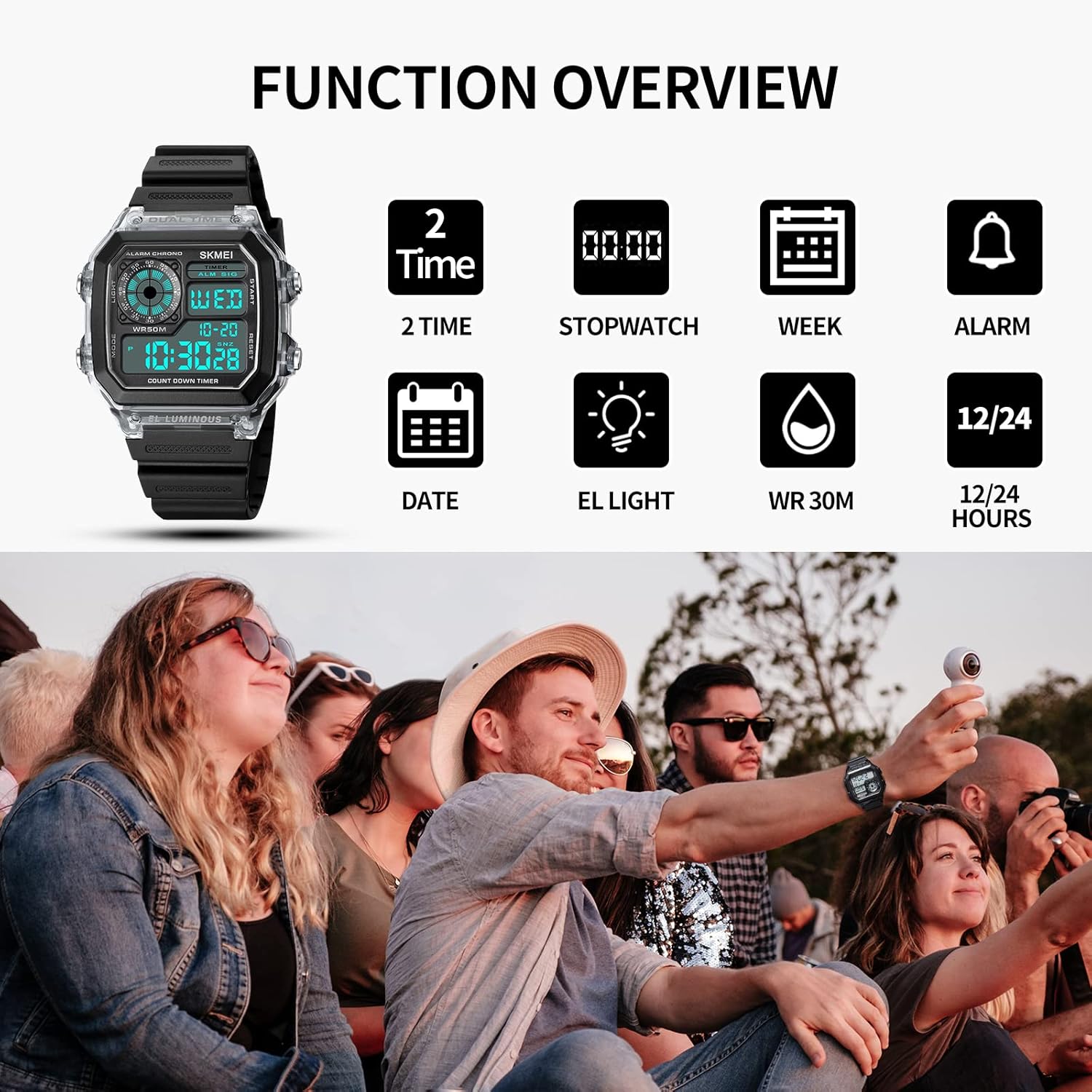
شکل 1.2: تمام شده استview of the watch's key functions, including dual time, stopwatch, week display, alarm, date, EL light, water resistance, and 12/24 hour format.
2. راه اندازی
۲.۱ شناسایی دکمه
با دکمههای ساعت آشنا شوید:
- دکمه LIGHT: نور پس زمینه EL را فعال میکند.
- دکمه MODE: Cycles through different modes (Time, Alarm, Chronograph, Countdown, Dual Time).
- دکمه START/STOP: Used to start/stop functions in Chronograph/Countdown modes, and to adjust settings.
- کلید ریست: Used to reset values in Chronograph/Countdown modes, and to adjust settings.

Figure 2.1: Detailed diagram illustrating the location and function of each button on the watch.
۲.۱ تنظیم زمان اولیه
- از حالت نمایش زمان عادی، دکمه را فشار دهید حالت دکمه را مکرراً فشار دهید تا ثانیهها شروع به چشمک زدن کنند. این نشان میدهد که در حالت تنظیم زمان هستید.
- را فشار دهید تنظیم مجدد برای تغییر تنظیمات، دکمه را فشار دهید: ثانیه → ساعت → دقیقه → سال → ماه → روز.
- استفاده کنید START/STOP دکمه برای تنظیم مقدار چشمک زدن.
- وقتی همه تنظیمات درست بود، دکمه را فشار دهید حالت برای خروج از حالت تنظیم و بازگشت به نمایش زمان عادی، دکمه را فشار دهید.
3. دستورالعمل های عملیاتی
3.1 تغییر حالت
را فشار دهید حالت دکمه چرخش در حالت های زیر:
- Time Display (with Date and Day of Week)
- تنظیم زنگ هشدار
- کرنوگراف (کرنومتر)
- تایمر شمارش معکوس
- زمان دوگانه
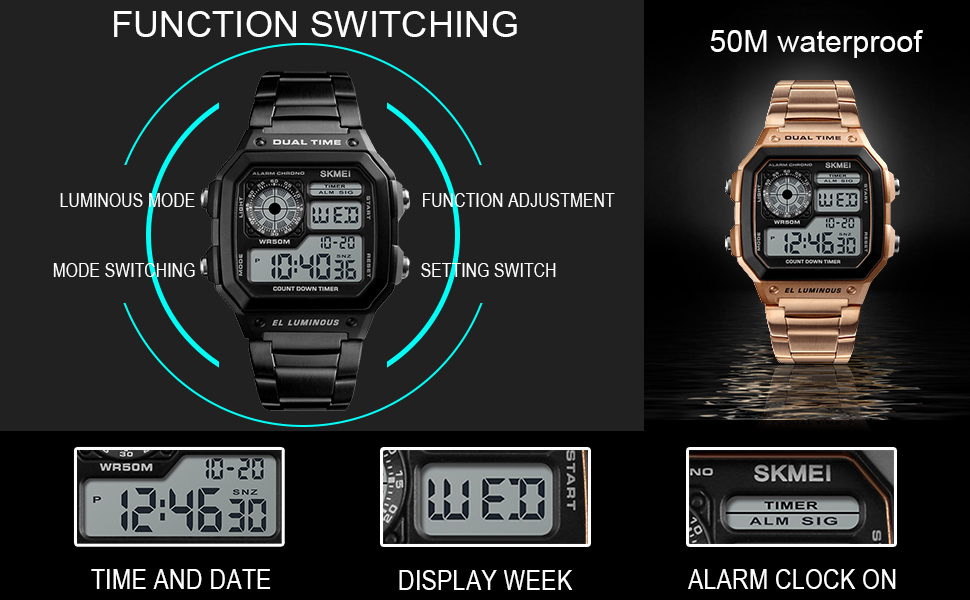
Figure 3.1: Illustration of function switching and the watch's 50M water resistance.
3.2 تنظیم زنگ
- از صفحه نمایش زمان عادی، دکمه حالت until the alarm time is displayed and the hour digits flash.
- را فشار دهید تنظیم مجدد برای تغییر بین تنظیمات ساعت و دقیقه.
- استفاده کنید START/STOP برای تنظیم مقدار چشمک زدن.
- را فشار دهید حالت برای تایید و خروج
- برای روشن/خاموش کردن زنگ هشدار، در حالت هشدار، را فشار دهید START/STOP برای تغییر وضعیت نماد هشدار.
۳.۲ کرونوگراف (کرونومتر)
- را فشار دهید حالت to enter Chronograph mode (display shows 00:00:00).
- را فشار دهید START/STOP برای شروع زمان بندی
- را فشار دهید START/STOP دوباره برای مکث زمانبندی.
- را فشار دهید تنظیم مجدد برای تنظیم مجدد کرنوگراف به صفر.
- برای از سرگیری زمانبندی پس از مکث، فشار دهید START/STOP.
3.4 تایمر شمارش معکوس
- را فشار دهید حالت to enter Countdown mode.
- برای تنظیم زمان شمارش معکوس، را فشار داده و نگه دارید تنظیم مجدد تا زمانی که ارقام ساعت چشمک بزنند.
- را فشار دهید تنظیم مجدد to switch between hour, minute, and second settings.
- استفاده کنید START/STOP برای تنظیم مقدار چشمک زدن.
- را فشار دهید حالت برای تأیید زمان شمارش معکوس.
- را فشار دهید START/STOP برای شروع شمارش معکوس
- را فشار دهید START/STOP دوباره برای مکث/از سرگیری.
- وقتی شمارش معکوس به صفر رسید، زنگ هشدار به صدا در میآید. برای متوقف کردن زنگ هشدار، هر دکمهای را فشار دهید.
3.5 EL نور پس زمینه
را فشار دهید نور button to illuminate the display for a few seconds, allowing for clear viewدر شرایط کم نور

Figure 3.2: Comparison of the watch display in normal mode versus with the EL backlight activated.
۲.۷ مقاومت در برابر آب
This watch is water-resistant to 5ATM (50 meters / 164 feet). This means it is suitable for daily use, such as sweating, hand washing, and rain. It can withstand splashes or brief immersion in water. However, it is مناسب نیست for sauna, bathing, or diving. Do not operate buttons underwater.
4. تعمیر و نگهداری
4.1 تمیز کردن
ساعت را مرتباً با یک پارچه نرم و خشک پاک کنید تا کثیفی و رطوبت از بین برود. برای کثیفیهای سرسخت، کمی ...amp میتوان از پارچه استفاده کرد و بلافاصله پس از آن خشک کرد.
4.2 تعویض باتری
The watch uses a standard watch battery. When the display becomes dim or functions become erratic, it may be time for a battery replacement. It is recommended to have the battery replaced by a qualified watch technician to ensure proper sealing and maintain water resistance.
۵.۳ اقدامات احتیاطی در مورد مقاومت در برابر آب
- از قرار دادن ساعت در معرض تغییرات شدید دما (مثلاً دوش آب گرم و به دنبال آن آب سرد) خودداری کنید.
- در حالی که ساعت در آب فرو رفته است، هیچ دکمهای را فشار ندهید.
- Ensure the watch is completely dry before attempting any adjustments or opening the case.
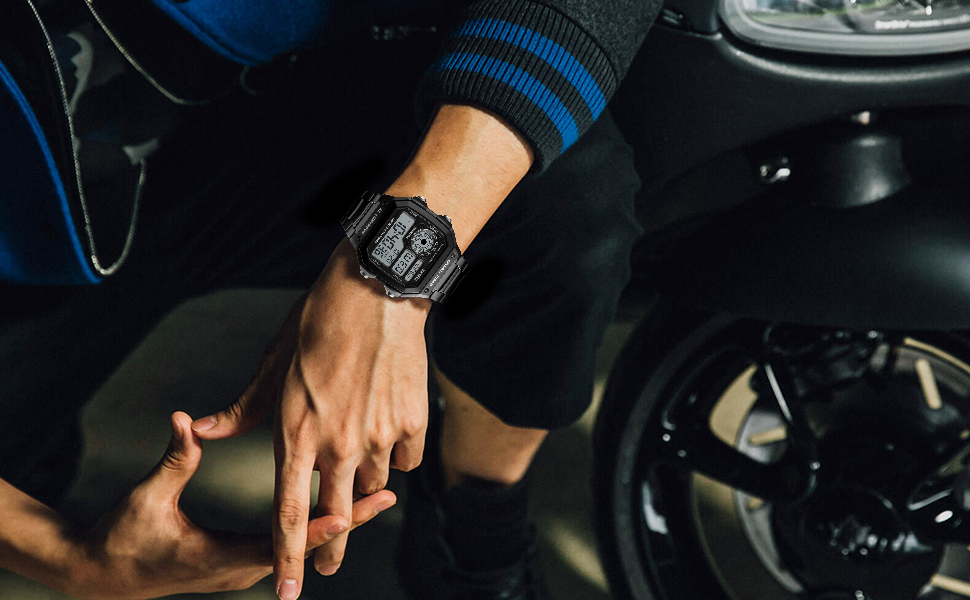
Figure 4.1: Breakdown of watch materials, including the resin mirror, ABS case, stainless steel components, and luminous display.
5 عیب یابی
| مشکل | علت احتمالی | راه حل |
|---|---|---|
| صفحه نمایش خالی یا کم نور است. | باتری کم. | باتری را تعویض کنید. |
| دکمه ها پاسخگو نیستند | ممکن است ساعت در حالت قفل باشد یا مشکل داخلی داشته باشد. | Try pressing all buttons to see if it unlocks. If not, a soft reset (removing and reinserting battery) might be needed by a technician. |
| آب داخل ساعت. | Water resistance compromised (e.g., buttons pressed underwater, extreme temperature changes, seal damage). | برای جلوگیری از آسیب بیشتر، فوراً ساعت را برای بررسی و تعمیر نزد یک متخصص ببرید. سعی نکنید خودتان آن را خشک کنید. |
| زمان نادرست است. | Needs adjustment or low battery. | Re-adjust the time. If the problem persists, consider battery replacement. |
6. مشخصات
- شماره مدل: SKMEI-1998
- ابعاد محصول: 10.43 x 0.71 x 0.51 اینچ
- وزن مورد: 3.84 اونس
- مواد مورد: ABS
- جنس باند: PU (پلی اورتان)
- نوع قلاب: سگک
- عمق مقاومت در برابر آب: ۳۰ متر (۳ دستگاه خودپرداز / ۹۸ فوت)
- حرکت: کوارتز ژاپنی
- باتری: ۱ باتری ناشناخته (شامل میشود)
- ویژگی ها: Dual Time, Chronograph, Countdown, Alarm, EL Backlight, Week Display, 12/24 Hour Format
7. گارانتی و پشتیبانی
7.1 سیاست بازگشت
This product is typically eligible for a 30-day return policy, allowing for a refund or replacement if issues arise within this period. Please refer to your purchase platform's specific return guidelines for detailed information.
۷.۳ طرحهای حفاظتی
Extended protection plans may be available for purchase, offering coverage beyond the standard return period. Options may include 2-Year or 3-Year protection plans, or comprehensive monthly plans. Check with your retailer for available protection plan details.
۷.۴ پشتیبانی سازنده
For further assistance, technical support, or warranty claims, please contact SKMEI Official customer service. Refer to the contact information provided with your purchase or visit the official SKMEI webسایت برای منابع پشتیبانی
Ask a question about this manual
Ask about setup, troubleshooting, compatibility, parts, safety, or missing instructions. Manuals+ will review the question and use this page’s manual context to help answer it.