
1. مقدمه
The AnkerWork SR500 is a professional conference speaker and microphone designed to enhance your meeting experience with advanced audio technology. This manual provides essential information for setting up, operating, and maintaining your device.

Figure 1: AnkerWork SR500 Conference Speaker and Microphone unit.
2. محتویات بسته
بررسی کنید که همه اقلام در بسته شما موجود باشد:
- AnkerWork SR500 Conference Speaker and Microphone
- کابل USB-C به USB-A
- راهنمای کاربر
3. راه اندازی و اتصال
۳.۲ اتصال به دستگاه شما
- Connect the provided USB-C to USB-A cable to the AnkerWork SR500.
- Plug the USB-A end of the cable into an available USB port on your computer (Laptop, Smartphone).
- The device is plug-and-play and should be automatically recognized by your operating system.
- Select the AnkerWork SR500 as your audio input and output device in your preferred conference software (e.g., Zoom, Microsoft Teams).

Figure 2: The SR500 is compatible with various conferencing platforms like Zoom, Microsoft Teams, Skype, and Google Meet.
3.2 Daisy Chaining Multiple Units
For larger conference rooms, up to 5 AnkerWork SR500 units can be daisy-chained together to expand audio coverage.
- Connect the first SR500 unit to your computer via USB.
- Use Ethernet cables (not included) to connect subsequent SR500 units to the previous one.
- Ensure all devices are updated to the latest firmware version via the AnkerWork Software for optimal performance.

Figure 3: Multiple SR500 units can be linked via PoE cable to cover large meeting spaces.
4. دستورالعمل های عملیاتی
4.1 کنترل ها و شاخص ها
The AnkerWork SR500 features intuitive touch controls on its surface:
- دکمه پاور: برای روشن/خاموش کردن دستگاه فشار دهید.
- دکمه های افزایش / کاهش صدا: تنظیم صدای بلندگو
- دکمه قطع صدا: میکروفون را بی صدا یا باصدا کنید.
- دکمه تماس: به تماسها پاسخ دهید یا آنها را قطع کنید.
- دکمه بلوتوث: Initiate Bluetooth pairing (if supported by your model).
4.2 VoiceRadar 2.0 Technology
The exclusive VoiceRadar 2.0 technology uses deep learning to isolate your voice from background noise, ensuring clear communication.

Figure 4: VoiceRadar 2.0 pinpoints and amplifies your voice during meetings, filtering out background noise.
4.3 Microphone Performance
Equipped with 8 omnidirectional microphones, the SR500 can pick up voices from up to 16 feet (5 meters) away with 48 kHz quality.
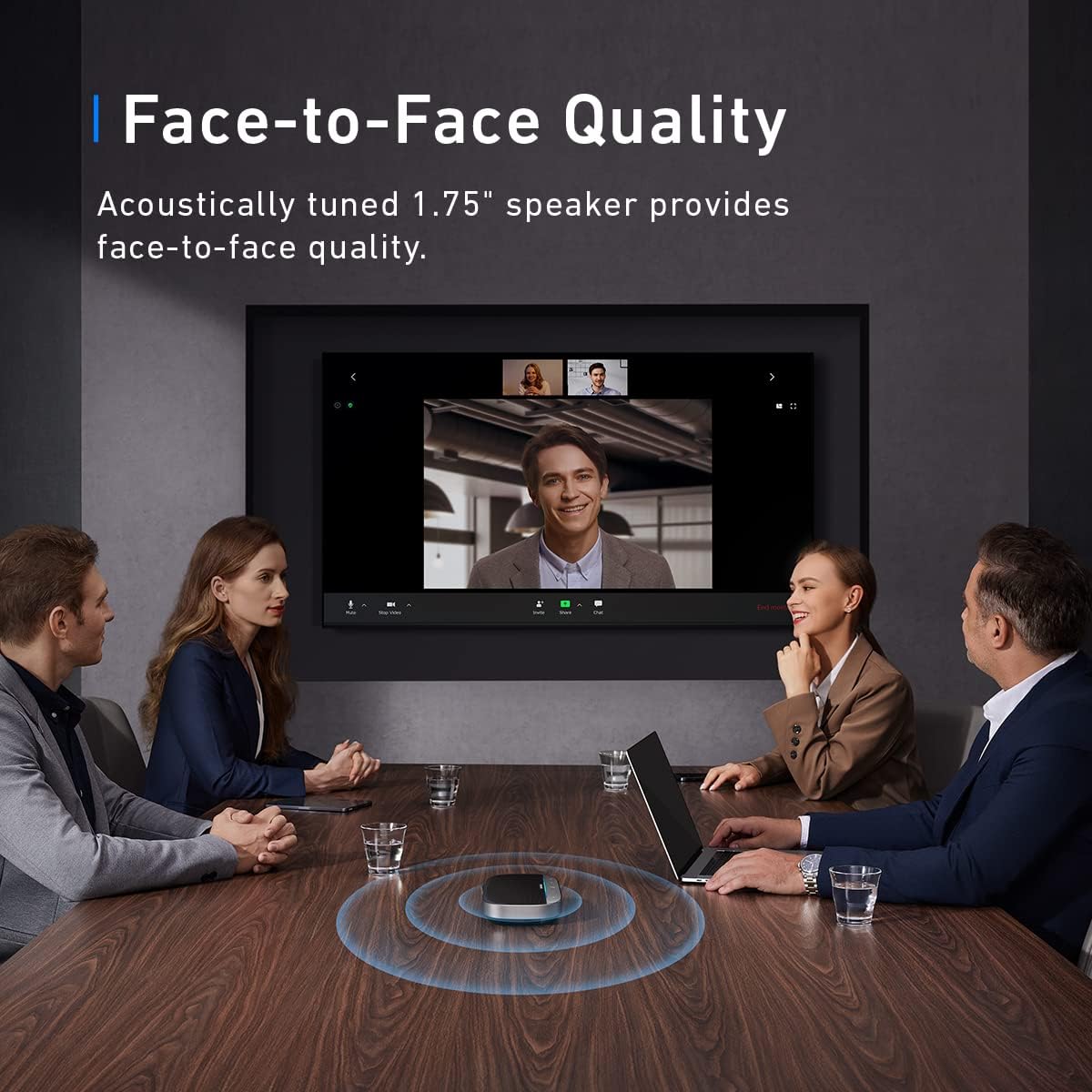
Figure 5: The SR500 features 8 omnidirectional microphones for high-quality voice pickup.

Figure 6: The SR500 can pick up voices from up to 16 feet (5 meters) away.
5. تعمیر و نگهداری
- دستگاه را با یک پارچه نرم و خشک تمیز کنید. از استفاده از مواد شیمیایی خشن یا مواد ساینده خودداری کنید.
- دستگاه را از آب، رطوبت و دمای شدید دور نگه دارید.
- دستگاه را در زمانی که از آن استفاده نمی کنید در جای خشک و خنک نگهداری کنید.
6 عیب یابی
6.1 Device Not Recognized / "Unrecognized USB Device" Error
- Ensure the USB cable is securely connected to both the SR500 and your computer.
- Try connecting the SR500 to a different USB port on your computer.
- Restart your computer and try connecting the device again.
- Check for any available driver updates for your computer's USB ports or the SR500 via the AnkerWork Software.
6.2 Mute Button Not Syncing with Microsoft Teams
- Ensure your AnkerWork SR500 firmware is up to date using the AnkerWork Software.
- Check Microsoft Teams settings to ensure the SR500 is correctly selected as the audio device and that no conflicting settings are enabled.
- Restart Microsoft Teams or your computer.
6.3 Poor Audio Quality or Low Volume
- Adjust the volume on the SR500 using the +/- buttons and also check your computer's system volume.
- Ensure the SR500 is placed centrally in the meeting space for optimal microphone pickup.
- Verify that VoiceRadar 2.0 is active for noise cancellation.
- If using multiple daisy-chained units, ensure all connections are secure and firmware is updated.
7. مشخصات
| نام مدل | A3311 |
| نوع نصب | پایه روی میز |
| نوع بلندگو | کنفرانس |
| دستگاه های سازگار | لپ تاپ، گوشی هوشمند |
| رنگ | مشکی |
| ابعاد محصول | ۳۵ اینچ عمق × ۱۶ اینچ ارتفاع |
| وزن مورد | 1.26 پوند |
| حداکثر برد | 5 متر (16 فوت) |
| روش کنترل | صدا |
| فناوری اتصال | USB |
| حداکثر توان خروجی بلندگو | 10 وات |
| پاسخ فرکانس | 20 هرتز |
| حالت خروجی صدا | استریو |
| UPC | 194644113605 |
| سازنده | انکر |
8. گارانتی و پشتیبانی
8.1 گارانتی محصول
The AnkerWork SR500 comes with a limited warranty. Please refer to the product packaging or the official AnkerWork webبرای اطلاع از شرایط و ضوابط خاص گارانتی به سایت مراجعه کنید.
8.2 به روز رسانی نرم افزار
Regularly update your device's firmware using the AnkerWork Software to ensure optimal performance and access to the latest features.
For further assistance or technical support, please visit the official AnkerWork support channels.