
مقدمه
This manual provides essential instructions for setting up, operating, and maintaining your Epson EcoTank L121 A4 Ink Tank Printer. Please read this guide thoroughly before using the printer to ensure correct operation and to maximize its lifespan.

تصویر: جلو view of the Epson EcoTank L121 A4 Ink Tank Printer. This image shows the compact design and the front paper output tray.
1. راه اندازی
1.1 باز کردن بسته بندی
Carefully remove the printer from its packaging. Ensure all protective tapes and materials are removed from the exterior and interior of the printer. Keep the packaging materials for future transport if needed.
۲.۲ پر کردن مخازن جوهر
The EcoTank L121 uses refillable ink tanks. Use only genuine Epson 664 series ink bottles (6641 Black, 6642 Cyan, 6643 Magenta, 6644 Yellow) for optimal performance and to prevent damage.
- پوشش مخزن جوهر را که در کنار چاپگر قرار دارد، باز کنید.
- Open the cap for the corresponding color ink tank you wish to fill.
- Carefully uncap the ink bottle and insert it into the filling port. The ink will automatically start to fill the tank. Do not squeeze the bottle.
- پس از پر شدن مخزن، بطری جوهر را خارج کرده و درب مخزن جوهر را محکم ببندید.
- Repeat for all other colors.
- پوشش واحد مخزن جوهر را ببندید.
After filling, press and hold the تعمیر و نگهداری button (often depicted as a droplet or triangle with a lightning bolt) for 3 seconds to initiate ink charging. This process takes approximately 20 minutes. Do not turn off the printer during ink charging.
1.3 اتصال به رایانه
The Epson EcoTank L121 connects via USB 2.0.
- Ensure the printer is powered on and ink charging is complete.
- یک سر کابل USB را به پورت USB چاپگر وصل کنید.
- سر دیگر کابل USB را به یک درگاه USB موجود در رایانه خود وصل کنید.
1.4 نصب نرم افزار
Insert the provided software CD into your computer's CD-ROM drive. If the installer does not start automatically, browse the CD and run the setup file. Follow the on-screen instructions to install the printer drivers and utility software. If you do not have a CD drive, download the latest drivers from the official Epson support webسایت
۵. کار با چاپگر
2.1 بارگذاری کاغذ
The printer supports A4 paper size.
- Open the paper support and pull it up.
- راهنماهای لبه را به عرض کاغذ خود بکشید.
- Load paper print-side up into the rear paper feeder. Ensure the stack is even and does not exceed the maximum load line.
- راهنماهای لبه را در مقابل کنارههای کاغذ تنظیم کنید.
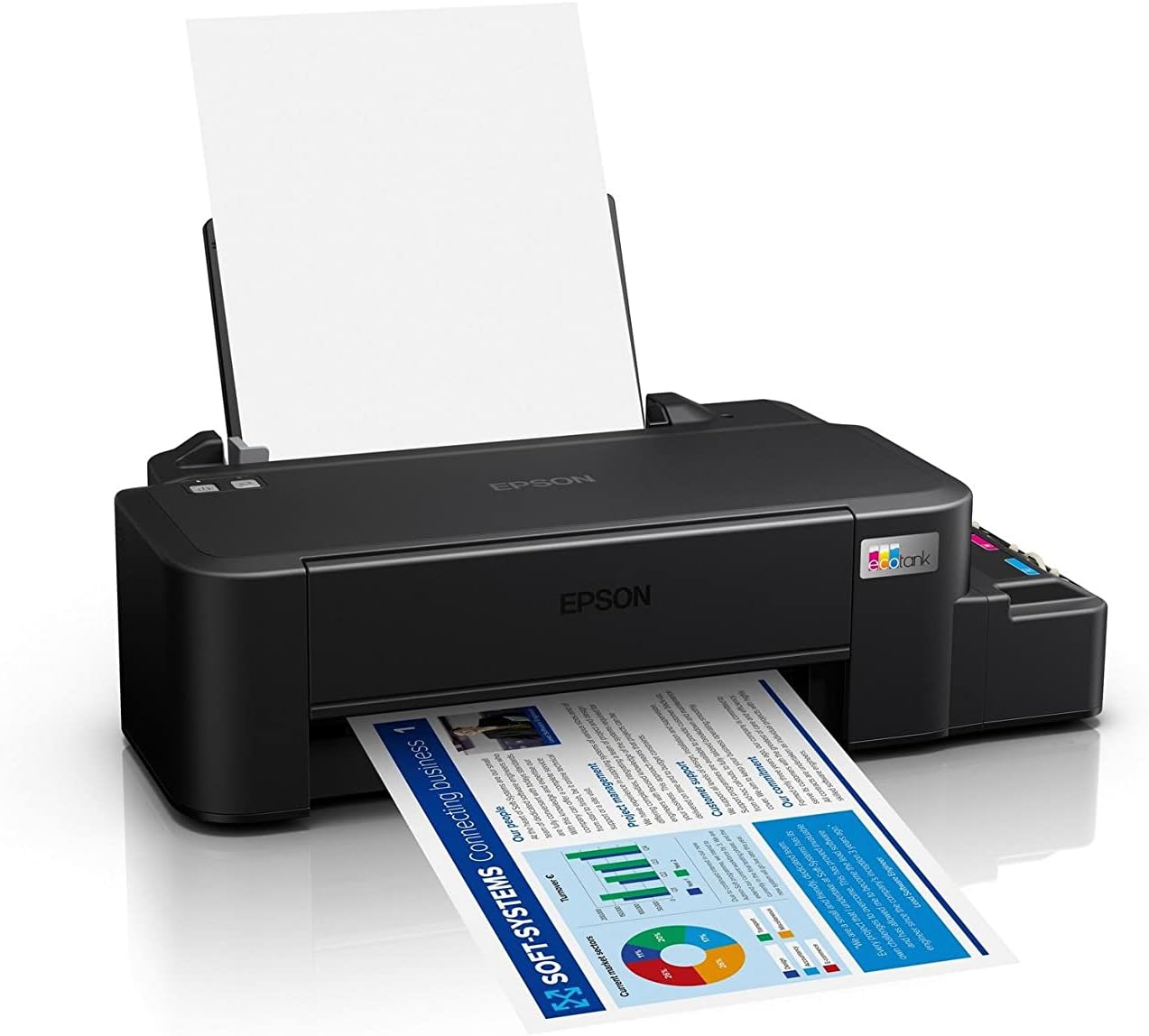
Image: The Epson EcoTank L121 printer actively printing a document. This illustrates paper being fed from the rear tray and exiting the front output tray.
2.2 چاپ اولیه
To print a document or image from your computer:
- سند یا تصویری را که میخواهید چاپ کنید، باز کنید.
- انتخاب کنید چاپ کنید از منوی برنامه (مثلاً File > چاپ).
- Choose your Epson EcoTank L121 printer from the list of available printers.
- تنظیمات چاپ مانند اندازه کاغذ، کیفیت چاپ و تعداد نسخهها را در صورت نیاز تنظیم کنید.
- کلیک کنید چاپ کنید.
3. تعمیر و نگهداری
۴.۱ بررسی سطح جوهر
Visually inspect the ink tanks on the side of the printer. The transparent tanks allow you to monitor ink levels. Refill ink when levels approach the lower line to prevent air from entering the system, which can affect print quality.

تصویر: زاویه دار view of the Epson EcoTank L121 printer, highlighting the external ink tanks. This view clearly shows the four color ink reservoirs.
۴.۳ تمیز کردن هد چاپ
If print quality declines (e.g., missing lines, incorrect colors), perform a print head cleaning. This can be done through the printer utility software on your computer:
- Open the Epson printer utility on your computer.
- حرکت به تعمیر و نگهداری or سودمند برگه
- انتخاب کنید تمیز کردن سر و دستورالعمل های روی صفحه را دنبال کنید.
Alternatively, you can perform a head cleaning by holding down the تعمیر و نگهداری button on the printer for 3 seconds until the power light starts flashing. Release the button and wait for the cleaning cycle to complete.
۳.۱ بررسی نازل
After a head cleaning, or if you suspect print quality issues, perform a nozzle check to verify if all nozzles are firing correctly. This can also be done via the printer utility software or by holding the تعمیر و نگهداری button for a shorter duration (e.g., 1 second) to print a nozzle check pattern.
4 عیب یابی
این بخش به مشکلات رایجی که ممکن است با چاپگر Epson EcoTank L121 خود با آنها مواجه شوید، میپردازد.
- چاپگر پاسخ نمیدهد:
- مطمئن شوید که چاپگر روشن است و از طریق USB به طور ایمن متصل شده است.
- بررسی کنید که آیا درایورهای چاپگر به درستی روی رایانه شما نصب شدهاند یا خیر.
- هم چاپگر و هم رایانه خود را مجدداً راه اندازی کنید.
- کیفیت چاپ ضعیف:
- برای شناسایی نازلهای مسدود شده، نازلها را بررسی کنید.
- Run a print head cleaning cycle if nozzles are clogged.
- سطح جوهر را بررسی کنید و در صورت لزوم دوباره پر کنید.
- مطمئن شوید که از جوهر اصلی اپسون استفاده میکنید.
- چسب کاغذ:
- چاپگر را خاموش کنید و هرگونه کاغذ گیر کرده را از سینی ورودی، سینی خروجی یا داخل چاپگر با دقت خارج کنید.
- مطمئن شوید که کاغذ به درستی بارگذاری شده و چروک یا ساییده نشده استurlویرایش
- سینی کاغذ را بیش از حد پر نکنید.
- Ink Light Flashing:
- This usually indicates low ink. Check the ink tanks and refill any low colors.
- After refilling, press the تعمیر و نگهداری button to reset the ink level indicator.
برای عیبیابی دقیقتر، به پشتیبانی اپسون مراجعه کنید webسایت یا دفترچه راهنمای کامل الکترونیکی.
5. مشخصات
| ویژگی | جزئیات |
|---|---|
| نام تجاری | اپسون |
| نام مدل | اکوتانک L121 |
| فناوری چاپ | جوهر افشان |
| فناوری اتصال | USB 2.0 |
| خروجی چاپگر | رنگ |
| حداکثر وضوح چاپ (رنگی) | 720 x 720 نقطه در اینچ |
| حداکثر سرعت چاپ (مشکی) | ۱۵.۸ ppm (ایزو) |
| حداکثر سرعت چاپ (رنگی) | ۱۵.۸ ppm (ایزو) |
| ویژگی های خاص | مخزن جوهر قابل شارژ مجدد |
| وزن مورد | 2.4 کیلوگرم |
| ابعاد مورد (D x W x H) | 21.5D x 46.1W x 13H سانتی متر |
| حداکثر اندازه رسانه | A4 |
| جوهر سازگار | Epson 664 series (6641/6642/6643/6644) |
| چاپ دورو | دستی |
6. اطلاعات گارانتی
The Epson EcoTank L121 printer comes with a warranty of 2-years or 20,000 pages, whichever comes first. Please retain your proof of purchase for warranty claims. For full terms and conditions, refer to the official Epson warranty documentation included with your product or visit the Epson support webسایت
7. پشتیبانی
For further assistance, driver downloads, FAQs, and additional support resources, please visit the official Epson support webسایت:
هنگام تماس با پشتیبانی، لطفاً مدل چاپگر (L121) و شماره سریال آن را آماده داشته باشید.