
مقدمه
This manual provides essential information for setting up, operating, maintaining, and troubleshooting your Acer Aspire 3 A315-58-79LA laptop. Please read this guide thoroughly to ensure proper use and longevity of your device.
1. راه اندازی
۲.۱ جعبهگشایی و بررسی اولیه
Carefully remove the laptop and all accessories from the packaging. Inspect the device for any signs of damage. Retain the packaging for future transport or service needs.
1.2 اتصال برق
Connect the AC adapter to the laptop's power input port and then plug the adapter into a power outlet. The battery will begin charging automatically. It is recommended to fully charge the battery before the first use.
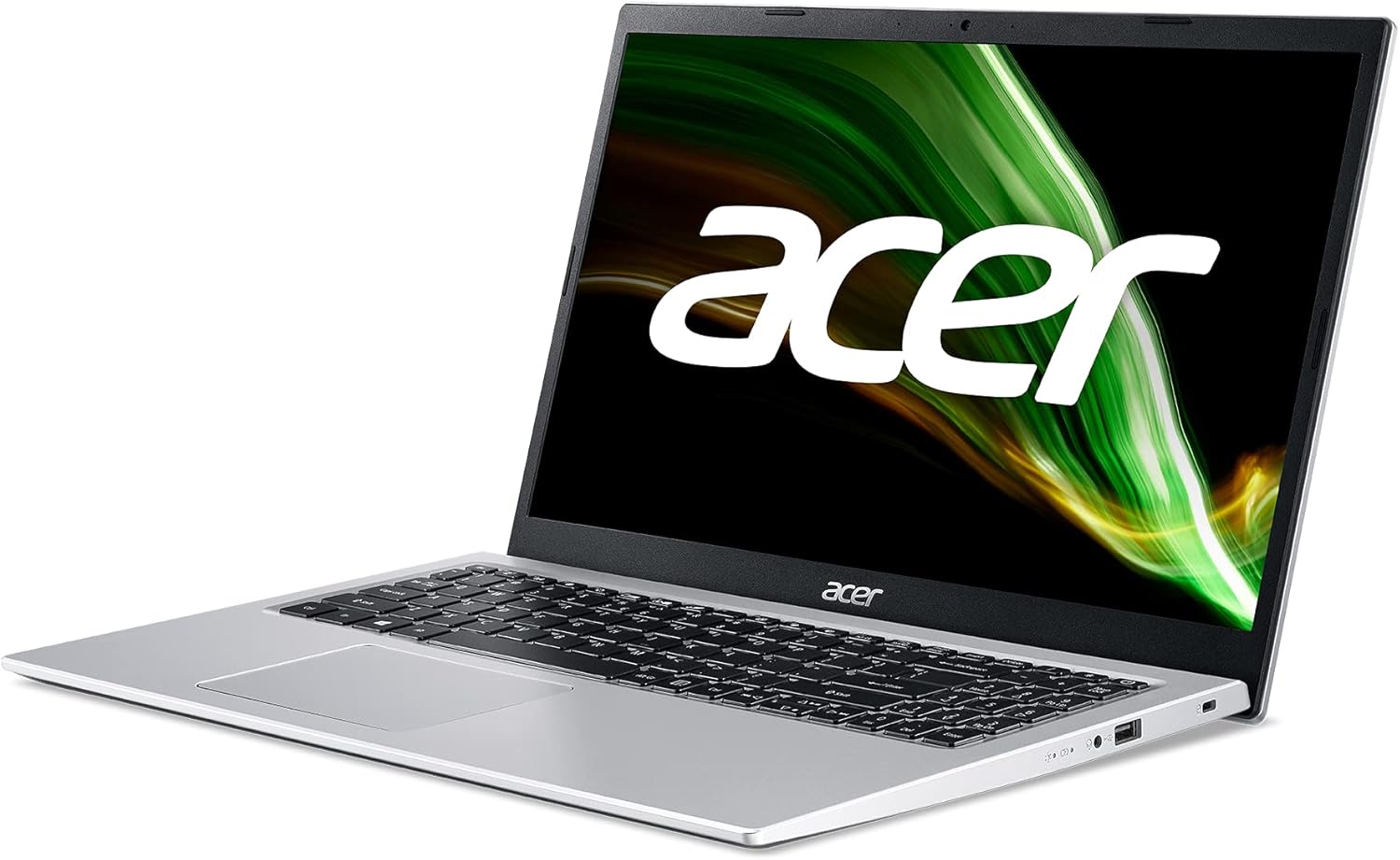
تصویر: سمت راست view of the Acer Aspire 3 laptop, showing the power input port.
۲.۳ اولین بوت و راهاندازی ویندوز
Press the power button to turn on the laptop. Follow the on-screen instructions to complete the Windows 11 Home setup process. This includes selecting your language, region, connecting to a network, and creating a user account.
1.4 اتصال لوازم جانبی
You can connect external devices such as a mouse, keyboard, or external storage via the available USB ports. For external displays, use the HDMI port.

تصویر: سمت چپ view of the Acer Aspire 3 laptop, highlighting the HDMI and USB ports for connecting external devices.
۳. کار کردن با لپتاپ
۳.۱ حالتهای روشن/خاموش و خواب
- روشن کردن: دکمه پاور واقع در صفحه کلید را فشار دهید.
- خاموش کردن: روی دکمه شروع، سپس روشن/خاموش کردن کلیک کنید و گزینه «خاموش کردن» را انتخاب کنید.
- خواب: درب لپتاپ را ببندید یا روی دکمه شروع، سپس روشن/خاموش کلیک کنید و گزینه «خواب» را انتخاب کنید.
۳.۵ صفحه کلید و تاچپد
The laptop features a QWERTY Spanish keyboard layout and a precision touchpad. Use the touchpad for navigation and gestures. Refer to Windows settings for touchpad customization.

تصویر: از بالا به پایین view of the Acer Aspire 3 laptop, showing the QWERTY Spanish keyboard and the integrated touchpad.
۵.۶ اتصال به شبکه
- وای فای: Access Wi-Fi settings through the Windows taskbar network icon to connect to available wireless networks. The laptop supports Wi-Fi 5 (802.11a/b/g/n/ac).
- بلوتوث: Enable Bluetooth in Windows settings to pair with compatible devices like headphones or mice (Bluetooth version 5.0).
- اترنت: Connect an Ethernet cable to the LAN port for a wired internet connection (up to 1000 Mbps).
3. تعمیر و نگهداری
۴.۱ تمیز کردن لپتاپ
از پارچه نرم و بدون پرز استفاده کنیدampened with a small amount of water or a specialized screen cleaner to clean the display and exterior surfaces. Avoid harsh chemicals or abrasive materials. For the keyboard, use compressed air to remove dust and debris.
3.2 مراقبت از باتری
To maximize battery life, avoid extreme temperatures. Do not leave the laptop plugged in constantly after it is fully charged for extended periods. Periodically discharge and recharge the battery. The laptop uses a 1-cell Lithium Ion battery with an estimated life of 8 hours.
3.3 به روز رسانی نرم افزار
Regularly check for and install Windows updates to ensure your system has the latest security patches and performance improvements. Acer may also provide driver updates through their support webسایت
3.4 مدیریت ذخیره سازی
به صورت دوره ای دوبارهview و موارد غیر ضروری را حذف کنید files to free up storage space on the 512GB SSD. Consider using cloud storage for large files to optimize local performance.
4 عیب یابی
4.1 مسائل و راه حل های مشترک
- لپ تاپ روشن نمی شود: Ensure the AC adapter is securely connected and the power outlet is functional. Try a different power outlet. If the battery is completely drained, it may take a few minutes to show signs of life after plugging in.
- Display problems (no image, flickering): Connect an external monitor via HDMI to check if the issue is with the laptop's internal display. Restart the laptop. Update graphics drivers.
- بدون اتصال Wi-Fi: بررسی کنید که آیا Wi-Fi در تنظیمات ویندوز فعال است یا خیر. روتر و لپتاپ خود را مجدداً راهاندازی کنید. مطمئن شوید که درایورها بهروز هستند.
- عملکرد کند: Close unnecessary applications. Check for malware. Ensure sufficient free storage space. Update Windows and drivers.
4.2 Restoring System
Windows 11 offers recovery options to reset your PC or restore from a previous point. Access these options via Windows Settings > System > Recovery.
۵.۲ چه زمانی با پشتیبانی تماس بگیریم
If you encounter persistent issues that cannot be resolved with the above steps, or if you suspect a hardware malfunction, contact Acer customer support or an authorized service center.
5. مشخصات
| ویژگی | جزئیات |
|---|---|
| نام مدل | A315-58 |
| شماره مدل محصول | NX.ADDEB.01L |
| پردازنده | Intel Core i7-1165G7 (4C/Quadcore 2.80GHz) |
| گرافیک | گرافیک Intel Iris Xe (یکپارچه) |
| RAM | 16 GB DDR4 SDRAM (2800 MHz, Max 64 GB, 3 total slots) |
| ذخیره سازی | 512 GB SSD PCI Express (Solid State) |
| سیستم عامل | ویندوز 11 صفحه اصلی |
| نمایش | 15.6 inches, FullHD (1920 x 1080 pixels), LED LCD |
| اتصال بی سیم | وایفای ۶ (۸۰۲.۱۱a/b/g/n/ac)، بلوتوث ۵.۰ |
| اتصال سیمی | Ethernet (1000 Mbps), HDMI (1 port), USB (3 ports) |
| چیدمان صفحه کلید | اسپانیایی |
| دستگاه اشاره گر | پد لمسی |
| Webبادامک | یکپارچه شده است |
| میکروفون | بله |
| بلندگوها | بلندگوهای استریو یکپارچه |
| باتری | 1-cell Lithium Ion, 36 Watt-hours, approx. 8 hours life |
| ابعاد (L x W x H) | 36.3 × 2 × 23.8 سانتی متر |
| وزن | 1.7 کیلوگرم |
| رنگ | نقره ای |
| سال مدل | 2022 |
6. اطلاعات گارانتی
This Acer Aspire 3 laptop comes with a 3 سال گارانتی محدود. For detailed terms and conditions, including coverage, exclusions, and how to make a claim, please refer to the warranty documentation included with your product or visit the official Acer support webسایت
7. پشتیبانی
برای کمک بیشتر، پشتیبانی فنی یا دانلود جدیدترین درایورها و نرمافزارها، لطفاً از پشتیبانی رسمی ایسر دیدن کنید webسایت. معمولاً میتوانید سوالات متداول، راهنماهای عیبیابی و اطلاعات تماس خدمات مشتریان را در آنجا پیدا کنید.
پشتیبانی ایسر Webسایت: www.acer.com/support