
1. مقدمه
Thank you for choosing the Severin HV 7152 Cordless 2-in-1 Stick Vacuum Cleaner. This manual provides important information regarding the safe and efficient use, maintenance, and troubleshooting of your appliance. Please read it thoroughly before first use and keep it for future reference.
The Severin HV 7152 is a versatile 2-in-1 cordless vacuum cleaner designed for general floor cleaning, quick clean-ups, car interior cleaning, and above-floor tasks like furniture and ceiling cobweb removal. It features a high-speed rotating brush with LED lighting and offers up to 40 minutes of runtime.
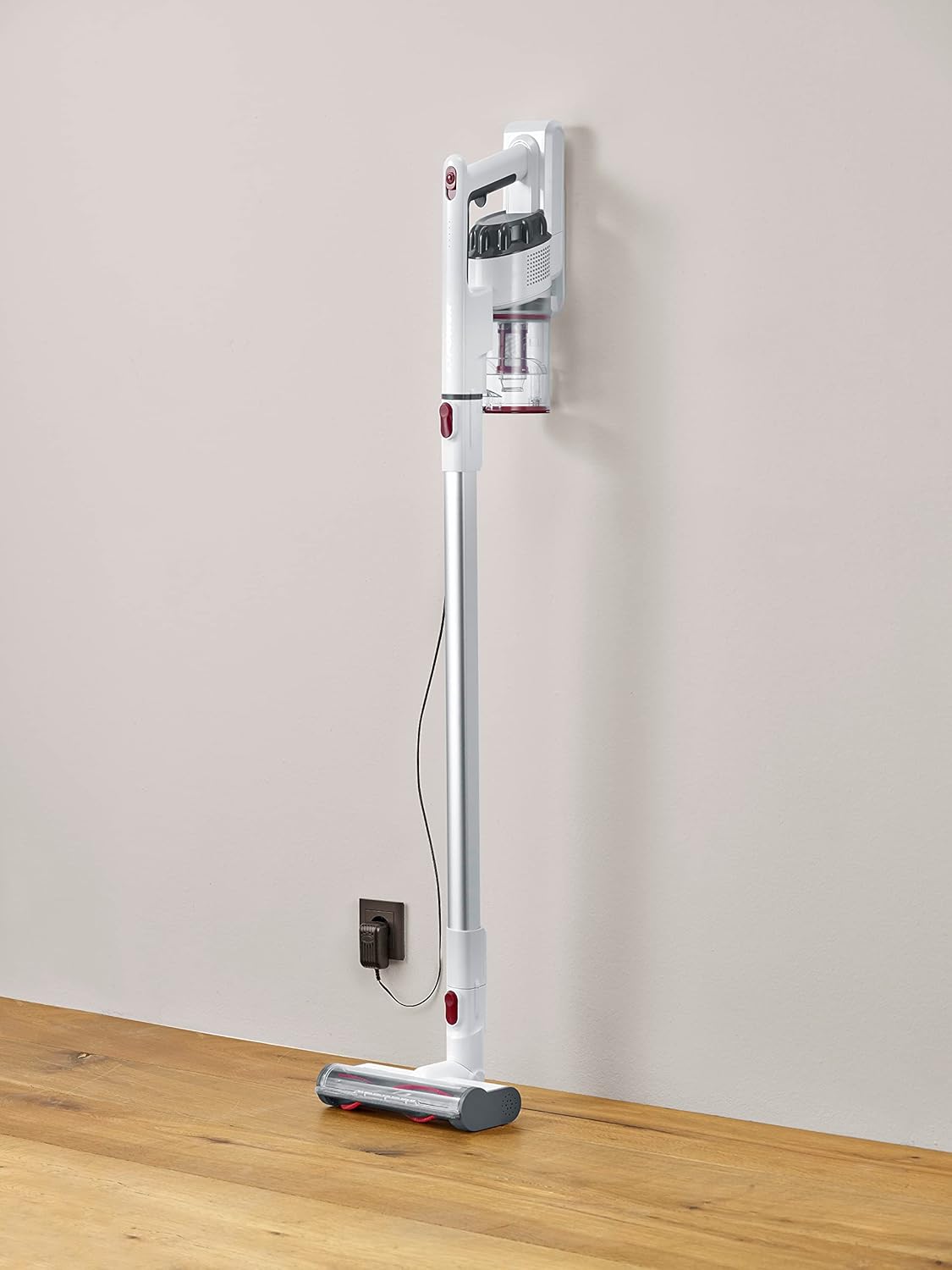
Image 1.1: The Severin HV 7152 Cordless 2-in-1 Stick Vacuum Cleaner in its upright position, charging.
2. اطلاعات ایمنی
- قبل از استفاده از دستگاه تمام دستورالعمل ها را بخوانید.
- از جاروبرقی در فضای باز یا سطوح مرطوب استفاده نکنید.
- اجازه ندهید کودکان با دستگاه کار کنند. هنگام استفاده در نزدیکی کودکان، نظارت دقیق ضروری است.
- مایعات قابل اشتعال یا احتراق مانند بنزین را نگیرید و در مناطقی که ممکن است وجود داشته باشد استفاده نکنید.
- چیزی که می سوزد یا سیگار می کشد، مانند سیگار، کبریت، یا خاکستر داغ را بردارید.
- بدون فنجان گرد و غبار و/یا فیلترها در محل استفاده نکنید.
- قبل از اتصال یا جدا کردن شارژر باتری، دستگاه را خاموش کنید.
- فقط از شارژر ارائه شده توسط سازنده استفاده کنید.
- دستگاه را در داخل خانه در جای خشک و خنک نگهداری کنید.
3. راه اندازی و مونتاژ
The Severin HV 7152 is designed for easy assembly. Follow these steps to prepare your vacuum cleaner for first use:
۳.۱ باز کردن بستهبندی و شناسایی قطعات
تمام قطعات را با دقت از بستهبندی خارج کنید. مطمئن شوید که تمام قطعات ذکر شده در زیر وجود دارند:
- Main unit (motor and dust container)
- لوله کششی
- برس زمین موتوری با چراغ های LED
- ابزار شکاف
- Upholstery brush / 2-in-1 brush
- Wall mount (if included)
- آداپتور شارژ

Image 3.1: Included accessories: crevice tool and upholstery brush.
3.2 شارژ اولیه
Before first use, fully charge the battery. Connect the charging adapter to the main unit and plug it into a power outlet. The battery indicator lights will show the charging status. A full charge takes approximately 5 hours.
۴.۱ مونتاژ جاروبرقی میلهای
- Attach the extension tube to the main unit until it clicks into place.
- Attach the motorized floor brush to the other end of the extension tube until it clicks into place.
Your stick vacuum is now assembled. For handheld use, detach the extension tube and attach desired accessories directly to the main unit.
ویدیوی ۱.۱: یک پایانview of the cordless vacuum cleaner, demonstrating its features and assembly.
4. دستورالعمل های عملیاتی
The Severin HV 7152 offers flexible cleaning options with its 2-in-1 design and multiple power levels.
۶.۱ روشن/خاموش کردن دستگاه و میزان مکش
Press the power button on the main unit to turn the vacuum cleaner on. The appliance has 3 power levels. Press the power button repeatedly to cycle through the suction levels (low, medium, high). The battery level indicators will show the remaining charge.
۴.۲ استفاده به عنوان جاروبرقی عصایی
For floor cleaning, use the assembled stick vacuum with the motorized floor brush. The brush features 3 LED lights to illuminate dark areas, making dirt more visible.

Image 4.1: The motorized floor brush with LED lights in action.
۴.۳ استفاده به عنوان جاروبرقی دستی
To convert to a handheld vacuum, press the release button to detach the extension tube from the main unit. Attach the desired accessory (crevice tool or upholstery brush) directly to the main unit.

Image 4.2: Using the handheld vacuum with the crevice tool for hard-to-reach areas.
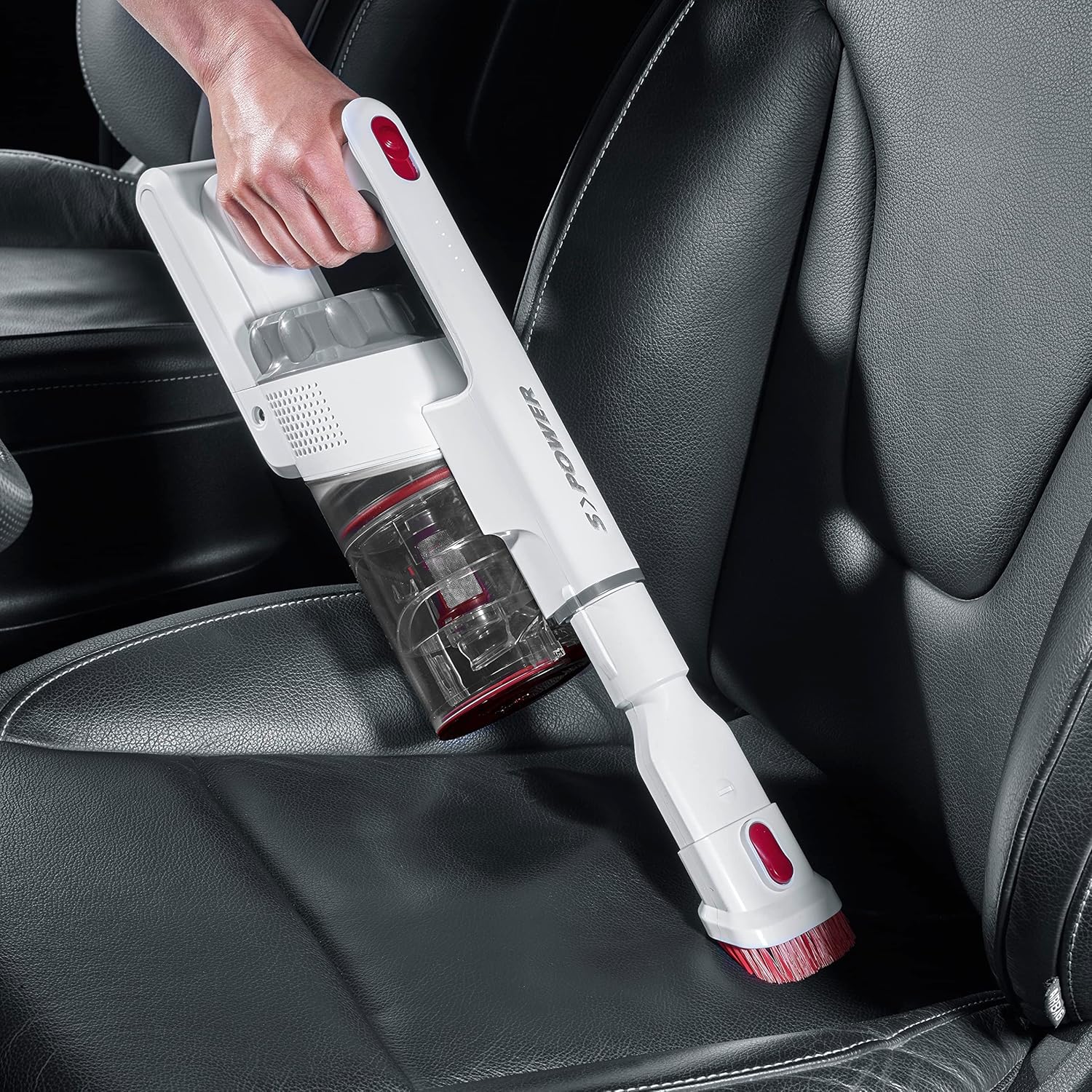
Image 4.3: Cleaning a car interior with the handheld vacuum and upholstery brush.
Video 4.4: Practical product illustration showing various uses and features of the vacuum cleaner.
5. تعمیر و نگهداری
Regular maintenance ensures optimal performance and extends the lifespan of your Severin HV 7152.
۵.۱ خالی کردن محفظه گرد و غبار
The dust container has a capacity of 500 ml. Empty it regularly to maintain suction power.
- اطمینان حاصل کنید که جاروبرقی خاموش است.
- Press the release button on the dust container to open the bottom flap and empty contents into a waste bin.

Image 5.1: Emptying the dust container.
5.2 تمیز کردن فیلترها
The vacuum cleaner uses a cartridge filter. Clean the filters regularly to prevent clogging and maintain suction.
- اطمینان حاصل کنید که جاروبرقی خاموش است.
- ظرف گرد و غبار را از واحد اصلی خارج کنید.
- Twist and pull out the filter assembly from the dust container.
- اجزای فیلتر را جداگانه جدا کنید.
- Tap the filters to remove loose dust. If heavily soiled, rinse them under running water. Ensure they are completely dry before reassembling and placing back into the vacuum cleaner.

Image 5.2: Removing the filter from the dust container.
5.3 Cleaning the Rotating Brush
برس موتوری کف را به صورت دورهای از نظر موهای گره خورده یا زباله بررسی کنید.
- Ensure the vacuum cleaner is turned off and disconnected from the extension tube.
- Locate the release mechanism on the side of the brush head.
- غلتک قلم مو را بردارید.
- از قیچی یا برس برای جدا کردن هرگونه مو یا الیاف درهم تنیده استفاده کنید.
- Reinsert the brush roller until it clicks into place.

Image 5.3: Underside of the motorized floor brush, showing the brush roller.
ویدئو ۳: جزئیات view of product features, including maintenance aspects like filter cleaning.
6 عیب یابی
If you encounter issues with your Severin HV 7152, refer to the following table for common problems and solutions.
| مشکل | علت احتمالی | راه حل |
|---|---|---|
| جاروبرقی روشن نمی شود. | باتری خالی شده است. | باتری را به طور کامل شارژ کنید. |
| قدرت مکش پایین. | ظرف گرد و غبار پر است | ظرف گرد و غبار را خالی کنید. |
| قدرت مکش پایین. | فیلترها مسدود شده اند. | فیلترها را تمیز یا تعویض کنید. |
| قدرت مکش پایین. | Brush roller is tangled. | غلتک برس را تمیز کنید. |
| Motorized brush does not rotate. | Brush roller is jammed or tangled. | Clean the brush roller and check for obstructions. |
| باتری شارژ نمی شود. | شارژر به درستی وصل نیست | Ensure charger is securely connected to both the vacuum and the power outlet. |
| باتری شارژ نمی شود. | شارژر یا باتری معیوب. | برای کمک با پشتیبانی مشتری تماس بگیرید. |
7. مشخصات
| ویژگی | جزئیات |
|---|---|
| نام تجاری | سورین |
| نام مدل | HV7152 |
| شماره مدل | HV 7152 |
| ویژگی خاص | بدون کیف |
| نوع فیلتر | کارتریج |
| سطوح توصیه شده | Upholstery, General floor cleaning, Quick cleaning, Car interiors, Above-floor cleaning (furniture, cobwebs) |
| منبع تغذیه | شارژ باتری |
| ظرفیت | 500 میلی لیتر |
| رنگ | سفید |
| سطح نویز | ۴۵ دسیبل |
| تعداد سرعتها/سطح قدرت | 3 |
| قابل حمل | بله |
| استفاده در فضای باز/داخلی | سرپوشیده |
| نوع پایان | براق |
| بی سیم | بله |
| وزن مورد | 1.42 کیلوگرم |
| ابعاد مورد (L x W x H) | 28L x 15W x 68H سانتی متر |
| نوع کنترل | Manual Control, Touch |
| فاکتور فرم | خلا St را بچسبانید |
| اجزای شامل | نازل شکاف |
| جلدtage | 22.2 ولت |
| واتtage | 120 وات |
| زمان شارژ باتری | 5 ساعت |
| عمر باتری/زمان اجرا | تا 40 دقیقه |
| فناوری اتصال | USB |
8. گارانتی و پشتیبانی
8.1 اطلاعات گارانتی
This Severin appliance comes with a standard manufacturer's warranty. Please refer to the warranty card included in your product packaging for specific terms, conditions, and duration. Keep your proof of purchase for any warranty claims.
8.2 پشتیبانی مشتری
For technical assistance, spare parts, or any questions regarding your Severin HV 7152, please contact Severin customer support. Contact details can typically be found on the official Severin webدر محل یا روی بستهبندی محصول.