
Acer 5W.94264.001
Acer 15.6-inch Laptop Backpack Instruction Manual
Model: 5W.94264.001
1. Introduction
Thank you for choosing the Acer 15.6-inch Laptop Backpack. This manual provides essential information for the proper use, care, and maintenance of your new backpack. Please read it thoroughly to ensure optimal performance and longevity of the product.
2. Product Features
The Acer Laptop Backpack is designed for comfort and functionality, offering secure storage for your laptop and other essentials.
- Dedicated Laptop Compartment: Securely fits laptops up to 15.6 inches (39.6 cm).
- Ergonomic Design: Features an extra soft padded back panel with Airmesh and padded shoulder straps for enhanced comfort and support.
- Storage: Includes a main compartment, a front pocket, a water bottle holder, and a side pocket. Total of 3 pockets and 1 main compartment.
- Durable Materials: Constructed with Gucci Melange fabric and Premium 1680D Polyester fabric for durability.
- Zippers: Equipped with heavy-duty SBS zippers for reliable closure.
- Capacity: Approximately 17 liters storage volume.
- Grab Handle: Soft top grab handle for easy carrying.
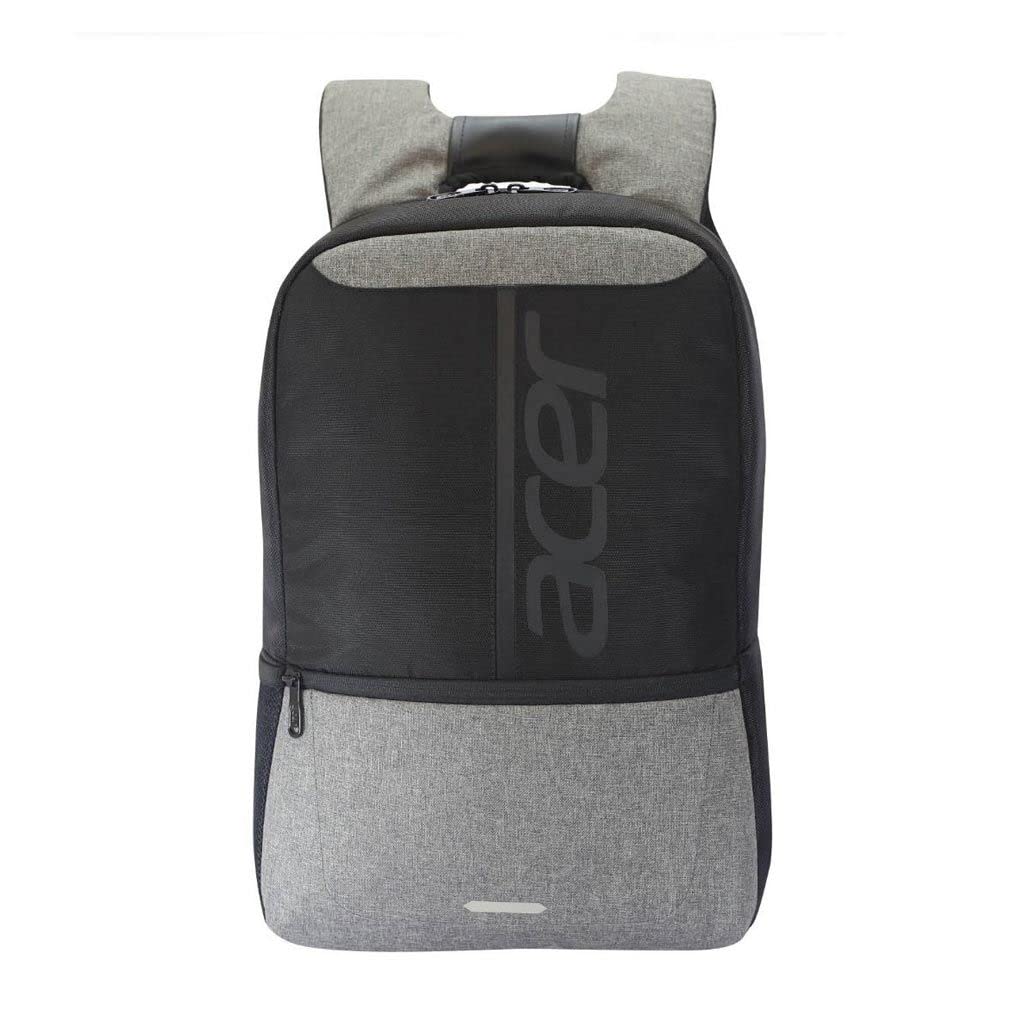
Figure 2.1: Rear view of the backpack highlighting the padded back panel and shoulder straps for ergonomic comfort.

Figure 2.2: Side view of the backpack, illustrating its slim profile and the accessible side pocket.
3. Initial Setup and Adjustment
Before using your backpack, perform the following adjustments for a comfortable fit:
- Unpack: Remove all packaging materials from the backpack.
- Adjust Shoulder Straps: Place the backpack on your back. Use the adjustable buckles on the shoulder straps to raise or lower the backpack until it rests comfortably on your lower back, with the top of the backpack level with your shoulders. The straps should be snug but not tight.
- Test Fit: Walk around briefly to ensure the backpack feels balanced and comfortable. Readjust as necessary.
4. Operating Instructions
Follow these guidelines for effective use of your backpack:
- Laptop Placement: Always place your laptop in the dedicated padded compartment. Ensure it is fully inserted and the compartment is zipped closed.
- Weight Distribution: Distribute heavier items closer to your back to maintain balance and reduce strain.
- Compartment Use: Utilize the front pocket for smaller items like pens, notebooks, or chargers. The side pocket is suitable for a water bottle or umbrella.
- Zippers: When opening or closing zippers, hold the fabric near the zipper to prevent snagging and ensure smooth operation.
- Carrying: Always use both shoulder straps for even weight distribution. Use the top grab handle for short-distance carrying or lifting.
5. Care and Maintenance
Proper care will extend the life of your backpack:
- Cleaning: Spot clean with a damp cloth and mild soap. Do not machine wash, tumble dry, or bleach. Allow to air dry completely.
- Storage: Store the backpack in a cool, dry place away from direct sunlight when not in use.
- Avoid Overloading: Do not exceed the backpack's capacity to prevent damage to seams and zippers.
- Water Resistance: This backpack is not water resistant. Avoid prolonged exposure to rain or wet conditions. Use a rain cover if necessary in wet environments.
6. Troubleshooting
Common issues and their solutions:
- Stuck Zipper: Gently pull the fabric on either side of the zipper. Apply a small amount of zipper lubricant (e.g., wax or silicone spray) if necessary. Do not force the zipper.
- Discomfort: Re-adjust shoulder straps to ensure proper weight distribution and fit. Ensure heavy items are placed closer to your back.
- Stains: Address stains promptly with spot cleaning. For stubborn stains, consult a professional cleaning service.
7. Product Specifications
| Model Number | 5W.94264.001 |
| Compatible Laptop Size | Up to 15.6 inches (39.6 cm) |
| Material | Polyester, Gucci Melange fabric, 1680D Polyester fabric |
| Color | Black and Melange Grey |
| Dimensions (LxWxH) | 4.5 x 25 x 35 cm (D x W x H) |
| Item Weight | 460 g (0.46 Kilograms) |
| Storage Volume | 17 litres |
| Number of Compartments | 1 (main) |
| Number of Pockets | 3 (front, side, laptop) |
| Water Resistance | Not Water Resistant |
8. Warranty Information
This Acer Laptop Backpack comes with a standard manufacturer's warranty. For specific details regarding warranty coverage, duration, and terms, please refer to the warranty card included with your purchase or visit the official Acer support website. Keep your proof of purchase for warranty claims.
9. Customer Support
For further assistance, product inquiries, or technical support, please contact Acer customer service. You can find contact information on the official Acer website or through the documentation provided with your product.
Acer Official Website: www.acer.com
Ask a question about this manual
Ask about setup, troubleshooting, compatibility, parts, safety, or missing instructions. Manuals+ will review the question and use this page’s manual context to help answer it.