
مقدمه
Thank you for choosing the Cellularline CORE True Wireless Bluetooth Earphones. These earphones are designed to provide a seamless audio experience with advanced features such as a charging case with an LED display, touch controls, and automatic pairing. This manual will guide you through the setup, operation, and maintenance of your new earphones.
آنچه در جعبه است
- Cellularline CORE True Wireless Bluetooth Earphones (Left and Right)
- کیس شارژ با نمایشگر LED
- کابل شارژ USB-C
- راهنمای کاربر
محصول تمام شده استview
The Cellularline CORE earphones feature a compact design and a charging case with an integrated LED display to show the remaining battery percentage. They offer up to 16 hours of total play time with the charging case.

Image: Cellularline CORE True Wireless Bluetooth Earphones and Charging Case. The earphones are white and sit in an open white charging case.

Image: A close-up of the Cellularline CORE charging case with an LED display showing '100', indicating full battery. The earphones are inside the case.
The LED display on the charging case provides real-time battery status, ensuring you are always aware of the remaining charge.
راه اندازی
۴.۱ شارژ کردن هدفون و قاب آن
- هر دو هدفون را داخل محفظه شارژ قرار دهید. مطمئن شوید که به درستی در شیارهای مربوطه قرار گرفتهاند.
- Connect the provided USB-C cable to the charging port on the case and plug the other end into a USB power adapter (not included) or a computer's USB port.
- صفحه نمایش LED روی کیس شارژ، درصد باتری فعلی را نشان میدهد.tage during charging. A full charge typically takes approximately 4 hours for the case and earphones.
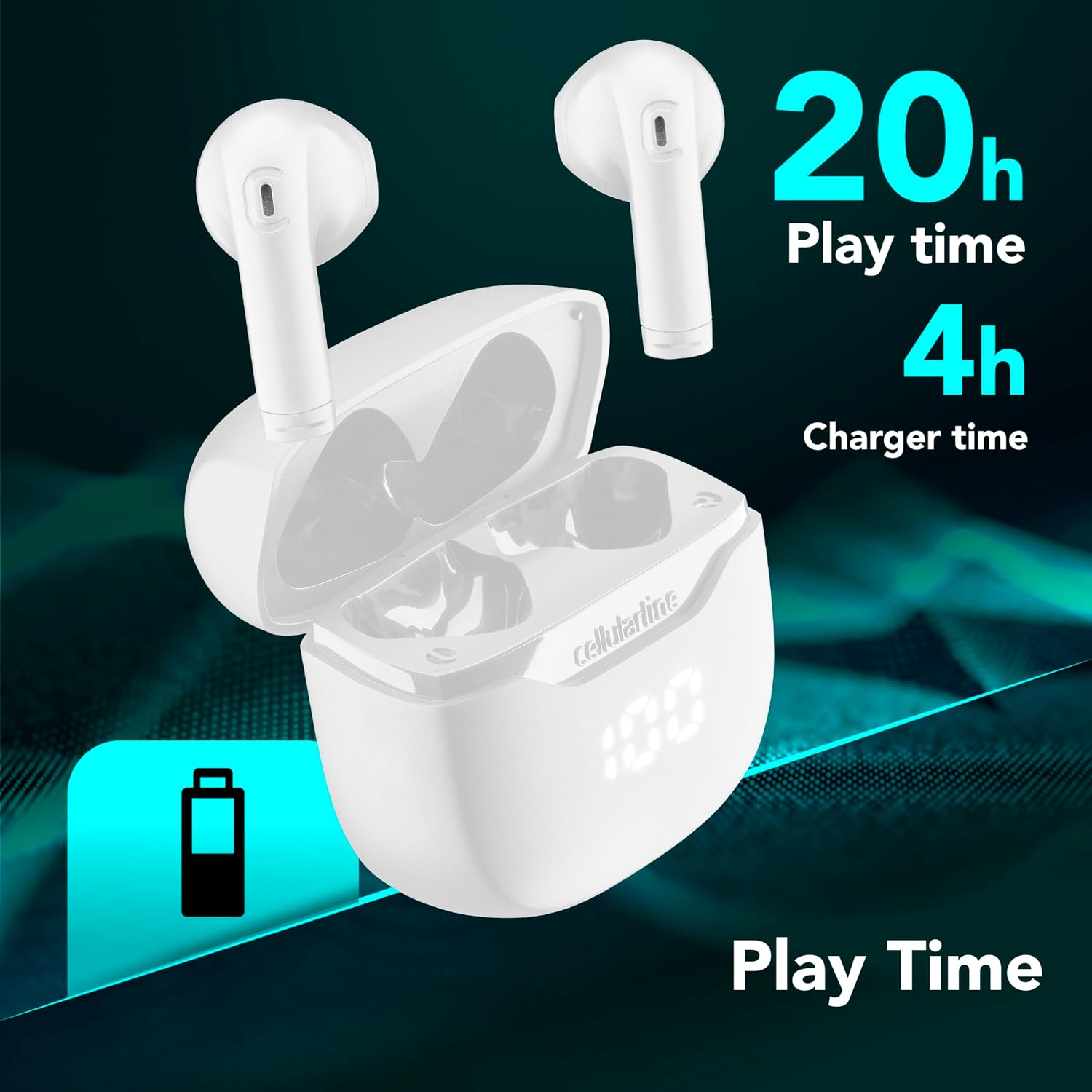
Image: The Cellularline CORE earphones and charging case, highlighting 20 hours of total play time and 4 hours of charging time for the case.
2. Initial Pairing (Autopairing)
- مطمئن شوید که هدفون شارژ شده است.
- قاب شارژ را باز کنید. هدفونها بهطور خودکار روشن شده و وارد حالت جفتسازی میشوند.
- در تلفن هوشمند یا دستگاه بلوتوثدار خود، به تنظیمات بلوتوث بروید.
- جستجو برای available devices and select "Cellularline CORE" from the list.
- Once connected, you will hear an audible confirmation, and the earphones are ready for use.

Image: Cellularline CORE earphones and charging case next to a smartphone displaying a music application, with a Bluetooth icon indicating successful pairing.
The Autopairing function ensures that once paired, the earphones will automatically connect to your last paired device when removed from the case.
دستورالعمل های عملیاتی
کنترل ها را لمس کنید
The Cellularline CORE earphones feature intuitive touch controls on each earbud for managing calls, music, and voice assistant functions.
| تابع | اقدام |
|---|---|
| پخش/مکث موسیقی | یک ضربه روی هر یک از هدفون ها |
| آهنگ بعدی | روی ایرباد سمت راست دو بار ضربه بزنید |
| آهنگ قبلی | روی ایرباد سمت چپ دو بار ضربه بزنید |
| پاسخ/پایان تماس | یک ضربه روی هر یک از هدفون ها |
| رد تماس | یکی از هدفون ها را به مدت 2 ثانیه فشار داده و نگه دارید |
| دستیار صوتی را فعال کنید | سه بار روی هر یک از ایربادها ضربه بزنید |
| افزایش صدا | ایرباد سمت راست را فشار داده و نگه دارید |
| کاهش حجم | ایرباد سمت چپ را فشار داده و نگه دارید |
Double Master Function
The Double Master function allows you to use either the left or right earbud independently for calls. Simply remove one earbud from the case, and it will automatically connect. You can answer calls by tapping the active earbud.
تعمیر و نگهداری
تمیز کردن
- مرتباً هدفون و محفظه شارژ را با یک پارچه نرم، خشک و بدون پرز تمیز کنید.
- از پاککنندههای ساینده، حلالها یا اسپریهای آئروسل استفاده نکنید.
- Ensure charging contacts on both the earphones and the case are clean and free of debris to maintain proper charging.
ذخیره سازی
- وقتی از هدفونها استفاده نمیکنید، آنها را در جعبهی شارژشان قرار دهید تا از آنها محافظت شود و شارژشان حفظ شود.
- دستگاه را در جای خشک و خنک، دور از دمای شدید و نور مستقیم خورشید نگهداری کنید.

Image: A hand placing the compact Cellularline CORE charging case into the pocket of a pair of jeans, demonstrating its portable size.
عیب یابی
| مشکل | راه حل ممکن |
|---|---|
| هدفونها روشن نمیشوند. | مطمئن شوید که هدفون و جعبه شارژ کاملاً شارژ شدهاند. هدفونها را در جعبه قرار دهید و آن را ببندید، سپس دوباره آن را باز کنید. |
| هدفونها با دستگاه جفت نمیشوند. | Make sure Bluetooth is enabled on your device. Forget the device in your Bluetooth settings and try pairing again. Ensure earphones are in pairing mode (LED indicator blinking). |
| فقط یه گوشیش کار میکنه. | Place both earphones back into the charging case, close the lid, wait a few seconds, then open it again. This should re-sync them. If the issue persists, try resetting the earphones (refer to manufacturer's webاگر در دفترچه راهنما نیست، برای دستورالعملهای خاص تنظیم مجدد به سایت مراجعه کنید). |
| صدای کم یا کیفیت پایین صدا. | Adjust the volume on both your device and the earphones. Ensure the earphones are clean and properly seated in your ears. Check for any obstructions in the earbud speakers. |
| Charging case LED display is not working. | Ensure the charging cable is securely connected and the power source is active. If the issue persists, contact customer support. |
مشخصات
- نام مدل: BTCORETWSW
- برند: خط سلولی
- رنگ: سفید
- محل قرار دادن گوش: داخل گوش
- فاکتور فرم: داخل گوش
- فناوری اتصال: بی سیم
- فناوری بی سیم: بلوتوث
- نسخه بلوتوث: 5.0
- امپدانس: 16 اهم
- کنترل نویز: عایق صدا
- پاسخ فرکانس: ۲۰ هرتز - ۲۰۰۰۰ هرتز
- حساسیت: 100 دسی بل
- نوع کنترل: لمس کنید
- نوع درایور: درایور پویا
- مواد: پلاستیک
- میانگین عمر باتری: ۳۵ ساعت (با جعبه شارژ)
- سطح مقاومت در برابر آب: Waterproof (Note: Refer to product packaging for specific IP rating if available)
- ویژگی ها: True Wireless Technology, Automatic Pairing, Touch Controls, LED Display
- دستگاه های سازگار: دستگاه های دارای بلوتوث
- کشور مبدا: چین
اطلاعات گارانتی
The Cellularline CORE True Wireless Bluetooth Earphones come with a ۱ سال گارانتی سازنده از تاریخ خرید. این ضمانتنامه نقصهای مربوط به مواد و ساخت را در شرایط استفاده عادی پوشش میدهد. خسارات ناشی از سوء استفاده، حوادث، اصلاحات غیرمجاز یا فرسودگی عادی را پوشش نمیدهد.
Please retain your proof of purchase for warranty claims. For detailed warranty terms and conditions, please visit the official Cellularline webسایت یا با پشتیبانی مشتری تماس بگیرید.
پشتیبانی کنید
For further assistance, technical support, or warranty inquiries, please contact Cellularline customer service through their official webسایت:
Webسایت: www.cellularline.com
You may also find FAQs and additional support resources on their webسایت