
مقدمه
Thank you for choosing the 4smarts Dual Foldable 15W Wireless Charger. This manual provides essential information for the safe and efficient use of your new device. Please read these instructions carefully before use and retain them for future reference.
اطلاعات ایمنی
- شارژر را در معرض آب، رطوبت یا دمای بسیار بالا قرار ندهید.
- از انداختن یا قرار دادن شارژر در معرض ضربات شدید خودداری کنید.
- خودتان دستگاه را از هم جدا نکنید، تغییر ندهید یا سعی نکنید آن را تعمیر کنید.
- Use only the provided USB-C cable or a certified equivalent.
- Ensure the charger is placed on a stable, flat surface during use.
- Keep metallic objects away from the charging surfaces to prevent interference or damage.
- در هنگام رعد و برق یا زمانی که برای مدت طولانی از شارژر استفاده نمیشود، آن را از برق بکشید.
محتویات بسته
- 1x 4smarts Dual Foldable 15W Wireless Charger
- 1 عدد کابل شارژ USB-C
- ۱ عدد دفترچه راهنمای کاربر (این سند)
محصول تمام شده استview
The 4smarts Dual Foldable Wireless Charger offers convenient wireless charging for two devices simultaneously, such as a smartphone and a smartwatch. Its foldable design makes it highly portable.

Image: The 4smarts Dual Foldable Wireless Charger actively charging a smartphone and a smartwatch, illustrating its dual charging capability.

Image: A visual representation of the charger's 180-degree folding mechanism, highlighting its flexible and portable design.
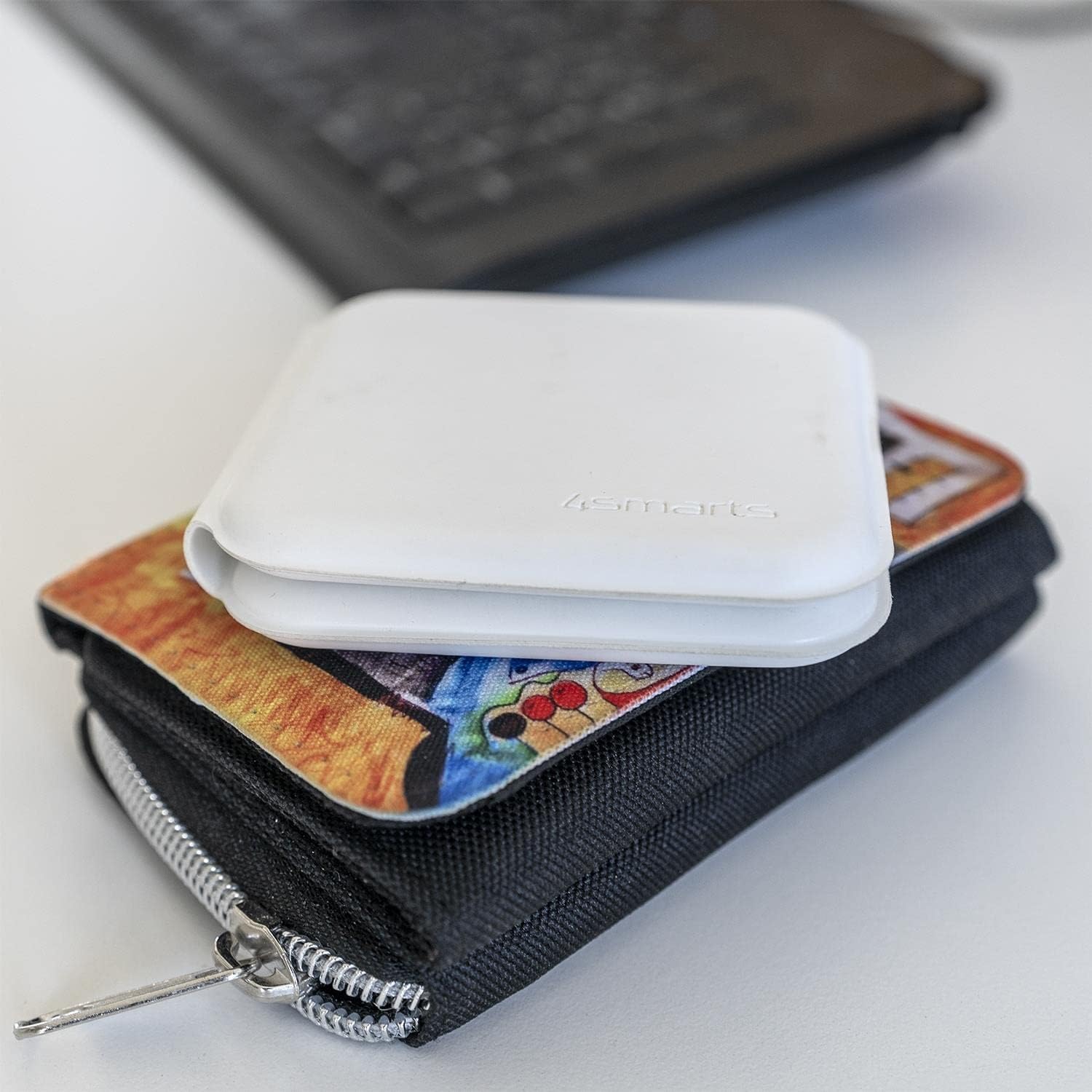
Image: The charger in its compact, folded state, demonstrating its portability by being placed on a wallet.
راه اندازی
- باز کردن بسته: Carefully remove the wireless charger and USB-C cable from its packaging.
- اتصال برق: Insert the USB-C end of the provided cable into the charging port on the 4smarts wireless charger.
- منبع تغذیه: Connect the other end of the USB-C cable to a compatible USB power adapter (not included) with a minimum output of 5V/2A, or preferably a Quick Charge (QC) or Power Delivery (PD) adapter for optimal 15W charging.
- شاخص: The charger may briefly illuminate an LED indicator to show it is powered on and ready for use.
دستورالعمل های عملیاتی
Charging a Smartphone:
- Unfold the charger to its flat position.
- Place your Qi-compatible smartphone on the designated charging pad (usually the larger pad).
- Ensure the phone is centered on the charging pad for optimal contact.
- The phone's screen should indicate that charging has begun.
Charging a Smartwatch:
- Place your compatible smartwatch (e.g., Apple Watch) on the smaller, designated charging pad.
- Ensure the smartwatch is correctly aligned and magnetically attaches to the charging surface.
- The smartwatch display should show a charging indicator.
شارژ دوگانه:
You can charge both a smartphone and a smartwatch simultaneously by placing each device on its respective charging pad as described above.
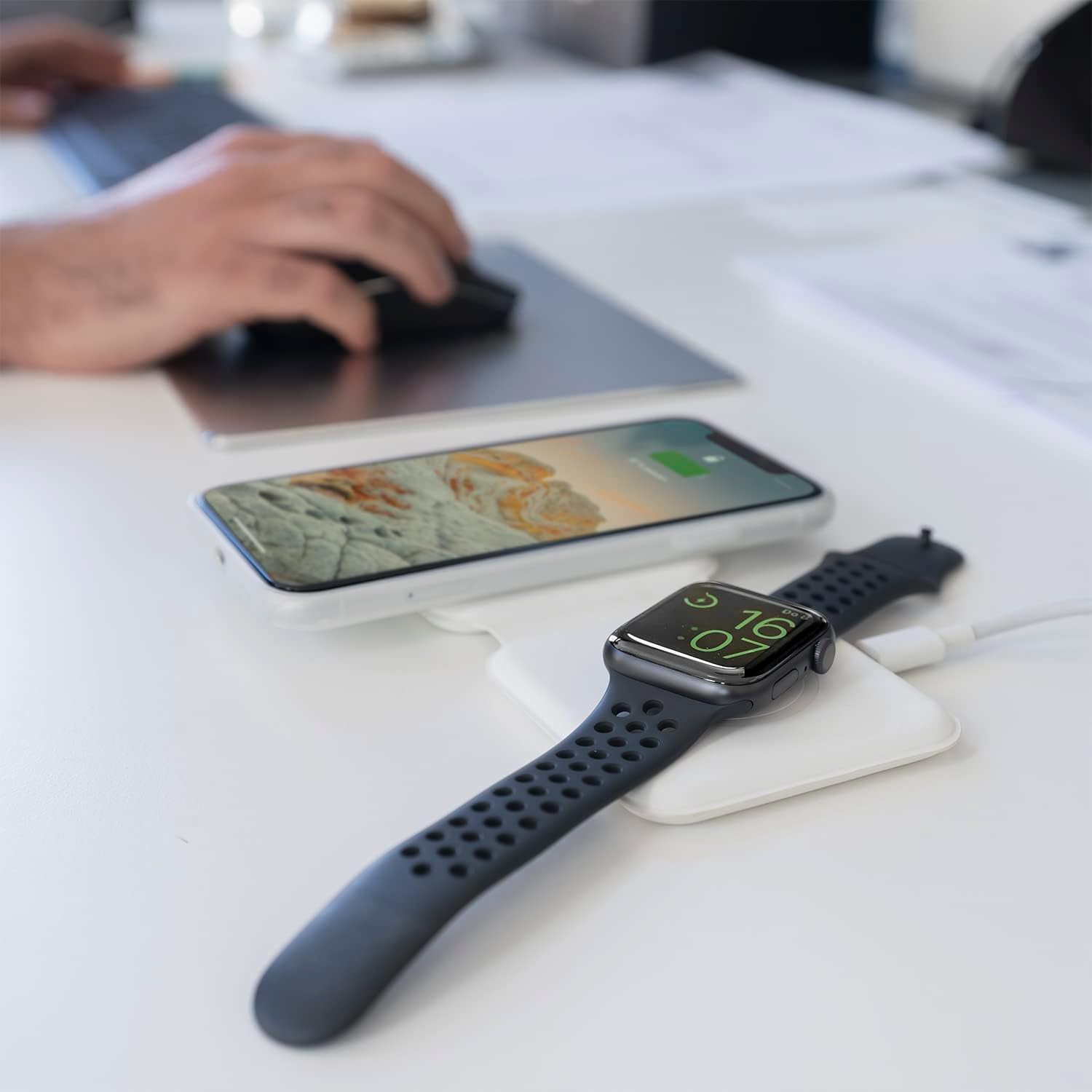
Image: The charger unfolded on a desk, simultaneously charging a smartphone and a smartwatch, demonstrating a typical use scenario.
تعمیر و نگهداری
- تمیز کردن: Disconnect the charger from power before cleaning. Use a soft, dry, lint-free cloth to wipe the surfaces. Do not use liquid cleaners or aerosols.
- ذخیره سازی: When not in use, store the charger in a cool, dry place, away from direct sunlight and extreme temperatures. The foldable design allows for compact storage.
- مراقبت از کابل: Avoid bending or crimping the USB-C cable excessively to prevent damage.
عیب یابی
| مشکل | علت احتمالی | راه حل |
|---|---|---|
| دستگاه شارژ نمی شود | Device not Qi-compatible; improper placement; foreign object on pad; insufficient power adapter; faulty cable. | Ensure device supports wireless charging. Reposition device. Remove any foreign objects. Use a compatible power adapter (5V/2A minimum, QC/PD recommended). Try a different USB-C cable. |
| شارژ آهسته | Power adapter output too low; device case too thick; background apps running. | Use a QC/PD compatible power adapter. Remove thick phone cases. Close unnecessary background applications on your device. |
| Charger LED blinking/not working. | Power issue; foreign object detection. | Check power connection. Remove any metallic objects from the charging surface. |
مشخصات
- برند: 4 هوشمند
- شماره مدل: 4S462334
- ابعاد محصول: 12 × 10 × 15.4 سانتی متر
- وزن: 30 گرم
- نوع رابط: USB-C
- دستگاه های سازگار: Mobile Phones (Qi-compatible), Smartwatches (e.g., Apple Watch)
- اجزای شامل: کابل USB
- ویژگی خاص: قابل حمل، تاشو
- حجم ورودیtage: 5 ولت
- رتبه فعلی: 4.8 Ampارس
- مجموع پورت های USB: ۱ (برای ورودی برق)
- واتtage: 15 Watts (Max output)
- رعایت: CE
گارانتی و پشتیبانی
For warranty information or technical support, please refer to the warranty card included with your purchase or visit the official 4smarts website. Please have your model number (4S462334) and proof of purchase ready when contacting support.