
HP Pavilion 15
دفترچه راهنمای لپتاپ لمسی ۱۵.۶ اینچی اچپی پاویلیون ۱۵ با صفحه نمایش FHD
مدل: پاویون ۱۵
1. مقدمه
Welcome to the user manual for your new HP Pavilion 15 15.6" FHD Touchscreen Laptop. This document provides essential information for setting up, operating, and maintaining your device. Your HP Pavilion 15 is equipped with an 11th Gen Intel Core i7-1165G7 processor, 16GB of RAM, a 512GB PCIe SSD, and runs on Windows 10, offering a powerful and responsive computing experience.
Please read this manual thoroughly to ensure proper use and to maximize the performance and longevity of your laptop.
2. راه اندازی اولیه
2.1 Unboxing and Connecting Power
- لپتاپ و تمام لوازم جانبی را با دقت از بستهبندی خارج کنید.
- Connect the power adapter to the laptop's power port and then plug it into a wall outlet.
- قبل از اولین استفاده، اجازه دهید باتری چند دقیقه شارژ شود.
۲.۳ اولین روشن کردن و راهاندازی ویندوز
- درب لپتاپ را باز کنید و دکمه پاور را که معمولاً در سمت راست بالای صفحه کلید یا کنار آن قرار دارد، فشار دهید.
- برای تکمیل فرآیند راهاندازی ویندوز ۱۱، دستورالعملهای روی صفحه را دنبال کنید. این شامل انتخاب منطقه، زبان، اتصال به شبکه Wi-Fi و ایجاد یک حساب کاربری میشود.
- محصول خود را برای اهداف گارانتی و پشتیبانی در HP ثبت کنید.
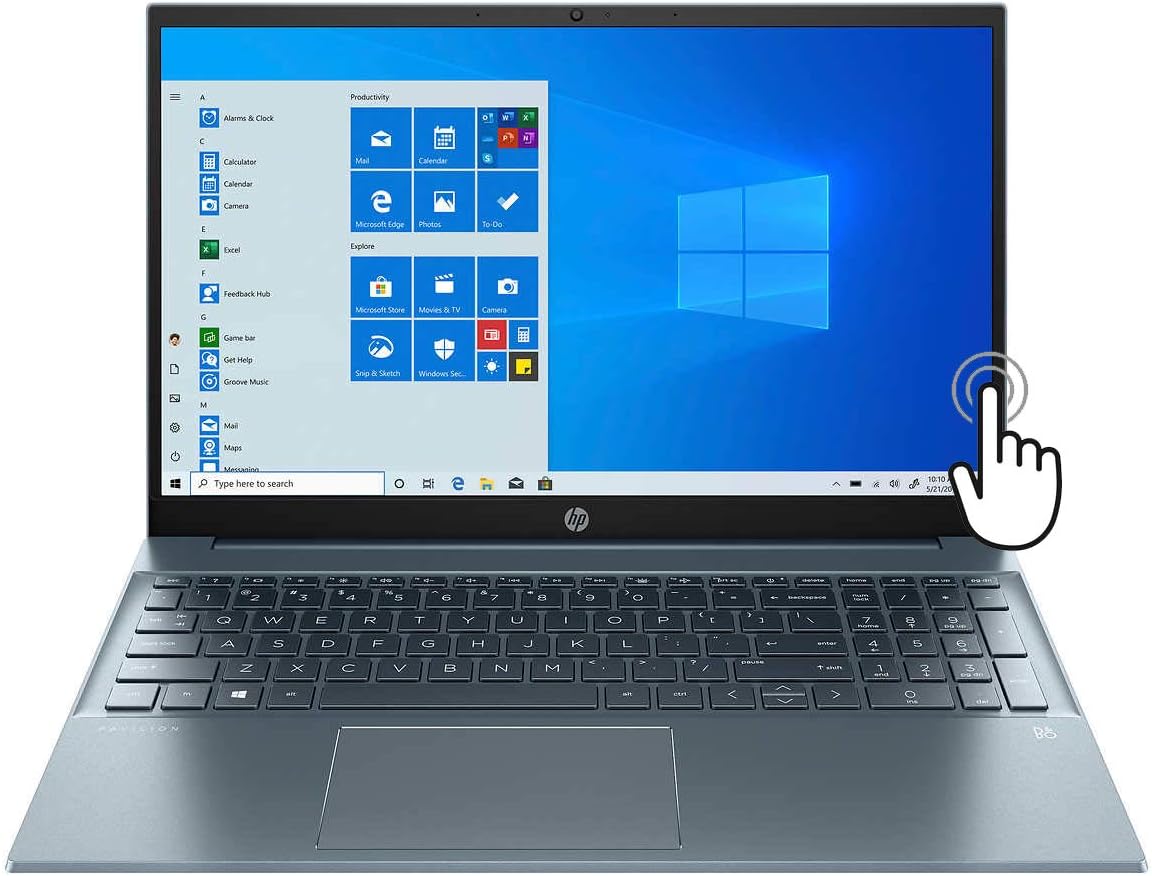
Figure 1: HP Pavilion 15 Laptop with Windows 10 interface displayed.
3. Components Overview
Familiarize yourself with the various ports and features of your HP Pavilion 15 laptop.
۳.۲ پورتهای سمت چپ
- پورت HDMI: Connects to external displays like monitors or TVs.
- USB-C Port (Thunderbolt 4 compatible): Supports data transfer, power delivery, and DisplayPort 1.4.
- پورت USB-A: Connects to standard USB devices.
- کارت خوان SD: برای خواندن و نوشتن روی کارتهای حافظه SD.
- جک ترکیبی هدفون/میکروفون: Connects to headphones or headsets with a 3.5mm jack.

شکل 2: View of the left side of the HP Pavilion 15, showing HDMI, USB-C, USB-A, SD card slot, and audio jack.
۳.۳ پورتهای سمت راست
- پورت USB-A: Connects to standard USB devices.
- اتصال دهنده برق: آداپتور برق متناوب را برای شارژ متصل میکند.

شکل 3: View of the right side of the HP Pavilion 15, showing a USB-A port and the power connector.
۳. کار کردن با لپتاپ
۴.۱ روشن/خاموش کردن و حالت خواب
- روشن کردن: دکمه پاور را فشار دهید.
- خاموش کردن: روی دکمه شروع ویندوز کلیک کنید، سپس Power > Shut down را انتخاب کنید.
- حالت خواب: Close the lid or click the Windows Start button, then Power > Sleep.
4.2 استفاده از صفحه لمسی
Your HP Pavilion 15 features a 15.6" Full HD touchscreen. You can interact with Windows 10 and applications directly on the screen using touch gestures. Common gestures include tapping to select, pinching to zoom, and swiping to scroll.
صفحه کلید با نور پس زمینه ۴.۴
The integrated backlit keyboard allows for comfortable typing in low-light conditions. To adjust the backlight, use the dedicated function keys (usually Fn + F5 or F4, refer to your keyboard's icons).
اتصال وایفای ۶ ۵.۳
Your laptop supports Wi-Fi 6 (802.11ax) for faster and more reliable wireless internet connections. To connect to a Wi-Fi network:
- روی آیکون وایفای در نوار وظیفه کلیک کنید.
- شبکه مورد نظر خود را از لیست انتخاب کنید.
- در صورت درخواست، رمز عبور شبکه را وارد کنید و روی اتصال کلیک کنید.
۲.۴ صدا و Webبادامک
The laptop features audio by Bang & Olufsen with dual speakers for enhanced sound quality. The HP Wide Vision HD Camera includes a privacy shutter for security. Slide the shutter to cover the camera lens when not in use.
5. تعمیر و نگهداری
۴.۱ تمیز کردن لپتاپ
- صفحه نمایش: از پارچه نرم و بدون پرز به آرامی استفاده کنیدampبا آب یا پاککنندهی صفحه نمایش تمیز کنید. از مواد شیمیایی قوی پرهیز کنید.
- صفحه کلید و کیس: از یک پارچه نرم و خشک استفاده کنید. برای آلودگیهای سرسخت، کمی ...amp میتوان از پارچه استفاده کرد. مطمئن شوید که هیچ مایعی وارد دستگاه نشود.
- پورت ها: از هوای فشرده برای پاک کردن گرد و غبار از پورتها به آرامی استفاده کنید.
5.2 مراقبت از باتری
To prolong battery life (up to 11 hours), avoid extreme temperatures and fully discharging the battery frequently. For long-term storage, charge the battery to about 50%.
5.3 به روز رسانی نرم افزار
Regularly check for and install Windows updates and HP driver updates to ensure optimal performance and security. Access Windows updates via Settings > Update & Security > Windows Update.
6 عیب یابی
این بخش به مشکلات رایجی که ممکن است با آنها مواجه شوید میپردازد.
۷.۱ لپتاپ روشن نمیشود
- مطمئن شوید که آداپتور برق به طور ایمن به لپتاپ و پریز برق دیواری متصل است.
- با وصل کردن دستگاه دیگری به پریز برق، از سالم بودن آن اطمینان حاصل کنید.
- اگر باتری کاملاً خالی شده است، قبل از تلاش برای روشن کردن، اجازه دهید حداقل 30 دقیقه شارژ شود.
6.2 مشکلات نمایش
- If the screen is blank, try pressing the brightness up key (usually F3 or F4) or connecting an external monitor to check if the display output works.
- مطمئن شوید که درایورهای نمایشگر بهروز هستند.
۶.۳ مشکلات اتصال وایفای
- بررسی کنید که آیا Wi-Fi در تنظیمات ویندوز فعال است یا خیر.
- روتر و مودم خود را مجدداً راه اندازی کنید.
- مطمئن شوید که در محدوده شبکه وایفای هستید.
- تأیید کنید که رمز عبور Wi-Fi صحیح است.
۵.۴ عملکرد کند
- برنامههای غیرضروری که در پسزمینه اجرا میشوند را ببندید.
- با استفاده از نرمافزار آنتیویروس، وجود بدافزار یا ویروس را بررسی کنید.
- مطمئن شوید که سیستم عامل و درایورهای شما بهروز هستند.
- Consider freeing up disk space on your 512GB PCIe SSD.
7. مشخصات
Below are the key technical specifications for your HP Pavilion 15 laptop:
| نام مدل | HP Pavilion 15 |
| نمایش | 15.6 Inches Full HD (1920 x 1080) Touchscreen |
| پردازنده | پردازنده نسل یازدهم اینتل Core i7-1165G7 (تا ۴.۱ گیگاهرتز) |
| RAM | 16 گیگابایت DDR4 |
| ذخیره سازی | حافظه SSD با ظرفیت ۵۱۲ گیگابایت از نوع PCIe NVMe |
| گرافیک | گرافیک Intel Iris Xe (یکپارچه) |
| سیستم عامل | ویندوز 10 |
| اتصال بی سیم | Wi-Fi 6 (802.11ax) |
| پورت ها | HDMI, USB-C (Thunderbolt 4), USB-A, SD Media Card Reader, Headphone/Microphone Combo Jack |
| عمر باتری | تا 11 ساعت |
| ابعاد (LxWxH) | 14.18 x 9.21 x 0.7 اینچ |
| وزن | تقریبا 5 پوند |
| رنگ | Fog Blue |
8. گارانتی و پشتیبانی
8.1 گارانتی محصول
Your HP Pavilion 15 laptop comes with a standard manufacturer's warranty. For detailed information regarding warranty terms, conditions, and duration, please refer to the warranty documentation included with your product or visit the official HP support website. Note that upgraded components, such as the SSD, may carry a separate 1-year warranty from the upgrade provider.
8.2 پشتیبانی فنی
برای کمک فنی، دانلود درایور یا پشتیبانی بیشتر، لطفاً از پشتیبانی رسمی HP دیدن کنید webسایت:
You will need your product's serial number, typically found on a label on the bottom of the laptop or in the system information within Windows.
Ask a question about this manual
Ask about setup, troubleshooting, compatibility, parts, safety, or missing instructions. Manuals+ will review the question and use this page’s manual context to help answer it.