
1. مقدمه
This manual provides instructions for the setup, operation, maintenance, and troubleshooting of your ROCCAT Vulcan TKL Mechanical PC Gaming Keyboard. The Vulcan TKL is a tenkeyless mechanical keyboard designed for PC gaming, featuring Linear Titan Switches, per-key AIMO RGB lighting, an anodized aluminum top plate, and a detachable USB-C cable.
ویژگی های کلیدی عبارتند از:
- Tenkeyless form factor for increased desk space and mouse movement.
- Titan Switch Mechanical with linear actuation for responsive keystrokes.
- Durable construction with a 50 million keystroke lifecycle.
- فوق العاده کم طرفدارfile design to reduce wrist strain.
- Key stabilizer technology for solid and sturdy keys.
- AIMO intelligent lighting engine for customizable RGB effects.
- Mixer-style volume dial and dedicated media controls.
۲. چه چیزهایی در جعبه است؟
بررسی کنید که آیا همه اجزا در بستهبندی موجود هستند یا خیر:
- ROCCAT Vulcan TKL Mechanical PC Gaming Keyboard
- کابل USB-C قابل جدا شدن
- راهنمای شروع سریع (در این دفترچه راهنما موجود نیست)
3. راه اندازی
Follow these steps to set up your ROCCAT Vulcan TKL keyboard:
- کابل USB-C را وصل کنید: Locate the USB-C port on the back of the keyboard. Connect the smaller end of the provided USB-C cable to this port.
- اتصال به کامپیوتر: Plug the standard USB-A end of the cable into an available USB port on your computer.

Image 3.1: Connecting the detachable USB-C cable to the keyboard.

Image 3.2: Close-up of the USB-C port on the keyboard.
- نصب درایور: سیستم عامل شما باید به طور خودکار درایورهای لازم را شناسایی و نصب کند.
- نرمافزار ROCCAT Swarm را نصب کنید: For full customization of lighting, key assignments, and macros, download and install the ROCCAT Swarm software from the official ROCCAT website. This software allows you to configure advanced features and update firmware.
4. دستورالعمل های عملیاتی
The ROCCAT Vulcan TKL keyboard offers a range of functions for gaming and general use.
۴.۱ طرحبندی و عملکردهای کلیدی
The keyboard features a UK layout with standard alphanumeric keys, function keys (F1-F12), and dedicated media controls.

تصویر 4.1: تمام شدview of the ROCCAT Vulcan TKL keyboard layout.
- کلیدهای تابع (F1-F12): These keys can have secondary functions when pressed in combination with the FN key. Refer to the keycaps for specific secondary functions (e.g., media playback, volume, lighting adjustments).
- شماره گیری میزان صدا: Located in the upper right corner, this dial allows for quick adjustment of system volume. Rotate clockwise to increase volume, counter-clockwise to decrease.

Image 4.2: The mixer-style volume dial for audio control.
نورپردازی RGB برای AIMO 4.2
The keyboard features per-key AIMO intelligent RGB lighting. This lighting system can be customized extensively using the ROCCAT Swarm software. AIMO reacts to your input and other compatible ROCCAT devices to create dynamic lighting effects.
- سفارشی سازی: Use the ROCCAT Swarm software to select from various lighting effects, adjust brightness, and create custom lighting profiles.
- ذخیره سازی داخل هواپیما: The keyboard supports on-board profile storage, allowing you to save your preferred settings directly to the keyboard for use on different systems without the Swarm software.
4.3 Titan Switch Mechanical
The Vulcan TKL utilizes ROCCAT's Titan Switch Mechanical with linear actuation. This design provides a smooth and consistent keystroke, optimized for speed and responsiveness in gaming scenarios.

تصویر ۳.۱: جزئیات view of the Titan Switch Mechanical.
۴.۴ طراحی ارگونومیک
The keyboard features an ultra-low profile design, which helps to reduce wrist strain during extended use by allowing a more natural hand position.
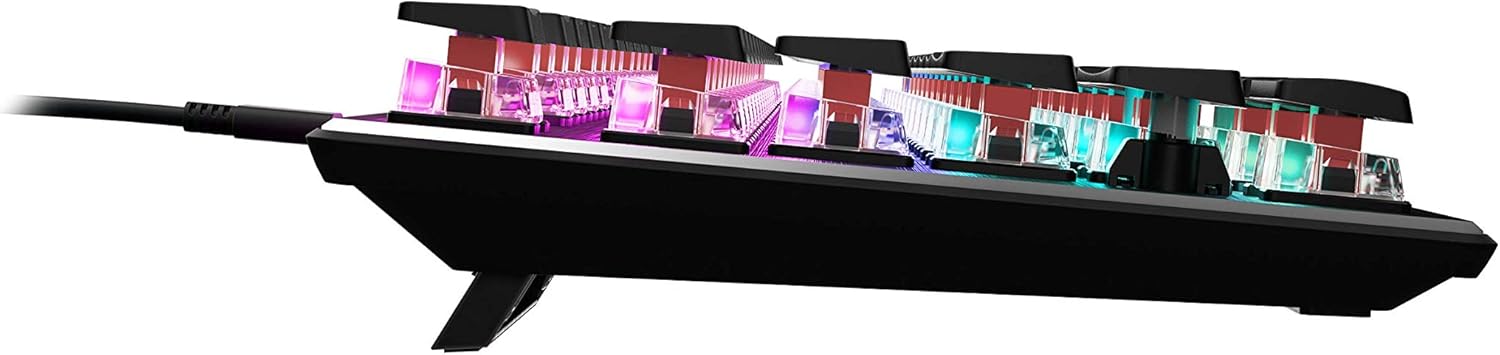
تصویر ۵.۱: طرفدار جانبیfile of the keyboard demonstrating its low-profile طراحی
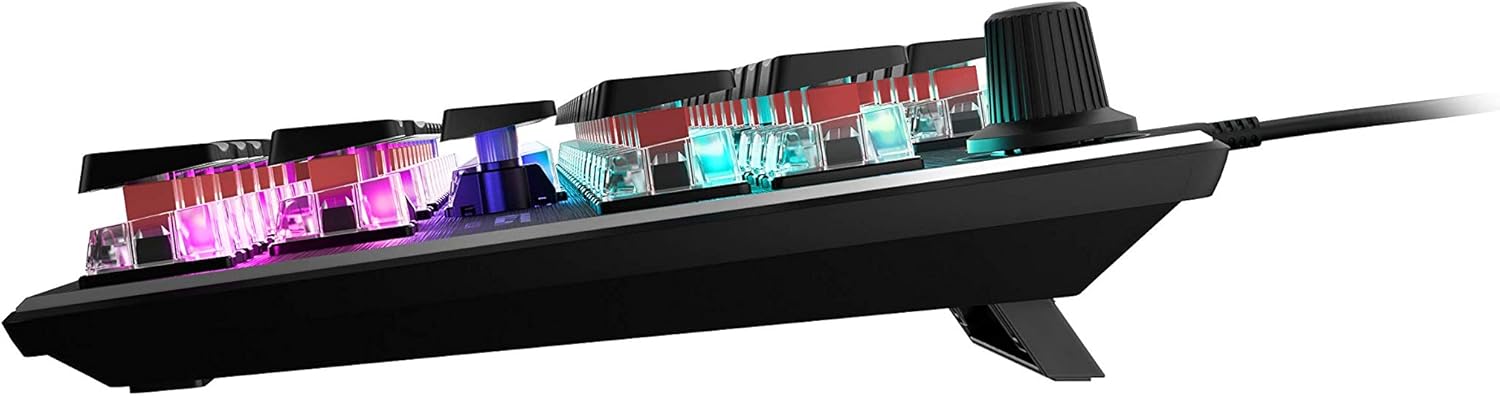
تصویر ۵.۱: کنار view showing the keyboard's adjustable feet for ergonomic tilt.
5. تعمیر و نگهداری
نگهداری مناسب، طول عمر و عملکرد بهینه کیبورد شما را تضمین میکند.
- تمیز کردن صفحه کلید: Regularly clean the keyboard surface and between keycaps to prevent dust and debris buildup. Use a soft, lint-free cloth, slightly dampened with water or a mild cleaning solution. For deeper cleaning, you may carefully remove keycaps (refer to online guides for safe keycap removal for your specific switch type) and use compressed air to clear debris. Ensure the keyboard is disconnected from your PC before cleaning.
- مراقبت از کابل: The detachable USB-C cable should be handled with care. Avoid sharp bends or excessive pulling to prevent damage to the cable or the keyboard's port.
- ذخیره سازی: وقتی برای مدت طولانی از صفحه کلید استفاده نمیکنید، آن را در محیطی تمیز و خشک و دور از دمای شدید نگهداری کنید.
6 عیب یابی
If you encounter issues with your ROCCAT Vulcan TKL keyboard, try the following troubleshooting steps:
- صفحه کلید پاسخ نمیدهد:
- مطمئن شوید که کابل USB-C به طور محکم به صفحه کلید و رایانه شما متصل است.
- سعی کنید صفحه کلید را به پورت USB دیگری در رایانه شخصی خود وصل کنید.
- Test the keyboard on another computer to determine if the issue is with the keyboard or your PC.
- کامپیوتر خود را مجددا راه اندازی کنید.
- تایپ مجدد کلیدها یا ثبت نشدن آنها:
- Ensure the keyboard firmware is up to date via the ROCCAT Swarm software.
- Clean the affected key switches using compressed air to remove any debris.
- اگر مشکل همچنان ادامه داشت، ممکن است نشاندهندهی یک نقص سختافزاری باشد. به بخش گارانتی و پشتیبانی مراجعه کنید.
- مشکلات نورپردازی RGB:
- Verify that the ROCCAT Swarm software is running and the keyboard is detected.
- Check lighting settings within Swarm to ensure desired effects are enabled.
- Update the keyboard's firmware through Swarm.
- ROCCAT Swarm Software Not Detecting Keyboard:
- Ensure the keyboard is properly connected to your PC.
- Restart the Swarm software.
- نرمافزار ROCCAT Swarm را دوباره نصب کنید.
- Check for any conflicting software or drivers.
7. مشخصات
| نام تجاری | ROCCAT |
| نام مدل | Vulcan TKL |
| شماره مدل | ROC-12-274 |
| فناوری اتصال | USB-C (قابل جدا شدن) |
| توضیحات صفحه کلید | صفحه کلید مکانیکی بازی |
| نوع سوئیچ | سوئیچ تیتان مکانیکی (خطی) |
| نورپردازی | نورپردازی RGB برای هر کلید AIMO |
| مواد | صفحه رویی آلومینیومی آنودایز شده |
| ابعاد (LxWxH) | 14.17 x 5.25 x 1.34 اینچ (36 x 13.3 x 3.4 سانتیمتر) |
| وزن مورد | 2.2 پوند (1 کیلوگرم) |
| دستگاه های سازگار | PC |
| ویژگی خاص | Ergonomic, Tenkeyless Design |
8. اطلاعات گارانتی
ROCCAT products are covered by a manufacturer's warranty against defects in materials and workmanship. The specific terms and duration of your warranty may vary by region and product. Please retain your proof of purchase for warranty claims.
For detailed warranty information, please visit the official ROCCAT support webسایت
9. پشتیبانی
For further assistance, technical support, or to download the latest drivers and software, please visit the official ROCCAT support webسایت:
همچنین میتوانید سوالات متداول و انجمنهای گفتگو را در صفحه پشتیبانی پیدا کنید.