
1. محصول تمام شدview
The FLEXISPOT S01 Under Desk Drawer is designed to optimize your workspace by providing convenient and secure storage directly beneath your desk. This lockable drawer helps keep your desktop clear and organized, offering a discreet solution for office supplies and personal items. Its robust construction and smooth-gliding mechanism ensure reliable daily use.
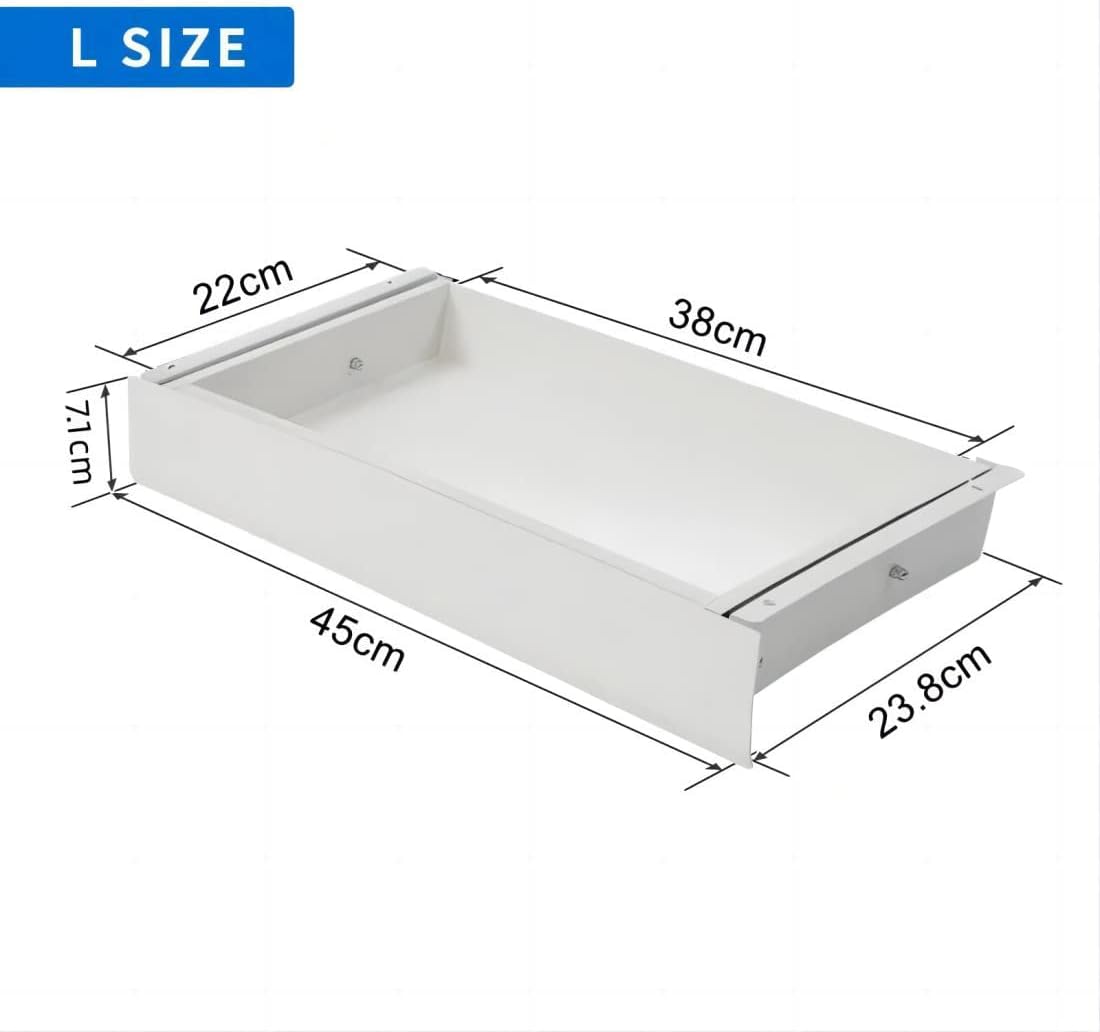
تصویر 1.1: جلو view of the FLEXISPOT S01 Under Desk Drawer.

Image 1.2: Illustration of how the drawer helps save space and organize your desk.
ویژگی های کلیدی:
- طراحی صرفه جویی در فضا: Integrates seamlessly under your desk to free up desktop space.
- عملکرد صاف: Equipped with rolling glides for effortless opening and closing.
- ذخیره سازی امن: Features a lock with two keys to protect confidential documents and valuables.
- ساخت و ساز بادوام: Made from steel with a PVC front panel for longevity.
- ظرفیت سخاوتمندانه: Can hold up to 10 kg of items.
2. مشخصات
| ویژگی | جزئیات |
|---|---|
| شماره مدل | S01W |
| ابعاد خارجی (طول x عرض x ارتفاع) | 37 × 28.8 × 10 سانتی متر |
| ابعاد داخلی (طول x عرض x ارتفاع) | 32 × 24 × 6 سانتی متر |
| ظرفیت وزنی | 10 کیلوگرم |
| وزن مورد | 7.6 کیلوگرم |
| مواد | Steel (body), PVC (front panel) |
| رنگ | سفید |
| نوع نصب | Under-desk / Countertop Mount |
3. محتویات بسته
لطفا مطمئن شوید که تمام موارد زیر در بسته شما موجود است:
- FLEXISPOT S01 Under Desk Drawer
- Mounting hardware (bolts, screws)
- الگوی نصب
- پیچ گوشتی
- 2 Keys for the lock
4. دستورالعمل نصب
Follow these steps for quick and easy installation of your FLEXISPOT S01 drawer:
- فضای کاری را آماده کنید: Clear the area under your desk where the drawer will be installed. Ensure the desk surface is clean, stable, and thick enough to support the drawer's weight and mounting screws.
- الگوی موقعیت: Use the provided installation template to accurately mark the drilling points on the underside of your desk. Ensure the drawer will be positioned correctly and will not interfere with desk legs or other components.
- سوراخ های پایلوت را دریل کنید: Carefully drill pilot holes at the marked points. Use a drill bit appropriate for your desk material and the provided screws.
- براکت های نصب را وصل کنید: Secure the mounting brackets to the underside of the desk using the provided bolts and screws. Ensure they are firmly attached and level.
- Mount the Drawer: Slide the drawer assembly onto the mounted brackets. Ensure the sliding mechanism engages correctly and the drawer moves freely.
- عملکرد تست: Gently pull the drawer open and push it closed to ensure smooth operation. Test the locking mechanism with the provided keys.

تصویر ۵.۱: قسمت زیرین view illustrating the mounting brackets and sliding mechanism.
توجه: For optimal installation and stability, it is recommended to have assistance from another person, especially when aligning and securing the drawer.
5. عملیات
Operating your FLEXISPOT S01 drawer is straightforward:
- باز کردن کشو: Gently pull the drawer handle to slide it open. The smooth-gliding tracks allow for easy access to your stored items.
- بستن کشو: Push the drawer firmly until it is fully closed and flush with the desk.
- قفل کردن کشو: Insert one of the provided keys into the lock on the front panel. Turn the key clockwise to engage the locking mechanism. Remove the key to secure the contents.
- Unlocking the Drawer: Insert the key and turn it counter-clockwise to disengage the lock. The drawer can then be opened.
- ذخیره سازی: Place items within the drawer, ensuring not to exceed the maximum weight capacity of 10 kg. The interior felt lining helps protect contents and reduce noise.

Image 5.1: The drawer fully open, revealing its interior storage capacity.
6. تعمیر و نگهداری
Regular maintenance will ensure the longevity and smooth operation of your drawer:
- تمیز کردن: Wipe the exterior and interior surfaces of the drawer with a soft, damp cloth. Avoid abrasive cleaners, harsh chemicals, or solvents that may damage the finish.
- مکانیزم کشویی: Periodically check the sliding tracks for any debris, dust, or obstructions. Clean the tracks as necessary to ensure smooth operation. A dry cloth or soft brush can be used.
- بررسی سخت افزار: Occasionally inspect all mounting bolts and screws to ensure they remain tight. Tighten any loose hardware to maintain stability and prevent wobbling.
7 عیب یابی
If you encounter any issues with your FLEXISPOT S01 drawer, refer to the following common problems and solutions:
- Problem: Drawer does not slide smoothly.
راه حل:- Check the sliding tracks for any obstructions or dirt. Clean the tracks if necessary.
- Ensure the drawer is not overloaded beyond its 10 kg capacity. Remove some items if it feels too heavy.
- Verify that the mounting hardware is securely fastened and the drawer is installed level. Loose screws or an uneven installation can affect sliding.
- Problem: Drawer does not lock or unlock.
راه حل:- Ensure the drawer is fully closed and flush with the desk before attempting to lock it.
- Check if the key is fully inserted and turned correctly in the lock mechanism.
- If the lock mechanism appears damaged or jammed, do not force it. Contact customer support for assistance.
8. گارانتی و پشتیبانی
For warranty information, technical assistance, or replacement parts, please contact FLEXISPOT customer service. Refer to your purchase documentation or the official FLEXISPOT webبرای شرایط خاص گارانتی، اطلاعات تماس و منابع پشتیبانی به سایت مراجعه کنید.
FLEXISPOT is committed to providing high-quality products and customer satisfaction. Do not attempt to repair the product yourself if it is under warranty, as this may void the warranty.