
1. مقدمه
ممنون از خریدتونasing the boAt Stone 190 Bluetooth Speaker. This manual provides essential information for setting up, operating, and maintaining your speaker. Please read it carefully before use to ensure optimal performance and longevity of your device.

Image: The boAt Stone 190 speaker showcasing its portable and lightweight design, ideal for on-the-go use.
2. محتویات بسته
لطفا موارد زیر را در کادر مربوطه تیک بزنید:
- اسپیکر بلوتوث boat Stone 190
- کابل شارژ USB
- راهنمای کاربر
3. محصول تمام شدview و کنترل ها
Familiarize yourself with the speaker's layout and control buttons.

تصویر: از بالا به پایین view of the boAt Stone 190 speaker, highlighting its integrated control buttons for easy operation.
- دکمه پاور: فشار دهید و نگه دارید تا روشن/خاموش شود.
- دکمه پخش/مکث: برای پخش یا توقف موسیقی فشار دهید.
- افزایش صدا (+): برای افزایش صدا، فشار دهید. برای آهنگ بعدی، فشار داده و نگه دارید.
- کاهش حجم (-): برای کاهش صدا، فشار دهید. برای آهنگ قبلی، فشار داده و نگه دارید.
- دکمه حالت (M): Press to switch between modes (if applicable).
- پورت شارژ: برای اتصال کابل شارژ USB.
4. شارژ بلندگو
Before first use, fully charge the speaker. Use the provided USB charging cable.
- Connect the small end of the USB cable to the charging port on the speaker.
- سر بزرگتر کابل USB را به آداپتور برق USB (که همراه دستگاه نیست) یا پورت USB کامپیوتر وصل کنید.
- نشانگر LED وضعیت شارژ را نشان میدهد. وقتی کاملاً شارژ شود، خاموش میشود یا رنگ آن تغییر میکند.
A full charge provides up to 4 hours of playback time with its 800mAh battery capacity.

Image: The boAt Stone 190 speaker, illustrating its 800mAh battery capacity and up to 4 hours of playback time.
5. جفت شدن بلوتوث
Follow these steps to connect your boAt Stone 190 speaker to a Bluetooth-enabled device.

Image: The boAt Stone 190 speaker, highlighting its instant wireless connectivity via Bluetooth V5.0.
- روشن کردن: Press and hold the Power button on the speaker until you hear an audible prompt and the LED indicator flashes, indicating it's in pairing mode.
- بلوتوث را فعال کنید: On your smartphone, tablet, or other Bluetooth device, go to the Bluetooth settings and enable Bluetooth.
- وسیله را انتخاب کن: In the list of available devices, search for and select "boAt Stone 190".
- تایید اتصال: Once paired, you will hear a confirmation tone, and the LED indicator will stop flashing and remain solid.
- اتصال مجدد: بلندگو هنگام روشن شدن به طور خودکار سعی میکند دوباره به آخرین دستگاه جفتشده متصل شود.
۴. کار با بلندگو
پخش موسیقی
- پخش/مکث: دکمه پخش/مکث را فشار دهید.
- افزایش صدا: دکمهی «+» را فشار کوتاه دهید.
- کاهش حجم: دکمهی «-» را فشار کوتاه دهید.
- آهنگ بعدی: دکمه «+» را فشار طولانی دهید.
- آهنگ قبلی: دکمه '-' را به مدت طولانی فشار دهید.
توابع تماس
- پاسخ/پایان تماس: دکمه پخش/مکث را فشار دهید.
- رد تماس: دکمه پخش/مکث را فشار داده و نگه دارید.
۱. مقاومت در برابر آب (IPX7)
The boAt Stone 190 speaker features an IPX7 water resistance rating.
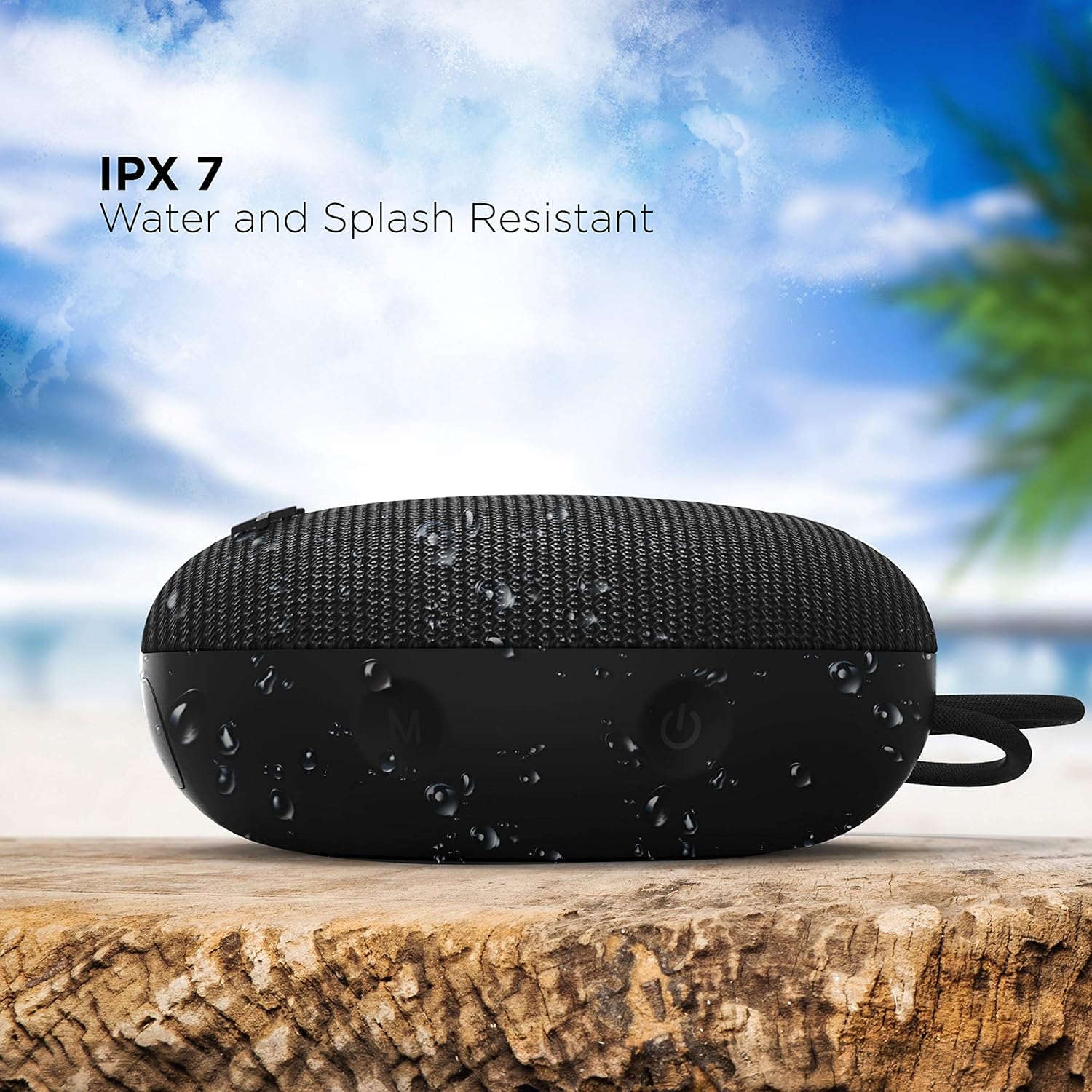
Image: The boAt Stone 190 speaker, demonstrating its IPX7 water and splash resistant capabilities, suitable for outdoor use.
- IPX7 means the speaker can be immersed in water up to 1 meter for 30 minutes.
- It is resistant to splashes, rain, and accidental submersion.
- قبل از قرار دادن بلندگو در معرض آب، مطمئن شوید که درپوش پورت شارژ محکم بسته شده است.
- Do not intentionally submerge the speaker for extended periods or in water deeper than 1 meter.
8. نگهداری و مراقبت
- تمیز کردن: بلندگو را با یک نرم کننده تمیز کنید ، دamp پارچه از مواد شیمیایی خشن یا پاک کننده های ساینده استفاده نکنید.
- ذخیره سازی: بلندگو را در جای خشک و خنک و دور از دمای شدید و نور مستقیم خورشید نگهداری کنید.
- پورت شارژ: پورت شارژ را از گرد و غبار و آلودگی پاک کنید.
- باتری: برای حفظ عمر باتری، در صورت عدم استفاده منظم، حداقل هر سه ماه یکبار بلندگو را شارژ کنید.
9 عیب یابی
| مشکل | راه حل |
|---|---|
| بلندگو روشن نمیشود. | مطمئن شوید که بلندگو شارژ دارد. آن را به منبع تغذیه وصل کنید و دوباره امتحان کنید. |
| نمی توان با دستگاه بلوتوث جفت شد. | Make sure the speaker is in pairing mode (flashing LED). Turn off and on Bluetooth on your device. Ensure the speaker is within range (10 meters). Forget previous pairings on your device and try again. |
| صدا نداره یا صداش کمه. | Increase volume on both the speaker and your connected device. Ensure the speaker is properly paired. Check if the audio source is playing. |
| اعوجاج صدا | Move the speaker closer to your device. Reduce volume on either the speaker or the connected device. Ensure there are no obstructions causing interference. |
10. مشخصات
Technical details of the boAt Stone 190 Bluetooth Speaker.

Image: The boAt Stone 190 speaker, highlighting its 5 Watt audio output and 52mm full-range driver for clear sound.
| ویژگی | جزئیات |
|---|---|
| نام تجاری | قایق |
| نام مدل | سنگ 190 |
| حداکثر توان خروجی بلندگو | 5 وات |
| فناوری اتصال | بلوتوث |
| نسخه بلوتوث | V5.0 (Inferred from image) |
| حالت خروجی صدا | مونونوکلئوز |
| نوع بلندگو | فضای باز |
| سطح مقاومت در برابر آب | IPX7 (ضد آب) |
| اندازه بلندگو | 52 میلی متر |
| ظرفیت باتری | 800mAh (Inferred from image) |
| عمر متوسط باتری | 4 ساعت |
| منبع تغذیه | شارژ باتری |
| ابعاد مورد (D x W x H) | ۱۸ عمق × ۳۵ عرض × ۳۰ ارتفاع (سانتیمتر) |
| وزن مورد | 150 گرم |
| دستگاه های سازگار | کامپیوتر رومیزی، لپتاپ، پخشکننده MP3، تلفن هوشمند، تبلت |
11. اطلاعات ایمنی
- بلندگو را جدا، تعمیر یا تغییر ندهید. این کار ممکن است باعث آتشسوزی، برقگرفتگی یا آسیب کامل به محصول شود.
- Do not expose the speaker to extreme temperatures (above 45°C or below -10°C).
- اسپیکر را از کودکان و حیوانات خانگی دور نگه دارید.
- برای جلوگیری از آسیب شنوایی از گوش دادن با صدای بلند برای مدت طولانی خودداری کنید.
- فقط از کابل شارژ ارائه شده یا معادل معتبر آن استفاده کنید.
۹. پشتیبانی و گارانتی مشتری
For product-related queries, support, or warranty information, please contact boAt customer service.
- تماس با پشتیبانی: +91(022)69181920
- ایمیل: info@imaginemarketingindia.com
- سازنده: شرکت بازاریابی ایمجین
- آدرس: Unit no. 204 & 205, 2nd floor, D-wing & E-wing, Corporate Avenue, Andheri Ghatkopar Link Road, Mumbai, Maharashtra-400093, India.