
1. مقدمه
The ThermoPro TP200B is a digital indoor/outdoor thermometer designed to monitor temperature and humidity levels in your environment. This manual provides detailed instructions for setting up, operating, and maintaining your device to ensure accurate readings and optimal performance.
2. محتویات بسته
- 1 x ThermoPro TP200B Main Unit (Indoor Display)
- 1 x Outdoor Temperature Sensor (Wireless)
- 5 عدد باتری قلمی (شامل)
- 1 x دفترچه راهنمای کاربر
3. ویژگی های کلیدی
- Large Backlit Display with Large Digits: Features a 3.3-inch LCD display with large digits for easy readability, even in low light conditions.
- حداکثر/حداقل رکوردها: Stores and displays maximum and minimum temperature and humidity records for the past 24 hours.
- Color Air Comfort Indicator: A visual indicator with an arrow shows current air conditions (Dry/Comfort/Wet), allowing for environmental adjustments.
- قرائت بسیار دقیق: Equipped with a premium sensor for precise temperature and humidity measurements, accurate to ±2°F and ±2-3%RH.
- طراحی کاربر پسند: Easily adjust settings with three front-facing buttons.
- گزینه های قرارگیری چندگانه: Can be wall-mounted, placed on a tabletop, or attached via magnetic back.
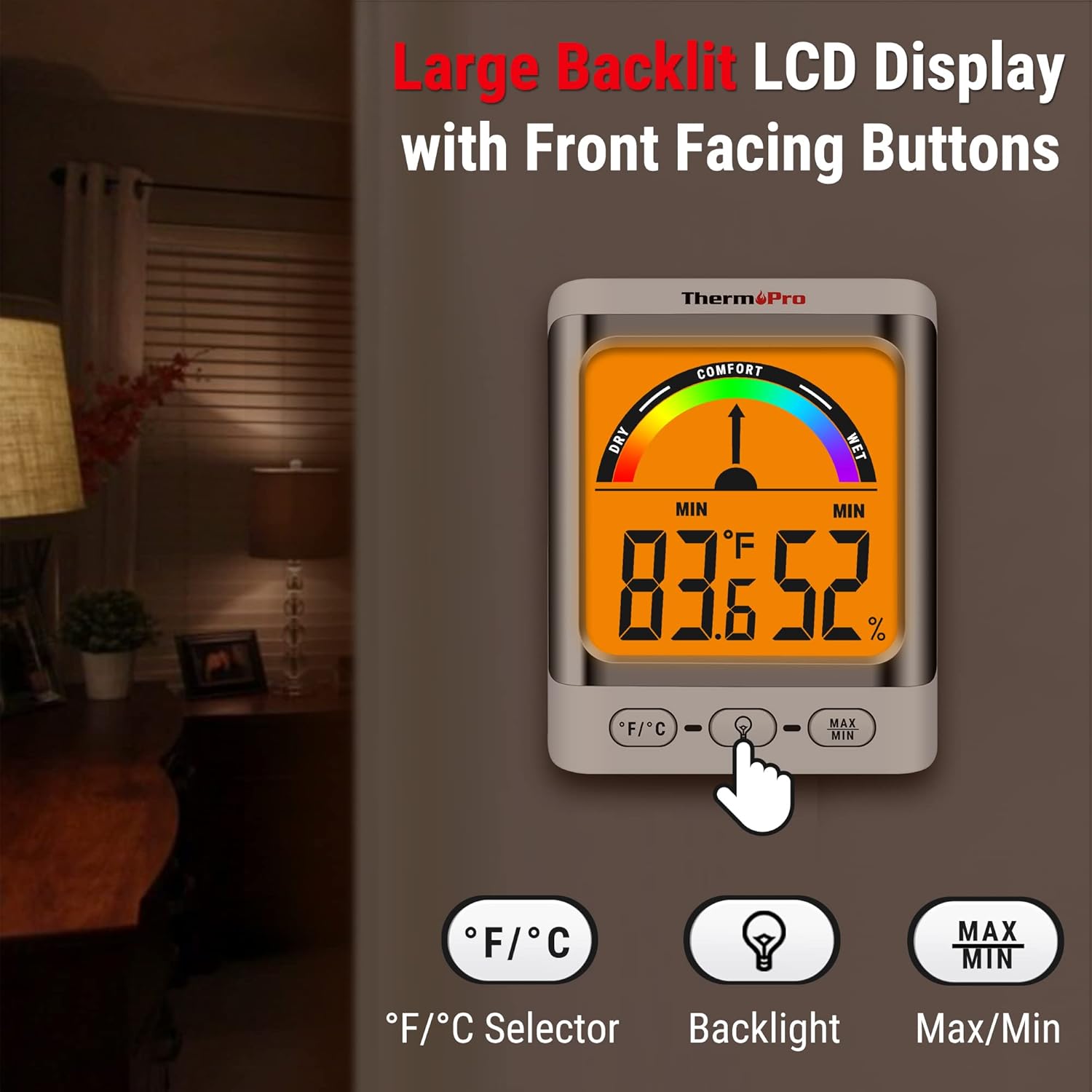
Image: The ThermoPro TP200B main unit display, highlighting the large digits, comfort indicator, and the three control buttons: °F/°C selector, Backlight, and Max/Min.
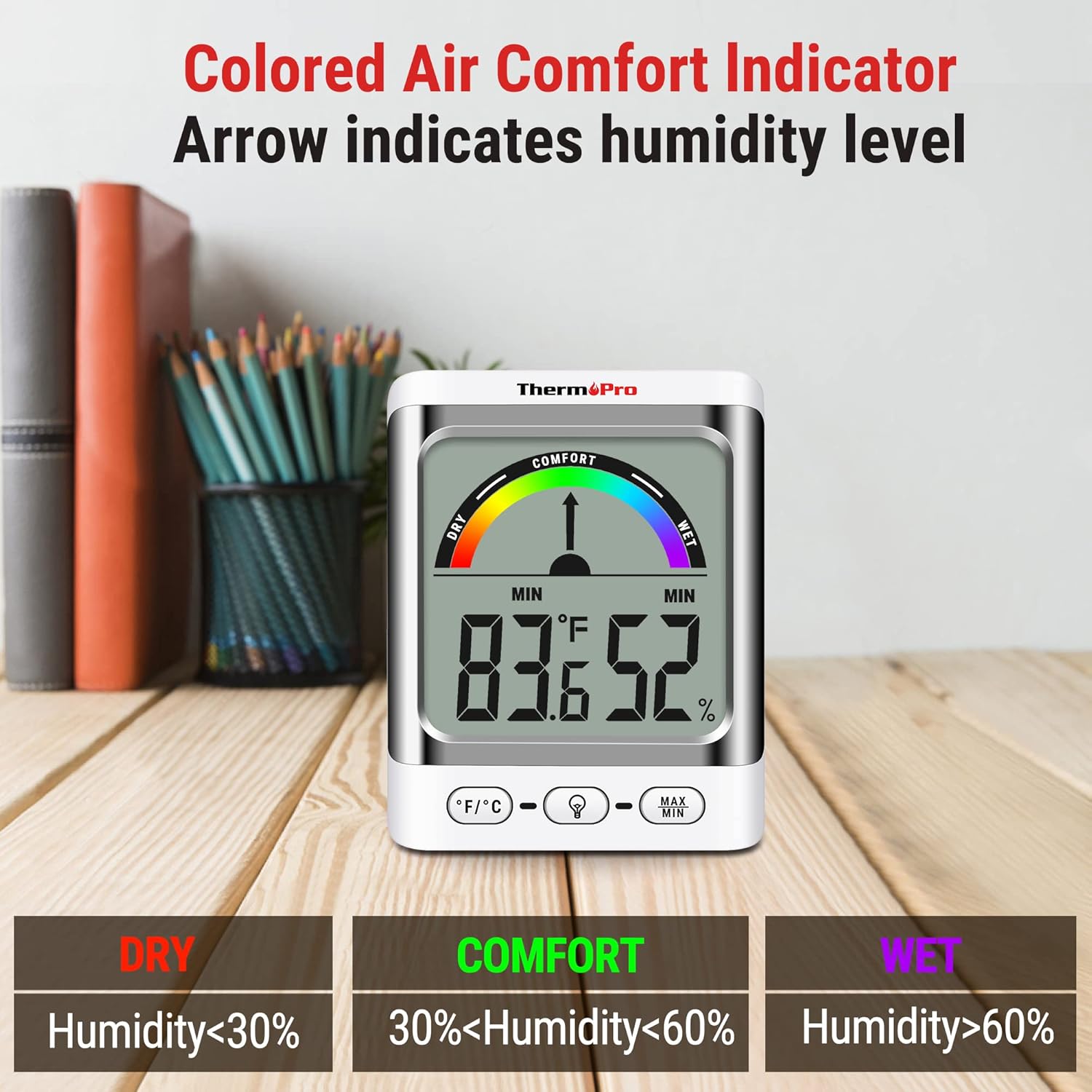
Image: A close-up of the ThermoPro TP200B display, illustrating the colored comfort indicator that visually represents dry (humidity <30%), comfort (30% < humidity < 60%), and wet (humidity >60%) conditions.
4. راه اندازی
- نصب باتری:
- محفظه باتری را که در پشت دستگاه اصلی و سنسور فضای باز قرار دارد، باز کنید.
- Insert the provided AAA batteries, ensuring correct polarity (+/-).
- محفظه های باتری را محکم ببندید.
- محل قرارگیری سنسور:
- Place the outdoor sensor in a location that is protected from direct sunlight and precipitation for accurate readings.
- Ensure the sensor is within the 500ft wireless range of the main unit.
- قرار دادن واحد اصلی:
- The main unit can be placed on a tabletop using its integrated stand, mounted on a wall, or attached to a metallic surface via its magnetic back.
- Position the main unit in a central location indoors for optimal signal reception from the outdoor sensor.

تصویر: مثالamples of flexible placement options for the ThermoPro TP200B, including wall mounting, magnetic attachment to a refrigerator, and freestanding on a countertop.
5. دستورالعمل های عملیاتی
5.1 نمایش بیش از حدview
The large LCD display shows indoor temperature, humidity, and the comfort level indicator. The outdoor temperature is displayed from the wireless sensor.
5.2 توابع دکمه
- دکمه °F/°C: Press to switch between Fahrenheit and Celsius temperature units.
- دکمه نور پس زمینه: Press to activate the backlight for 15 seconds, improving visibility in dim conditions.
- دکمه MAX/MIN: را فشار دهید view the maximum and minimum temperature and humidity recorded over the past 24 hours. Press again to cycle through current, MAX, and MIN readings. Hold to reset MAX/MIN records.

Image: The ThermoPro TP200B displaying maximum and minimum temperature and humidity values, accompanied by a conceptual graph showing how these values fluctuate over a 24-hour period.
6. تعمیر و نگهداری
- تمیز کردن: دستگاه و حسگر را با یک پارچه نرم و لطیف پاک کنید.amp پارچه از پاک کننده های ساینده استفاده نکنید و در آب غوطه ور نکنید.
- تعویض باتری: Replace batteries when the low battery indicator appears on the display. Ensure to use fresh AAA batteries.
- ذخیره سازی: اگر دستگاه را برای مدت طولانی انبار میکنید، باتریها را خارج کنید تا از نشتی جلوگیری شود.
7 عیب یابی
- نمایشگر ندارد/نشانگر باتری کم است: Replace all batteries in both the main unit and the outdoor sensor.
- قرائت های نادرست:
- Ensure the outdoor sensor is not in direct sunlight or exposed to extreme weather conditions.
- Verify the main unit and sensor are within effective range and not obstructed by thick walls or electronic interference.
- Allow both units to stabilize for 30 minutes after initial setup or battery replacement.
- No Signal from Outdoor Sensor:
- Relocate the main unit or sensor closer to each other.
- Check batteries in both units.
- Reset the connection by removing batteries from both units, waiting a few minutes, then reinserting them.
8. مشخصات
| ویژگی | جزئیات |
|---|---|
| نام مدل | TP200B |
| نام تجاری | ThermoPro |
| ویژگی خاص | دقت بالا |
| رنگ | سفید |
| نوع نمایشگر | دیجیتال |
| منبع تغذیه | دارای باتری (5 عدد باتری قلمی) |
| دقت دما | ± 2 درجه فارنهایت (± 1.1 درجه سانتیگراد) |
| دقت رطوبت | ±2% from 30% to 80% RH; ±3% outside this range |
| زمان پاسخگویی | 0.5 ثانیه |
| وزن مورد | 4.2 اونس |
| طول مورد | 3.9 اینچ |

Image: Multiple ThermoPro TP200B units demonstrating consistent temperature and humidity readings, highlighting the specified accuracy tolerances of ±2°F (±1.1°C) for temperature and ±2% RH (30-80% range) for humidity.

Image: A visual comparison showcasing the large, compact display of the ThermoPro TP200B (3.3 inches) next to a smaller, generic thermometer (1.7 inches), emphasizing its enhanced readability.
9. گارانتی و پشتیبانی
ترموپرو برای این محصول در برابر نقص در مواد و ساخت، ضمانت ارائه میدهد. برای اطلاعات دقیق در مورد ضمانت، ثبت محصول یا پشتیبانی فنی، لطفاً به وبسایت رسمی ترموپرو مراجعه کنید. webبه سایت مراجعه کنید یا با خدمات مشتریان آنها تماس بگیرید. رسید خرید خود را به عنوان مدرک خرید نگه دارید.
Official ThermoPro Webسایت: www.thermopro.com