
1. مقدمه
Thank you for choosing the Pinell Supersound 701. This portable analog and digital radio offers a wide range of listening options, including DAB+, FM, Internet Radio, Spotify Connect, and Bluetooth connectivity. This manual provides essential information for setting up, operating, and maintaining your device to ensure optimal performance and longevity.
2. اطلاعات ایمنی
- منبع تغذیه: فقط از آداپتور برق ارائه شده استفاده کنید. از سالم بودن آداپتور اطمینان حاصل کنید.tage با منبع تغذیه محلی شما مطابقت دارد.
- آب و رطوبت: Do not expose the device to water, rain, or excessive moisture. Avoid placing liquid-filled objects on the radio.
- تهویه: از تهویه کافی در اطراف دستگاه اطمینان حاصل کنید. منافذ تهویه را مسدود نکنید.
- گرما: دستگاه را از منابع گرمایی مانند رادیاتور، رجیستر حرارتی، اجاق گاز یا سایر دستگاه هایی که گرما تولید می کنند، دور نگه دارید.
- تمیز کردن: قبل از تمیز کردن، دستگاه را از برق بکشید. از یک پارچه نرم و خشک استفاده کنید. از پاک کننده های مایع یا اسپری استفاده نکنید.
- سرویس دهی: سعی نکنید خودتان این محصول را سرویس دهید. کلیه خدمات را به پرسنل خدمات واجد شرایط ارجاع دهید.
3. محتویات بسته
بررسی کنید که آیا همه اقلام در بسته موجود است یا خیر:
- Pinell Supersound 701 Radio Unit
- آداپتور برق
- راهنمای شروع سریع
- کنترل از راه دور
- Battery Pack (pre-installed or separate)
4. محصول تمام شدview
The Pinell Supersound 701 features an integrated display and intuitive controls for easy navigation. The front panel includes the display, control buttons, and integrated speakers. The rear panel typically houses power input, AUX input, and headphone output.
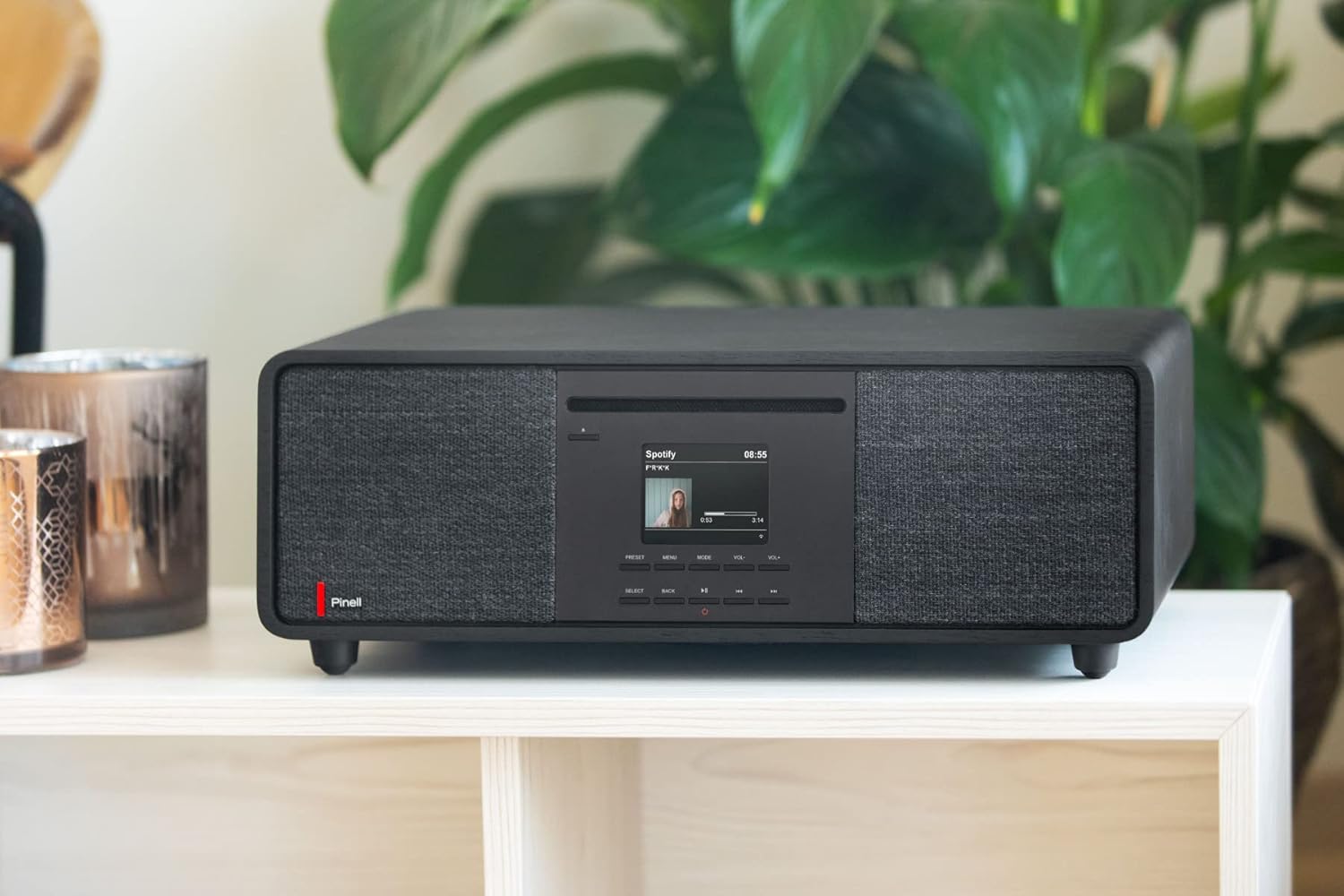
تصویر 1: جلو view of the Pinell Supersound 701 radio, showcasing its design and integrated speakers.
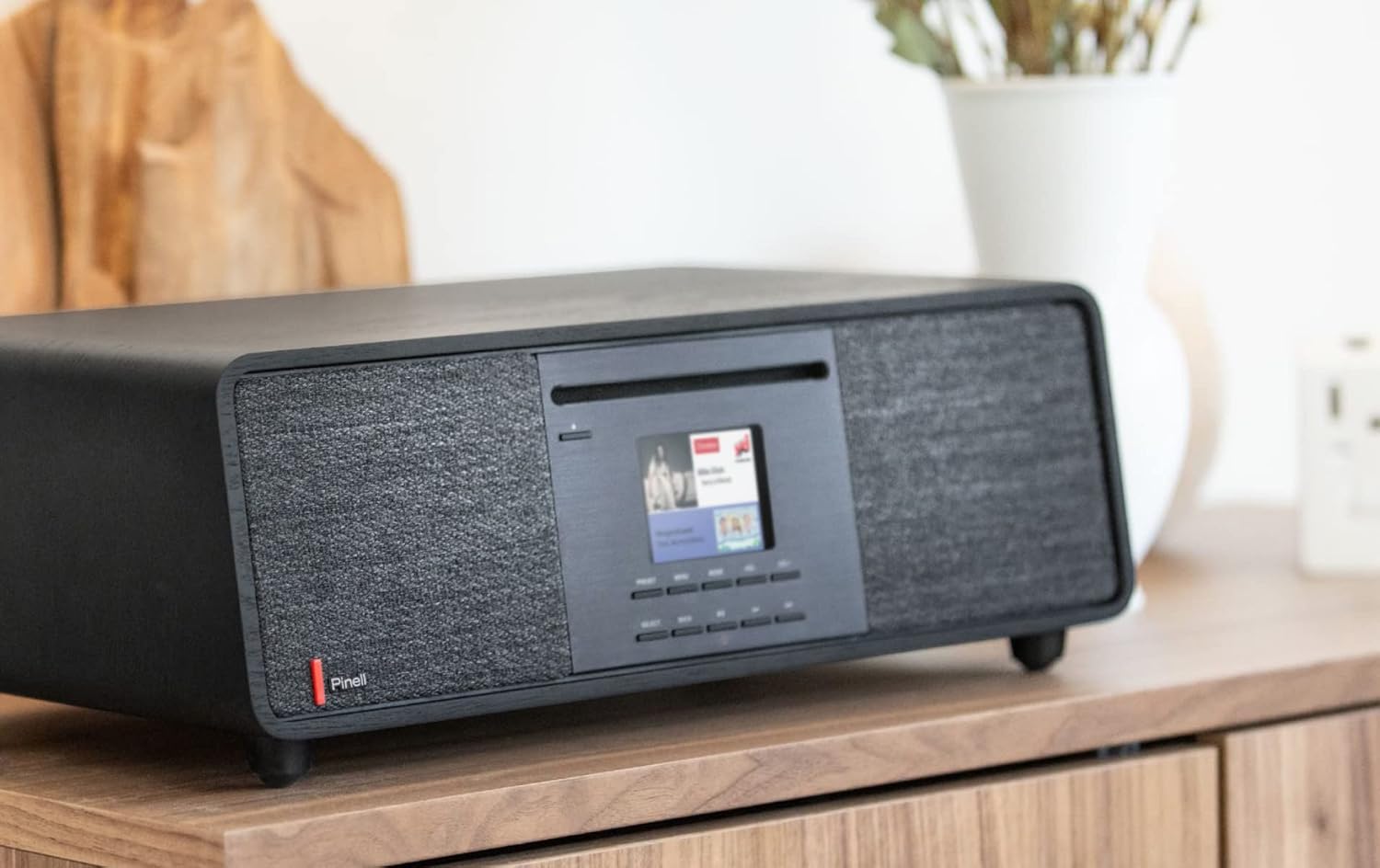
تصویر ۵.۱: کنار view of the Pinell Supersound 701, highlighting its compact form factor.
۳.۱ کنترلها و نمایشگر
The central display provides visual feedback for navigation, station information, and settings. Below the display are various buttons for power, mode selection, navigation, and volume control.
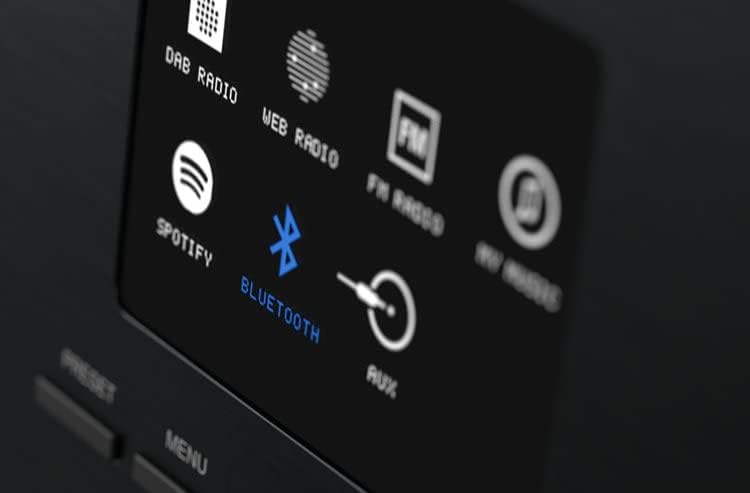
Image 3: Close-up of the radio's display, illustrating available input sources such as DAB Radio, Web Radio, FM Radio, Spotify, Bluetooth, and AUX.
- دکمه پاور: دستگاه را روشن/خاموش میکند یا آن را در حالت آماده به کار قرار میدهد.
- دکمه حالت: Cycles through available audio sources (DAB+, FM, Internet Radio, Bluetooth, AUX).
- دکمه های ناوبری: فلشهای بالا، پایین، چپ، راست برای پیمایش منو.
- دکمه انتخاب/OK: انتخاب ها را تایید می کند.
- کنترل صدا: سطح خروجی صدا را تنظیم می کند.
- دکمه های از پیش تعیین شده: For saving and recalling favorite stations.
- دکمه منو: به تنظیمات و گزینههای سیستم دسترسی پیدا میکند.
5. راه اندازی
5.1 اتصال برق
- Connect the power adapter to the DC input port on the back of the radio.
- آداپتور برق را به پریز برق وصل کنید.
- دکمه پاور را فشار دهید تا رادیو روشن شود.
۳.۴ راهنمای راهاندازی اولیه
پس از اولین روشن کردن، رادیو شما را در یک راهنمای راهاندازی اولیه راهنمایی میکند:
- انتخاب زبان: Use the navigation buttons to select your preferred language and press Select.
- تنظیم زمان / تاریخ: Choose to set the time manually or automatically via network/DAB signal.
- تنظیمات شبکه: Proceed to Wi-Fi setup.
5.3 Wi-Fi Network Connection
To access Internet Radio and Spotify Connect, a Wi-Fi connection is required.
- During the initial setup or via the Menu > Settings > Network menu, select 'Wi-Fi Network'.
- The radio will scan for available networks. Select your network from the list.
- Enter your Wi-Fi password using the navigation buttons and Select button.
- پس از اتصال، رادیو یک پیام تأیید نمایش میدهد.
5.4 جفت شدن بلوتوث
Connect your smartphone or other Bluetooth-enabled device to the radio.
- Press the Mode button until 'Bluetooth' is selected on the display. The radio will enter pairing mode.
- در دستگاه بلوتوث خود، بلوتوث را فعال کنید و دستگاه های موجود را جستجو کنید.
- Select 'Pinell Supersound 701' from the list of devices.
- پس از جفت شدن، رادیو اتصال را تأیید میکند و میتوانید صدا را از دستگاه خود پخش کنید.
6. عملیات
6.1 Radio Modes
- رادیو DAB+: Press the Mode button to select DAB+. The radio will scan for available digital stations. Use navigation buttons to browse and select stations.
- رادیو FM: Press the Mode button to select FM. Use navigation buttons to tune to stations or perform an auto-scan.
- رادیو اینترنتی: Press the Mode button to select Internet Radio. Browse stations by location, genre, or search for specific stations. A stable Wi-Fi connection is required.
6.2 Spotify Connect
The Pinell Supersound 701 supports Spotify Connect, allowing you to control music playback directly from the Spotify app on your smartphone or tablet.
- Ensure your radio is connected to the same Wi-Fi network as your smartphone/tablet.
- برنامه Spotify را در دستگاه خود باز کنید.
- یک آهنگ پخش کنید و روی آیکون «دستگاههای موجود» (معمولاً آیکون بلندگو یا رایانه) ضربه بزنید.
- Select 'Pinell Supersound 701' from the list of devices.
- اکنون موسیقی از طریق رادیوی شما که توسط برنامه Spotify کنترل میشود، پخش خواهد شد.

Image 4: The Pinell Supersound 701 radio connected to a smartphone via Spotify Connect, demonstrating seamless music streaming.
6.3 ورودی AUX
Connect external audio devices using a 3.5mm audio cable to the AUX input port on the radio.
- Connect one end of a 3.5mm audio cable to your external device (e.g., MP3 player, laptop).
- Connect the other end to the AUX input port on the radio.
- Press the Mode button to select 'AUX'.
- Playback will be controlled from your external device.
۵.۳ استفاده از تنظیمات از پیش تعیینشده
ایستگاههای مورد علاقه خود را برای دسترسی سریع ذخیره کنید.
- Tune to the desired station (DAB+, FM, or Internet Radio).
- Press and hold a Preset button (e.g., 1-5) until the display confirms the station has been saved.
- To recall a saved station, simply press the corresponding Preset button briefly.
6.5 Volume and Navigation
- حجم: Use the dedicated volume control buttons to increase or decrease the sound level.
- ناوبری: Use the Up/Down/Left/Right buttons to scroll through menus, lists, or adjust settings. The Select/OK button confirms your choice.
6.6 کنترل از راه دور
The included remote control provides convenient access to all functions from a distance. Refer to the Quick Start Guide for a diagram of the remote control buttons.
7. تعمیر و نگهداری
7.1 تمیز کردن
To clean the radio, ensure it is powered off and unplugged from the wall outlet. Use a soft, dry, lint-free cloth to wipe the surfaces. Do not use abrasive cleaners, waxes, or solvents as they may damage the finish.
7.2 مراقبت از باتری
The Pinell Supersound 701 includes a battery pack for portable use. To maximize battery life:
- از خالی شدن کامل باتری به طور مکرر خودداری کنید.
- Store the radio in a cool, dry place if not used for extended periods.
- اگر باتری برای مدت طولانی نگهداری میشود، برای جلوگیری از تخلیه عمیق، آن را به صورت دورهای شارژ کنید.
8 عیب یابی
- بدون برق: Ensure the power adapter is securely connected to both the radio and a working wall outlet. Check if the power button is pressed.
- بدون صدا: Check the volume level. Ensure the correct audio source (DAB+, FM, Internet Radio, Bluetooth, AUX) is selected. If using external devices, check their volume and connections.
- دریافت ضعیف رادیو: For FM/DAB+, ensure the antenna is fully extended and positioned for best reception. For Internet Radio, check your Wi-Fi connection strength.
- مشکلات اتصال وای فای: Verify your Wi-Fi password. Ensure the radio is within range of your router. Try restarting your router and the radio.
- خطای جفت شدن بلوتوث: Ensure the radio is in Bluetooth mode and discoverable. Make sure no other device is currently connected to the radio via Bluetooth. Try restarting both the radio and your Bluetooth device.
- کنترل از راه دور کار نمی کند: Check the battery in the remote control. Ensure there are no obstructions between the remote and the radio's sensor.
9. مشخصات
| نام تجاری | پینل |
| مدل | Supersound 701 (Model Number: 7090011022071) |
| رنگ | مشکی |
| نوع تیونر | آنالوگ و دیجیتال |
| باندهای رادیویی پشتیبانی شده | DAB+، FM |
| فناوری اتصال | Bluetooth (v4.0), Wi-Fi (802.11b, 802.11g, Wi-Fi 4 (802.11n)) |
| Internet Radio Services | Spotify Connect |
| ورودی های صوتی | ورودی AUX (3.5 میلی متر) |
| خروجی های صوتی | Headphone Output (1) |
| بلندگوهای یکپارچه | بله (2 بلندگو) |
| نوع نمایشگر | LCD |
| منبع تغذیه | باتری، آداپتور برق متناوب |
| مواد | آلومینیوم، چوب |
| ابعاد (W x D x H) | 405 میلیمتر × 245 میلیمتر در 143 میلیمتر |
10. گارانتی و پشتیبانی
Pinell products are designed for reliability and performance. For warranty information, please refer to the warranty card included in your product packaging or visit the official Pinell website. For technical support or service inquiries, please contact Pinell customer service through their official channels.