
مقدمه
This manual provides detailed instructions for the installation, operation, and maintenance of your NEC SL2100 IP7WW-12TXH-B1 12-Button Display Speaker Telephone. Please read this manual thoroughly before using the telephone to ensure proper functionality and to prevent damage.
اطلاعات ایمنی
هنگام استفاده از این محصول، همیشه اقدامات احتیاطی اولیه ایمنی را رعایت کنید تا خطر آتشسوزی، برقگرفتگی و آسیبدیدگی افراد کاهش یابد.
- از این محصول به عنوان مثال نزدیک آب استفاده نکنیدampدر نزدیکی وان حمام، کاسه شستشو، سینک آشپزخانه یا وان لباسشویی، در زیرزمین مرطوب یا نزدیک استخر شنا.
- Avoid using the telephone during an electrical storm. There may be a remote risk of electric shock from lightning.
- از تلفن برای گزارش نشت گاز در مجاورت نشتی استفاده نکنید.
- Use only the power source specified in this manual or marked on the product. This telephone is powered by the phone system.
- قبل از تمیز کردن این محصول را از پریز جدا کنید. از پاک کننده های مایع یا پاک کننده های آئروسل استفاده نکنید. از تبلیغ استفاده کنیدamp پارچه برای تمیز کردن
محتویات بسته
بررسی کنید که آیا همه اقلام در بسته موجود است یا خیر:
- NEC SL2100 IP7WW-12TXH-B1 12-Button Display Speaker Telephone (Black)
- گوشی
- سیم گوشی
- Base Stand (for desk or wall mounting)
- Ethernet Cable (if applicable for IP connection)
محصول تمام شده استview
The NEC SL2100 IP7WW-12TXH-B1 is a corded 12-button display speaker telephone designed for use with NEC SL2100 systems. It features a clear display for call information and menu navigation, a built-in speakerphone for hands-free communication, and 12 programmable function keys.
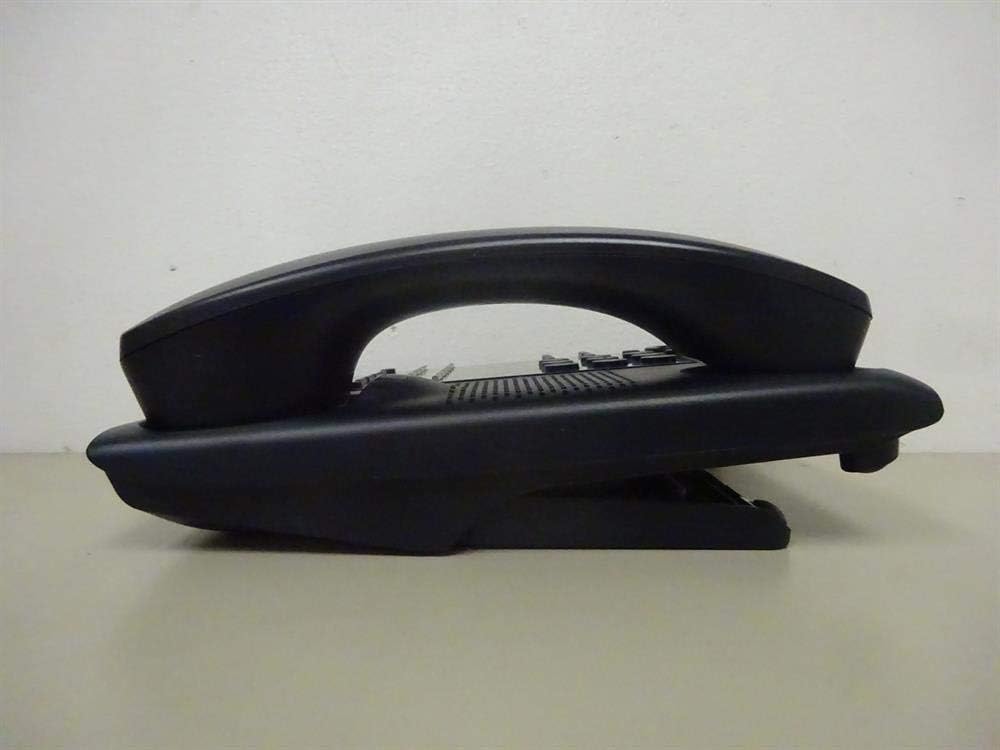
شکل 1: سمت view of the NEC SL2100 IP7WW-12TXH-B1 telephone, showing the ergonomic design of the handset and base unit.

شکل 2: عقب view of the telephone, illustrating the various connection ports for the handset and network, as well as the integrated wall-mounting slots.
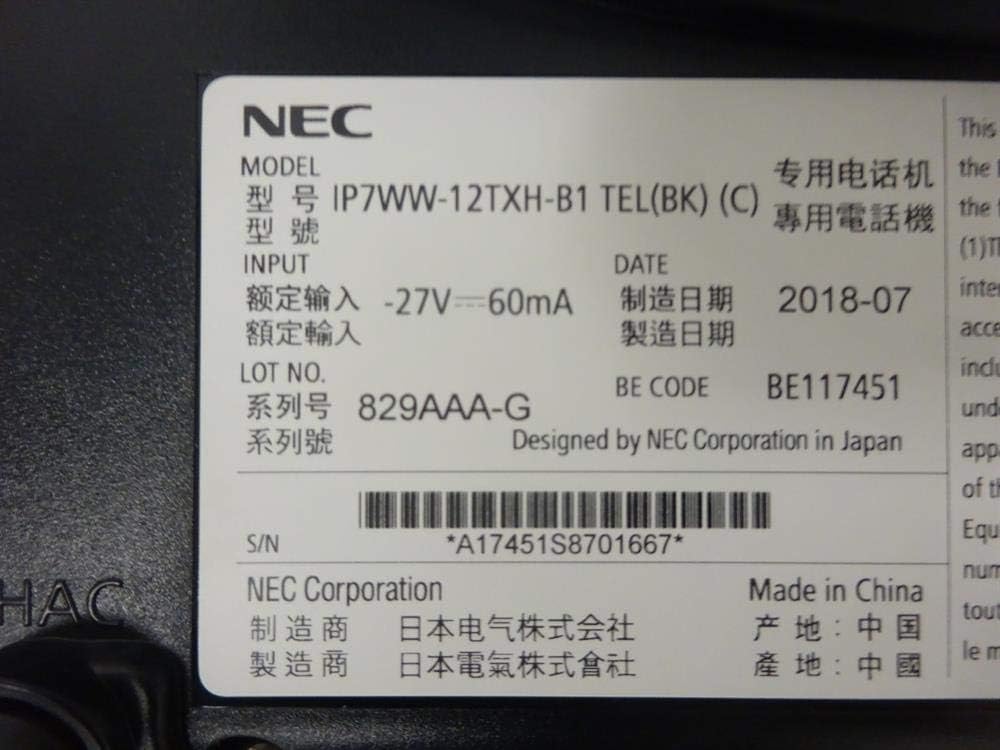
شکل 3: Close-up of the product label, displaying model number IP7WW-12TXH-B1, input specifications, and manufacturer details.
راه اندازی
1. Assembling the Telephone
- پایه پایه را وصل کنید: Align the base stand with the slots on the bottom of the telephone. Slide it into place until it clicks securely. The stand can be adjusted for different viewing angles or reversed for wall mounting.
- گوشی را وصل کنید: یک سر سیم گوشی حلقهای را به گوشی و سر دیگر را به پورت تعیینشده در کنار پایه تلفن وصل کنید.
۳. اتصال به سیستم
This telephone is designed to connect to an NEC SL2100 system. Ensure your SL2100 system is properly installed and configured.
- کابل شبکه را وصل کنید: Plug one end of an Ethernet cable into the LAN port on the back of the telephone. Plug the other end into an available port on your NEC SL2100 system or a network switch connected to the system.
- روشن کردن: The telephone receives power directly from the NEC SL2100 system (Power over Ethernet - PoE) or via a separate power adapter (not included, if PoE is not available). Once connected, the telephone should power on automatically.
- پیکربندی اولیه: The telephone will typically register with the SL2100 system automatically. If prompted, follow the on-screen instructions or consult your system administrator for specific extension number assignment or network settings.
دستورالعمل های عملیاتی
برقراری تماس
- گوشی را بلند کنید: گوشی را بلند کنید و به صدای شماره گیری گوش دهید.
- شماره رو بگیر: با استفاده از صفحه کلید، شماره تلفن مورد نظر را شماره گیری کنید.
- بلندگو: را فشار دهید SPEAKER button to activate the speakerphone, then dial the number.
دریافت تماس ها
- گوشی را بلند کنید: When the telephone rings, lift the handset to answer.
- بلندگو: را فشار دهید SPEAKER button to answer the call hands-free.
با استفاده از نمایشگر
The display shows call information, menu options, and system status. Use the navigation buttons (usually arrow keys) to scroll through menus and the را وارد کنید or انتخاب کنید را فشار دهید تا انتخاب ها را تأیید کنید.
Programmable Function Keys (12 Buttons)
The 12 buttons on the telephone can be programmed for various functions such as speed dial, line access, feature activation, or direct station selection. Consult your system administrator for the specific programming of these keys.
تماس های کنفرانس
The telephone supports 3-way conference calls. To initiate a conference call:
- با طرف اول تماس برقرار کنید.
- را فشار دهید تأیید (Conference) button or the designated programmable key. The first party will be put on hold.
- شماره طرف دوم را بگیرید.
- پس از اتصال به طرف دوم، دکمه تأیید button again to join all three parties.
شناسه تماس گیرنده
When an incoming call is received, the caller's information (name and number, if available) will be displayed on the screen.
عملیات چند خطی
This telephone supports multi-line operation, allowing you to manage multiple calls simultaneously. Use the designated line keys or programmable keys to switch between active lines or place calls on hold.
تعمیر و نگهداری
تمیز کردن
To clean the telephone, unplug it from the network connection. Use a soft, slightly damp cloth. Do not use harsh chemicals, abrasive cleaners, or excessive moisture. Avoid spraying cleaners directly onto the telephone.
ذخیره سازی
If storing the telephone for an extended period, ensure it is clean and dry. Store it in a cool, dry place away from direct sunlight and extreme temperatures.
عیب یابی
- بدون صدای شماره گیری:
- Check all cable connections, especially the network cable to the SL2100 system.
- Ensure the SL2100 system is powered on and functioning correctly.
- If using a separate power adapter (not PoE), ensure it is properly connected and receiving power.
- نمایشگر کار نمی کند:
- Verify the telephone is receiving power.
- Try disconnecting and reconnecting the network cable.
- نمیتوان تماس برقرار/دریافت کرد:
- صدای شماره گیری را بررسی کنید.
- Ensure the telephone is properly registered with the SL2100 system.
- Contact your system administrator to verify line assignments and system status.
- کیفیت ضعیف صدا:
- Check handset and network cable connections.
- مطمئن شوید که هیچ تداخلی با سایر دستگاههای الکترونیکی وجود ندارد.
- Test with another telephone if possible to isolate the issue.
مشخصات
| ویژگی | مشخصات |
|---|---|
| نام تجاری | NEC |
| شماره مدل | IP7WW-12TXH-B1 (Mfr Part Number: BE117451) |
| رنگ | مشکی |
| نوع تلفن | طناب دار |
| مواد | پلاستیک |
| منبع تغذیه | Phone System (PoE compatible) |
| نوع شماره گیر | صفحه کلید تکی |
| ابعاد مورد (L x W x H) | 15 x 12 x 6 اینچ |
| نوع سیستم پاسخگویی | Digital (System Dependent) |
| دستگاه های سازگار | NEC SL2100 Systems, NEC SL2100 IP7WW-082U-B1 8 Port Digital Station Card |
| قابلیت تماس کنفرانسی | 3 طرفه |
| عملیات چند خطی | بله |
| شناسه تماس گیرنده | بله |
گارانتی و پشتیبانی
For warranty information, please refer to the documentation provided with your NEC SL2100 system or contact your NEC authorized dealer. For technical support, please contact your system administrator or NEC customer service.
شرکت NEC
For further assistance, please visit the official NEC website or contact your local support representative.