
مقدمه
This manual provides essential instructions for the safe and efficient use of your AKG Y100 Wireless Bluetooth Earbuds. Please read this manual thoroughly before using the product and retain it for future reference.
The AKG Y100 earbuds are designed to deliver crisp, clean sound with the convenience of wireless connectivity. They feature a lightweight, ergonomic neckband and multi-point connectivity for seamless switching between devices.
اطلاعات ایمنی
- Do not expose the earbuds to extreme temperatures, humidity, or corrosive environments.
- از افتادن یا قرار دادن ایربادها در معرض ضربات شدید خودداری کنید.
- خودتان اقدام به باز کردن یا تعمیر ایربادها نکنید. این کار ممکن است گارانتی را باطل کند و باعث آسیب شود.
- Keep the earbuds away from children and pets.
- فقط از کابل شارژ ارائه شده یا معادل معتبر آن استفاده کنید.
- گوش دادن به موسیقی با صدای بلند برای مدت طولانی میتواند به شنوایی آسیب برساند. صدا را در سطح ایمن تنظیم کنید.
محتویات بسته
بررسی کنید که همه اقلام در بستهبندی محصول شما موجود باشد:
- AKG Y100 Wireless Bluetooth Earbuds
- 3 Size ear tips (Small, Medium, Large)
- کابل شارژ Micro USB
- کیس محافظ
- راهنمای شروع سریع (در این دفترچه راهنمای دیجیتال موجود نیست)
محصول تمام شده استview
Familiarize yourself with the components and controls of your AKG Y100 earbuds.
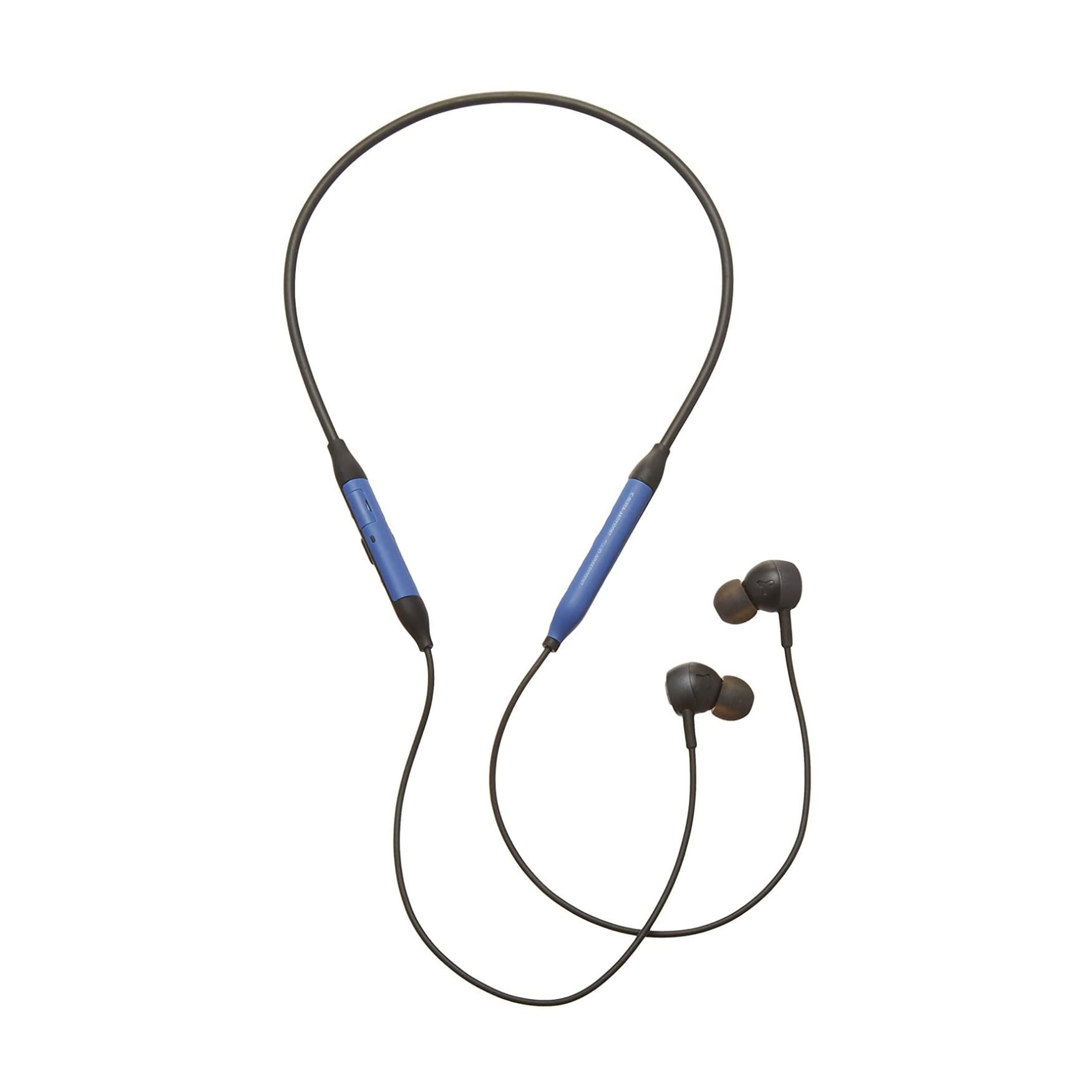
تصویر: جلو view of the AKG Y100 Wireless Bluetooth Earbuds, highlighting the blue AKG logo on each earbud.

Image: The AKG Y100 Wireless Bluetooth Earbuds showing the inline remote control with buttons for volume and playback.
کنترل ها:
- دکمه پاور: Located on the inline remote. Used for powering on/off and Bluetooth pairing.
- دکمه های افزایش / کاهش صدا: تنظیم میزان صدا.
- دکمه چند منظوره: Controls music playback (play/pause, skip tracks) and call management (answer/end calls).
- میکروفون: Integrated for hands-free calling and voice control.
- پورت شارژ: Micro USB port for charging the earbuds.
راه اندازی
1. شارژ کردن هدفون
Before first use, fully charge your AKG Y100 earbuds.
- Connect the Micro USB charging cable to the charging port on the inline remote.
- سر دیگر کابل را به یک منبع تغذیه USB (مانند کامپیوتر، آداپتور دیواری) وصل کنید.
- The LED indicator will show charging status. A full charge provides up to 8 hours of playback. A 15-minute speed charge can provide an additional hour of music.
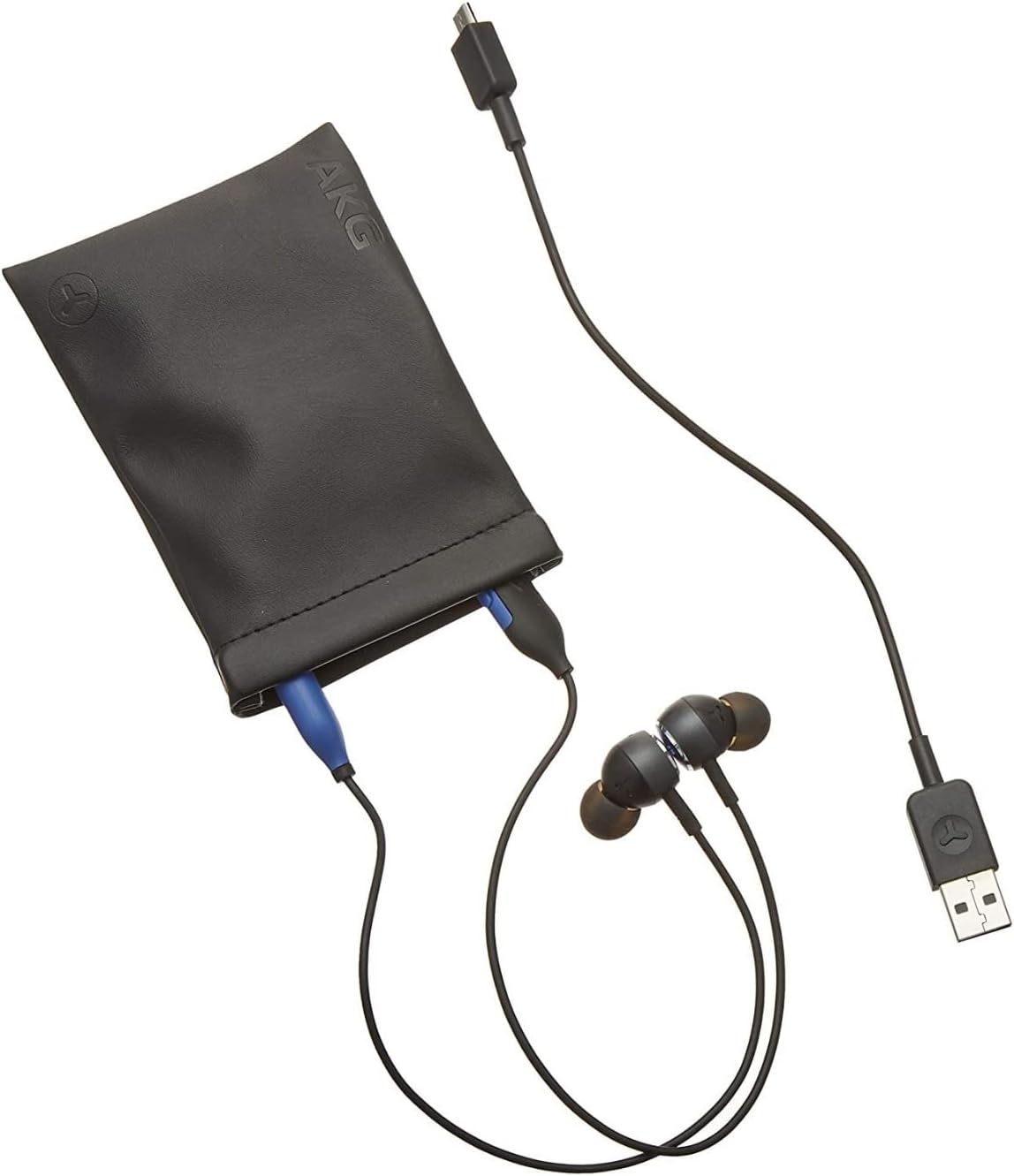
Image: The AKG Y100 Earbuds, protective case, and Micro USB charging cable, illustrating the components included.
2. جفت شدن بلوتوث
برای اتصال ایربادها به دستگاه:
- Ensure the earbuds are charged and powered off.
- دکمه پاور را فشار داده و نگه دارید تا نشانگر LED به رنگ آبی و قرمز چشمک بزند که نشاندهنده حالت جفت شدن است.
- در دستگاه خود (گوشی هوشمند، تبلت، رایانه)، بلوتوث را فعال کنید و دستگاههای موجود را جستجو کنید.
- Select "AKG Y100" from the list of found devices.
- پس از اتصال، نشانگر LED به صورت آبی ثابت یا آبی چشمکزن آهسته ظاهر میشود.
اتصال چند نقطهای: The AKG Y100 supports connecting to two Bluetooth devices simultaneously. After pairing with the first device, put the earbuds back into pairing mode and connect to the second device. The earbuds will intelligently switch between the two connected devices for audio and calls.
۴.۲. نصب ایربادها
For optimal sound quality and comfort, choose the correct size ear tips.
- Experiment with the three provided ear tip sizes (Small, Medium, Large).
- Gently insert the earbuds into your ears, ensuring a snug fit that seals the ear canal.
- The ergonomic neckband should rest comfortably around your neck.

Image: A person wearing the AKG Y100 Wireless Bluetooth Earbuds, demonstrating the comfortable fit of the neckband and earbuds.
کار با ایربادها
روشن/خاموش برق
- روشن کردن: دکمه پاور را به مدت تقریباً ۳ ثانیه فشار دهید و نگه دارید تا نشانگر LED به رنگ آبی چشمک بزند.
- خاموش: دکمه پاور را به مدت تقریباً ۳ ثانیه فشار دهید و نگه دارید تا نشانگر LED به رنگ قرمز چشمک بزند و سپس خاموش شود.
پخش موسیقی
- پخش/مکث: دکمه چند منظوره را یک بار فشار دهید.
- آهنگ بعدی: دکمه چند منظوره را دوبار فشار دهید.
- آهنگ قبلی: دکمه چند منظوره را سه بار فشار دهید.
- افزایش صدا: دکمه افزایش صدا را فشار دهید.
- کاهش حجم: دکمه کاهش صدا را فشار دهید.
مدیریت تماس
- پاسخ/پایان تماس: دکمه چند منظوره را یک بار فشار دهید.
- رد تماس: دکمه Multi-function را به مدت 2 ثانیه فشار داده و نگه دارید.
- دستیار صوتی را فعال کنید: Press and hold the Multi-function button for 2 seconds when not on a call.
Ambient Aware Mode
The AKG Y100 features an Ambient Aware mode, which allows you to hear your surroundings more clearly without removing your earbuds. This is useful for situations where you need to be aware of your environment, such as during commutes or in an office setting.
- Activate/Deactivate Ambient Aware: Refer to your device's Bluetooth settings or the AKG app (if available) for specific controls, as this feature may be managed through software. On some models, a dedicated button or a specific combination of button presses on the inline remote may control this function.
تعمیر و نگهداری
- تمیز کردن: Wipe the earbuds and neckband with a soft, dry cloth. Do not use harsh chemicals or abrasive materials. Remove ear tips and clean them with mild soap and water, then dry thoroughly before reattaching.
- ذخیره سازی: When not in use, store the earbuds in the provided protective case to prevent damage. Avoid storing in direct sunlight or extreme temperatures.
- مقاومت در برابر آب: The earbuds are water resistant. However, they are not waterproof. Avoid submerging them in water or exposing them to heavy rain. Dry thoroughly if they get wet.
عیب یابی
| مشکل | علت احتمالی | راه حل |
|---|---|---|
| ایربادها روشن نمیشوند. | باتری کم. | Charge the earbuds fully using the Micro USB cable. |
| نمیتوان با دستگاه جفتسازی کرد. | ایربادها در حالت جفتسازی نیستند؛ بلوتوث دستگاه خاموش است؛ فاصله از دستگاه خیلی زیاد است. | Ensure earbuds are in pairing mode (flashing blue/red LED). Turn on Bluetooth on your device. Move earbuds closer to the device (within 10 meters). |
| صدا نداره یا کیفیت صدا پایینه. | Volume too low; earbuds not properly seated; device not connected. | Increase volume on earbuds and device. Adjust earbud fit. Re-pair the earbuds with your device. |
| مشکلات اتصال چند نقطهای | Incorrect switching; device compatibility. | Ensure both devices are paired. The earbuds prioritize active audio/calls. If issues persist, disconnect and re-pair one device at a time. |
مشخصات
| نام مدل | Y100 |
| فناوری اتصال | بی سیم (بلوتوث) |
| نسخه بلوتوث | 4.2 |
| پشتیبانی از Bluetooth Profiles | HFP V1.7 ، A2DP V1.3 ، AVRCP V1.5 |
| عمر باتری | تا 8 ساعت |
| شارژ سریع | ۱۰ دقیقه به مدت ۱ ساعت پخش |
| نوع کنترل | Voice Control, Touch-based controller |
| وزن مورد | 24 گرم (0.847 اونس) |
| سطح مقاومت در برابر آب | مقاوم در برابر آب |
| سازنده | Samsung (AKG by Harman) |
| ابعاد محصول | 3.86 x 2.01 x 5.91 اینچ |
گارانتی و پشتیبانی
For warranty information and technical support, please refer to the documentation included with your purchase or visit the official AKG/Samsung support webسایت. فاکتور خرید خود را برای موارد گارانتی نگه دارید.
اگر با مشکلاتی مواجه شدید که در این دفترچه راهنما به آنها اشاره نشده است، لطفاً برای دریافت راهنمایی با خدمات مشتریان تماس بگیرید.