
مقدمه
The VTech VM3261 2.8" Digital Video Baby Monitor provides a secure and reliable connection to your baby. With features like pan and tilt camera control, two-way talk, soothing sounds, and automatic night vision, you can monitor your little one with peace of mind. This manual will guide you through the setup, operation, and maintenance of your baby monitor.
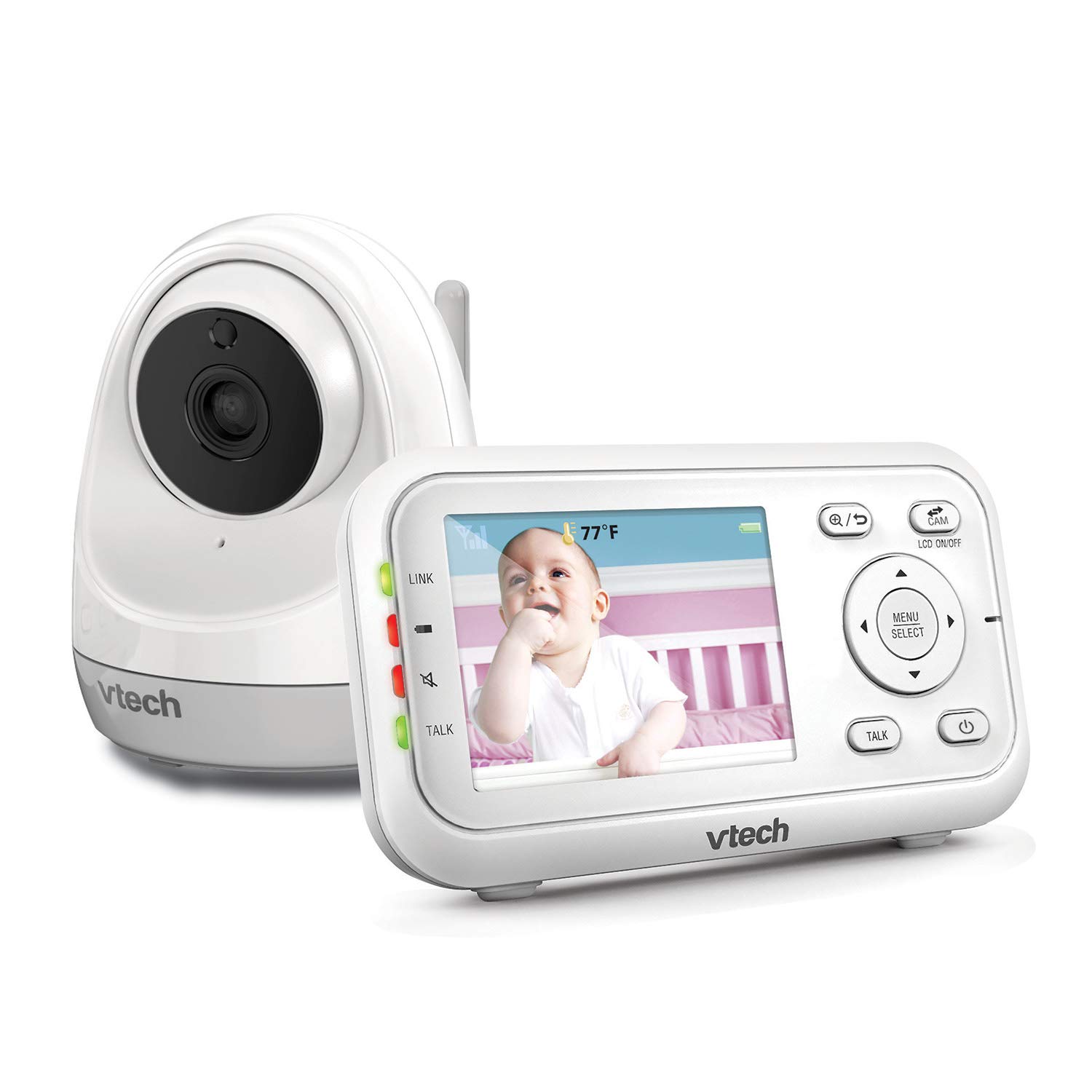

ویژگی های محصول
- Plug & Play: The monitor’s parent unit and the camera are pre-configured for local monitoring, requiring no complex setup.
- Fully Motorized Pan & Tilt with 2X Zoom: Remotely control the camera to pan 260-degrees side to side and tilt 23-degrees up and down, with 2x digital zoom for a closer look.
- دوربرد: Maintain connection with your baby from up to 1000 feet away.
- گفتگوی دو طرفه: Comfort your baby from another room using the built-in talk-back intercom.
- Soothing Sounds and Lullabies: Choose from 5 calming melodies and 4 ambient sounds (including white noise and trickling stream) to help your baby sleep.
- Night Vision, Sound, and Temperature Sensor: Foo واضح را ارائه می دهدtage in low light, alerts you to sounds, and displays the nursery temperature on the LCD screen.
- حالت فعالسازی صدا: Conserve battery by having the parent unit screen turn off until noise is detected, with visual and audio alerts.
راه اندازی
محتویات بسته
- VM3261 Parent Unit
- VM3261 Baby Unit (Camera)
- آداپتور برق (2)
- باتری قابل شارژ برای دستگاه والد (از پیش نصب شده)
- دفترچه راهنمای کاربر
مراحل اولیه راهاندازی
- Charge the Parent Unit: Connect the small plug of the power adapter to the parent unit's power jack and the large end to a wall outlet. The battery icon will indicate charging. For optimal performance, charge the parent unit for at least 12 hours before first use.
- Power the Baby Unit: Connect the small plug of the power adapter to the baby unit's power jack and the large end to a wall outlet. The baby unit will power on automatically.
- واحد کودک را در موقعیت مناسب قرار دهید: واحد کودک را در مکانی قرار دهید که دید کافی داشته باشد view of your baby, such as on a dresser or shelf. Ensure it is at least 3 feet (1 meter) away from the baby to avoid potential hazards. Do not place the camera within reach of the baby.
- تست اتصال: Once both units are powered on, the parent unit should automatically connect to the baby unit and display the video feed. If no connection is established, ensure both units are within range and properly powered.
دستورالعمل های عملیاتی
کنترلهای واحد والد
- روشن/خاموش برق: را فشار داده و نگه دارید روشن/خاموش button on the parent unit.
- کنترل صدا: استفاده کنید افزایش صدا و کاهش حجم دکمههایی برای تنظیم میزان صدای گوش دادن.
- کنترل روشنایی: Adjust the screen brightness via the menu settings.
- منو/انتخاب: را فشار دهید MENU/SELECT button to access settings and confirm selections.
- دکمه های ناوبری: از دکمه های جهت دار استفاده کنید (بالا پایین چپ راست) to navigate through menus and control camera pan/tilt.
- دکمه گفتگو: را فشار داده و نگه دارید صحبت کنید button to speak to your baby through the baby unit. Release to listen.
کنترل دوربین (چرخش، شیب، زوم)
The VM3261 allows you to remotely adjust the camera's view from the parent unit.

- حرکت / شیب: در حالی که viewing the live feed, press the چپ / راست arrow buttons to pan the camera horizontally (up to 260 degrees). Press the بالا/پایین arrow buttons to tilt the camera vertically (up to 23 degrees).
- بزرگنمایی: را فشار دهید بزرگنمایی ضربه بزنید؛ button (magnifying glass icon) to digitally zoom in or out (2x zoom).
گفتگوی دو طرفه
Communicate with your baby or partner in the nursery using the two-way talk feature.

To use, press and hold the صحبت کنید button on the parent unit. Speak clearly into the microphone. Release the button to hear your baby's sounds.
لالاییها و صداهای آرامشبخش
Help your baby relax and fall asleep with built-in melodies and ambient sounds.

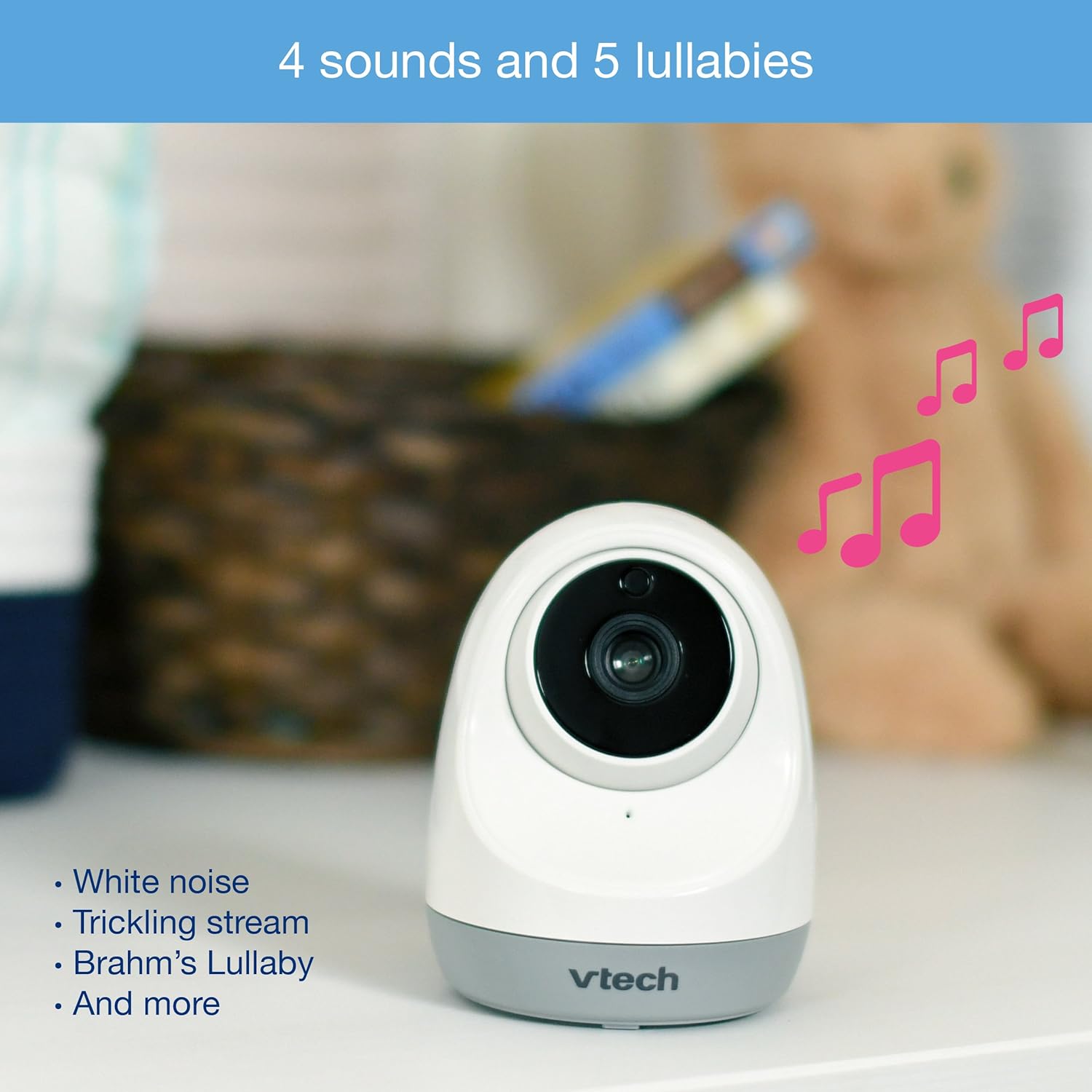
Access the lullaby menu from the parent unit to select from 5 melodies and 4 ambient sounds, including white noise and a trickling stream. You can set a timer for how long the sounds play.
Night Vision and Temperature Monitoring
The monitor automatically switches to infrared night vision in low light conditions, providing a clear black and white image. The baby unit also includes a temperature sensor.

The current room temperature is displayed on the parent unit's LCD screen. You can set temperature alerts to be notified if the room becomes too hot or too cold.
حالت فعالسازی صدا (VOX)
To save power, especially during nap times, enable the sound activation mode.

When activated, the parent unit screen will turn off to conserve battery. It will automatically turn back on and provide audio/visual alerts when noise is detected in the baby's room.
ویدیو تمام شدview
Watch this official product video for a visual guide to the VTech VM3261's features and operation.
Official VTech VM3261 Video Baby Monitor overview، نمایشasing its pan, tilt, zoom, long range, and night vision capabilities.
تعمیر و نگهداری
- تمیز کردن: Clean the monitor and camera units with a soft, damp از اسپریهای تمیزکننده یا پاککنندههای مایع استفاده نکنید.
- مراقبت از باتری: To prolong battery life, fully charge the parent unit before initial use and avoid completely draining the battery frequently.
- ذخیره سازی: If storing the unit for an extended period, remove the battery from the parent unit and store both units in a cool, dry place.
عیب یابی
| مشکل | علت احتمالی | راه حل |
|---|---|---|
| No link/Poor connection | Units are too far apart or out of range. Obstructions between units. | Move parent unit closer to baby unit. Reduce obstructions (walls, electronics). |
| بدون تصویر/صدا | Baby unit or parent unit is off or not powered. | Ensure both units are plugged in and powered on. Check battery level of parent unit. |
| Screen is black in VOX mode | Sound activation mode is enabled and no sound is detected. | This is normal operation. The screen will activate when sound is detected. Disable VOX mode in settings if continuous display is desired. |
| به نظر میرسد اندازهگیری دما دقیق نیست | Camera placed near heat source/vent or in direct sunlight. | Relocate the baby unit to a more central location in the room, away from direct heat or cold sources. |
| استاتیک یا تداخل | Other electronic devices nearby. | Move the monitor away from other electronic devices like cell phones, Wi-Fi routers, or microwaves. |
مشخصات
| ویژگی | جزئیات |
|---|---|
| شماره مدل | VM3261 |
| اندازه صفحه نمایش | 2.8 اینچ |
| پان دوربین | 260 درجه افقی |
| شیب دوربین | ۱۲۲ درجه عمودی |
| بزرگنمایی ضربه بزنید؛ | زوم دیجیتال 2 برابر |
| محدوده | تا 1000 فوت (خط دید) |
| منبع تغذیه | Battery Powered (Parent Unit), AC Adapter (Baby Unit) |
| فناوری اتصال | بیسیم (2.4 گیگاهرتز FHSS) |
| دید در شب | مادون قرمز خودکار |
| ویژگی های خاص | Two-Way Talk, Lullabies, Temperature Sensor, Sound Activation |
| ابعاد (واحد والد) | تقریباً 4.89 4.13. 3.36 x XNUMX اینچ |
| وزن | تقریبا 1.41 پوند |
گارانتی و پشتیبانی
VTech products are manufactured with high-quality components and are designed to provide years of reliable performance. For detailed warranty information, please refer to the warranty card included in your product packaging or visit the official VTech website. If you encounter any issues or require technical assistance, please contact VTech customer support.
پشتیبانی مشتریان VTech:
- به اطلاعات تماس ارائه شده در بستهبندی محصول خود مراجعه کنید.
- از VTech رسمی بازدید کنید webسایت سوالات متداول، راهنماهای عیبیابی و گزینههای تماس: www.vtechphones.com/support