
1. Introduction
Thank you for choosing the Bytech BYCS03100RG component. This manual provides essential information for the proper installation, operation, and maintenance of your product. Please read this manual thoroughly before use and retain it for future reference.
2. Safety Information
To ensure safe operation and prevent damage, please observe the following safety precautions:
- Always disconnect power from the main audio system before installing or removing the BYCS03100RG component.
- Handle the component with care to avoid physical damage to connectors or internal circuitry.
- Ensure proper ventilation around the component if it is part of an enclosed system.
- Do not expose the component to moisture, extreme temperatures, or direct sunlight.
- Only use the component for its intended purpose as a monitor, speaker, or subwoofer part.
3. Package Contents
Please check the package for the following items:
- Bytech BYCS03100RG Component
- Instruction Manual (this document)
If any items are missing or damaged, please contact your retailer.
4. Setup
The BYCS03100RG is designed as a component for existing audio systems. Specific installation steps will vary depending on your application (monitor, speaker, or subwoofer system). Always refer to the primary system's manual for detailed integration instructions.
- Preparation: Ensure all power to the main audio system is turned off and unplugged from the wall outlet.
- Identification: Identify the correct slot or connection point within your audio system where the BYCS03100RG component is to be installed.
- Installation: Carefully align the BYCS03100RG component with the designated connection point. Apply gentle, even pressure to secure it in place. Avoid forcing the component.
- Connection (if applicable): If the component requires additional wiring, ensure all connections are made securely and correctly according to your system's wiring diagram.
- Verification: Double-check all connections and ensure the component is firmly seated before restoring power to the main audio system.
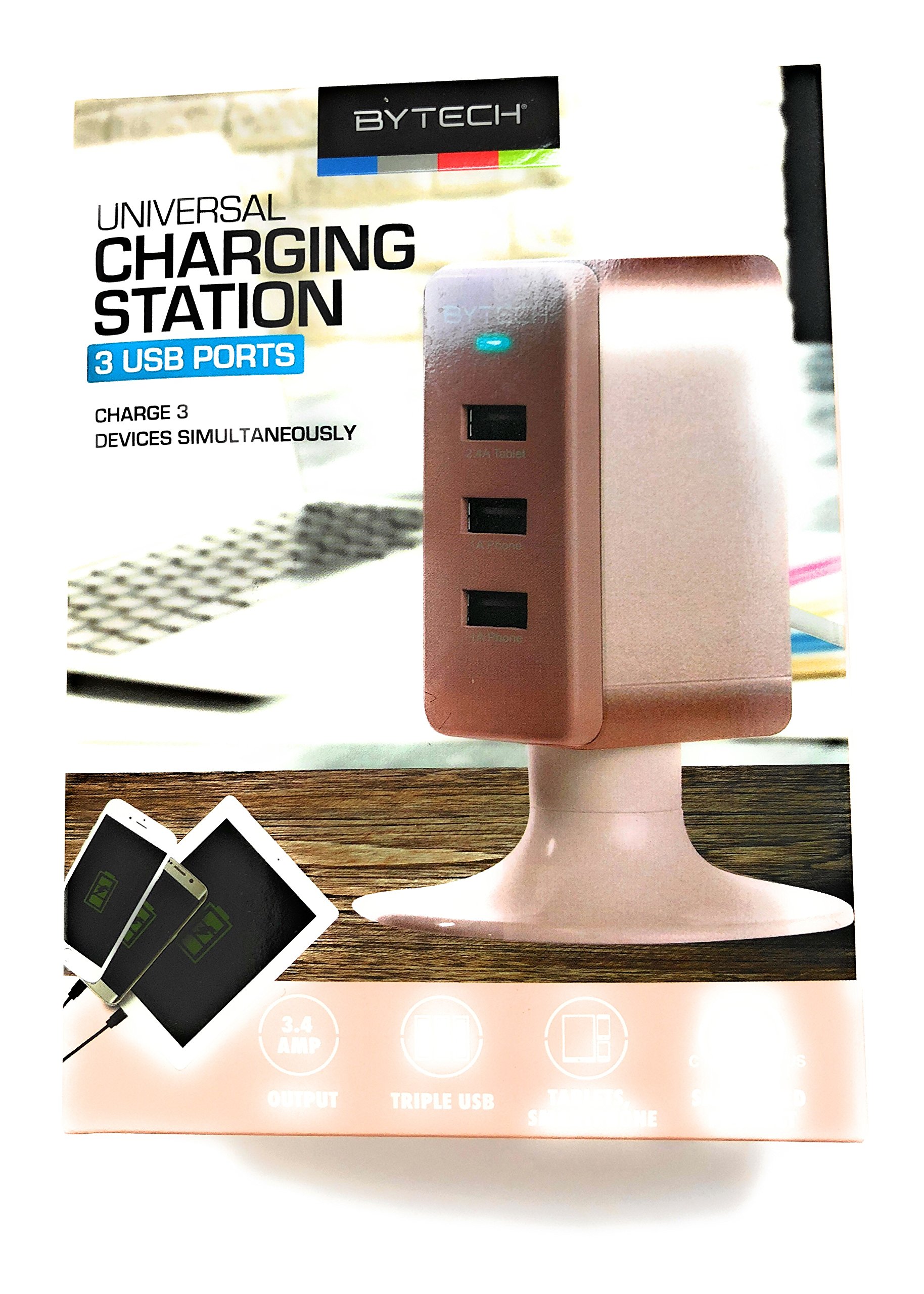
Figure 1: An image of the Bytech BYCS03100RG component, showing its overall design and connectors. This image illustrates the general appearance of the component for identification purposes.
5. Operating
The Bytech BYCS03100RG is a passive component designed to function within a larger audio system. It does not have independent operational controls. Once correctly installed, its function is integrated into the overall performance of the monitor, speaker, or subwoofer system it is part of.
- System Power: The component will become active when the main audio system it is installed in is powered on.
- Functionality: Its specific role (e.g., signal processing, power distribution, frequency response modification) is determined by the design of the primary audio equipment.
- Monitoring: If your audio system includes diagnostic tools, you may monitor the performance of the integrated component through those interfaces.
6. Maintenance
The BYCS03100RG component requires minimal maintenance. Follow these guidelines to ensure its longevity:
- Cleaning: If necessary, gently wipe the exterior of the component with a soft, dry cloth. Do not use liquid cleaners, solvents, or abrasive materials.
- Inspection: Periodically inspect the component and its connections for any signs of wear, corrosion, or loose fittings.
- Environment: Ensure the operating environment remains free from excessive dust, humidity, and extreme temperatures.
7. Troubleshooting
If you experience issues after installing the BYCS03100RG component, consider the following troubleshooting steps:
- No Functionality:
- Ensure the main audio system is powered on and functioning correctly.
- Verify that the BYCS03100RG component is correctly and securely installed in its designated slot or connection point.
- Check all associated wiring for proper connection and integrity.
- Intermittent Performance:
- Inspect connections for looseness or corrosion.
- Ensure the component is not exposed to excessive vibration or physical stress.
- System Error Messages:
- Refer to the instruction manual of your main audio system for specific error code interpretations.
- If the error persists, temporarily remove the BYCS03100RG component to determine if it is the source of the issue.
If troubleshooting steps do not resolve the issue, consult a qualified technician or contact Bytech customer support.
8. Specifications
| Model Number | BYCS03100RG |
| Product Dimensions | 5 x 5 x 5 inches |
| Item Weight | 1 pounds |
| Manufacturer | BYTECH |
| Date First Available | July 27, 2021 |
9. Warranty and Support
Warranty information for the Bytech BYCS03100RG component is not provided in this document. Please refer to the original purchase documentation or contact your retailer or Bytech customer support for details regarding warranty coverage and technical assistance.
For further support, please visit the official Bytech website or contact their customer service department.