
1. مقدمه
The Benetech GM610 is a portable digital wood moisture meter designed for quick and accurate measurement of moisture content in various wood types. It also provides environmental temperature and humidity readings. This manual provides detailed instructions for the proper use, setup, operation, and maintenance of your device to ensure optimal performance and longevity.
2. ویژگی های محصول
- Adjustable for 4 different wood species groups.
- Data hold function to lock readings.
- Automatic temperature compensation for varying environmental conditions.
- Review function for maximum moisture reading.
- Backlight on/off switch for improved visibility.
- Utilizes CPU technology for precise measurements.
- Powered by 2 AAA batteries with a battery icon indicator on the display.
- Large LCD display for clear readability.
- Automatic power-off after 120 seconds of inactivity; manual power-off is also available.
- Capable of measuring environmental humidity and temperature.
3. محصول تمام شدview

شکل 1: جلو view of the Benetech GM610 Wood Moisture Meter with the protective cap removed, displaying the LCD screen and control buttons.

Figure 2: The Benetech GM610 Wood Moisture Meter held in hand, demonstrating the illuminated LCD display with current readings.
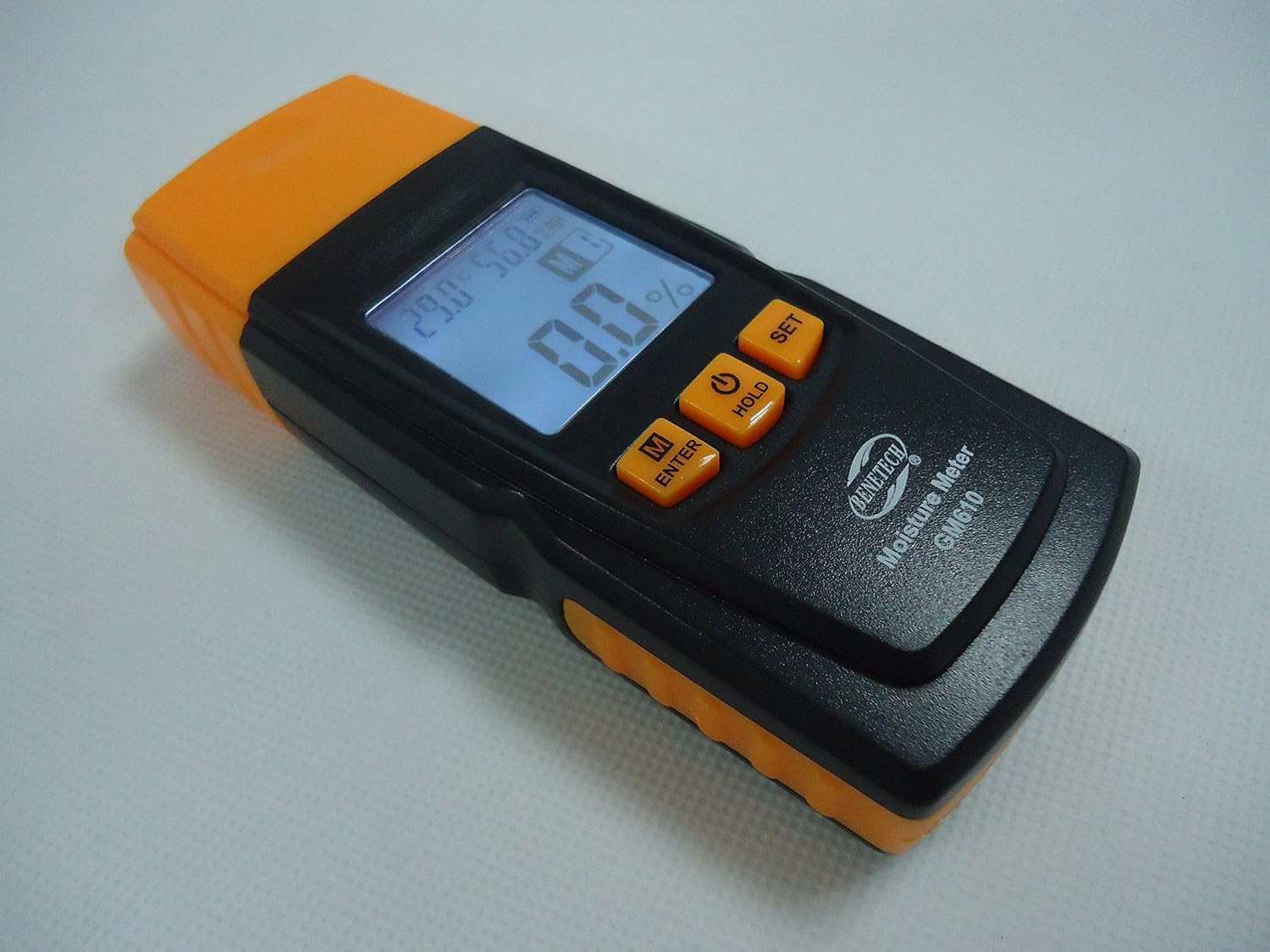
شکل ۴.۲: یک زاویهدار view of the Benetech GM610, showing the top measurement pins and the side profile از دستگاه

Figure 4: The Benetech GM610 Wood Moisture Meter presented in its open retail packaging, with the orange protective cap positioned next to it.
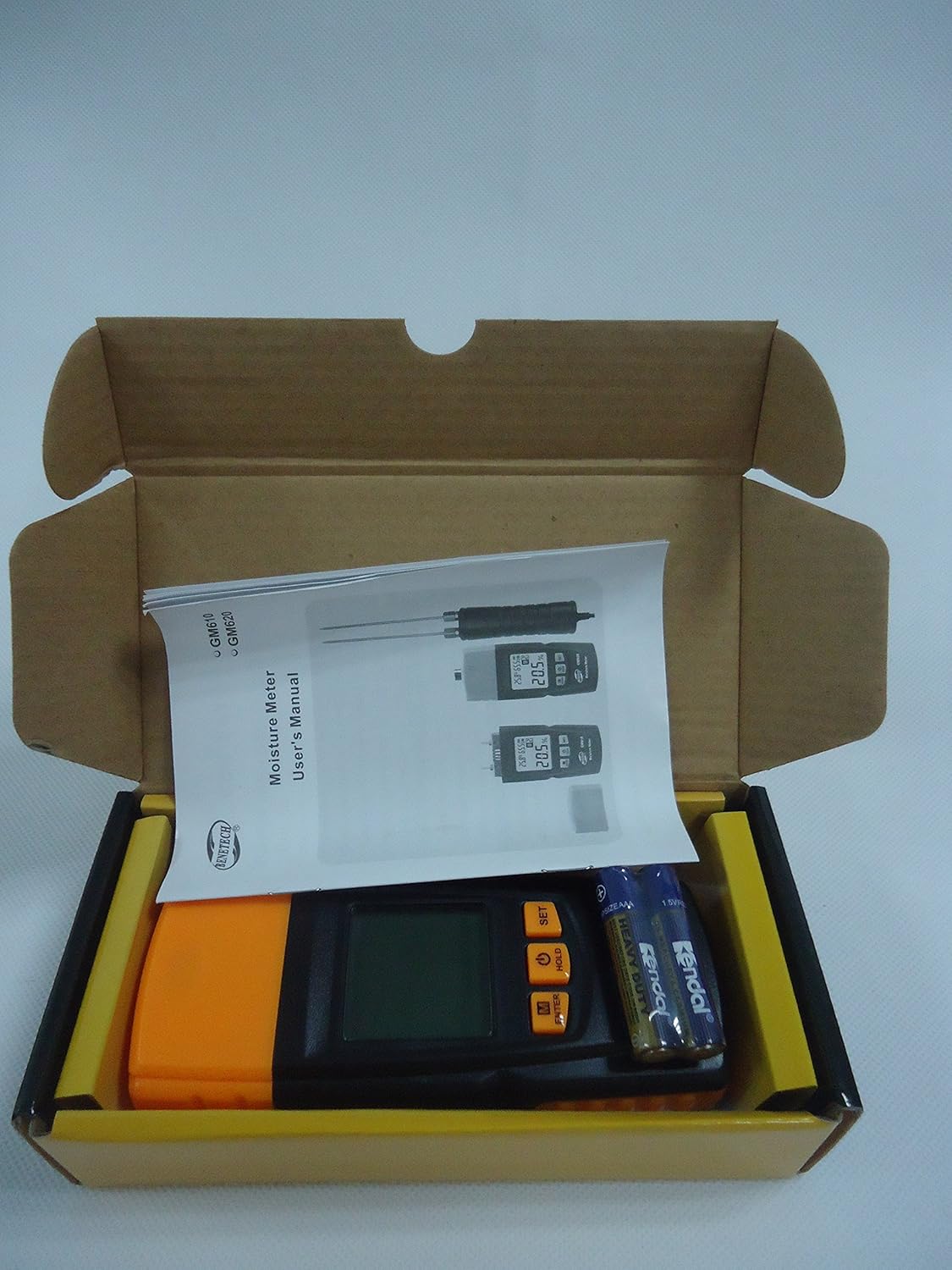
Figure 5: Contents of the Benetech GM610 package, including the moisture meter, user manual, and AAA batteries.
4. راه اندازی
4.1 نصب باتری
- پوشش محفظه باتری را در پشت دستگاه پیدا کنید.
- برای باز کردن محفظه، درپوش را بلغزانید یا گیره آن را باز کنید.
- دو (2) باتری AAA 1.5V را وارد کنید و از قطبیت صحیح (+/-) اطمینان حاصل کنید.
- درپوش محفظه باتری را به طور ایمن تعویض کنید.
توجه: باتریها معمولاً شامل نمیشوند و باید جداگانه خریداری شوند.
5. دستورالعمل های عملیاتی
5.1 روشن/خاموش
- برای روشن کردن دستگاه، دکمه را فشار دهید نگه دارید button (power symbol).
- To manually power off the device, press and hold the نگه دارید تقریباً 2 ثانیه را فشار دهید.
- The device will automatically power off after 120 seconds of inactivity to conserve battery life.
5.2 Measuring Wood Moisture
- درپوش محافظ را از پین های اندازه گیری بردارید.
- Gently push the measurement pins into the wood surface to be tested. Ensure both pins are fully inserted and make good contact with the wood.
- درصد رطوبتtage روی صفحه LCD نمایش داده می شود.
- پس از اندازهگیری، پینها را با دقت بیرون بکشید و درپوش محافظ را دوباره قرار دهید.
5.3 Selecting Wood Species Group
The GM610 allows adjustment for 4 different wood species groups to ensure accurate readings. Refer to the wood species chart (usually provided in a separate document or on the device itself) to determine the correct group for your wood type.
- را فشار دهید M/ENTER button to cycle through the wood species groups (M1, M2, M3, M4).
- Select the group that corresponds to the wood you are measuring.
5.4 تابع نگه داشتن داده
برای ثابت کردن مقدار فعلی روی صفحه نمایش:
- While a measurement is being taken, briefly press the نگه دارید button. The reading will be held on the screen.
- را فشار دهید نگه دارید برای آزاد کردن قرائت و از سرگیری اندازهگیری زنده، دوباره دکمه را فشار دهید.
5.5 کنترل نور پس زمینه
To turn the display backlight on or off:
- را فشار دهید تنظیم کنید button to toggle the backlight.
5.6 Environmental Measurement
The device also displays the ambient temperature and relative humidity on the upper part of the LCD screen.
- The temperature unit (Celsius or Fahrenheit) can typically be switched by pressing and holding the تنظیم کنید button (refer to specific device instructions if this differs).
6. تعمیر و نگهداری
6.1 تمیز کردن
- دستگاه را با یک پارچه نرم و خشک پاک کنید.
- از پاک کننده ها یا حلال های ساینده استفاده نکنید.
- Ensure the measurement pins are clean and free of debris after each use.
6.2 ذخیره سازی
- برای جلوگیری از آسیب و جراحت، همیشه درپوش محافظ روی پینهای اندازهگیری را در مواقع عدم استفاده، قرار دهید.
- دستگاه را در جای خشک و خنک، دور از نور مستقیم خورشید و دمای شدید نگهداری کنید.
- اگر برای مدت طولانی نگهداری میشود، باتریها را خارج کنید تا از نشتی جلوگیری شود.
6.3 تعویض باتری
When the battery indicator on the LCD shows low power, replace the batteries as described in the Setup section (4.1 Battery Installation).
7 عیب یابی
| مشکل | علت احتمالی | راه حل |
|---|---|---|
| دستگاه روشن نمی شود. | باتریهای کم یا از کار افتاده؛ نصب نادرست باتری. | با اطمینان از قطبیت صحیح، باتری ها را با باتری های جدید جایگزین کنید. |
| Inaccurate moisture readings. | Incorrect wood species group selected; pins not fully inserted; pins dirty or damaged. | Verify wood species group; ensure pins are fully inserted; clean or inspect pins for damage. |
| صفحه نمایش کم نور است یا سوسو میزند. | قدرت باتری کم. | باتری ها را تعویض کنید. |
| Auto-off function not working. | Device is actively being used or buttons pressed. | Ensure no interaction for 120 seconds. If issue persists, contact support. |
8. مشخصات
| پارامتر | ارزش |
|---|---|
| Moisture Measurement Range | 2% to 70% (specific ranges for wood types: 2~40%/50%/60%/70%) |
| Moisture Measurement Error | 1% ± |
| محدوده دما | -10℃ تا 60℃ (14℉ تا 140℉) |
| محدوده رطوبت | 20٪ RH تا 90٪ RH |
| منبع تغذیه | 2 عدد باتری قلمی 1.5 ولتی |
| خاموش شدن خودکار | بعد از 120 ثانیه بی تحرکی |
| وزن | 107.7 گرم (به استثنای باتری) |
| ابعاد | 135.6mm x 55mm x 29.4mm |
9. گارانتی و پشتیبانی
This Benetech GM610 Wood Moisture Meter is covered by a standard manufacturer's warranty against defects in materials and workmanship. Please refer to your purchase documentation for specific warranty terms and duration.
For technical support, troubleshooting assistance, or warranty claims, please contact the retailer or manufacturer directly using the contact information provided at the time of purchase.