
1. مقدمه
The Benetech GM8910 is a multi-purpose anemometer designed for comprehensive environmental measurements. This device integrates eight functions into one unit, allowing for precise measurement of temperature, humidity, wind chill, dew point, wind speed, barometric pressure, altitude, and illumination. It features a matrix liquid-crystal display with backlighting, unit switching, and data saving capabilities, making it a versatile tool for various applications.
This manual provides detailed instructions for the proper setup, operation, and maintenance of your GM8910 anemometer to ensure accurate readings and prolonged device life.
2. محصول تمام شدview
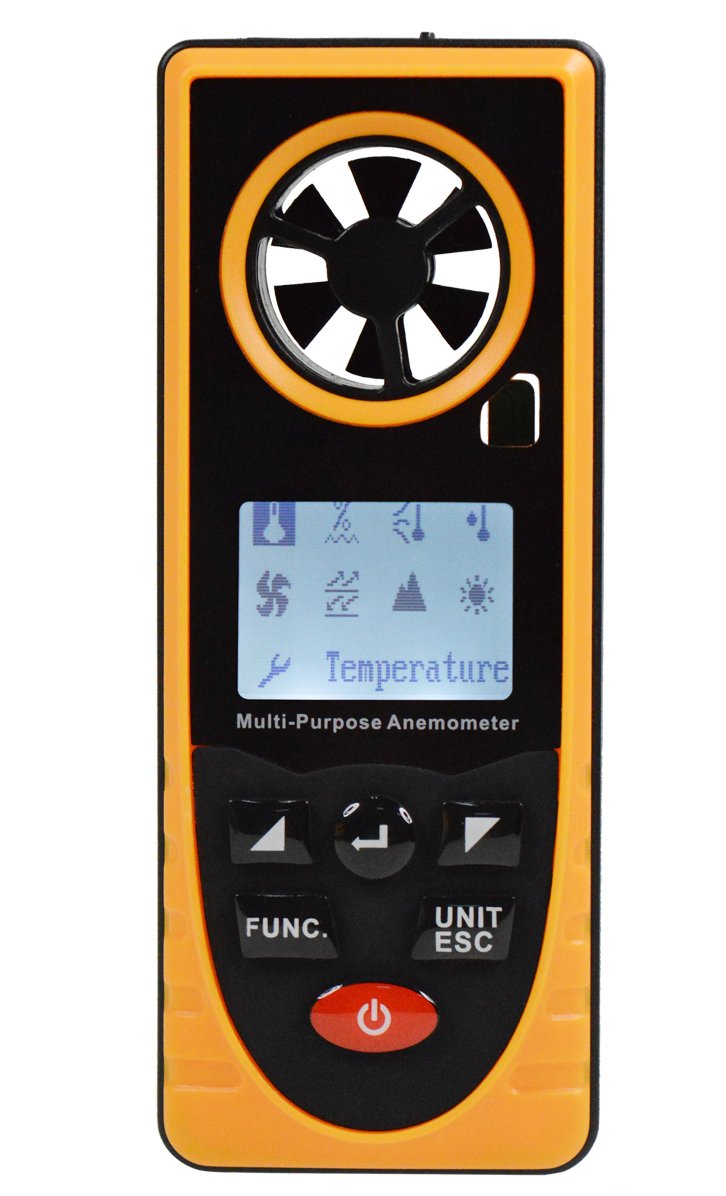
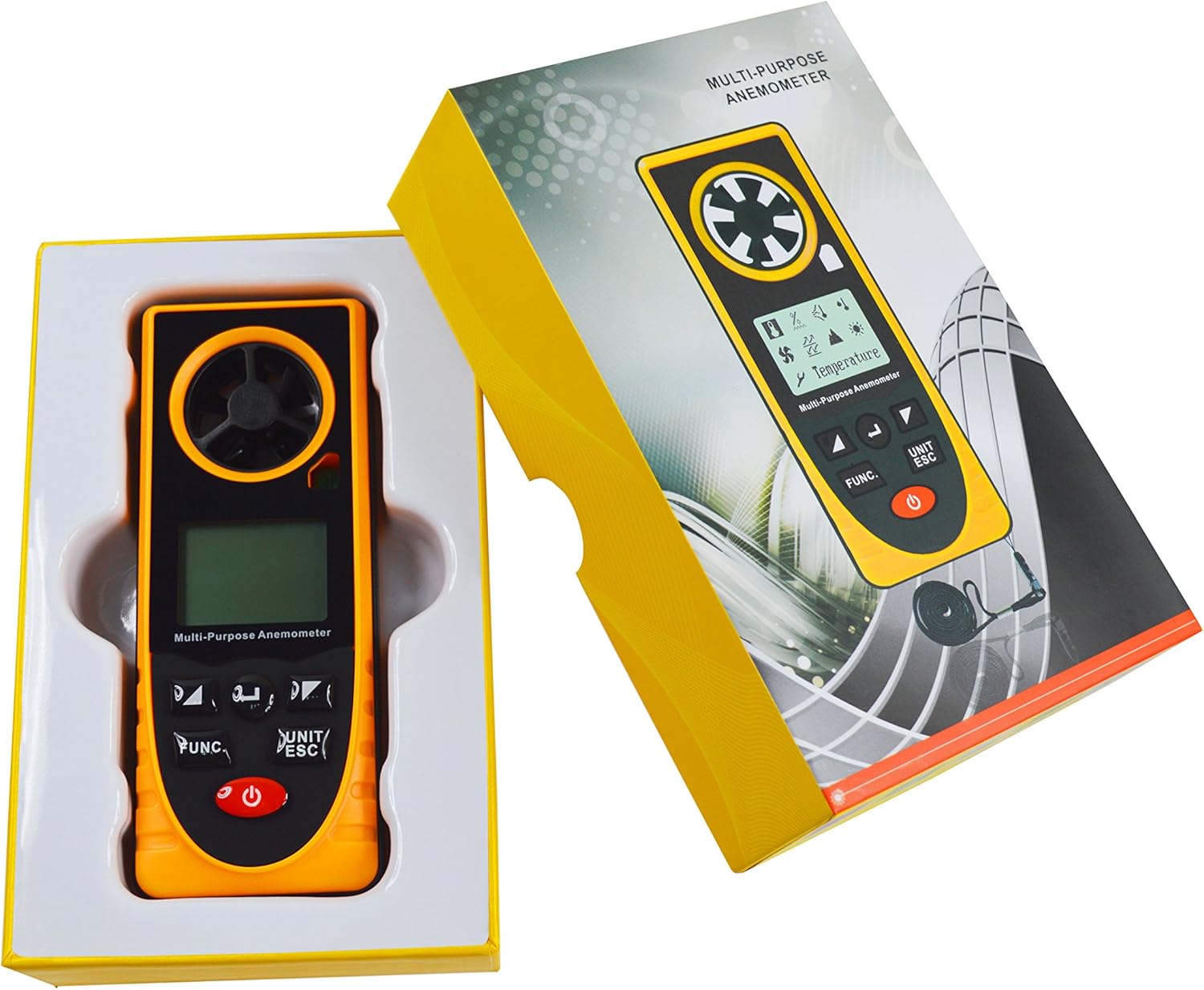
The Benetech GM8910 is a compact and robust device, typically yellow and black, featuring a clear LCD screen and intuitive control buttons. It includes a built-in fan for wind speed measurement and various sensors for other environmental parameters.
3. ویژگی ها
- اندازهگیری ۳ در ۱: Measures Temperature, Humidity, Wind Chill, Dew Point, Wind Speed, Barometric Pressure, Altitude, and Illumination.
- محدوده های اندازه گیری گسترده:
- دما: -20~60℃
- رطوبت: 0 تا 100% RH
- Wind Chill: -40.0~10.0℃
- Dew Point: -40.0~60.0℃
- Wind Speed: 0.7~30.0m/s
- Barometric Pressure: 300~1100hPa
- Altitude: -500~9000m
- Illumination: 0-55000Lx
- Data Saving Function: Manual saving and automatic recording of data.
- سوئیچینگ واحد: Supports various measurement units.
- Matrix LCD Screen: Rich display content with backlighting for clear visibility.
- نمایش سطح باتری: Indicates current battery status.
۳. راهاندازی و شروع به کار
4.1 نصب باتری
The GM8910 anemometer requires batteries for operation (batteries are not included). Locate the battery compartment on the back of the device. Open the compartment cover, insert the required batteries according to the polarity indicators, and then securely close the cover.
4.2 روشن/خاموش کردن
To power on the device, press and hold the power button (usually marked with a ⏻ symbol) until the display illuminates. To power off, press and hold the power button again until the display turns off.
5. دستورالعمل های عملیاتی
5.1 رابط منوی اصلی
After powering on, the device will display a logo for approximately 1 second, then transition to the main menu interface. This interface allows you to select the desired measurement function.

Use the left and right arrow buttons to navigate and select items on the main menu. Press the 'Confirm' button (often labeled 'FUNC' or similar) to enter the selected display interface.
۳.۴ توابع اندازهگیری
Once a measurement function is selected from the main menu, the device will display the corresponding readings. For example, selecting 'Temperature' will show the current temperature.
To switch units (e.g., from Celsius to Fahrenheit for temperature, or m/s to km/h for wind speed), press the 'UNIT/ESC' button. This button also serves to exit the current measurement screen and return to the main menu.
For specific measurements:
- دما و رطوبت: Ensure the sensors are exposed to the environment you wish to measure.
- سرعت باد: Position the device so the built-in fan is facing the wind direction.
- روشنایی: Point the light sensor towards the light source.
- Barometric Pressure & Altitude: These measurements are typically taken automatically by internal sensors.
6. مشخصات
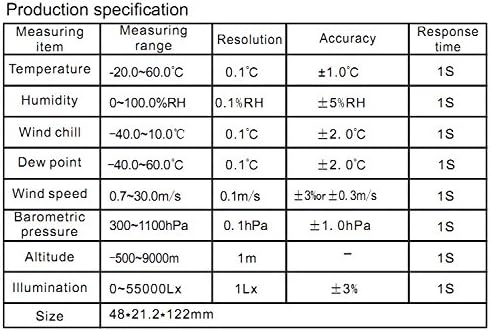
The following table details the measurement ranges, resolutions, and accuracies for the Benetech GM8910 Multi-Purpose Anemometer:

| آیتم اندازه گیری | محدوده اندازه گیری | قطعنامه | دقت | زمان پاسخگویی |
|---|---|---|---|---|
| دما | -20 ~ 60 ℃ | 0.1 درجه سانتیگراد | ±1.0℃ | 1S |
| رطوبت | 0~100% RH | 0.1% RH | ± 5٪ RH | 1S |
| باد سرد | -40.0 ~ 10.0 ℃ | 0.1 درجه سانتیگراد | ±2.0℃ | 1S |
| نقطه شبنم | -40.0 ~ 60.0 ℃ | 0.1 درجه سانتیگراد | ±2.0℃ | 1S |
| سرعت باد | 0.7 ~ 30.0m / S | 0.1 متر بر ثانیه | ±3% or ±0.3m/s | 1S |
| فشار بارومتریک | ~ 300hPa | 0.1 ساعت | ± 1.0hPa | 1S |
| ارتفاع | -500~9000m | 1m | - | 1S |
| روشنایی | 0~55000Lx | 1Lx | 3% ± | 1S |
| اندازه | 48 × 21.2 × 122 میلی متر | |||
| وزن مورد | 1.5 کیلوگرم | |||
7. تعمیر و نگهداری
- تمیز کردن: برای تمیز کردن دستگاه از یک پارچه نرم و خشک استفاده کنید. از پاک کننده ها یا حلال های ساینده استفاده نکنید.
- ذخیره سازی: دستگاه را در جای خشک و خنک و دور از نور مستقیم خورشید و دمای بسیار بالا نگهداری کنید. در صورت نگهداری طولانی مدت، باتریها را برای جلوگیری از نشت خارج کنید.
- مراقبت از سنسور: Keep the wind impeller free from obstructions. Ensure humidity and temperature sensors are clean for accurate readings.
- تعویض باتری: وقتی نشانگر باتری کم روی صفحه نمایش ظاهر شد، باتریها را تعویض کنید.
8 عیب یابی
- دستگاه روشن نمیشود: Check battery installation and ensure batteries have sufficient charge. Replace batteries if necessary.
- قرائتهای نادرست: Ensure sensors are clean and unobstructed. Verify the device is used within its specified operating conditions.
- مشکلات نمایش: If the display is dim or flickering, replace the batteries. If the issue persists, contact customer support.
9. گارانتی و پشتیبانی
For warranty information and technical support, please refer to the documentation provided with your purchase or contact Benetech customer service directly. Keep your purchase receipt as proof of purchase for warranty claims.