
مقدمه
The Movo WMIC10 is a compact and lightweight 2.4GHz wireless lavalier microphone system designed for universal compatibility with smartphones, DSLR cameras, and camcorders. It offers interference-free and regulation-free wireless transmission up to 50 feet (15 meters), ensuring clear and accurate voice reproduction for various recording needs. This manual provides detailed instructions for setting up, operating, and maintaining your WMIC10 system.
آنچه در جعبه است
- Bodypack Transmitter with Belt Clip
- Lavalier Microphone with Lapel Clip and Pop-Filter
- Wireless Receiver with Belt Clip & Camera Shoe Mount
- 3.5mm TRS Output Cable for Cameras
- 3.5mm TRRS Output Cable for Smartphones and Tablets
- کابل شارژ USB-C به USB-A
- شیشه جلوی خزدار (۲ واحد)
- کارت گارانتی

Image: The Movo WMIC10 system neatly packed in its black carrying case, showing the transmitter, receiver, lavalier microphone, and cables.
محصول تمام شده استview
Transmitter (WMIC10-TX)
The transmitter unit is compact and features a belt clip for easy attachment. It includes a power button, noise cancellation button, and a pairing button. The lavalier microphone plugs directly into the transmitter.
Receiver (WMIC10-RX)
The receiver unit is equipped with a camera shoe mount and belt clip for versatile attachment. It features volume gain controls, a headphone monitoring input, and an M/S (Mono/Stereo) switch. The receiver connects to your recording device via the appropriate output cable.

تصویر: نمای نزدیک view of the Movo WMIC10 Transmitter and Receiver units, highlighting their compact design and 2.4 GHz spectrum capability.
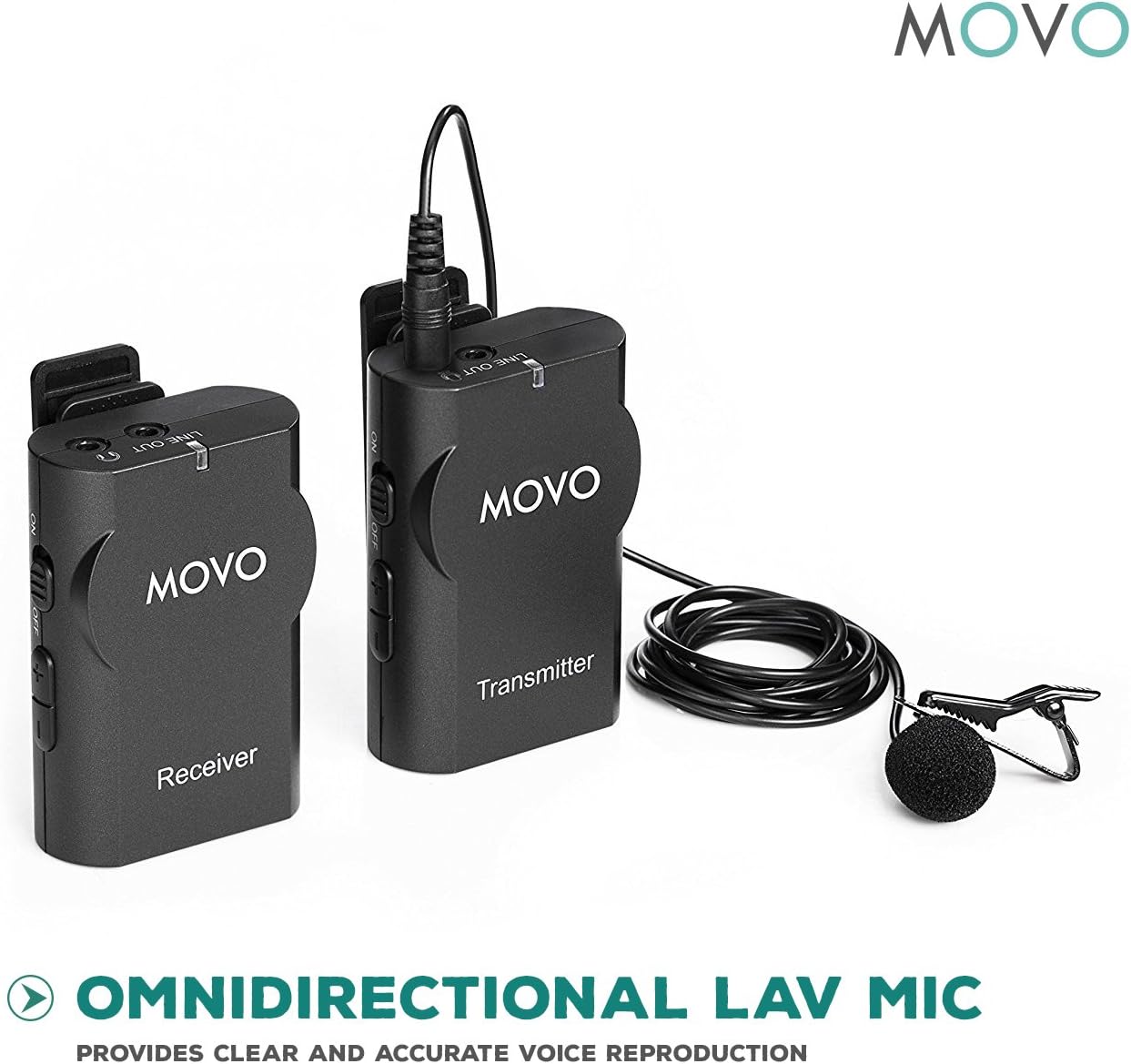
Image: The Movo WMIC10 lavalier microphone with its clip and pop-filter, positioned next to the transmitter and receiver units, emphasizing its omnidirectional audio capture.
راهنمای راه اندازی
- قرار دادن باتری ها: Insert two "AA" batteries into both the transmitter and receiver units. Ensure correct polarity.
- Attach Lavalier Microphone: Connect the lavalier microphone to the MIC IN port on the transmitter. Secure the microphone to your clothing using the lapel clip, positioning it approximately 6-8 inches from your mouth for optimal sound.
- گیرنده نصب شده: Attach the receiver to your camera's hot shoe mount or smartphone rig using the integrated shoe mount. Alternatively, use the belt clip to attach it to your belt or pocket.
- Connect Receiver to Device:
- برای دوربین ها: Use the 3.5mm TRS output cable. Plug one end into the LINE OUT port of the receiver and the other end into your camera's microphone input.
- برای گوشیهای هوشمند/تبلتها: Use the 3.5mm TRRS output cable. Plug one end into the LINE OUT port of the receiver and the other end into your device's headphone/microphone jack. (Note: Newer iPhones may require a Lightning to 3.5mm adapter, not included).
- روشن کردن و جفتسازی: Turn on both the transmitter and receiver units by pressing and holding their respective power buttons. The units should automatically pair. A solid blue indicator light on both units confirms a successful connection. If they do not pair automatically, refer to the pairing instructions in the included manual.
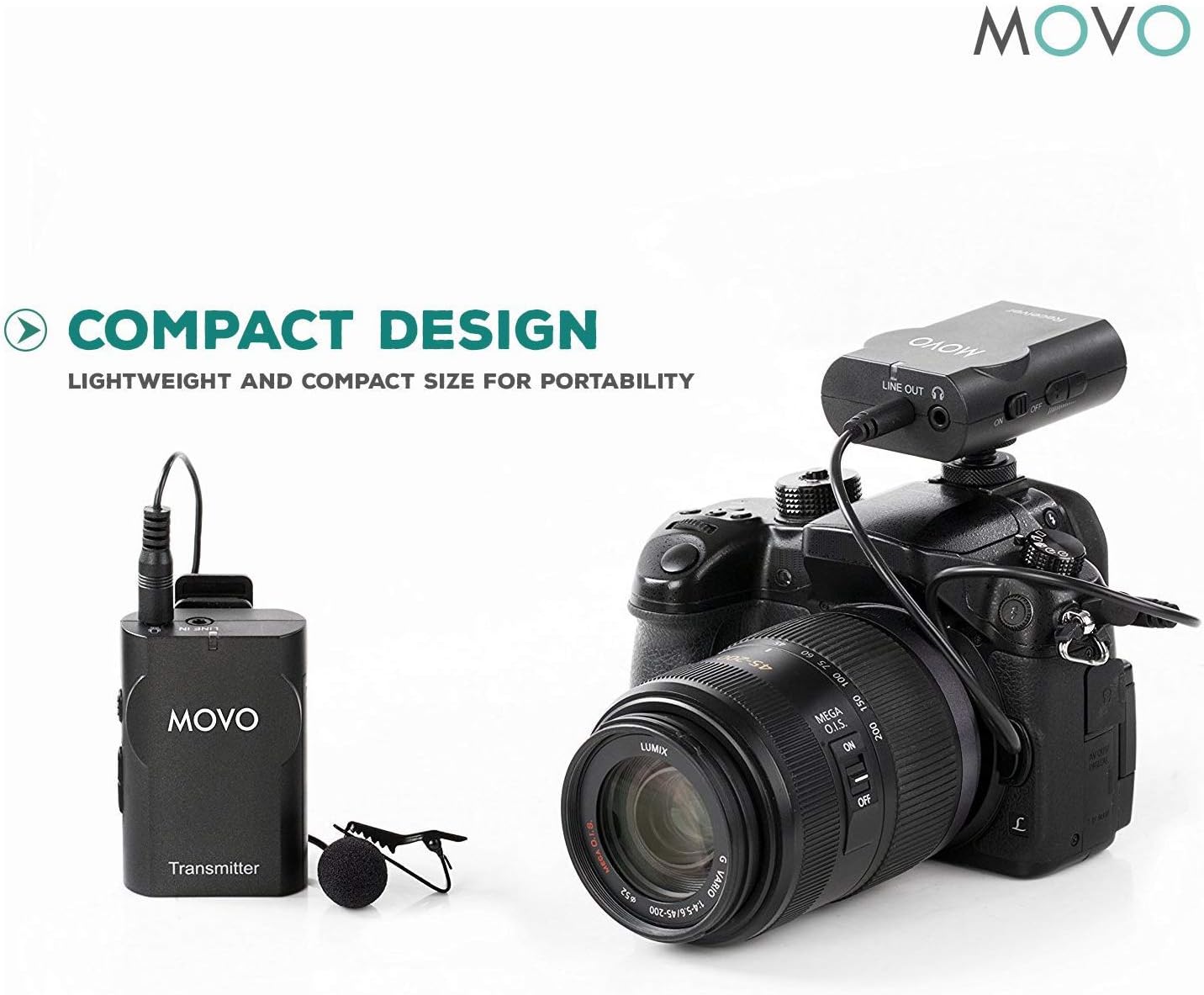
Image: The Movo WMIC10 Transmitter with its lavalier microphone and the Receiver mounted on a DSLR camera, illustrating a compact and portable setup.

Image: The Movo WMIC10 system connected to a smartphone mounted on a rig, demonstrating its universal compatibility for mobile content creation.
دستورالعمل های عملیاتی
- Adjust Volume Gain: Use the volume control buttons on the receiver to adjust the audio input level. Monitor the audio through headphones connected to the receiver's headphone jack to ensure optimal sound without distortion.
- Mono/Stereo Mode: The receiver features an M/S switch. Select 'M' for mono output, which combines both microphone signals into a single channel. Select 'S' for stereo output, which separates the microphone signals into left and right channels (if using two transmitters, or duplicates a single transmitter's signal across both channels).
- لغو شدن سر و صدا: The transmitter includes a noise cancellation button. Press this button to activate or deactivate the noise reduction feature. This can help minimize ambient background noise in your recordings.
تعمیر و نگهداری
- تمیز کردن: برای تمیز کردن دستگاهها از یک پارچه نرم و خشک استفاده کنید. از استفاده از مواد شیمیایی قوی یا مواد ساینده خودداری کنید.
- مراقبت از باتری: Remove batteries from the units if they will not be used for an extended period to prevent leakage.
- ذخیره سازی: Store the system in its protective carrying case in a cool, dry place away from direct sunlight and extreme temperatures.
عیب یابی
- بدون صدا/صدای کم:
- Ensure both transmitter and receiver are powered on and paired (solid blue light).
- سطح باتری را در هر دو دستگاه بررسی کنید.
- Verify that the correct output cable (TRS for camera, TRRS for smartphone) is used and securely connected.
- Adjust the volume gain on the receiver and the input level on your recording device.
- Interference/Static:
- Ensure the transmitter and receiver are within the 50-foot transmission range.
- Avoid obstacles between the transmitter and receiver that might block the signal.
- Minimize proximity to other 2.4GHz wireless devices (Wi-Fi routers, other wireless mics).
- Ensure the furry windscreen is properly installed on the lavalier mic to reduce wind noise.
- Poor Audio Quality (Robotic/Distorted):
- Check the microphone placement; it should be 6-8 inches from the sound source.
- If noise cancellation is active and causing robotic sound, try deactivating it.
- Ensure the volume gain is not set too high, causing clipping or distortion.
مشخصات
| وزن مورد | 0.46 پوند (7.4 اونس) |
| ضریب فرم میکروفون | لاوالیر |
| منبع تغذیه | Battery Powered (2x AA batteries per unit) |
| مواد | Metal And Plastic |
| نسبت سیگنال به نویز | 80 دسی بل |
| حساسیت صوتی | ۴۵ دسیبل |
| بستر سخت افزاری | دوربین، گوشی هوشمند، تبلت |
| تعداد کانال ها | 1 |
| فناوری اتصال | 3.5mm TRS, 3.5mm TRRS |
| الگوی قطبی | همه جهته |
| برد انتقال | Up to 50-feet (15m) |
گارانتی و پشتیبانی
The Movo WMIC10 Wireless Lavalier Microphone System comes with a گارانتی 1 ساله. Movo products are designed to ease your technical woes, not add to them. For any assistance or inquiries, please contact Movo's friendly US-Based support team. Refer to the included warranty card for detailed terms and conditions.