
1. مقدمه
The Vgate VS890S is a versatile diagnostic scan tool designed to read and clear trouble codes from your vehicle's On-Board Diagnostics (OBD-II) system. It supports all OBD-II protocols, including CAN, J1850 PWM, J1850 VPW, ISO9141, and KWP2000. This manual provides detailed instructions for the proper use and maintenance of your VS890S scanner.
2. اطلاعات ایمنی
Always observe safety precautions when working on a vehicle. Improper use of diagnostic tools can lead to personal injury or damage to the vehicle. Ensure the vehicle is in a safe, well-ventilated area. Do not wear loose clothing or jewelry when working near moving engine parts. Keep the scanner away from water and extreme temperatures.
3. محصول تمام شدview
The Vgate VS890S features a user-friendly interface with a clear LCD display and intuitive button layout. Familiarize yourself with the device's components before operation.
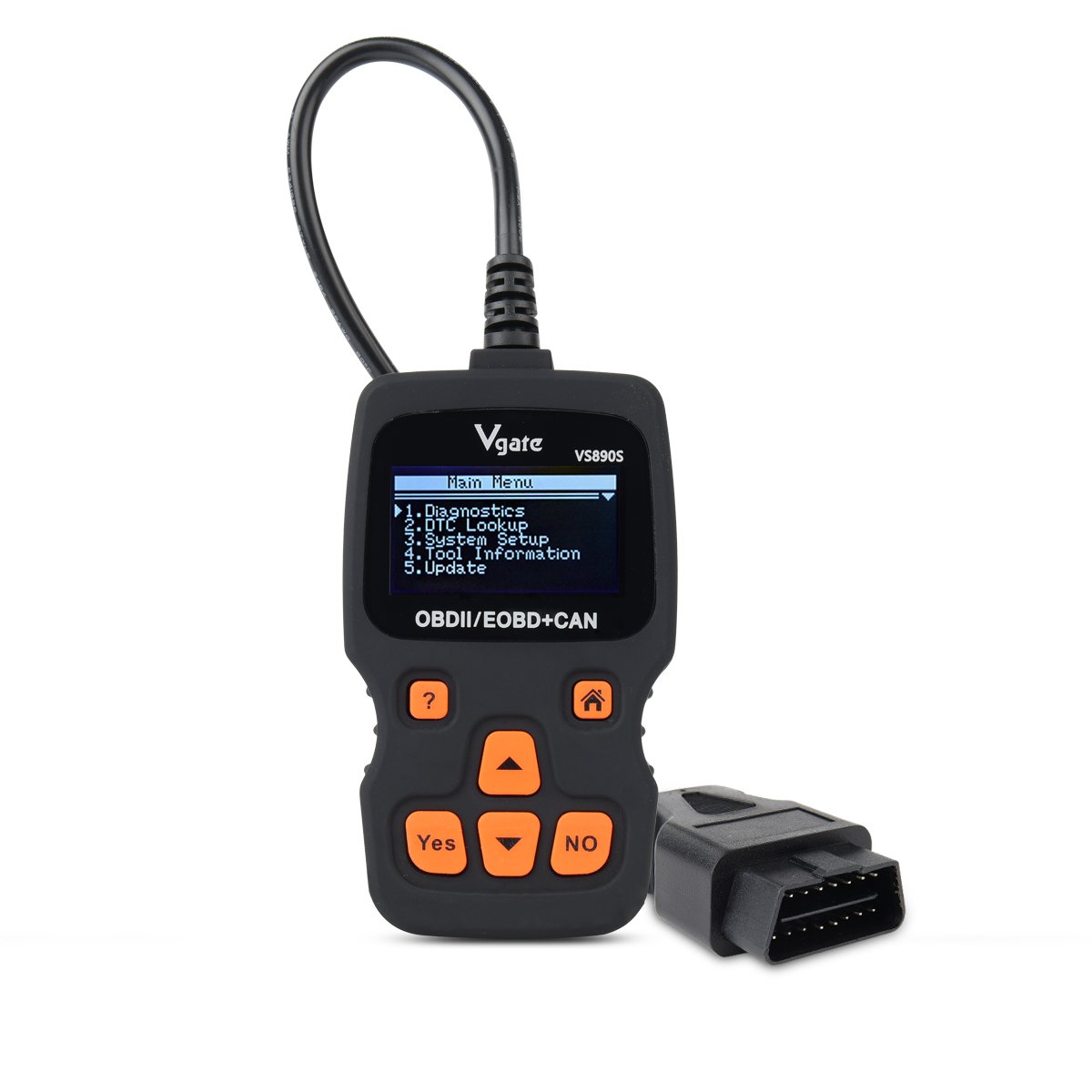
Figure 3.1: Vgate VS890S device with labeled buttons and dimensions. The image shows the front view of the scanner with its display and control buttons, along with a side profile indicating its thickness.
3.1. کنترل ها و شاخص ها
- دکمه راهنما (?): Provides on-screen assistance or information.
- دکمه خانه (آیکون خانه): به منوی اصلی باز می گردد.
- Yes Button: انتخاب ها یا اقدامات را تأیید می کند.
- No Button: Cancels selections or actions.
- Roll Up (Up Arrow): Navigates upwards through menu options or increases values.
- Roll Down (Down Arrow): Navigates downwards through menu options or decreases values.
4. راه اندازی
Follow these steps to prepare your VS890S scanner for use.
4.1. اتصال دستگاه
- کانکتور اتصال داده ۱۶ پین (DLC) خودرو را پیدا کنید. این کانکتور معمولاً در زیر داشبورد در سمت راننده قرار دارد.
- مطمئن شوید که سوئیچ خودرو در حالت خاموش (OFF) قرار دارد.
- Firmly plug the VS890S connector into the vehicle's DLC.
- سوئیچ خودرو را در موقعیت روشن (موتور خاموش) قرار دهید. اسکنر به طور خودکار روشن میشود.
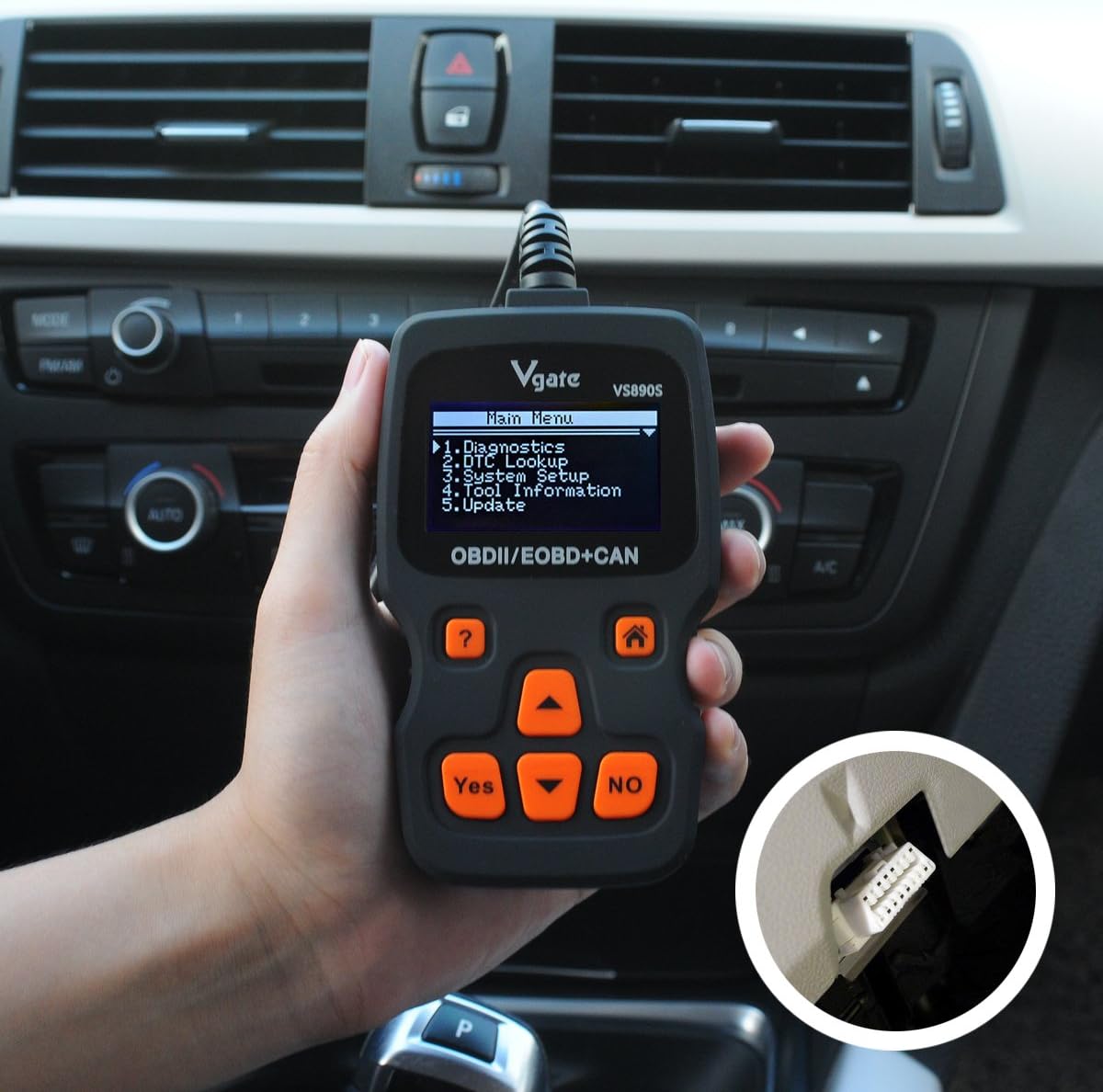
Figure 4.1: The Vgate VS890S scanner connected to a vehicle's OBD-II port, located under the dashboard. The image shows a hand holding the scanner with its cable plugged into the car's diagnostic port.
5. دستورالعمل های عملیاتی
This section details the various functions and how to navigate the Vgate VS890S.

Figure 5.1: Various screen displays of the Vgate VS890S, including the Main Menu, DTC Lookup, System Setup, and Language selection screens.
5.1. منوی اصلی ناوبری
Upon powering on, the device will display the Main Menu. Use the رول کردن و رول پایین buttons to navigate through the options, and the بله را فشار دهید تا انتخاب کنید.
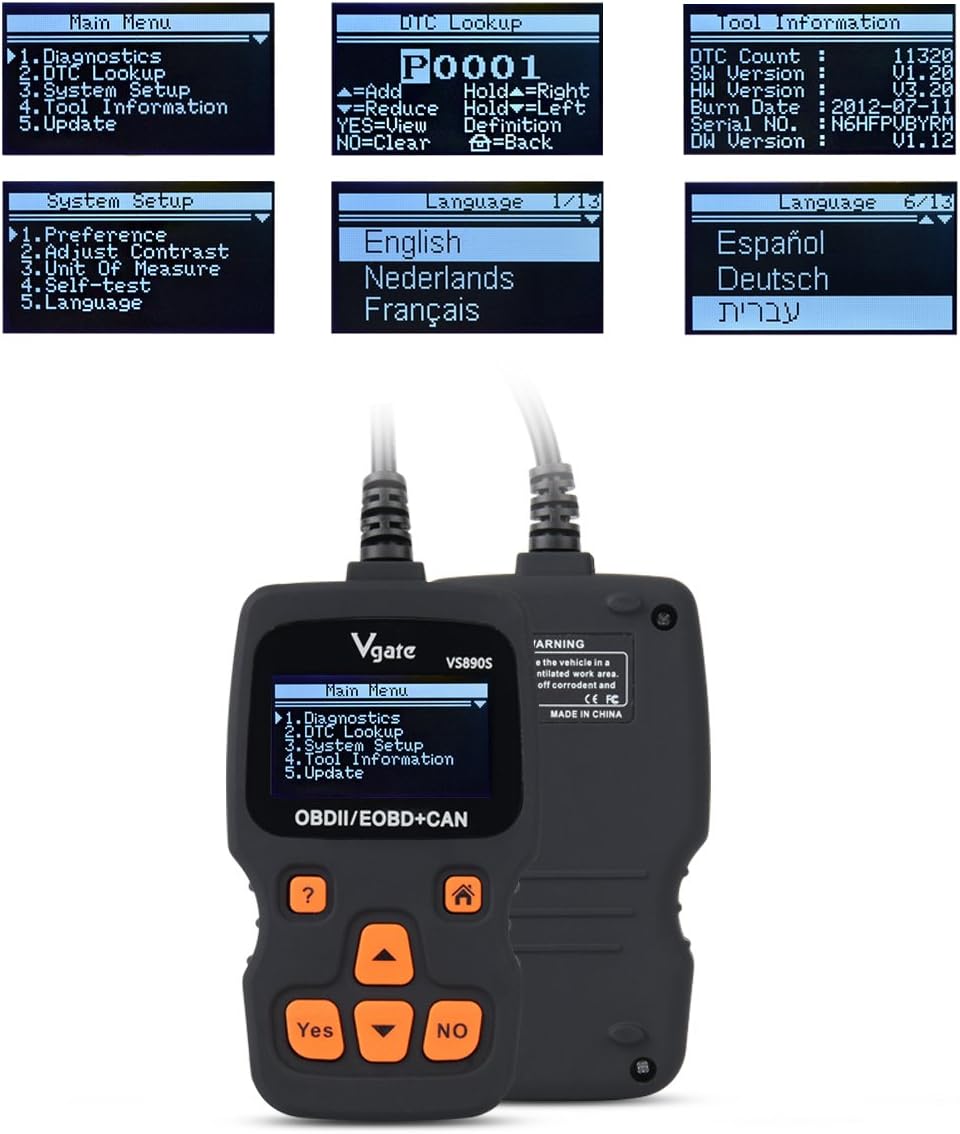
Figure 5.2: The Vgate VS890S displaying the Main Menu with options such as Diagnostics, DTC Lookup, System Setup, Tool Information, and Update.
- تشخیص: Accesses vehicle diagnostic functions, including reading and clearing trouble codes, viewing live data, and more.
- جستجوی DTC: Allows you to manually enter a Diagnostic Trouble Code (DTC) to view تعریف آن
- راه اندازی سیستم: Configures device settings such as language, display contrast, and units of measurement.
- اطلاعات ابزار: Displays details about the scanner, including software version and serial number.
- به روز رسانی: Used for updating the device's firmware (requires connection to a computer).
۳.۱ خواندن و پاک کردن کدهای خطا
- را از فهرست اصلی انتخاب کنید تشخیص و فشار دهید بله.
- The scanner will establish communication with the vehicle. This may take a few moments.
- پس از اتصال، انتخاب کنید کدها را بخوانید به view any stored Diagnostic Trouble Codes (DTCs).
- برای پاک کردن کدها، را انتخاب کنید پاک کردن کدها و فشار دهید بلهوقتی از شما خواسته شد، اقدام را تأیید کنید. Note: Clearing codes will turn off the Check Engine Light (MIL) but will not fix the underlying problem. Address the issue before clearing codes.
5.3. جستجوی DTC
If you have a DTC from another source, you can use the DTC Lookup function to get its definition.
- را از فهرست اصلی انتخاب کنید جستجوی DTC و فشار دهید بله.
- استفاده کنید رول کردن و رول پایین buttons to select characters and the بله button to confirm each character.
- Once the full DTC is entered, the definition will be displayed.
5.4. راه اندازی سیستم
Customize your scanner's settings.
- را از فهرست اصلی انتخاب کنید راه اندازی سیستم و فشار دهید بله.
- گزینه ها عبارتند از:
- ترجیح: تنظیمات عمومی را تنظیم کنید.
- تنظیم کنتراست: Modify screen brightness for better visibility.
- واحد اندازه گیری: بین واحدهای متریک و امپریال جابجا شوید.
- خودآزمایی: Perform a self-diagnostic check of the scanner.
- زبان: Select your preferred operating language. The device supports multiple languages including English, Spanish, German, and French.
- استفاده کنید رول کردن و رول پایین buttons to select an option, then press بله to enter its sub-menu or confirm a change.
5.5. اطلاعات ابزار
View details about your VS890S scanner.
- را از فهرست اصلی انتخاب کنید اطلاعات ابزار و فشار دهید بله.
- The screen will display information such as DTC Count, Software Version (SW Version), Hardware Version (HW Version), Burn Date, Serial Number, and Diagnostic Software Version (DW Version).
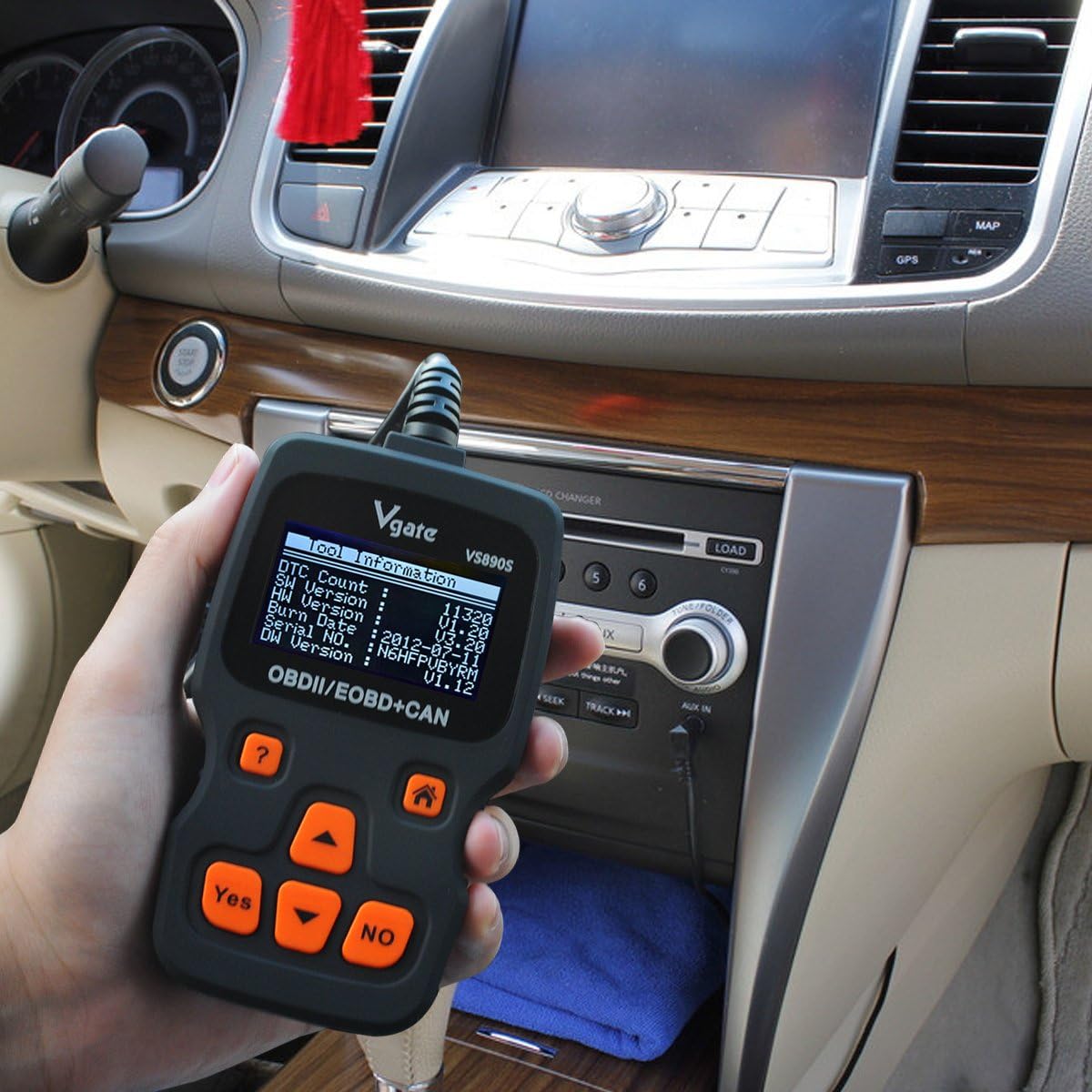
Figure 5.3: The Vgate VS890S displaying the 'Tool Information' screen, showing details like software and hardware versions, and serial number.
6. تعمیر و نگهداری
Proper care ensures the longevity and reliability of your Vgate VS890S scanner.
- تمیز کردن: استفاده از نرم، دamp برای تمیز کردن قسمت بیرونی اسکنر از پارچه استفاده کنید. از پاک کننده ها یا حلال های ساینده استفاده نکنید.
- ذخیره سازی: دستگاه را در محیط خشک و خنک، دور از نور مستقیم خورشید و دمای شدید نگهداری کنید.
- مراقبت از کابل: Avoid bending or crimping the diagnostic cable excessively. Always grasp the connector when plugging or unplugging, not the cable itself.
7 عیب یابی
If you encounter issues with your VS890S, refer to the following common problems and solutions.
| مشکل | علت احتمالی | راه حل |
|---|---|---|
| اسکنر روشن نمیشود. | Loose connection to DLC; Vehicle ignition off; Vehicle not OBD-II compliant. | Ensure cable is securely connected. Turn ignition to ON. Verify vehicle is OBD-II compliant (most vehicles 1996 and newer). |
| خطای ارتباط با وسیله نقلیه. | Faulty connection; Vehicle's ECU is not responding; Incorrect protocol. | Check cable connection. Ensure ignition is ON. Try on another OBD-II compliant vehicle if possible. |
| کدهای خطا پاک نمیشوند. | Ignition not ON; Underlying fault still present; Specific codes cannot be cleared by generic scanner. | Ensure ignition is ON. Repair the underlying issue first. Some manufacturer-specific codes may require a specialized tool. |
| صفحه نمایش کم نور یا ناخوانا است. | Contrast setting is too low. | Go to System Setup > Adjust Contrast to increase brightness. |
8. مشخصات
Technical specifications for the Vgate VS890S diagnostic scanner.
- برند: وگیت
- شماره مدل: VS890s
- وزن مورد: 11.7 اونس
- ابعاد بسته بندی: 9.37 x 5.98 x 1.38 اینچ
- منبع تغذیه: Battery Powered (via OBD-II port)
- اندازه صفحه نمایش: ۰.۹۶ اینچ (السیدی)
- پروتکل های پشتیبانی شده: CAN, J1850 PWM, J1850 VPW, ISO9141, KWP2000
- رابط کاربری: Multi-language (supports up to 13 languages)
9. گارانتی و پشتیبانی
For warranty information or technical support, please refer to the documentation included with your purchase or contact Vgate customer service. Keep your purchase receipt as proof of purchase.