
1. Introduction
This manual provides essential information for the safe and efficient operation, installation, and maintenance of the PolyScience AD07H200-A12E Heated Circulating Bath. Please read this manual thoroughly before operating the unit to ensure proper usage and to prevent potential hazards.
2. Safety Information
Always observe the following safety precautions to prevent injury and damage to the equipment:
- Ensure the unit is placed on a stable, level surface away from flammable materials.
- Use only the recommended heat transfer fluid for your application.
- Do not operate the unit without sufficient fluid in the bath.
- Always disconnect power before performing any maintenance or cleaning.
- Avoid direct contact with hot surfaces and fluids. Use appropriate personal protective equipment (PPE).
- Ensure proper ventilation around the unit.
- Do not immerse the controller in water or other liquids.
3. Product Overview
The PolyScience AD07H200-A12E is a 7-liter capacity heated circulating bath designed for precise temperature control in various laboratory applications. It features an Advanced Digital Temperature Controller for accurate and stable temperature management.
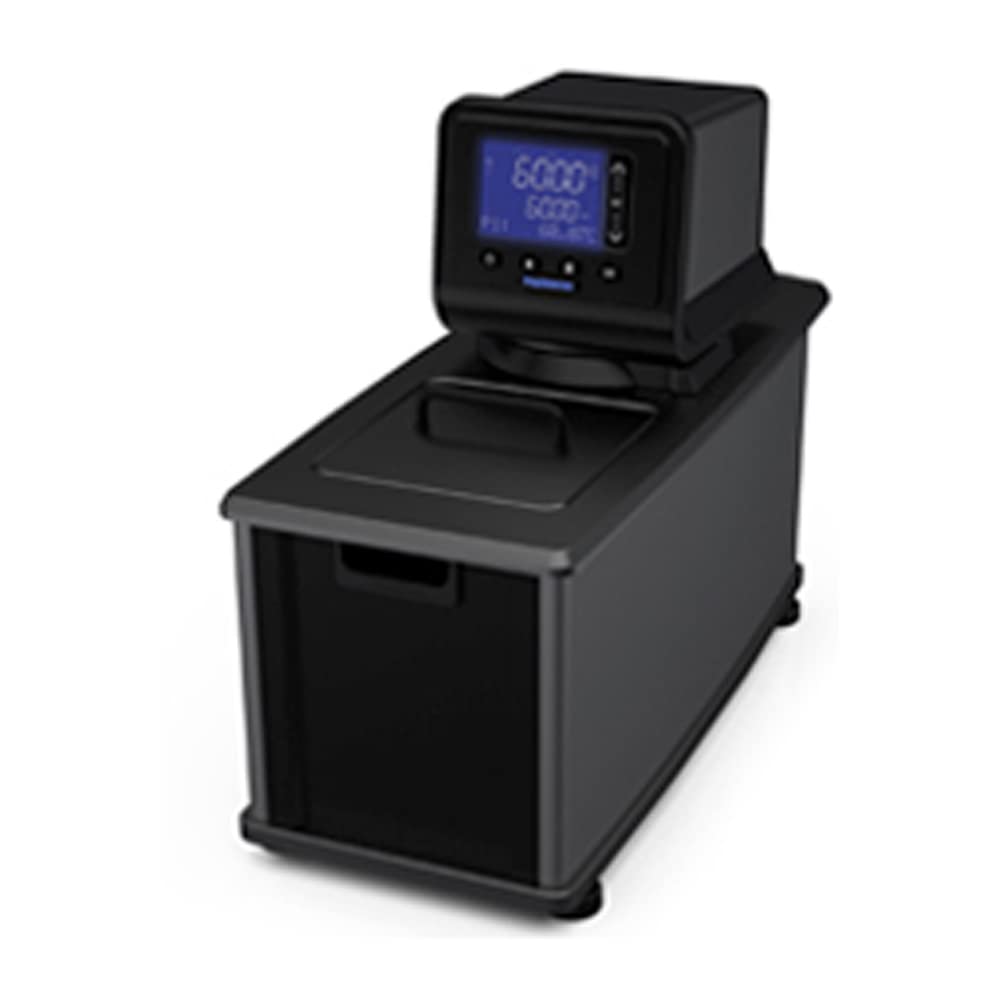
Figure 1: PolyScience AD07H200-A12E Heated Circulating Bath. This image shows the complete unit, including the 7-liter bath reservoir and the advanced digital temperature controller mounted on top. The controller features a digital display and control buttons for setting and monitoring temperature.
Key Features:
- Advanced Digital Temperature Controller with intuitive display and multiple communication options.
- 7-liter bath capacity.
- Large bath opening for easy access and cleaning.
- Swivel 180 rotating controller for optimal viewing angles.
- Lid dock lid stowing system for convenience.
- DuraTop chemical-resistant deck for enhanced durability.
4. Setup
- Unpacking: Carefully remove the circulating bath from its packaging. Inspect for any shipping damage. Retain packaging for future transport or storage.
- Placement: Position the unit on a flat, stable, and heat-resistant surface. Ensure adequate clearance (at least 15 cm or 6 inches) around all sides for proper ventilation.
- Fluid Filling: Fill the bath reservoir with the appropriate heat transfer fluid (e.g., distilled water, ethylene glycol, silicone oil) to a level between the minimum and maximum fill lines. Refer to the fluid manufacturer's guidelines for specific temperature ranges.
- Power Connection: Connect the power cord to a grounded electrical outlet (240V/50 Hz). Ensure the power supply matches the unit's requirements.
- Controller Orientation: Adjust the swivel 180 rotating controller to your preferred viewing angle.
5. Operating Instructions
- Power On: Press the power button on the Advanced Digital Temperature Controller. The display will illuminate, showing the current bath temperature.
- Setting Temperature: Use the up/down arrow buttons to adjust the setpoint temperature. The display will show the setpoint flashing. Once the desired temperature is reached, the flashing will stop, and the unit will begin heating or cooling to maintain this temperature.
- Monitoring: The controller display continuously shows the actual bath temperature. Some controllers may also display other parameters such as pump speed or timer settings.
- Safety Features: The unit is equipped with over-temperature protection. If the bath temperature exceeds a safe limit, the heater will shut off automatically, and an alarm may sound.
- Shut Down: To turn off the unit, press the power button. Allow the bath to cool down naturally before handling.
6. Maintenance
Regular maintenance ensures optimal performance and extends the lifespan of your circulating bath.
- Fluid Replacement: Periodically replace the heat transfer fluid according to the fluid manufacturer's recommendations or if it appears discolored or contaminated.
- Cleaning the Bath: Drain the bath and clean the reservoir with a mild detergent and soft cloth. Rinse thoroughly with distilled water. Avoid abrasive cleaners.
- Exterior Cleaning: Wipe the exterior surfaces, including the DuraTop deck and controller, with a damp cloth. Do not use harsh chemicals that could damage the finish.
- Pump Maintenance: Refer to the controller's specific manual for any pump maintenance procedures, such as cleaning the pump inlet filter.
7. Troubleshooting
This section addresses common issues you might encounter. For problems not listed here, contact PolyScience technical support.
| Problem | Possible Cause | Solution |
|---|---|---|
| Unit does not power on | No power supply; loose power cord | Check power outlet; ensure power cord is securely connected. |
| Temperature not stable or incorrect | Insufficient fluid; sensor issue; incorrect setpoint | Check fluid level; verify setpoint; contact support if sensor suspected. |
| Error code displayed | Specific fault detected by controller | Refer to the Advanced Digital Controller manual for specific error code meanings and remedies. |
| Pump not circulating | Low fluid level; clogged inlet filter | Check fluid level; clean pump inlet filter. |
8. Specifications
- Model: AD07H200-A12E
- Item Model Number: 1184L15EA
- Capacity: 7 Liters
- Power: 240V/50 Hz
- Controller Type: Advanced Digital Temperature Controller
- Manufacturer: PolyScience
- Approximate Package Dimensions: 1 x 1 x 1 inches
- Approximate Weight: 43 Pounds
9. Warranty and Support
For warranty information, technical assistance, or service inquiries, please contact PolyScience customer support. Keep your purchase receipt and model number readily available when contacting support.
PolyScience Contact Information: Please refer to the official PolyScience website or your product documentation for the most current contact details.

