
1. Produktua amaitu daview
The Philips 55MLED610/94 is a 55-inch 4K Ultra HD QLED Smart QD-Mini LED Google TV. It features advanced display technology, smart connectivity, and integrated audio solutions for an enhanced viewesperientzia.

Aurrealdea view of the Philips 55MLED610/94 55-inch 4K QD-Mini LED Google TV.
Ezaugarri nagusiak:
- Pantaila: 4K QD-Mini LED Panel, Philips Halo Control Technology, Dolby Vision, Local Dimming, 120 Hz Motion Clarity HSR, HDR 10+, 178 Degree Wide Viewing Angle, MEMC, ALLM.
- Smart TV: Google TV operating system, 2GB RAM, 32GB ROM, Quad Core Processor, Dual band WIFI 5, Hands-Free Voice Control, Screen Mirroring, Google Assistant compatibility.
- Audioa: 36 Watts Output, Dolby Atmos, Dolby Audio.
- Konektibitatea: 3 HDMI Ports (including HDMI 2.1), 2 USB Ports, 1 LAN Port, 1 Antenna Input, 1 Satellite Input, 1 Digital Audio Out (Optical), 1 AV-IN, 1 Earphone port.
2. Konfigurazioa eta instalazioa
2.1 Desontziratzea eta edukia
Carefully unpack the television and ensure all components are present.
- 1N TV Unit
- 2N Stand Bases
- 1N Hasiera Azkarreko Gida
- 1N Berme Txartela
- 1N Urruneko Kontrola
- 2N AAA Batteries (for remote)
- 1N Power Cord
- 4N Screws (for stand/mount)
- 1N AV Converting Cable

Illustration showing the TV unit and its included accessories for setup.
2.2 Euskarri instalazioa edo horman muntatzea
The television supports both table-top stand installation and wall mounting.
- Mahaiaren muntaia: Attach the provided stand bases to the bottom of the TV unit using the included screws. Ensure the stand is stable on a flat surface.
- Hormako muntaia: For wall mounting, use a compatible VESA wall mount (not included) and follow the instructions provided with the wall mount. Refer to the TV's back panel for mounting points.

Atzekoa view of the television, highlighting the mounting points and various input/output ports.
2.3 Periferikoak konektatzea
Connect your external devices such as set-top boxes, gaming consoles, and audio systems to the TV using the appropriate ports.
- HDMI: Use HDMI ports for high-definition video and audio from devices like Blu-ray players or gaming consoles. HDMI 2.1 supports advanced features.
- USBa: Konektatu USB unitateak multimedia erreproduzitzeko edo kanpoko biltegiratzeko.
- LAN: Interneteko konexio egonkor bat kable bidez lortzeko.
- Antena/Satelitea: Connect your antenna or satellite dish for broadcast TV.
- Audio Irteera Digitala (Optikoa): Kanpoko soinu-sistemetara konektatzeko.
- AV-Sarrera: Bideo konposatua eta audio estereoa erabiltzen dituzten gailu zaharretarako.
- Entzungailua: Entzun pribaturako.

Xehetasuna view of the television's input and output ports, including HDMI, USB, LAN, and audio connections.
3. Funtzionamendu-argibideak
3.1 Hasierako piztea eta Google TV konfigurazioa
After connecting the power cord, press the power button on the remote control or TV. Follow the on-screen instructions to complete the initial setup, including language selection, network connection (Wi-Fi or LAN), and Google account sign-in.

Google TV interfazea, hainbat streaming aplikazio eta eduki gomendio erakusten dituena.
3.2 Urruneko kontrolaren funtzioak
The provided remote control uses both IR and Bluetooth technology. Insert the two AAA batteries as indicated.

The remote control for the Philips 55MLED610/94 TV, featuring dedicated buttons for streaming services and Google Assistant.
- Pizteko botoia: Telebista pizten edo itzaltzen du.
- Nabigazio Pad: Menuetan nabigatzeko eta hautatzeko.
- Google Laguntzailearen botoia: Ahots-kontrola aktibatzen du agindu eta bilaketetarako.
- Bolumen/Kanal botoiak: Bolumena doitzen du eta kanalak aldatzen ditu.
- Aplikazioaren lasterbideen botoiak: Direct access to popular streaming services like Netflix and Prime Video.
3.3 Smart TV Features and Applications
The Google TV platform provides access to a wide range of applications and services.
- Aurrez instalatutako aplikazioak: Access popular streaming services such as Prime Video, Netflix, Hotstar, Zee5, YouTube, Eros Now, Hungama, JioCinema, and SonyLiv.
- Google Laguntzailea: Use hands-free voice control to search for content, control smart home devices, and get information.
- Pantaila islatzea (Miracast): Cast content from compatible mobile devices to the TV screen.
- Web Arakatzailea: Arakatu Interneten zuzenean zure telebistan.
3.4 Pantaila eta audio ezarpenak
Egokitu irudi eta soinu ezarpenak zure optimizazioa lortzeko viewentzuteko eta entzuteko esperientzia.
- Irudi moduak: Select from various picture modes (e.g., Standard, Vivid, Movie, Game) or customize settings like brightness, contrast, color, and sharpness.
- Dolby Vision eta HDR10+: The TV automatically detects and optimizes content for Dolby Vision and HDR10+ for enhanced dynamic range and color.
- Soinu moduak: Choose sound modes (e.g., Standard, Music, Movie) or adjust equalizer settings. Dolby Atmos provides immersive audio.
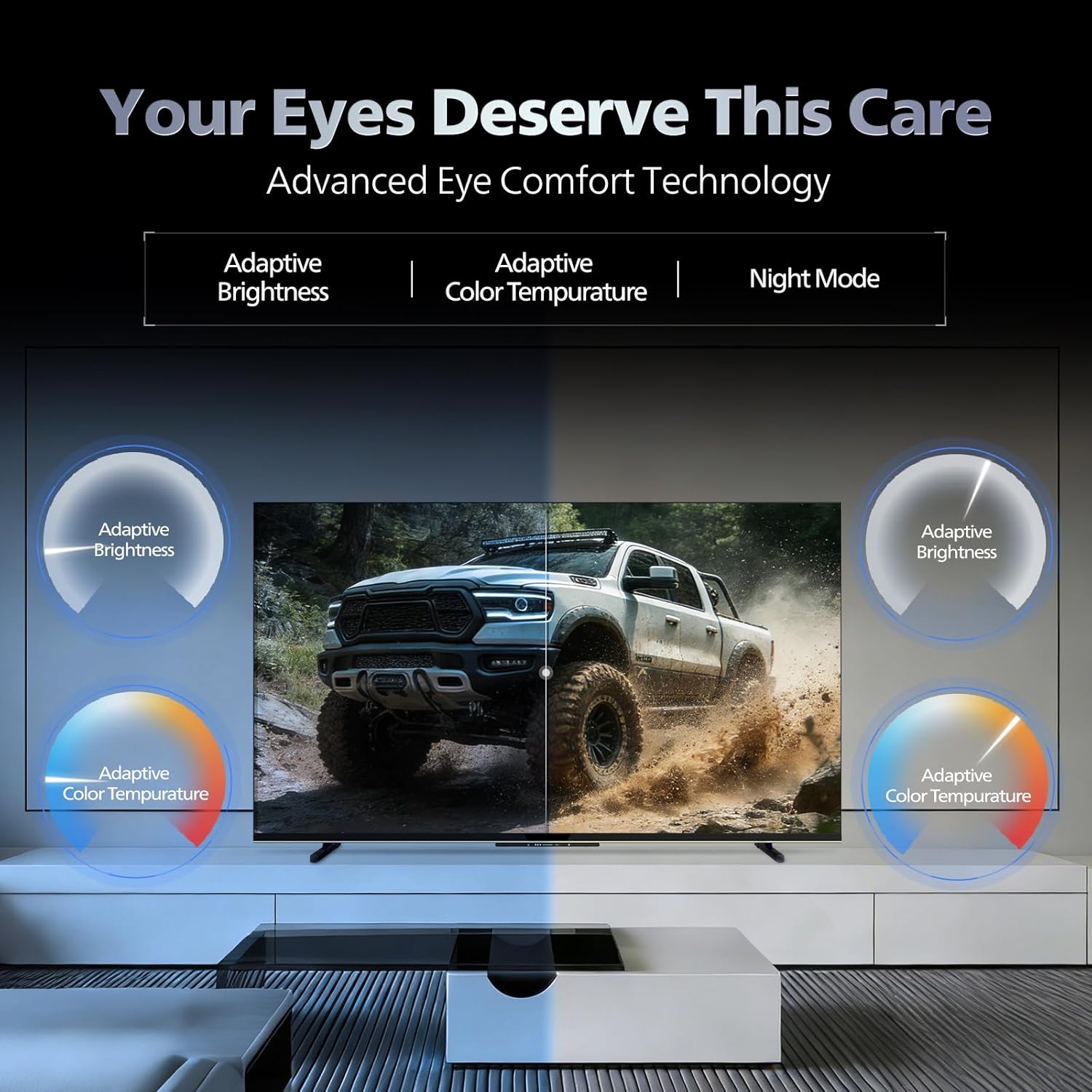
- Eye Comfort Teknologia: Features like Adaptive Brightness, Adaptive Color Temperature, and Night Mode are available to reduce eye strain.

Visual representation of the TV's advanced eye comfort technology, including adaptive brightness and color temperature.

A visual demonstrating the immersive multi-dimensional audio experience provided by Dolby Atmos on the television.
4. Mantentzea
4.1 Telebista garbitzea
To clean the screen and cabinet, first unplug the power cord. Use a soft, lint-free cloth. For stubborn marks, lightly dampGarbitu zapi bat urarekin edo pantaila-garbitzaile leun eta ez-urratzaile batekin. Ez ihinztatu inoiz garbitzailea zuzenean pantailan.
Garrantzitsua: The television is ez da urarekiko erresistentea. Avoid exposing it to liquids.
4.2 Software eguneraketak
Ensure your TV's software is up to date for optimal performance and security. The TV will typically prompt you for available updates. You can also manually check for updates in the settings menu.
5. Arazoak
If you encounter issues with your television, try the following basic troubleshooting steps before contacting support.
- Potentziarik gabe: Ensure the power cord is securely plugged into both the TV and a working power outlet. Try a different outlet.
- Irudi/soinurik ez: Check all cable connections (HDMI, AV, Antenna). Ensure the correct input source is selected on the TV.
- Urrunekoa ez dabil: Ordeztu urrutiko agintearen pilak. Ziurtatu ez dagoela oztoporik urrutiko agintearen eta telebistaren IR sentsorearen artean.
- Interneteko konexio arazoak: Restart your Wi-Fi router. Check the TV's network settings and ensure it's connected to the correct network. Try a wired LAN connection if possible.
- Irudiaren kalitate arazoak: Doitu irudiaren ezarpenak (distira, kontrastea, zorroztasuna). Ziurtatu edukiaren iturria kalitate handikoa dela.
The television displaying a fast-paced gaming scene, highlighting its 120Hz refresh rate and gaming optimization features.
6. Zehaztapenak
| Ezaugarri | Xehetasuna |
|---|---|
| Modelo zenbakia | 55MLED610/94 |
| Pantailaren tamaina | 55 hazbete (138 cm) |
| Bistaratzeko Teknologia | QD-Mini LED |
| Ebazpena | 4K Ultra HD (3840 x 2160) |
| Freskatze tasa | 120 Hz HSR |
| HDR formatua onartzen da | HDR10+, Dolby Vision |
| Viewangelua | 178 gradu |
| Soinu Irteera | 36 Watt |
| Audio-kodeketa | Dolby Atmos, Dolby Audio |
| Sistema eragilea | Google TV |
| RAM | 2 GB |
| ROM | 32 GB |
| Konektibitatea | Wi-Fi (Dual band WIFI 5), Bluetooth 5.1, 3 HDMI (1x HDMI 2.1 eARC), 2 USB, 1 LAN, 1 Antenna, 1 Satellite, 1 Digital Audio Out (Optical), 1 AV-IN, 1 Earphone |
| Produktuaren neurriak (L x W x H) | 8D x 144.5Z x 84A zentimetro |
| Item Weight Without Stand | 9.4 kilogramo |
| Energia-kontsumoa | 130 Watt |
| Energiaren balorazioa | 3 izar |
| Urteko Energia Kontsumoa | 182 kWh / urtean |
| Dakarten osagaiak | TV Unit, Stand Bases, Quick Start Guide, Warranty Card, Remote, Batteries, Power cord, Screws, AV Converting Cable |

Dimensional drawing of the Philips 55MLED610/94 TV, showing height, width, and depth measurements.
7. Bermea eta Laguntza
7.1 Bermearen informazioa
A 1-year warranty is provided by the manufacturer from the date of purchase. Warranty claims can be processed using your Amazon e-invoice.
The warranty covers manufacturing defects but does not cover spares.
7.2 Bezeroarentzako laguntza
For assistance, contact the brand's toll-free number: 18004256396. Please provide the product's model name (55MLED610/94) and seller's details from your invoice. The service center will schedule a convenient service slot.
Fabrikatzailea: Radiant Appliances And Electronics Private Limited
Survey No. 111, 112, S-2 A 1, Ecity, Fabcity, Maheshwaram Mandal Raviryala Village, Ranga Reddy, Telangana- 501141
Inportatzailea: TPV Technology India Private Limited
Unit No. 307-308 3rd Floor, SEWA Corporate Park MG Road Gurugram Haryana 122002