
Sarrera
This manual provides essential information for setting up, operating, maintaining, and troubleshooting your XIAOMI Redmi Note 15 5G smartphone. Please read it carefully to ensure optimal performance and longevity of your device.
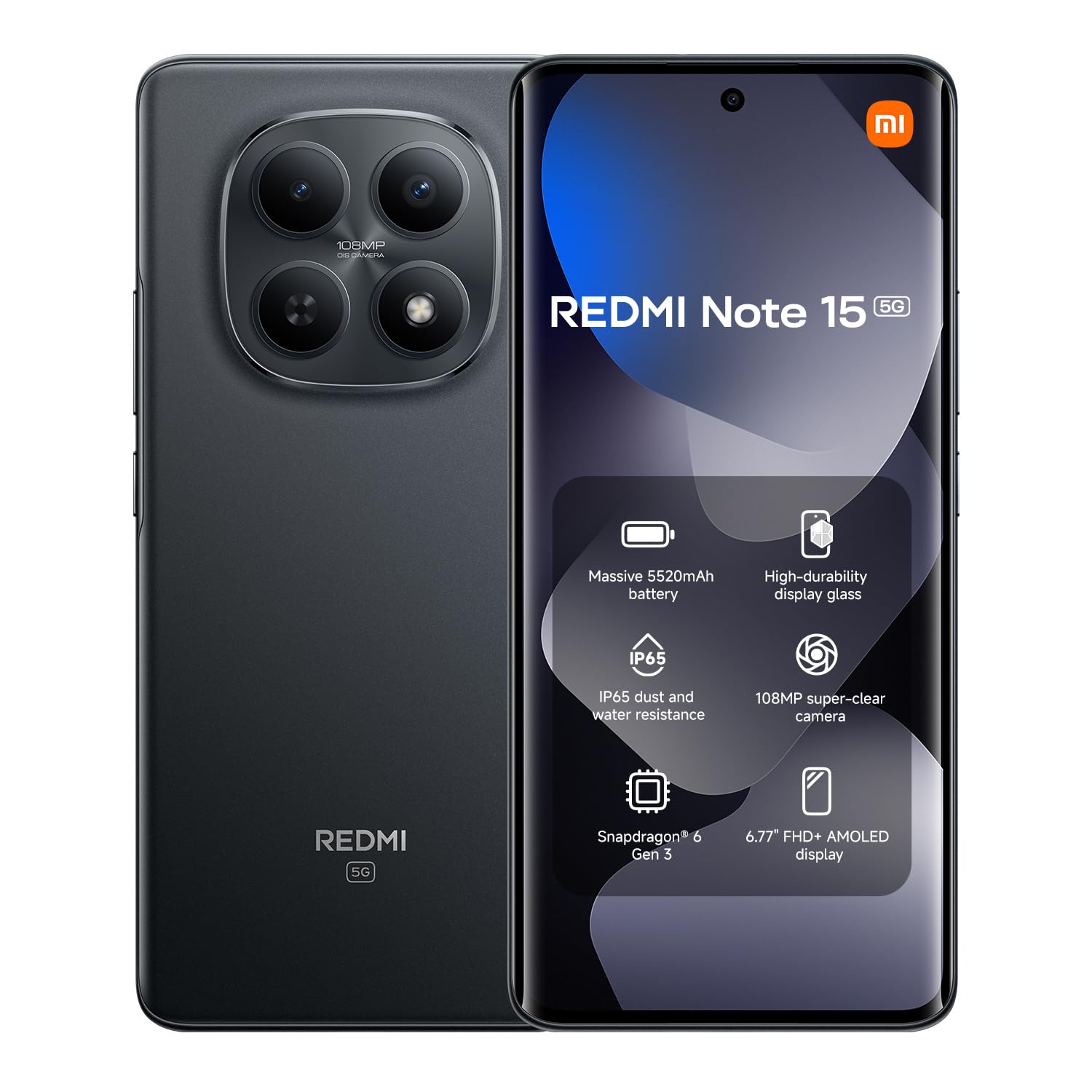
Irudia: Aurrealdea view of the XIAOMI Redmi Note 15 5G smartphone in black.
Kutxan dagoena
Upon unboxing your Redmi Note 15 5G, verify that all standard components are present:
- XIAOMI Redmi Note 15 5G Smartphone
- USB kablea (C mota)
- SIM kanporatzeko tresna
- Hasierako gida azkarra
- Segurtasun Informazioa
Note: A power adapter is not included with this model and must be purchased separately.
Konfigurazioa
1. SIM txartela sartzea
- Bilatu SIM txartelaren erretilua zure gailuaren alboan.
- Sartu SIM txartela ateratzeko tresna erretiluaren ondoko zulo txikian eta sakatu ondo erretilua atera arte.
- Jarri Nano-SIM txartela(k) erretiluan, urrezko kontaktuak behera begira dituela. Ziurtatu orientazio egokia dutela.
- Kontu handiz sartu berriro erretilua telefonoan.

Image: Illustration of a Redmi smartphone with its SIM card tray, ejector tool, and a USB-C cable.
2. Hasierako piztea eta konfigurazioa
- Sakatu eta eutsi pizteko botoiari XIAOMI logotipoa agertu arte.
- Jarraitu pantailan agertzen diren argibideei zure hizkuntza eta eskualdea hautatzeko eta Wi-Fi sare batera konektatzeko.
- Hasi saioa zure Google kontuarekin edo sortu berri bat.
- Konfiguratu pantailaren blokeoa (PINa, eredua, pasahitza edo hatz-marka).
3. Gailua kargatzea
Connect the provided USB Type-C cable to the charging port on your phone and the other end to a compatible USB power adapter (sold separately) or a computer. For optimal charging speed, use a XIAOMI-approved fast charger.
Funtzionamendu-argibideak
1. Oinarrizko nabigazioa
- Ukipen-keinuak: Tap, swipe, pinch-to-zoom are standard.
- Hasierako pantaila: Irristatu ezkerrera/eskuinera orrialdeen artean nabigatzeko.
- Jakinarazpen panela: Irristatu hatza pantailaren goialdetik behera jakinarazpenak eta ezarpen azkarrak atzitzeko.
- Azken aplikazioak: Swipe up from the bottom of the screen and hold (if using gestures) or tap the recent apps button (if using navigation buttons) to view eta irekitako aplikazioen artean aldatu.
2. Deiak egitea eta mezuak bidaltzea
- Deiak: Ireki Telefonoa app, enter the number, or select a contact, then tap the call icon.
- Mezuak: Ireki Mezuak app, tap the new message icon, enter the recipient and your message.
3. Kamera erabiliz
The Redmi Note 15 5G features a 108 MP rear camera and a 20 MP front camera.
- Ireki Kamera aplikazioa.
- Hautatu nahi duzun modua (Argazkia, Erretratua, Bideoa, Profesionala, etab.).
- Sakatu obturadorearen botoia argazki bat ateratzeko edo bideo grabaketa hasteko/gelditzeko.
- Tap the switch icon to toggle between front and rear cameras.

Irudia: Atzealdea view of a Redmi smartphone highlighting its camera system and a glimpse of the device's interface.
4. Konektibitatea
- Wi-Fi: Joan zaitez Ezarpenak > Wi-Fi, turn it on, and select your network.
- Bluetootha: Joan zaitez Ezarpenak > Bluetootha, turn it on, and pair with devices.
- NFC: For contactless payments and quick pairing, enable NFC in Ezarpenak > Konexioa eta partekatzea > NFC.
5. Hatz-markak ezagutzeko
Your device supports fingerprint unlock. To set it up:
- Joan zaitez Ezarpenak > Pasahitzak eta segurtasuna > Hatz-markaren bidez desblokeatzea.
- Follow the on-screen prompts to register your fingerprint.
Mantentzea
1. Software eguneraketak
Regularly check for system updates to ensure your device has the latest features and security patches. Go to Ezarpenak > Telefonoari buruz > MIUI bertsioa (or Hyper OS version) and tap to check for updates.
2. Zure gailua garbitzea
- Erabili zapi leun eta lihorik gabeko bat pantaila eta atzeko panela garbitzeko.
- Saihestu produktu kimiko gogorrak edo material urratzaileak erabiltzea.
- Mantendu portuak hauts eta hondakinik gabe.
3. Bateria zaintzea
- Saihestu muturreko tenperaturak.
- Ez utzi bateria maiz erabat agortzen.
- Use original or certified chargers.
4. Biltegiratze kudeaketa
To optimize performance, regularly manage your device's storage. Delete unnecessary files, uninstall unused apps, and clear cache. Go to Settings > About phone > Storage to view eta biltegiratze erabilera kudeatu.
Arazoak konpontzea
1. Gailua ez da pizten
- Ensure the battery is charged. Connect to a charger for at least 15 minutes.
- Perform a force restart: Press and hold the Power button for about 10-15 seconds.
2. Aplikazioak kraskatzen edo izozten dira
- Itxi eta berriro ireki aplikazioa.
- Garbitu aplikazioaren cachea eta datuak Ezarpenak > Aplikazioak > Aplikazioak kudeatu.
- Eguneratu aplikazioa Google Play Store-tik.
3. Sarearen konexio arazoak
- Hegazkin modua piztu eta itzali.
- Berrabiarazi gailua.
- Check your SIM card.
- Sarearen ezarpenak berrezarri: Ezarpenak > Konexioa eta partekatzea > Berrezarri Wi-Fia, sare mugikorrak eta Bluetootha.
4. Fabrika berrezarri
Arazoak jarraitzen badute, fabrika berrezartzea beharrezkoa izan daiteke. Abisua: Honek zure gailuko datu guztiak ezabatuko ditu. Jarraitu aurretik, egin datu garrantzitsuen babeskopia.
- Joan zaitez Ezarpenak > Telefonoari buruz > Fabrika berrezarri.
- Sakatu Ezabatu datu guztiak eta jarraitu argibideak.
Zehaztapenak
| Marka | XIAOMI |
| Ereduaren izena | Redmi Oharra 15 5G |
| Sistema eragilea | Hiper sistema eragilea |
| RAM | 8 GB |
| Biltegiratze Ahalmena | 256 GB |
| CPU eredua | Mediatek Dimensity 9000 |
| CPU Abiadura | 2.4 GHz |
| Pantailaren tamaina | 6.77 hazbete |
| Pantailaren bereizmena | 1080x2400 (Full HD+) |
| Freskatze tasa | 120 Hz |
| Atzeko kameraren bereizmena | 108 MP |
| Aurrealdeko kameraren bereizmena | 20 MP |
| Bateria Edukiera | 5520 mAh |
| SIM txartelaren zirrikituak | SIM bikoitza |
| Identifikazio biometrikoa | Hatz-markak hautematea |
| Konektibitatea | 5G, Bluetooth, NFC, Wi-Fi |
| Uraren Erresistentzia | Ez da urarekiko erresistentea |
| Neurriak | 19 x 9 x 4 cm |
Bermea eta Laguntza
Bermearen informazioa
Your XIAOMI Redmi Note 15 5G comes with a 2 urteko fabrikatzailearen bermea. This warranty covers defects in materials and workmanship under normal use. It does not cover damage caused by accidents, misuse, unauthorized modifications, or external causes.
For detailed warranty terms and conditions, please refer to the warranty card included in your product packaging or visit the official XIAOMI webgunea.
Bezeroarentzako Arreta
If you encounter any issues not covered in this manual or require further assistance, please contact XIAOMI customer support:
- Lineako laguntza: Visit the official XIAOMI support webMaiz egiten diren galderen, arazoak konpontzeko giden eta harremanetarako aukeren gunea.
- Zerbitzu Zentroak: Locate authorized XIAOMI service centers in your region for in-person assistance.
- Komunitate foroak: Engage with other XIAOMI users and experts on official community forums for peer support.
Informazio gehiago eta laguntza baliabideak aurki ditzakezu hemen: Official XIAOMI Store on Amazon.
Segurtasun informazio garrantzitsua
Always follow basic safety precautions when using your device to reduce the risk of injury, electric shock, fire, or damage to the device. Refer to the "Informazioni sulla sicurezza (PDF)" document provided with your product for detailed safety guidelines.
You can access the safety information PDF hemen.