
1. Sarrera
This manual provides essential information for the safe and efficient use of your Aiwa A65QUHDX3-GTV 65-inch QLED 4K Ultra HD Google Smart TV. Please read these instructions thoroughly before operating the television and retain them for future reference.
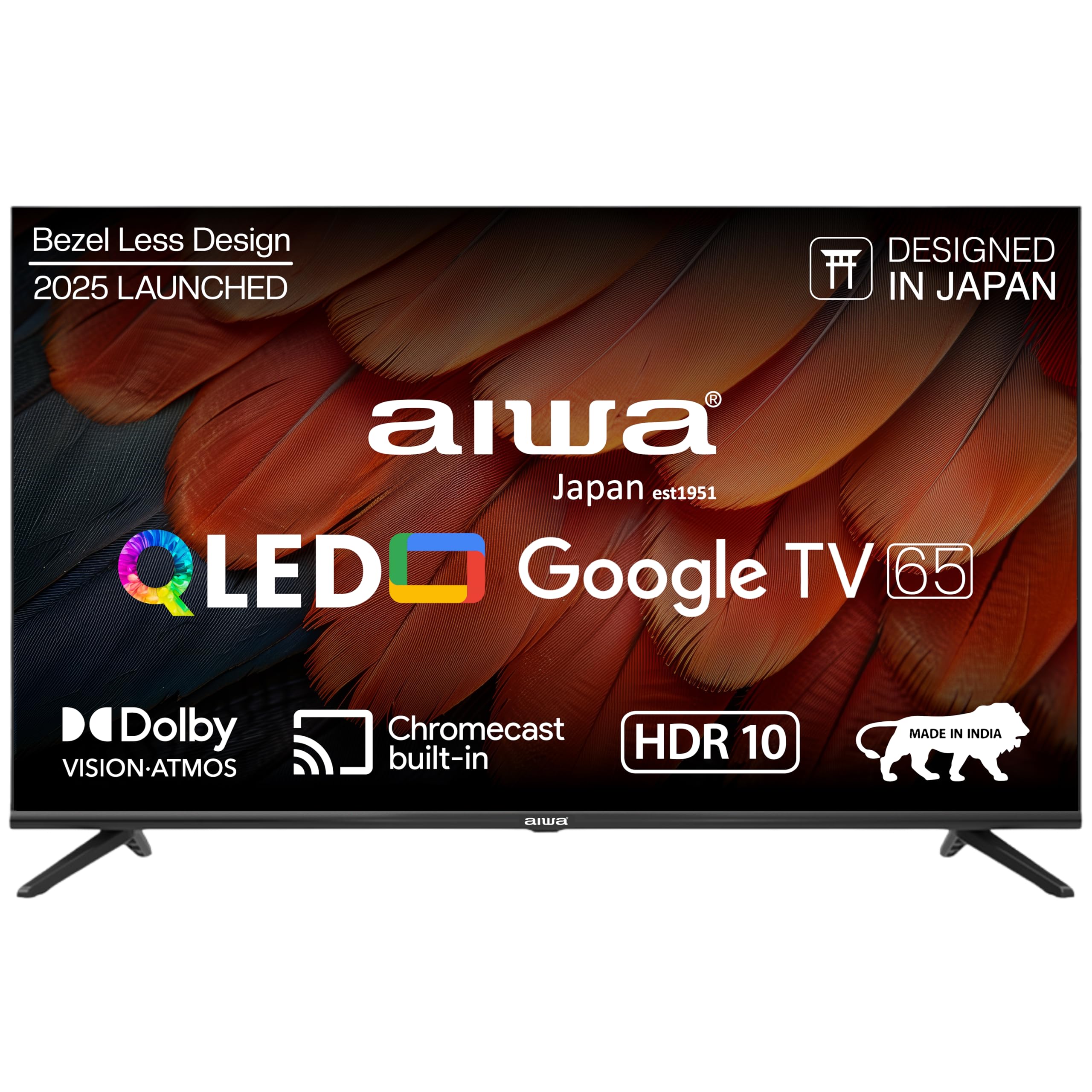
1.1. irudia: Aurrealdea view of the Aiwa A65QUHDX3-GTV 65-inch QLED Smart TV.

Figure 1.2: Aiwa A65QUHDX3-GTV showcasing its ultra sleek design.
2. Segurtasun informazioa
Always adhere to the following safety precautions to prevent electric shock, fire, or damage to the television:
- Ez jarri telebista euri edo hezetasunpean.
- Do not open the television casing. Konponketa guztiak langile kualifikatuen esku utzi.
- Ziurtatu aireztapen egokia dagoela. Ez blokeatu aireztapen-irekidurak.
- Avoid placing the television near heat sources or in direct sunlight.
- Use only the power cord supplied with the television.
- Mantendu bateriak haurren eskura.
3. Zer dago kutxan
Egiaztatu osagai guztiak daudela kaxa irekitzean:
- 1N LED telebista
- 4N Screws for stand/wall mount
- 1N Urruneko Kontrola
- 2N AAA bateria (urrutiko aginterako)
- 1N User Manual with Warranty Card
- 1N Set Table Stand
- 1N Wallmount bracket
4. Konfigurazioa
4.1 Instalazio fisikoa
Your Aiwa TV supports both table-top and wall-mount installations. Choose the method suitable for your environment.
Mahai-euskarriaren instalazioa
- Kontu handiz jarri telebistaren pantaila beherantz gainazal bigun eta lau batean, kalterik ez egiteko.
- Attach the provided table stands to the designated slots at the bottom of the TV using the included screws.
- Ensure the stands are securely fastened.
- Kontu handiz altxa telebista gainazal egonkor batean zutik jarri.
Horman Muntatzeko Instalazioa
If using the wall mount, follow the instructions provided with the wall mount kit. Professional installation is recommended for wall mounting.

Figure 4.1: Dimensions of the Aiwa A65QUHDX3-GTV 65-inch QLED Smart TV.
4.2 Periferikoak konektatzea
The TV features an array of ports for various devices. Refer to the back panel image for port locations.

4.2. Irudia: Atzealdea view of the TV displaying connectivity ports.

4.3. irudia: Xehetasuna view of the TV's connectivity ports including LAN, HDMI, USB, Antenna In, and AV In.
- HDMI atakak (x3): Konektatu Blu-ray erreproduzitzaileak, joko kontsolak, set-top kutxak edo HDMI gaitutako beste gailuak.
- USB atakak (x2): Konektatu USB biltegiratze gailuak multimedia erreproduzitzeko edo software eguneratzeko.
- LAN ataka: Konektatu Ethernet kable bat kable bidezko internet konexioa lortzeko.
- Antena sarrera: Konektatu antena edo kable bidezko telebista seinalea.
- AV sarrera: Konektatu gailu zaharragoak bideo konposatu eta audio estereo kableekin.
- Bluetootha: Pair wireless headphones, soundbars, or other Bluetooth devices.
- Wi-Fi: Konektatu etxeko haririk gabeko sarera interneterako sarbidea izateko.
4.3 Hasierako piztea eta konfigurazio-morroia
- Konektatu elikatze-kablea telebistara eta gero entxufe batera.
- Sakatu urrutiko agintean edo telebistan bertan pizteko botoia.
- Jarraitu pantailan agertzen diren argibideei hasierako konfigurazioa osatzeko, hizkuntza hautatzea, sareko konexioa eta Google kontuan saioa hastea barne.
5. Funtzionamendu-argibideak
5.1 Urruneko kontrola
The included smart remote control allows for easy navigation and voice commands.

Figure 5.1: Smart Remote Control with dedicated quick access buttons for streaming services and voice control functionality.
- Pizteko botoia: Telebista pizten edo itzaltzen du.
- Nabigazio Pad: Use the directional buttons to move through menus and the center button to select.
- Atzera botoia: Aurreko pantailara itzultzen da.
- Hasierako botoia: Google TV-ren hasierako pantailara sartzen da.
- Bolumena igo/behera: Audioaren bolumena doitzen du.
- Mututu botoia: Soinua desaktibatu edo aktibatzen du.
- Ahots-laguntzailearen botoia: Ahots-komandoetarako Google Laguntzailea aktibatzen du.
- Sarbide azkarreko botoiak: Dedicated buttons for Netflix, Prime Video, YouTube, and Disney+Hotstar.
5.2 Google TV interfazea
Your Aiwa Smart TV runs on Google TV, offering a personalized content experience.

Figure 5.2: Google TV home screen displaying a wide range of applications and content.

Figure 5.3: Google TV interface with personalized content suggestions.
- Edukiaren gomendioak: The TV provides personalized suggestions based on your viewhistoria eta lehentasunak kontuan hartuta.
- Jarraipen-zerrenda: Add movies and shows to your watchlist for later viewing.
- Pro pertsonalafile: Sortu banakako profiles for each user to receive tailored content.
- Kids Profile: Set up a dedicated profile for children with age-appropriate content and parental controls.
- Google Laguntzailea: Erabili ahots-komandoak edukia bilatzeko, etxe adimenduneko gailuak kontrolatzeko eta informazioa lortzeko.
- Chromecast integratua: Edukia zuzenean zure telefonotik edo tabletetik telebistara igorri.
5.3 Irudi eta soinu ezarpenak
Egokitu irudi eta soinu ezarpenak zure optimizazioa lortzeko viewesperientzia.
Irudi moduak
Access picture settings through the TV menu to select from various modes:
- Bizia: Enhances colors and brightness for a dynamic picture.
- Estandarra: Default setting suitable for most content.
- Kirola: Optimizes motion and color for sports broadcasts.
- Filma: Provides a cinematic experience with accurate colors.
- Erabiltzailea: Allows custom adjustment of brightness, contrast, color, and sharpness.
- Energia aurreztea: Reduces power consumption by adjusting brightness.
The QLED display supports Dolby Vision and HDR10 for enhanced contrast and color depth.

Figure 5.4: Explanation of Quantum Dot nanocrystals technology for vibrant picture quality.

Figure 5.5: Crysta Tech Vision for enhanced detail and Black Reflect anti-glare technology.
Soinu moduak
Select sound modes to match your content:
- Estandarra: General audio setting.
- Kirola: Enhances dialogue and crowd noise for sports.
- Filma: Provides a rich, immersive audio experience.
- Musika: Musika erreproduzitzeko audioa optimizatzen du.
The TV features Aiwa Signature Sound and Dolby Atmos for high-fidelity audio.

Figure 5.6: Aiwa Signature Sound, crafted to perfection in Japan, for high fidelity audio.
6. Mantentzea
6.1 Telebista garbitzea
- Deskonektatu beti telebista garbitu aurretik.
- Erabili zapi leun eta lehor bat pantaila eta kabinetea garbitzeko.
- Marka egoskorretarako, arinki garbituampGarbitu oihal bat urarekin edo pantaila-garbitzaile leun eta ez-urratzaile batekin.
- Ez erabili alkohola, bentzenoa, diluitzaileak edo beste substantzia lurrunkorrik.
6.2 Software eguneraketak
Your Google TV may receive automatic software updates. Ensure your TV is connected to the internet to receive the latest features and security patches. You can also manually check for updates in the TV's settings menu.
7. Arazoak
Telebistarekin arazoak badituzu, jo ezazu ohiko irtenbide hauetara:
| Arazoa | Irtenbide posiblea |
|---|---|
| Argindarrik ez / Telebista ez da pizten | Ensure the power cord is securely connected to both the TV and the power outlet. Check if the power outlet is working. Try pressing the power button on the TV itself. |
| Irudirik ez / Irudiaren kalitate eskasa | Check cable connections (HDMI, Antenna). Ensure the correct input source is selected. Adjust picture settings (brightness, contrast, mode). For antenna, rescan channels. |
| Soinurik ez / Soinu baxua | Check volume level and ensure TV is not muted. Verify audio cable connections if using external speakers. Check sound settings and sound mode. |
| Urruneko kontrola ez dabil | Replace batteries in the remote control. Ensure there are no obstructions between the remote and the TV's IR sensor. Re-pair the Bluetooth remote if applicable. |
| Smart TV features not working / Slow performance | Check internet connection (Wi-Fi or LAN). Restart the TV by unplugging it for a few minutes. Clear app cache or reinstall problematic apps. Ensure software is up to date. |
| Casting issues (Chromecast) | Ensure your casting device and TV are on the same Wi-Fi network. Restart both the TV and the casting device. |
8. Zehaztapenak
Detailed technical specifications for the Aiwa A65QUHDX3-GTV:
| Ezaugarri | Xehetasuna |
|---|---|
| Marka | Ez |
| Eredua | A65QUHDX3 |
| Pantailaren tamaina | 65 hazbete |
| Bistaratzeko Teknologia | QLED |
| Ebazpena | 4K Ultra HD (3840 x 2160 pixel) |
| Freskatze tasa | 60 Hz |
| Viewangelua | 178 gradu |
| Sistema eragilea | Google TV |
| RAM Memoria | 2 GB |
| Biltegiratze Ahalmena | 16 GB |
| Koprozesadore grafikoa | Mali-450 GPU |
| Konektibitatea | Wi-Fi (Dual band), Bluetooth (2-way), HDMI 2.0 (x3), USB 2.0 (x2), LAN (x1) |
| Audio Irteerako Potentzia | 24 Watt |
| Audio Ezaugarriak | Aiwa Signature Sound, Dolby Atmos, Stereo Audio |
| Ezaugarri bereziak | 4K Ultra HD, Built-in Apps, Voice Control, HDR10, Google OS, Flat Screen, Miracast, Smart Features, Dolby Vision, Crysta Tech Vision, Black Reflect |
| Produktuaren neurriak (euskarriarekin) | 10 x 9.8 x 83 cm (approx. 145.2 cm width, 89.6 cm height) |
| Elementuaren pisua | 18.6 kg |
| Energia iturria | 220 volt korronte alternoa |
| Wattage | 150 Watt |
9. Bermea eta Laguntza
9.1 Bermearen informazioa
Your Aiwa A65QUHDX3-GTV television comes with a manufacturer's warranty. Please refer to the included Warranty Card for detailed terms, conditions, and duration of the warranty period.
9.2 Bezeroarentzako laguntza
For technical assistance, installation services, or any product-related inquiries, please contact Aiwa customer support:
- Bezeroarentzako Arreta Zerbitzua: 1800-120-5619
- Service is available across 19000+ pincodes in India.

Figure 9.1: Aiwa provides installation and service support across India.