
1. Introduction
The Camolech CM7-1Pro is a powerful 700W underwater scooter designed to enhance your aquatic experiences, from snorkeling and diving to paddleboarding. Featuring a removable 16000 mAh battery and a high-speed brushless motor, it offers efficient propulsion and extended usage times. This manual provides essential information for the safe and effective operation, maintenance, and troubleshooting of your device.
2. Safety Information
Read all safety warnings and instructions carefully before using the device. Failure to follow these instructions may result in electric shock, fire, serious injury, or property damage.
- Water Depth: Do not exceed the maximum operating depth specified for the device.
- Battery Safety: Use only the provided charger and battery. Do not expose the battery to extreme temperatures, puncture, or disassemble it. Ensure the battery compartment is securely sealed before water immersion.
- Children: Children should only use the device under strict adult supervision.
- Propeller Guard: Never insert fingers or objects into the propeller area when the device is powered on.
- Pre-Use Check: Always inspect the device for any damage or loose parts before each use. Ensure all seals are intact.
- Environmental Awareness: Be aware of your surroundings, including other swimmers, marine life, and underwater obstacles.
- Emergency Stop: Familiarize yourself with the emergency stop procedure.
3. Product Components
The package includes the following items:
- 1 x 700W Propeller Unit
- 2 x 16000 mAh Batteries
- 1 x Handle
- 2 x Fins (for SUP/Kayak mounting)
- 1 x Remote Control
- 1 x Waterproof Box for Remote Control
- 1 x Propeller Charging Unit
- 1 x USB Charging Cable

Figure 3.1: Included components of the CM7-1Pro underwater scooter.
4. Setup
4.1 Battery Installation
- Ensure the device is powered off.
- Unscrew the cap of the battery compartment, typically located at the rear of the main unit.
- Carefully insert the 16000 mAh battery into the compartment, ensuring the connectors align.
- Securely screw the cap back on, ensuring a watertight seal. Do not overtighten.
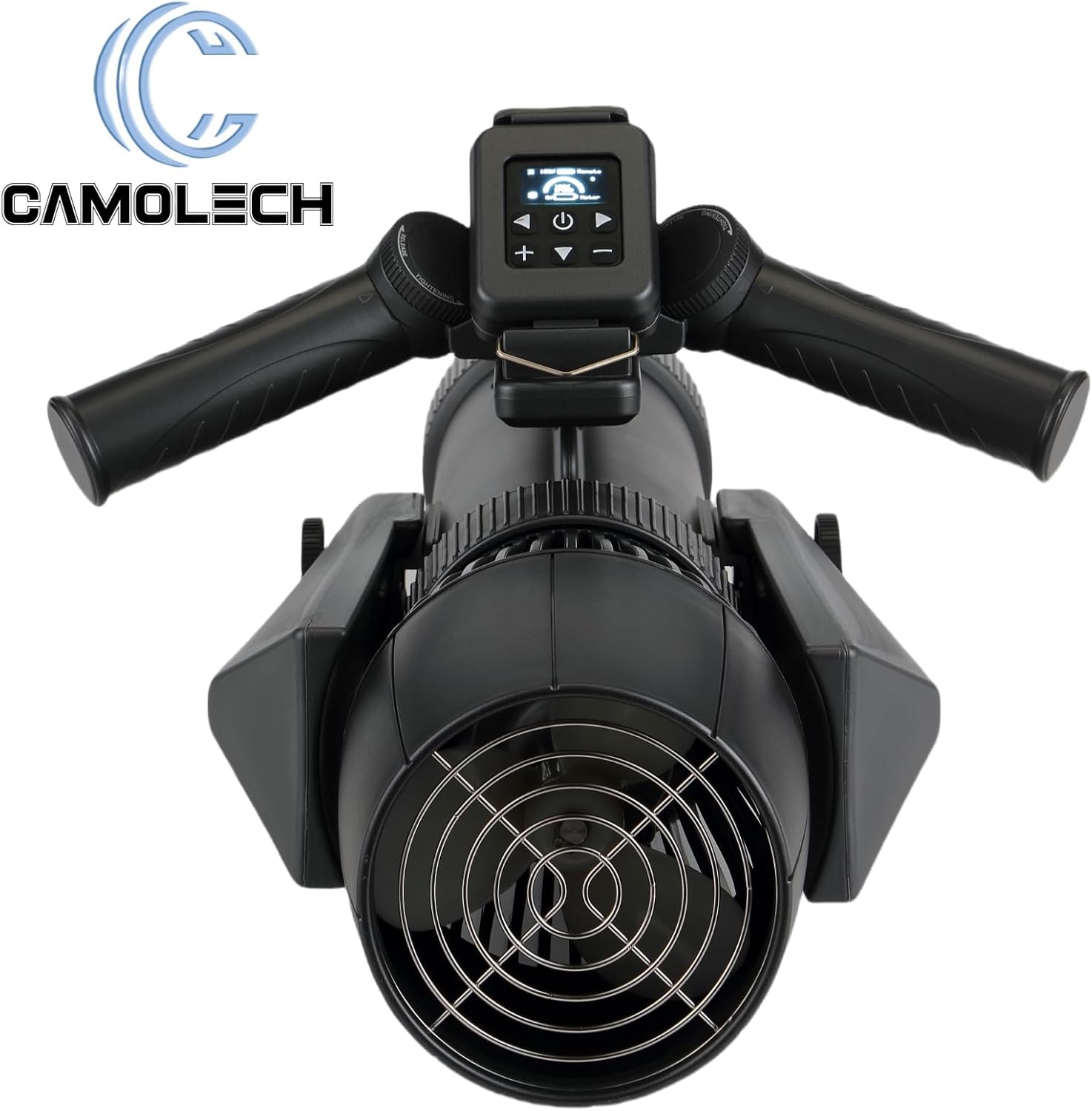
Figure 4.1: Location of the battery compartment.

Figure 4.2: Inserting the removable battery.
4.2 Handle and Remote Control Attachment
- Attach the portable handle to the main unit using the quick-release mechanism.
- Place the remote control into its waterproof housing.
- Mount the waterproof remote control housing onto the designated slot on the handle.

Figure 4.3: Assembled device with handle and remote control.
4.3 SUP/Kayak Motor Conversion (Optional)
The CM7-1Pro can be used as a SUP or kayak motor. To do this:
- Detach the portable handle.
- Mount the main propeller unit onto your SUP board or kayak using the provided fins and mounting hardware. Ensure it is securely fastened.

Figure 4.4: CM7-1Pro configured for SUP use.
5. Operating Instructions
5.1 Powering On/Off
- To power on, press and hold the power button on the remote control until the display illuminates.
- To power off, press and hold the power button again until the display turns off.
5.2 Speed Control
The CM7-1Pro features 10 gear levels for speed adjustment. Use the '+' and '-' buttons on the remote control to increase or decrease the propulsion speed. The current speed setting will be displayed on the remote control screen.
5.3 Cruising Mode
Activate cruising mode for continuous propulsion at a set speed, allowing for hands-free operation when mounted on a SUP or kayak. Refer to the remote control's specific instructions for activating and deactivating this mode.
5.4 Underwater Camera Mounting
The handle includes a support for mounting an underwater camera, allowing you to capture your aquatic adventures. Ensure the camera is securely attached before entering the water.
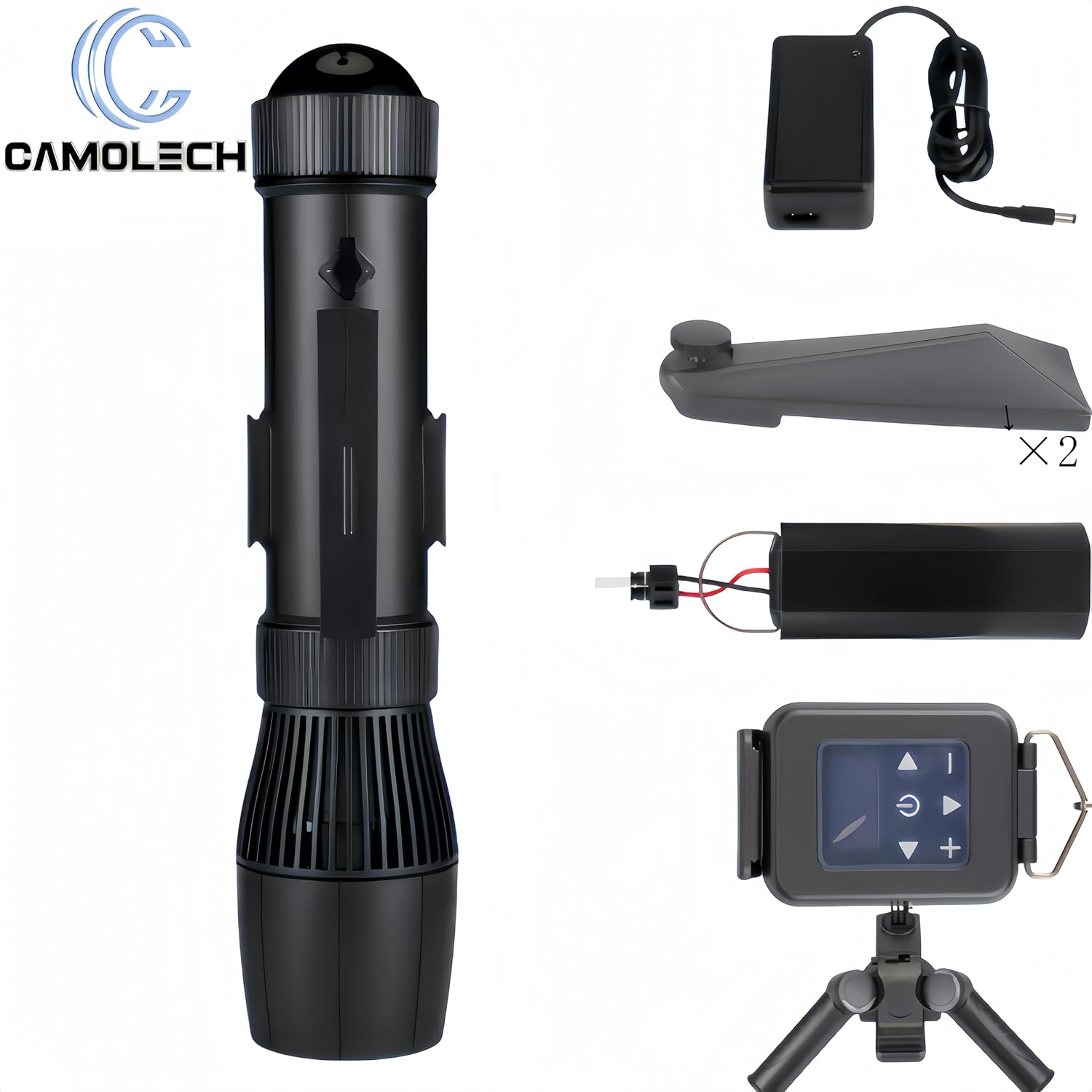
Figure 5.1: CM7-1Pro in use underwater.
6. Maintenance
6.1 Charging the Battery
Use the provided charging unit and USB cable to charge the 16000 mAh battery. Connect the charger to a power source and then to the battery. The charging indicator will show the charging status. Ensure the battery is fully charged before each use for optimal performance and endurance (35-160 minutes).
6.2 Cleaning and Storage
- After each use in saltwater, rinse the device thoroughly with fresh water to prevent salt buildup and corrosion.
- Wipe the device dry with a soft cloth.
- Store the CM7-1Pro in a cool, dry place, away from direct sunlight and extreme temperatures.
- For long-term storage, remove the battery and store it separately in a partially charged state (around 50%) to prolong its lifespan.
6.3 Material Durability
The CM7-1Pro is constructed with a one-piece injection-molded plastic shell, designed for impact and drop resistance. This material is resistant to corrosion and rust from seawater, ensuring longevity compared to metal alternatives.
7. Troubleshooting
| Problem | Possible Cause | Solution |
|---|---|---|
| Device does not power on | Battery not charged or improperly installed; Control unit malfunction. | Ensure battery is fully charged and correctly inserted. Check battery compartment seal. If the control unit does not start after 100% charge, contact customer support. |
| Reduced propulsion power | Low battery charge; Propeller obstructed. | Recharge the battery. Inspect the propeller for any debris and clear it carefully when the device is off. |
| Remote control unresponsive | Remote control battery low; Interference; Remote not paired. | Replace remote control batteries. Ensure no strong interference sources are nearby. Refer to remote control pairing instructions if applicable. |
| Water leakage | Improperly sealed battery compartment or other seals. | Immediately remove the device from water. Check all seals, especially the battery compartment cap, for proper seating and damage. Do not use if seals are compromised. |
8. Specifications
| Feature | Specification |
|---|---|
| Product Dimensions | 58 x 15.5 x 15.5 cm |
| Weight | 5 Kilograms |
| Motor Power | 700 W |
| Battery Capacity | 16000 mAh (removable) |
| Endurance Time | 35-160 minutes (depending on speed) |
| Surface Speed | 3-9 KM/H |
| Gear Levels | 10 |
| Material | Plastic |
| Color | Black |

Figure 8.1: Key technical specifications.
9. Warranty and Support
For warranty information, please refer to the documentation provided at the time of purchase or contact your retailer. If you encounter any issues not covered in the troubleshooting section, or require further assistance, please contact Camolech customer support through your purchase platform or the official brand website.


