
1. Introducción
The Retevis RM01P is a handheld marine radio designed for reliable communication in marine environments. Its lightweight and compact design ensures ease of portability and use, even during demanding operations. Key features include IP67 waterproofing, a floating design for easy retrieval, and vibration water draining functionality, enhancing its durability and performance on the water.
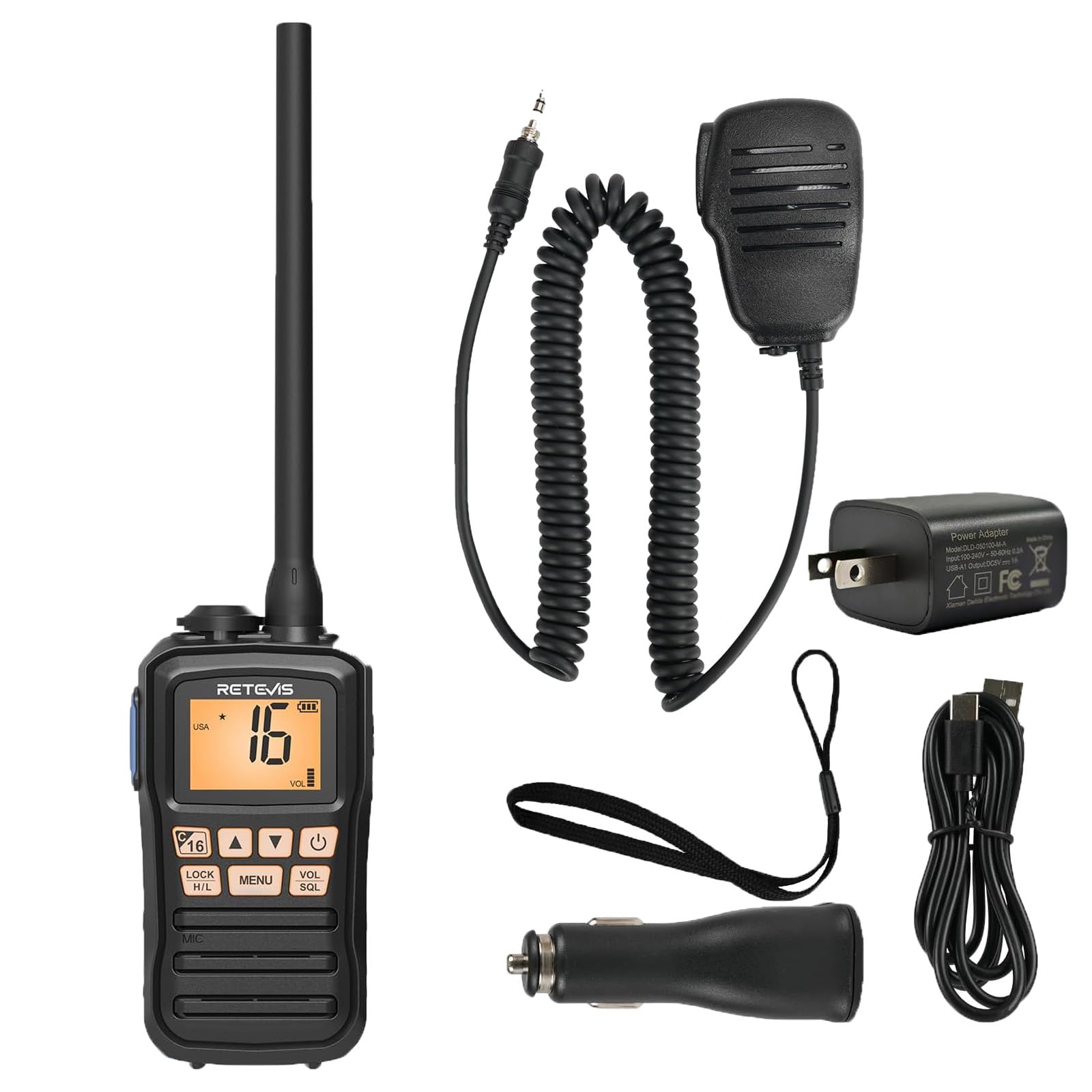
Image 1.1: The Retevis RM01P radio, highlighting its lightweight (136g) and portable design with dimensions (4.69in height, 2.48in width, 1.38in depth).
2. Contenido del paquete
Verifique que todos los artículos estén presentes en el paquete:
- RM01P Marine Walkie Talkie (1)
- Batería (1)
- Cargador de coche (1)
- Clip para cinturón (1)
- Manual de usuario (1)
- Adaptador de corriente (1)
- Cable de carga tipo C (1)
- cordón (1)
- Speaker Microphone (1)

Imagen 2.1: Representación visual del contenido completo del paquete.
3. Información de seguridad
- Clasificación de impermeabilidad IP67: The RM01P is designed to withstand immersion in water up to 1 meter (3.3 feet) for 30 minutes. Ensure all covers and ports are securely sealed before exposure to water.
- Diseño flotante: If the radio is accidentally dropped into water, its design allows it to float on the surface, making it easier to locate and retrieve.
- Vibration Water Draining: After exposure to water, utilize the vibration water draining function to expel water from the speaker and microphone for optimal performance.
- Do not attempt to disassemble or modify the radio. This can void the warranty and cause damage.
- Use only Retevis-approved accessories and charging equipment.

Image 3.1: The RM01P demonstrating its floating capability and IP67 waterproof rating.
4. Configuración
4.1 Instalación de la batería
- Alinee la batería con el compartimiento en la parte posterior de la radio.
- Empuje suavemente la batería en su lugar hasta que haga clic de forma segura.
- Ensure the battery cover is properly sealed to maintain the IP67 rating.
4.2 Carga de la batería
The RM01P features a Type-C charging port for convenience.
- Conecte el cable de carga tipo C al puerto de carga de la radio.
- Connect the other end of the cable to the provided power adapter, car charger, or a compatible power bank/USB interface.
- El indicador de carga de la radio mostrará el estado de carga. Una carga completa suele tardar varias horas.
- The 1750mAh battery provides approximately 15 hours of continuous use and 66 hours on standby.

Image 4.1: Charging options for the RM01P, featuring Type-C connectivity.
4.3 Conexión del micrófono del altavoz
The included speaker microphone connects via a 3.5mm 1-pin jack.
- Locate the 3.5mm audio jack on the side of the radio.
- Insert the 3.5mm 1-pin connector of the speaker microphone firmly into the jack.
- The speaker microphone features a 360° rotatable collar clip for convenient attachment to clothing.
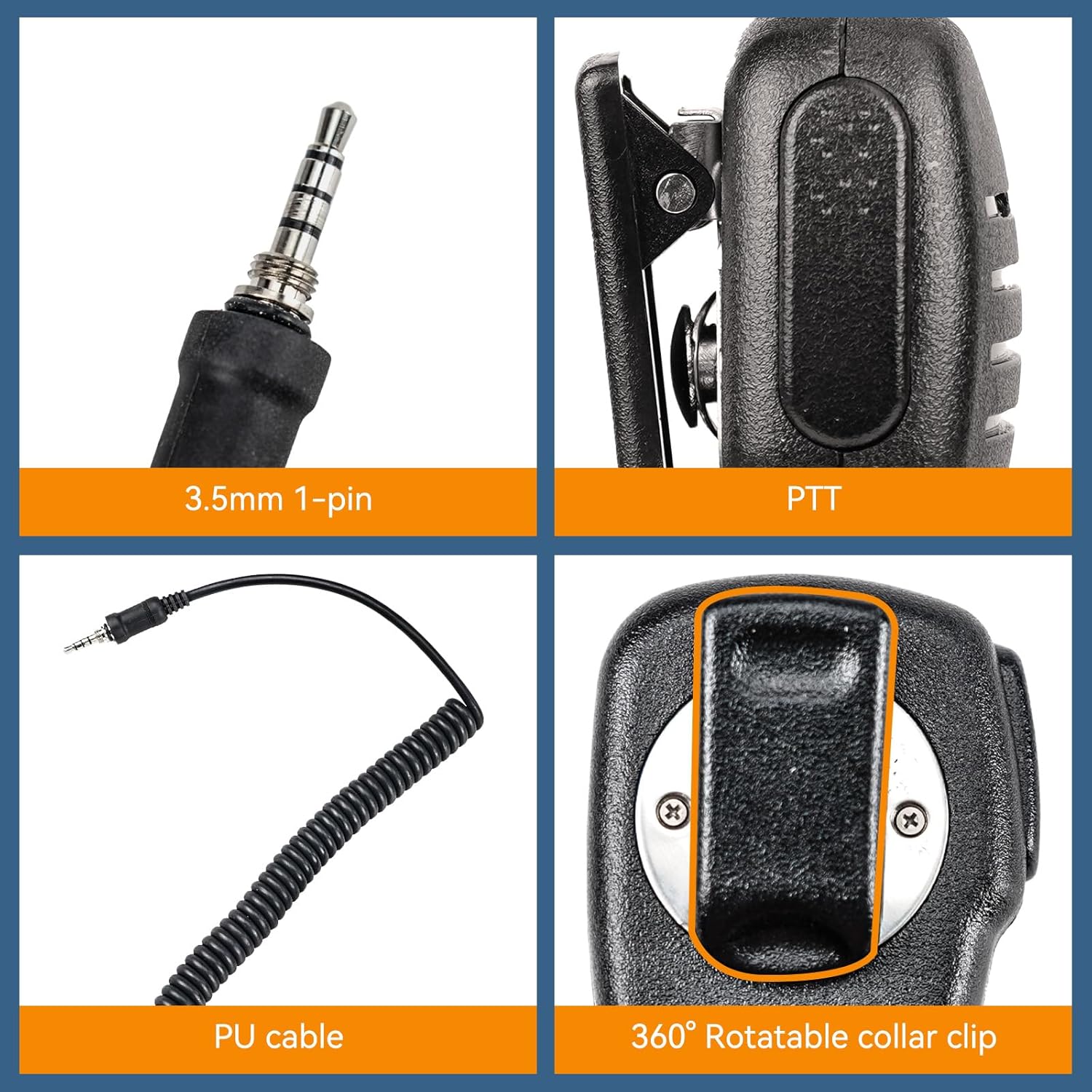
Image 4.2: Details of the 3.5mm 1-pin speaker microphone.
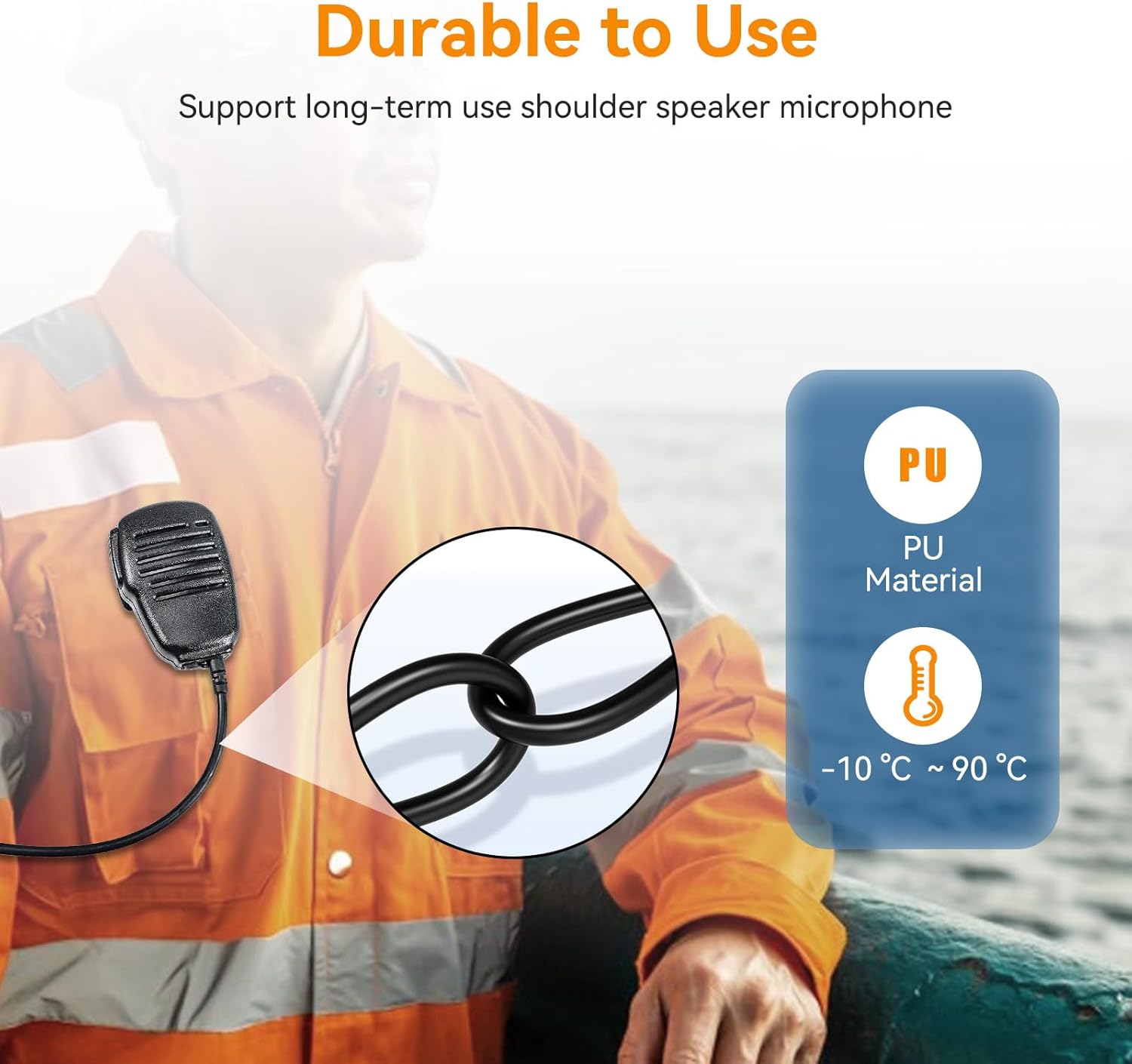
Image 4.3: Durability features of the speaker microphone, including PU material.
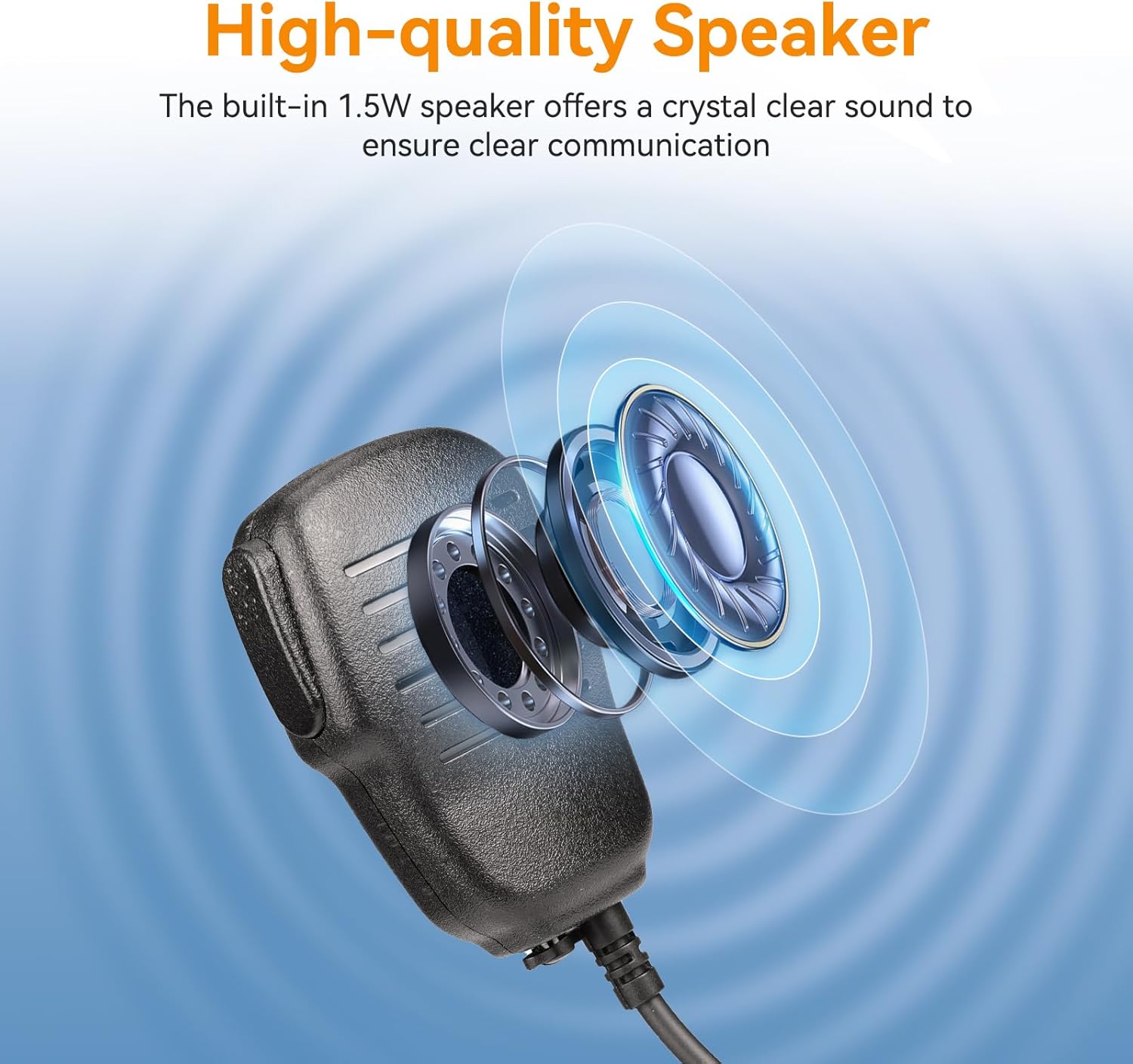
Image 4.4: High-quality speaker design for clear audio.
5. Instrucciones de funcionamiento
5.1 Encendido y apagado
Mantenga pulsado el Fuerza Botón (generalmente marcado con un símbolo de encendido) para encender o apagar la radio.
5.2 Ajuste del volumen
Utilice el VOL (Volume) up/down buttons or knob to adjust the listening volume.
5.3 Selección de canales
Utilice el ARRIBA/ABAJO arrow buttons to navigate through available marine channels. The current channel number will be displayed on the screen.
5.4 Transmisión y recepción
- Para transmitir, mantenga presionada la tecla PTT (Push-To-Talk) button on the side of the radio or speaker microphone. Speak clearly into the microphone.
- Liberar el PTT Botón para detener la transmisión y volver al modo recepción.
- Ensure you are on an appropriate channel for communication.
5.5 Squelch Adjustment (SQL)
El SQL (Squelch) function filters out weak signals and background noise. Adjust it to a level where only clear signals are heard, minimizing static.
5.6 Lock Function (LOCK)
Presione el CERRAR button to prevent accidental changes to settings or channels. Press it again to unlock.
5.7 canales meteorológicos NOAA
The RM01P supports 10 NOAA Weather Channels, providing real-time weather alerts to help avoid storms and hazards.
- Access NOAA channels through the menu or a dedicated button (refer to the radio's display for specific indicators).
- Monitor these channels for critical weather information relevant to your location.

Image 5.1: Radio display indicating NOAA Weather Channel functionality.
6. Mantenimiento
- Limpieza: Limpie la radio con un paño suave yamp paño. No utilice productos químicos agresivos ni limpiadores abrasivos.
- Drenaje de agua: After exposure to water, activate the vibration water draining function to clear water from the speaker and microphone grille. This helps maintain audio clarity.
- Almacenamiento: Guarde la radio en un lugar fresco y seco cuando no la use. Retire la batería si la va a guardar por un tiempo prolongado.
- Cuidado de la batería: Avoid fully discharging the battery frequently. Charge the battery regularly to prolong its lifespan.
7. Solución de problemas
| Problema | Posible causa | Solución |
|---|---|---|
| La radio no se enciende. | La batería está baja o no está instalada correctamente. | Charge the battery. Reinstall the battery, ensuring it is securely seated. |
| Sin sonido o sonido distorsionado. | Volume too low, squelch too high, or water in speaker/mic. | Increase volume. Adjust squelch (SQL) level. Use water draining function if exposed to water. |
| No se puede transmitir ni recibir. | Incorrect channel, out of range, or PTT button issue. | Verify channel selection. Move closer to the other radio. Ensure PTT button is fully pressed. |
| Radio is locked. | La función de bloqueo está activada. | Press the LOCK button again to unlock the radio. |
8. Especificaciones
- Modelo: Retevis RM01P
- Clasificación de impermeabilidad: IP67 (sumergible hasta 1 m durante 30 minutos)
- Capacidad de la batería: 1750 mAh
- Duración de la batería: Approx. 15 hours (continuous use), 66 hours (standby)
- Puerto de carga: Type-C (5V input voltage)
- Potencia de salida del altavoz: 1.5 W
- Sensibilidad del micrófono: -38dB ± 3dB
- Sensibilidad del altavoz: 88 dB ± 3 dB
- Speaker Microphone Pin: 3.5 mm, 1 pines
- Speaker Microphone Material: PU
- Speaker Microphone Operating Temperature: -10 °C a 90 °C (14 °F a 194 °F)
- Canales meteorológicos de la NOAA: 10
9. Garantía y soporte
Para obtener información sobre la garantía y soporte técnico, consulte el sitio web oficial de Retevis. webSitio web o contacte a su distribuidor local. Conserve el recibo de compra para reclamaciones de garantía.
Vendedor: Retevis Direct
Política de devoluciones: 30 días (reembolso/reemplazo)
Para obtener más ayuda, visite el Tienda Retevis en Amazon.