
1. Introducción
This manual provides detailed instructions for the LAUNCH Creader Elite V3.0 OBD2 Scanner, a professional diagnostic tool designed specifically for Land Rover and Jaguar vehicles. It covers device setup, operational procedures for various diagnostic and service functions, software updates, and troubleshooting tips. Please read this manual thoroughly before operating the device to ensure correct usage and optimal performance.
2. Producto terminadoview
2.1. ¿Qué hay en la caja?
- 1 * LAUNCH Creader Elite V3.0 OBD2 Scanner for JLR
- 1 * OBD2 Diagnostic Cable
- 1 * Guía de inicio rápido
- 1 * Manual del usuario
2.2. Características principales
The LAUNCH Creader Elite V3.0 offers a comprehensive suite of features for vehicle diagnostics and maintenance:
- Hardware mejorado: Features Android 8.1 operating system, 32GB ROM, 3000mAh battery, and 2.4&5GHz dual-band Wi-Fi for improved performance.
- DoIP Protocol Support: Supports the new DoIP protocol for Land Rover & Jaguar models manufactured after 2017 (requires an adapter).
- Diagnóstico completo del sistema: Provides in-depth scanning for all available vehicle modules, including engine, transmission, ABS, SRS, and more.
- Control bidireccional (prueba activa): Allows control of vehicle components and systems for active testing, such as windows, mirrors, wipers, and horn.
- Funciones de servicio integral: Includes Oil Reset, Electronic Parking Brake (EPB) Reset, Battery Management System (BMS) Reset, Steering Angle Sensor (SAS) Calibration, Injector Coding, Throttle Relearn, Height Calibration, Transmission Adaptation, Crankshaft/Camshaft Relearn, Sunroof Calibration, and more.
- Transmisión de datos en vivo 4 en 1: Displays real-time data from multiple sensors simultaneously in a graphical format, with recording and playback capabilities.
- Smart Diagnostic Functions: Features Auto VIN for automatic vehicle identification, DTC Lookup for code explanations, and the ability to generate and share diagnostic reports.
- Funciones OBD2 completas: Supports all 10 OBD2 test modes for universal vehicle compatibility (post-1996 models).
- Actualizaciones gratuitas de por vida: Provides lifetime free software updates specifically for Land Rover and Jaguar vehicle brands.
2.3. Comparación de dispositivos
The Creader Elite V3.0 offers significant upgrades over previous versions:

Image: Comparison of Creader Elite V3.0, V2.0, and V1.0, highlighting V3.0's superior features like DoIP, Android 8.1, 32GB memory, and 2.4&5GHz WiFi.
2.4. Descripción física
The device features a durable orange casing with a 4-inch touchscreen display. The back of the device includes product identification details such as the model number, FCC ID, and serial number.
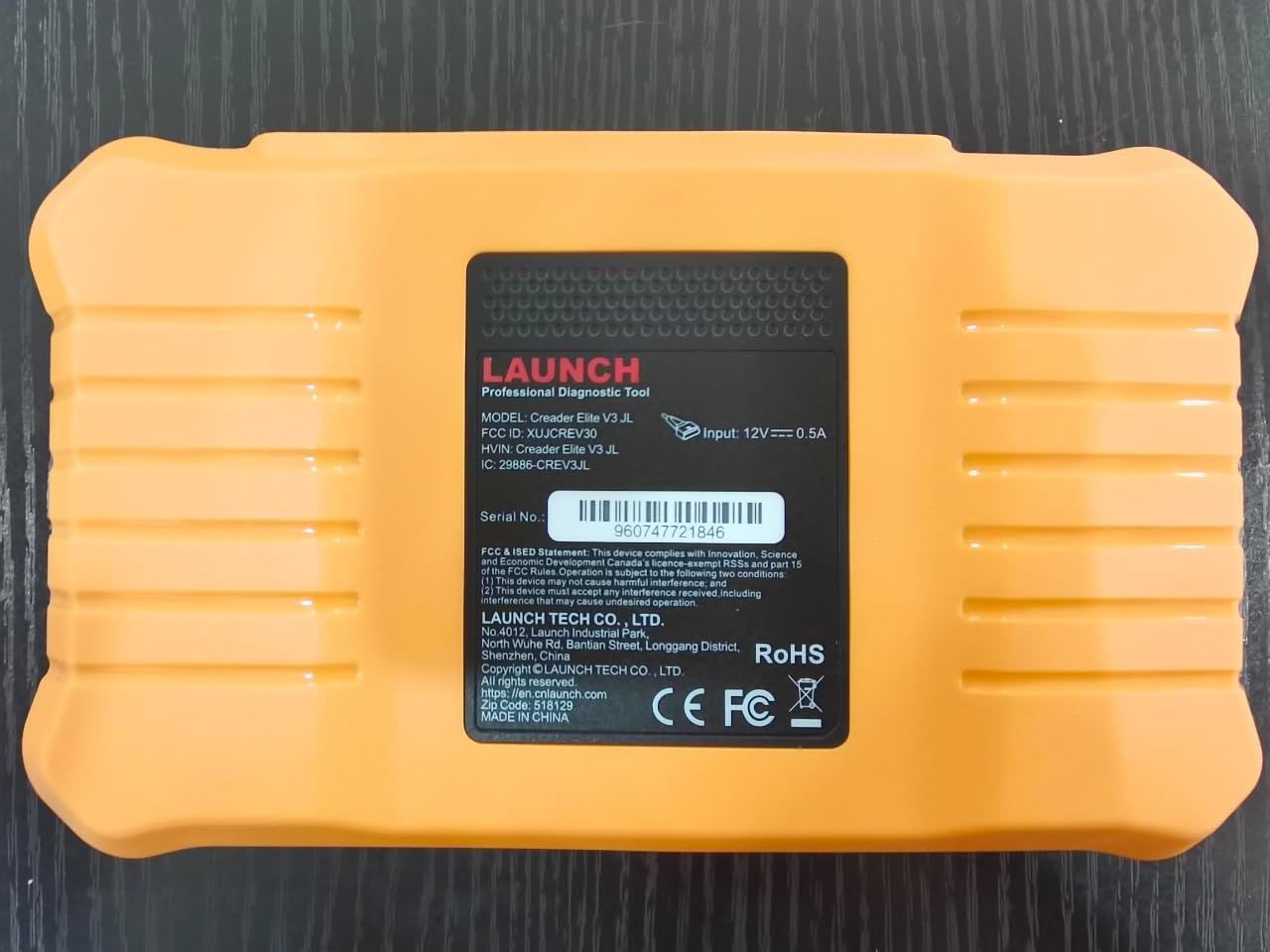
Imagen: Trasera view of the LAUNCH Creader Elite V3.0, displaying the model number, FCC ID, and serial number (e.g., 960747721846).
3. Configuración
3.1. Encendido inicial
- Asegúrese de que el dispositivo esté completamente cargado o conectado a una fuente de alimentación.
- Mantenga presionado el botón de encendido hasta que la pantalla se ilumine.
- Siga las instrucciones en pantalla para seleccionar su idioma y región preferidos.
3.2 Conexión wifi
- Desde el menú principal, navegue hasta Ajustes.
- Seleccionar Wifi y enciendelo.
- Seleccione la red Wi-Fi deseada de la lista e ingrese la contraseña si se le solicita.
- Confirm the connection. A stable internet connection is required for software updates and online resources.
3.3. Registro y Activación
Upon first use or after a factory reset, you may be prompted to register your device. Follow the on-screen instructions to create an account or log in. This step is crucial for accessing software updates and technical support.
4. Instrucciones de funcionamiento
4.1. Conexión al vehículo
- Locate the vehicle's OBD2 diagnostic port, typically under the dashboard on the driver's side.
- Asegúrese de que el encendido del vehículo esté en la ON position (engine off or running, depending on the test).
- Connect the OBD2 diagnostic cable to the vehicle's OBD2 port and to the LAUNCH Creader Elite V3.0 device.
- The device will automatically power on or prompt you to do so.
4.2. Full Systems Diagnostics
This function allows you to scan all available electronic control units (ECUs) in the vehicle.

Image: Display showing OE-level all system diagnostics, including Auto VIN, fault codes, 4-in-1 live data, and MIL reset.
- Desde el menú principal, seleccione Diagnóstico Local.
- Choose the vehicle brand (Land Rover or Jaguar).
- Seleccionar Búsqueda automática or Selección manual. Auto Search (Auto VIN) will attempt to automatically identify the vehicle.
- Once the vehicle is identified, select Informe de salud or Análisis del sistema to perform a comprehensive scan of all modules.
- Review the diagnostic trouble codes (DTCs) and ECU information. You can then choose to clear codes if necessary.
4.3. Funciones de servicio
The Creader Elite V3.0 provides numerous maintenance and reset services. Access these functions via Diagnose > Brand > System Selection > Special Function.

Imagen: Más alláview of various service functions including Oil Reset, Brake Reset, SAS Calibration, Start-Stop Reset, TPMS Reset, Injector Coding, Battery Reset, ABS Bleeding, Seat Calibration, and Height Calibration.
Common services include:
- Reinicio de aceite: Restablece el sistema de vida útil del aceite del motor.
- Restablecimiento del EPB: Resets the electronic parking brake after replacement.
- Calibración SAS: Calibra el sensor del ángulo de dirección.
- Codificación del inyector: Codifica nuevos números de inyectores en la ECU.
- Reaprendizaje del acelerador: Vuelve a aprender la posición del cuerpo del acelerador.
- Calibración de altura: Calibrates the vehicle's suspension height.
- Reinicio de la batería: Registers a new battery replacement.
- Purga del ABS: Realiza procedimientos de purga de frenos ABS.
Note: The availability of specific service functions may vary depending on the vehicle model and year. Always check compatibility before performing a service.
4.4. Control bidireccional (pruebas activas)
Active tests allow you to send commands to vehicle systems and components to verify their functionality.

Image: Depicts bi-directional active tests, showing the device sending commands to vehicle actuators like wipers, windows, clutch, and injectors to check their status.
- Navigate to the desired vehicle system within the diagnostic menu.
- Seleccionar Prueba activa or Control bidireccional.
- Choose the specific component or system you wish to test (e.g., 'Wiper Test', 'Window Test', 'Horn Test').
- Siga las instrucciones en pantalla para activar y observar la respuesta del componente.
4.5. Funciones OBD2 completas
For universal vehicle diagnostics (all OBD2 compliant vehicles after 1996), use the OBD II Opción de menú.
- Leer códigos: Recupera códigos genéricos (P0, P2, P3, U0) y específicos del fabricante (P1, P3, U1).
- Códigos claros: Clears diagnostic trouble codes and turns off the Malfunction Indicator Light (MIL).
- Datos en tiempo real: Muestra el flujo de datos en tiempo real de los sensores del vehículo.
- Preparación I / M: Verifica la preparación de los monitores relacionados con las emisiones.
- Congelar fotograma: Muestra una instantánea de las condiciones de funcionamiento en el momento de una falla relacionada con las emisiones.
- Prueba del sensor O2: Recupera los resultados de la prueba del monitor del sensor de O2.
- Prueba del monitor a bordo (modo 6): Recupera resultados para componentes y sistemas de propulsión relacionados con las emisiones.
- Prueba del sistema EVAP (modo 8): Inicia una prueba del sistema de control de emisiones evaporativas.
- Información del vehículo: Recupera el número de identificación del vehículo (VIN), el ID de calibración (CALID) y el número de verificación de calibración (CVN).
4.6. Real-Time Monitoring and Data Stream
Monitor various vehicle parameters in real-time to diagnose intermittent issues or verify repairs.

Image: Real-time monitoring screen showing battery voltage, transmission oil temperature, coolant temperature, and vehicle speed, with a detailed 4-in-1 data stream graph below.
- From the diagnostic menu, select Datos en vivo.
- Seleccione los parámetros que desea monitorizar.
- The device can display up to four data streams simultaneously in a graphical format.
- Utilice el Registro y Reproducción functions to capture and review data for later analysis.
4.7. Smart Diagnostic Features
The device includes features to streamline the diagnostic process:
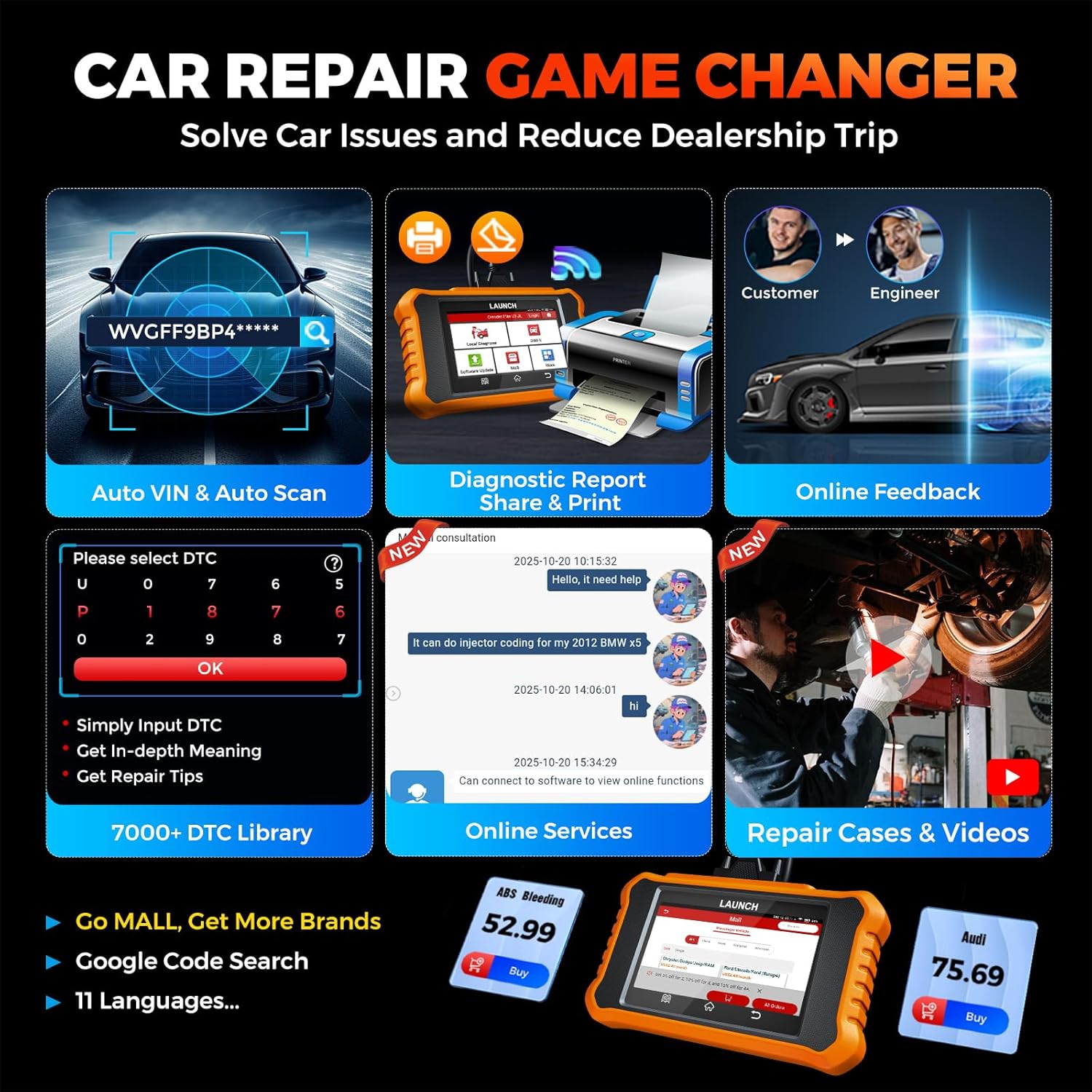
Image: Smart diagnostic features such as Auto VIN, diagnostic report generation and printing, online feedback, 7000+ DTC library, and access to online services.
- VIN del automóvil: Automatically identifies vehicle information (year, make, model) for quicker diagnostics.
- Búsqueda de DTC: Provides detailed explanations for diagnostic trouble codes.
- Informe de diagnóstico: Generates a professional diagnostic report that can be shared or printed.
- Comentarios en línea: Allows users to submit feedback or issues directly to technical support.
5. Mantenimiento y actualizaciones
5.1. Actualizaciones de software
The LAUNCH Creader Elite V3.0 offers lifetime free software updates for Land Rover and Jaguar brands.
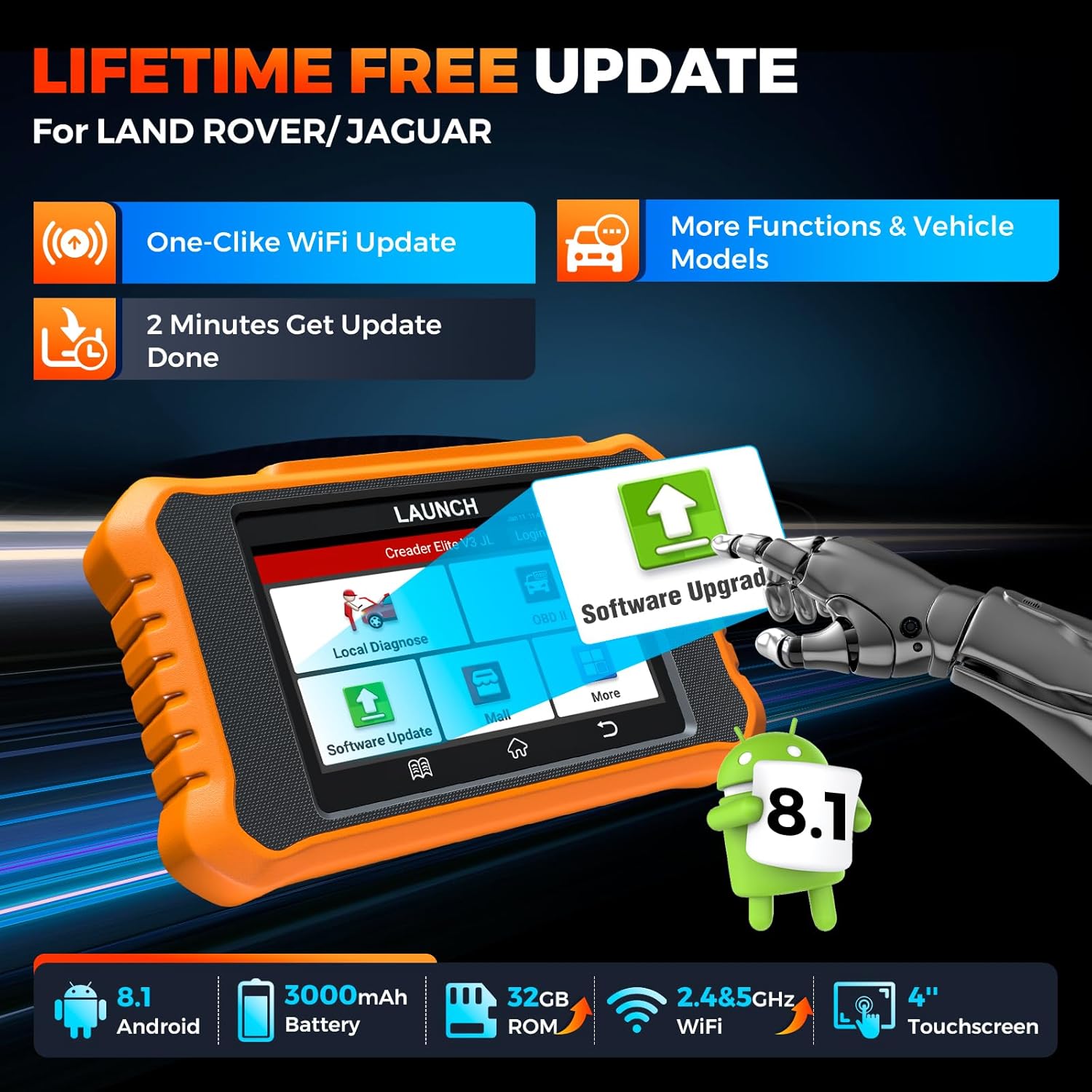
Image: Device screen illustrating the one-click Wi-Fi update process, emphasizing lifetime free updates for Land Rover/Jaguar and the ability to get more functions and vehicle models.
- Asegúrese de que el dispositivo esté conectado a una red Wi-Fi estable.
- Desde el menú principal, seleccione Actualización de software.
- El dispositivo buscará actualizaciones disponibles.
- Select the updates you wish to install and follow the on-screen prompts. Updates typically take a few minutes.
5.2. Expanding Vehicle Coverage (Mall)
If you require diagnostic capabilities for other vehicle brands beyond Land Rover and Jaguar, you can purchase additional software packages from the Centro comercial application on the device. Please note that software purchased from the Mall is typically valid for one year and may require re-purchase after expiry.
5.3. Cuidado del dispositivo
- Mantenga el dispositivo limpio y libre de polvo y humedad.
- Evite dejar caer el dispositivo o someterlo a fuertes impactos.
- Guarde el dispositivo en un lugar fresco y seco cuando no esté en uso.
- Utilice únicamente el cable de carga y los accesorios proporcionados.
6. Compatibilidad
The LAUNCH Creader Elite V3.0 is primarily designed for:

Image: Device interface showing diagnostic options for Land Rover (Defender, Discovery, Range Rover, Evoque) and Jaguar (E-Pace, F-Pace, F-Type, S-Type, X-Type, XE, XF, XJ, XK) models, with a note on DoIP protocol for models after 2017.
- Land Rover: Compatible with models such as Defender, Discovery, Discovery Sport, Range Rover, Range Rover Evoque, etc.
- Jaguar: Compatible with models such as E-Pace, F-Pace, F-Type, S-Type, X-Type, XE, XF, XJ, XK, etc.
- DoIP Protocol: Supports Land Rover & Jaguar models after 2017, requiring a separate DoIP adapter.
- Universal OBD2: Fully compatible with all OBD2 compliant vehicles manufactured after 1996 for basic OBD2 functions.
For specific vehicle compatibility, it is recommended to contact technical support via obdbox21@163.com.
7. Especificaciones
| Modelo | LAUNCH Creader Elite 3.0-JL |
| Sistema operativo | Androide 8.1 |
| Tamaño de pantalla | 4 pulgadas |
| Almacenamiento interno (ROM) | 32 GB |
| Capacidad de la batería | 3000 mAh |
| Wifi | Doble banda de 2.4 y 5 GHz |
| Fuente de poder | Funciona con pilas |
| Peso del artículo | 1.49 libras |
| Dimensiones del paquete | 8 x 7.5 x 1.5 pulgadas |
| Tipo de ajuste automotriz | Universal Fit (for OBD2 functions) |
8. Solución de problemas
8.1. El dispositivo no se enciende
- Check battery level. Connect the device to a charger and allow it to charge for at least 30 minutes.
- Asegúrese de que el botón de encendido esté presionado y mantenido presionado correctamente.
- If connected to the vehicle, ensure the vehicle's ignition is on and the OBD2 cable is securely connected.
8.2. Error de comunicación con el vehículo
- Verify the OBD2 cable is securely connected to both the device and the vehicle's port.
- Asegúrese de que el encendido del vehículo esté en la ON posición.
- Confirm that the vehicle is OBD2 compliant (generally 1996 and newer for US vehicles).
- Try a different OBD2 compliant vehicle to rule out a vehicle-specific issue.
- Ensure the correct vehicle brand software is installed and up to date.
8.3. Fallo de actualización de software
- Check your Wi-Fi connection for stability and signal strength.
- Ensure the device has sufficient battery charge or is connected to power during the update process.
- Verify that there is enough free storage space on the device.
- Reinicie el dispositivo e intente la actualización nuevamente.
8.4. Inaccurate Readings or Functions Not Working
- Ensure the vehicle's make, model, and year are correctly identified by the device.
- Verify that the specific function is supported for your vehicle model and year. Refer to the compatibility section or contact support.
- Asegúrese de que el software del dispositivo esté completamente actualizado.
9. Garantía y soporte
9.1. Información de garantía
The LAUNCH Creader Elite V3.0 comes with an Extended 60-Day Return & Replacement policy and a 5-Year Quality Backup. Please retain your proof of purchase for warranty claims.
9.2. Soporte técnico
For any technical assistance, questions, or compatibility inquiries, please contact our support team:
- Correo electrónico: obdbox21@163.com
- Our support team is available 24/7/365.
Note: Please direct all support inquiries to the provided email address. Do not contact LAUNCH Tech USA for support related to this specific product.