
1. Información importante de seguridad
Lea atentamente todas las instrucciones antes de instalar y usar el producto. Conserve este manual para futuras consultas.
- Instalación para dos personas: Always use at least two people to lift and install the TV to prevent injury or damage.
- Montaje en pared: Follow all wall mounting instructions precisely. Ensure the wall structure can support the TV's weight. If unsure, consult a professional.
- Evite Obstrucciones: Do not drill into walls where electrical wiring or piping may be present.
- Colocación estable: If not wall-mounted, ensure the TV is placed on a stable, level surface to prevent tipping.
- Ventilación: No bloquee las aberturas de ventilación. Asegúrese de que haya suficiente espacio alrededor del televisor para una ventilación adecuada.
- Humedad: Keep the TV away from water, moisture, and high humidity environments.
- Cable de alimentación: Proteja el cable de alimentación de pisadas y aplastamientos. No utilice un cable de alimentación dañado.
- Limpieza: Desenchufe el televisor antes de limpiarlo. Utilice un paño suave y seco. No utilice limpiadores líquidos ni en aerosol.
2. Qué incluye
Verifique que todos los componentes estén presentes en la caja:
- Amazon Ember Artline TV (55-inch)
- Control remoto por voz de Alexa mejorado
- Kit de montaje en pared
- Cable de alimentación
- 2 pilas AAA
- Guía de inicio rápido
- Amazon Ember Artline 55” Frame (four pieces) - Note: Frames ship separately and may arrive at a different time.

Image: Amazon Ember Artline 55-inch Fire TV with Ash frame.
3. Configuración e instalación
3.1. Preparing the TV for Wall Mount
Before mounting, ensure the TV is prepared correctly. You will need a number two Phillips screwdriver. Do not use an electric drill to prevent stripping the bolt holes.
- Lay the TV screen side down on a soft, clean surface to access the recessed cover on the back.
- Remove the recessed cover.
- Install the two mount bolts into the designated holes using a number two Phillips screwdriver.
Video: Instructions for wall mounting the Amazon Ember Artline TV. This video demonstrates the steps for preparing the TV and installing the wall mount hardware.
3.2. Instalación de montaje en pared
You will need at least two people to complete this process. Ensure you have the included wall mounting template, bolts, screws, and anchors. Additionally, you will need an electric drill with a 3/16 inch drill bit, a #2 Phillips driver bit, a hammer, a pencil, and a level or level app. If mounting on wood studs, you'll need a 1/8 inch drill bit. If mounting on brick, you'll need a 5/16 inch drill bit and a stud finder for drywall.
- Planificación de ubicación:
- Consider the height of everyone using the TV. Place it at eye level for comfortable viewEn.
- Find a mount location away from water or moisture.
- Avoid drilling holes over electrical wiring or piping.
- If installing on a brick wall, locate an area free of cracks.
- If your wall doesn't have proper stud spacing, contact a professional for installation.
- Montaje del soporte:
- Plan the location of the wall mount using the wall mounting template.
- Locate two studs using a stud finder (for drywall). Mark the center of each stud with a pencil.
- Place the mount against the wall and mark at least four screw holes. Use a level or level app to ensure the mount is straight.
- Drill pilot holes on each mark using an electric drill with the appropriate bit (1/8" for drywall, 5/16" for brick).
- If on drywall, anchors are not needed. If on brick, use a hammer to install the mount anchors in the holes.
- Attach the mount to the wall using the mount screws, an electric drill, and a #2 Phillips bit.
- Installing Magnet Plates:
- Attach the template to the wall using double-sided tape.
- Mark the locations for the four magnet plates on the wall, then remove the template.
- Drill pilot holes on each mark using an electric drill with a 3/16 inch bit.
- Install the magnet plate anchors using a hammer.
- Install the magnet plates into the anchors using the magnet plate screws and an electric drill with a #2 Phillips bit.
- Attaching the TV to the Mount:
- While attaching the TV, avoid pressing against the screen.
- Fully extend the TV bracket away from the wall and gently release the bolt latches.
- Place the four alignment stickers above the mount bolts on the back of the TV and the bolt latches on the mount. Fold the stickers up to see them more clearly.
- Hang the mount bolts on the mount hooks. Use the alignment stickers to guide you.
- Close the bolt latches, then push the TV flush with the wall to connect the magnets and magnet plates.
4. Operating Your Amazon Ember Artline Fire TV
4.1. Interfaz de Fire TV
The Amazon Ember Artline features the new Fire TV experience (2026 release) with a modern design for fast access to entertainment. You can pin frequently used apps and browse dedicated content categories. Access hundreds of thousands of movies and TV episodes, including free, ad-supported content. Subscription fees may apply for certain services.

Image: The Fire TV interface displaying various streaming applications and content.
4.2. Alexa Voice Remote Enhanced
The included Alexa Voice Remote Enhanced allows for easy navigation and voice control. Talk naturally to find content, manage your smart home, or explore topics.
- Control de voz: Press and hold the voice button to use your voice commands.
- Navegación: Use the directional pad to navigate menus and content.
- Botones de acceso rápido: Dedicated buttons for popular streaming services (e.g., Prime Video, Netflix) provide instant access.
4.3. Ambient Experience and Art Mode
The Ember Artline functions as both an entertainment hub and a curated art gallery. It can display art, stream content, and manage your smart home. The matte screen reduces glare for an optimal viewExperiencia de aprendizaje.
- Galería de arte: Access a gallery of over 2,000 free works of art.
- Personal Photos: Upload and display your own photos from the Amazon Photos App. Use Alexa to create slideshows or collages (e.g., "Play a slideshow of us biking in the mountains.").
- Match the Room: Upload photos of your space, and the TV will recommend art pieces that complement your decor.
- Marcos personalizados: Choose from ten available frame colors. Frames are easy to install and change.

Image: The Amazon Ember Artline TV seamlessly integrated into a living room, displaying a vibrant piece of art.
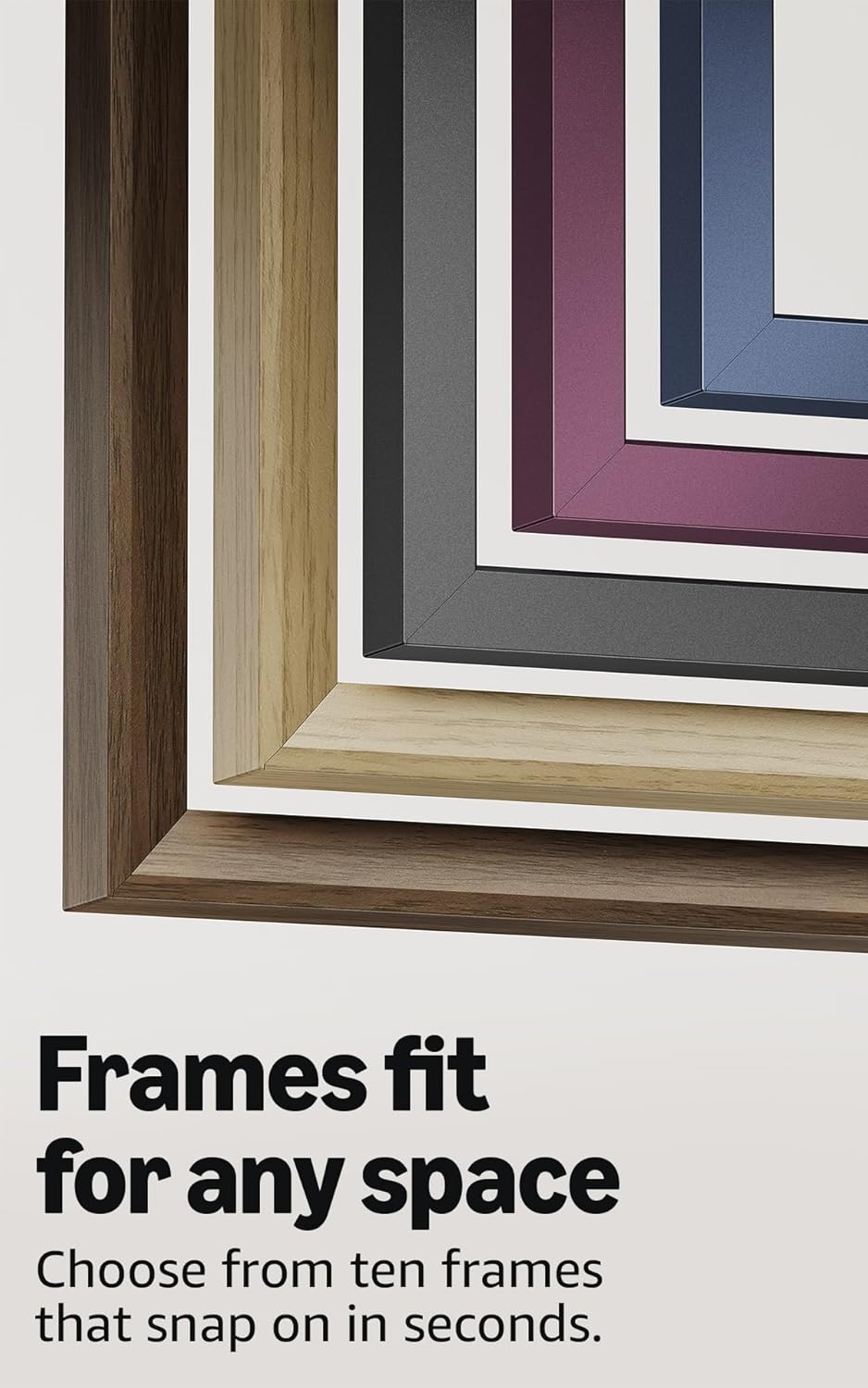
Image: A selection of different colored frames available for the Amazon Ember Artline TV, highlighting customization options.
4.4. Omnisense Technology (Motion Detection)
The custom Omnisense technology uses built-in sensors to detect your presence. The display will wake to show your favorite artwork or allow you to start watching content quickly. When you leave the area, the TV automatically turns off to save energy.

Imagen: Un detalle view of the Omnisense sensor, which enables motion detection for automatic display activation and power saving.
Vídeo: Terminadoview of the Amazon Fire TV 4K TV with Alexa Voice Remote, demonstrating initial setup, interface navigation, and motion detection features.
5. Especificaciones
| Característica | Detalle |
|---|---|
| Resolución | 3840 x 2160 (4K UHD) |
| Formato de alto rango dinámico (HDR) | HDR10, HLG, HDR10+ Adaptive, Dolby Vision |
| Tipo de luz de fondo | CONDUJO |
| Frecuencia de actualización | 60 Hz |
| Screen finish | Matte, anti-glare |
| Tamaño de pantalla | 55“ (Viewable display size: 54.6“) |
| Puertos HDMI | 3 HDMI 2.0 + 1 HDMI 2.1 con eARC |
| Wifi & Ethernet connectivity | Wi-Fi 6 + 1 puerto Ethernet |
| USB | 1 3.0 USB |
| Salida de audio óptico digital | 1 puerto de audio óptico digital |
| Soporte de voz | Yes, hands-free with Alexa, press and ask Alexa with the Fire TV Alexa Voice Remote Enhanced or the free Fire TV app. |
| Soporte de audio | Dolby Digital Plus con transferencia de audio codificado en Dolby |
| Potencia de audio | 10W + 10W |
| OS | Sistema operativo Fire |
| Product size (without frame) | 48.3” x 28.3” x 1.54” |
| Peso (sin marco) | 39.9 libras |
| Número de SKU | QL55M800A |
| Estándar de montaje en pared VESA | 300mm x 400mm (Note: Included wall mount is non-VESA; TV is VESA compatible for separately purchased mounts.) |
| TV size with frame | 49.1” x 28.7” x 1.8” |
| TV weight with frame | 42.5 libras |
6. Funciones de accesibilidad
The Amazon Ember Artline Fire TV includes several accessibility features:
- VozView lector de pantalla: Enables access to most Fire TV features for users who are blind or visually impaired.
- Lupa de pantalla: Permite a los usuarios acercar y alejar la imagen y desplazarse por la pantalla.
- Banner de texto: Consolidates onscreen text into a compact, customizable banner.
- Subtítulos: Available for videos and TV shows where supported.
- Audiodescripción: Provides verbal descriptions of on-screen actions, facial expressions, and scene changes (not available for all content).
- Compatibilidad con audífonos Bluetooth: Supports audio streaming for select compatible Bluetooth hearing aids and devices for private listening. Compatible Bluetooth headphones are also supported.
7. Software Updates and Security
Este dispositivo recibe actualizaciones de seguridad de software garantizadas hasta al menos cuatro años después de que el dispositivo esté disponible por última vez para su compra como unidad nueva en nuestro webSitios. Para obtener información específica sobre su dispositivo, visite Administrar su contenido y dispositivos.
8. Garantía y servicio
A 1-Year limited warranty and service are included with the Amazon Ember Artline TV. Optional 3-Year and 4-Year Extended Warranties are available for U.S. customers and are sold separately. Extended warranty excludes frame accessories. Use of Fire TV is subject to the terms found on the Amazon websitio.
The Amazon Ember Artline 55” Frame includes a 90-day limited warranty and service.
9. Solución de problemas
If you encounter issues with your Amazon Ember Artline Fire TV, consider the following common troubleshooting steps:
- Sin energía: Asegúrese de que el cable de alimentación esté conectado de forma segura tanto al televisor como a una toma de corriente que funcione.
- Sin imagen/sonido:
- Check all cable connections (HDMI, optical audio).
- Verifique que la fuente de entrada correcta esté seleccionada en el televisor.
- Reinicie el televisor desenchufándolo de la toma de corriente durante 60 segundos y luego volviéndolo a enchufar.
- El control remoto no responde:
- Reemplace las baterías AAA en el control remoto por voz de Alexa.
- Re-pair the remote by holding the Home button for 10 seconds.
- Problemas de conectividad de red:
- Verifique su enrutador y módem Wi-Fi para asegurarse de que funcionen correctamente.
- Reinicie su enrutador y módem.
- Go to the TV's Network settings to re-connect to your Wi-Fi network or try a wired Ethernet connection.
- Ambient Experience Not Activating:
- Ensure Omnisense technology is enabled in the TV settings.
- Check for any physical obstructions blocking the motion sensors.
- Rendimiento del software: If the TV is slow or unresponsive, try restarting it. Ensure the TV's software is up to date.
For further assistance, refer to the online support resources or contact Amazon customer service.