
1. Producto terminadoview
The Acer Connect M6E 5G Mobile Wi-Fi Hotspot is a portable device designed to provide high-speed 5G connectivity and secure Wi-Fi access. It is ideal for travel, remote work, and maintaining internet access for multiple devices without relying on public networks.
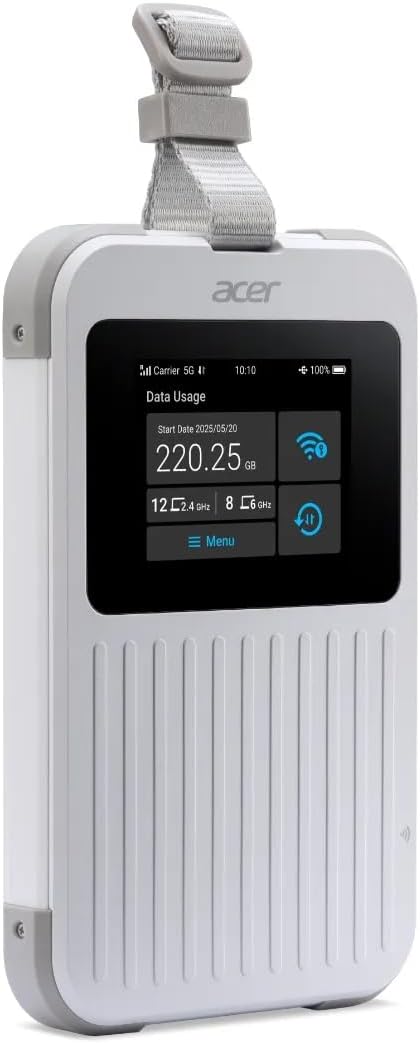
The Acer Connect M6E 5G Mobile Wi-Fi Hotspot, a compact and portable device designed for high-speed internet access on the go.
Características principales:
- Blazing Fast 5G Speeds: Enjoy ultra-low latency and high-speed internet for streaming, gaming, and work.
- Portátil y ligero: Compact design fits easily in your bag, making it ideal for travel and remote work.
- Secure Wi-Fi Anywhere: Protect your data with encrypted connections instead of using public hotspots.
- Batería de larga duración: Stay connected for hours with a powerful 8000 mAh battery designed for all-day use.
- Compatibilidad con múltiples dispositivos: Connect up to 20 devices simultaneously for seamless productivity and entertainment.
- Diseño robusto: MIL-STD 810H certified and IP68 water-resistant for enhanced durability.
- Tri-SIM Support: Supports physical SIM, Virtual SIM, and eSIM for broad country coverage.
- NFC Touch-to-Connect: Quick pairing with Android devices.
2. ¿Qué hay en la caja?
Upon unboxing your Acer Connect M6E, ensure all components are present:
- Acer Connect M6E 5G Mobile Wi-Fi Hotspot
- Cable de carga USB-C
- Guía de inicio rápido / Manual de instrucciones
3. Guía de configuración
3.1. Carga del dispositivo
Before initial use, fully charge your Acer Connect M6E hotspot.
- Conecte el cable USB tipo C proporcionado al puerto de carga del dispositivo.
- Conecte el otro extremo del cable a un adaptador de corriente USB compatible (no incluido) o al puerto USB de una computadora.
- The touchscreen display will indicate charging status. A full charge typically takes several hours.
3.2. Inserción de una tarjeta SIM (opcional)
The Acer Connect M6E supports physical SIM cards, virtual SIMs, and eSIMs. If using a physical SIM:
- Apague el dispositivo manteniendo presionado el botón de encendido.
- Locate the SIM card slot, usually under a removable back cover or side tray.
- Insert your Nano-SIM card into the designated slot with the gold contacts facing down.
- Asegúrese de que la tarjeta SIM esté colocada de forma segura.
- Replace any covers or trays.
3.3. Encendido y conexión inicial
- Press and hold the power button until the Acer logo appears on the touchscreen.
- The device will boot up and automatically search for available 5G or 4G LTE networks.
- Once connected, the network status (e.g., 5G, 4G LTE) and signal strength will be displayed on the screen.
- The Wi-Fi network name (SSID) and password (Key) will be shown on the touchscreen.
- On your device (smartphone, laptop, tablet), search for the Wi-Fi network name displayed on the M6E.
- Introduzca la contraseña para conectarse.
4. Instrucciones de funcionamiento
4.1. Navegación con pantalla táctil
The 2.4-inch touchscreen allows for easy management of the hotspot's settings and information.
- Golpe fuerte: Navigate through different information screens (e.g., data usage, connected devices, battery status).
- Grifo: Seleccionar opciones o confirmar acciones.
4.2. Conexión de varios dispositivos

The Acer Connect M6E supports connections for up to 20 devices simultaneously, enabling seamless sharing of its high-speed Wi-Fi 6E network.
The M6E can support up to 20 devices simultaneously. To connect additional devices:
- Ensure the hotspot is powered on and has an active internet connection.
- On each device, go to Wi-Fi settings and select the M6E's SSID.
- Ingrese la contraseña de Wi-Fi cuando se le solicite.
4.3. NFC Touch-to-Connect (for Android Devices)
For compatible Android smartphones, you can quickly connect using NFC:
- Asegúrese de que NFC esté habilitado en su dispositivo Android.
- Tap your Android device against the NFC area on the Acer Connect M6E.
- Follow the on-screen prompts to establish the Wi-Fi connection.
4.4. Características de seguridad

Ensure your data is protected with enterprise-grade security features including WPA3 encryption, firewall, and VPN support, safeguarding your connections from public networks.
The Acer Connect M6E includes advanced security protocols to protect your data:
- Cifrado WPA3: Provides enhanced security for your Wi-Fi network.
- Cortafuegos integrado: Helps prevent unauthorized access to your connected devices.
- Soporte VPN: Allows for secure, encrypted connections over public networks.
- SIM Lock: Prevents unauthorized use of your SIM card.
4.5. USB Type-C Tethering
You can also connect a single device directly to the hotspot via USB for a stable, wired internet connection.
- Connect the Acer Connect M6E to your laptop or PC using a USB Type-C cable.
- On the hotspot's touchscreen, select the USB tethering option (if prompted).
- Your connected device should now have internet access via the hotspot.
5. Mantenimiento
To ensure the longevity and optimal performance of your Acer Connect M6E:
- Mantenlo limpio: Wipe the device with a soft, dry cloth. Avoid harsh chemicals or abrasive materials.
- Actualizaciones de software: Regularly check for and install firmware updates to ensure the latest features and security patches. This can usually be done via the device's settings menu on the touchscreen or a connected web interfaz.
- Cuidado de la batería: Avoid extreme temperatures. Do not leave the device fully discharged for extended periods.
- Almacenamiento: Guarde el dispositivo en un lugar fresco y seco cuando no esté en uso.
6. Solución de problemas
6.1. No hay conexión a Internet
- Compruebe la intensidad de la señal: Ensure the device is in an area with good 5G/4G LTE coverage.
- Tarjeta SIM: Verify the SIM card is correctly inserted and active. Check your data plan status with your service provider.
- Reiniciar: Turn the hotspot off and then on again.
- Configuración APN: If using a physical SIM, ensure the Access Point Name (APN) settings are correct for your carrier. These can usually be configured via the device's web interfaz.
6.2. El dispositivo no se conecta a Wi-Fi
- Contraseña correcta: Verifique nuevamente que está ingresando la contraseña de Wi-Fi correcta.
- Límite de dispositivos: Ensure you haven't exceeded the maximum number of connected devices (20).
- Reanudar: Reinicie tanto el punto de acceso como el dispositivo al que intenta conectarse.
6.3. Velocidades lentas
- Intensidad de la señal: Trasládate a una zona con mejor señal.
- Dispositivos conectados: Disconnect any unnecessary devices to free up bandwidth.
- Límite de datos: Check if you have reached your data plan's high-speed limit.
- Interferencia: Aléjese de otros dispositivos electrónicos que puedan causar interferencias.
7. Especificaciones
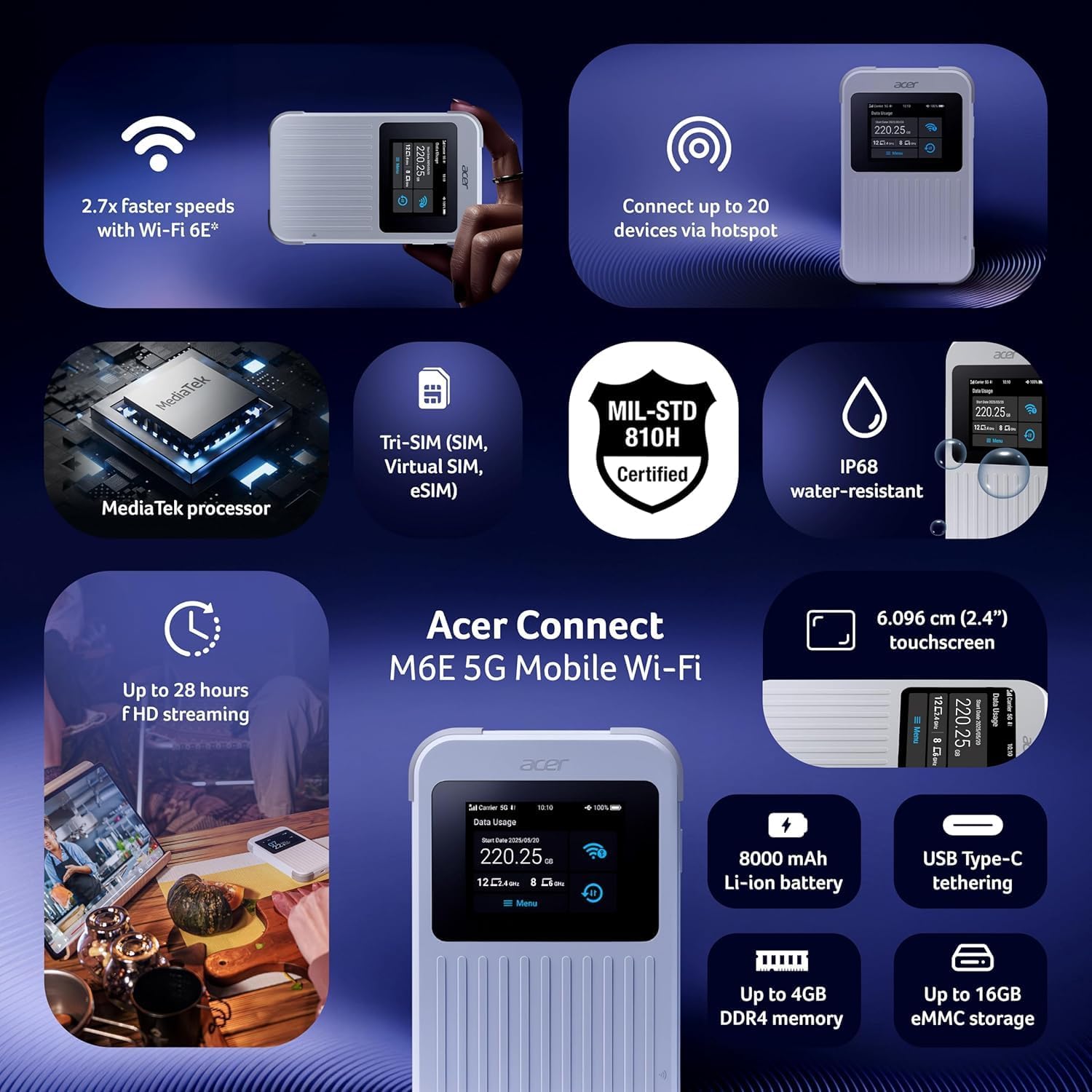
Un sobreview of the Acer Connect M6E's capabilities, including MediaTek processor, Tri-SIM support (SIM, Virtual SIM, eSIM), MIL-STD 810H certification, IP68 water resistance, 2.4-inch touchscreen, 8000 mAh battery, USB Type-C tethering, up to 4GB DDR4 memory, and up to 16GB eMMC storage.
| Característica | Detalle |
|---|---|
| Nombre del modelo | M6E |
| Tecnología de conectividad | 5G |
| Estándar de comunicación inalámbrica | 802.11ac, 802.11ax (Wi-Fi 6E), 802.11b, 802.11g, 802.11n |
| Clase de banda de frecuencia | Doble banda |
| Capacidad de la batería | 8000 mAh |
| Tamaño de la pantalla táctil | 2.4 pulgadas |
| Robustez | IP68 Water-Resistant, MIL-STD 810H Certified |
| Soporte de SIM | Tri-SIM (Physical SIM, Virtual SIM, eSIM) |
| Características de seguridad | Enterprise-Grade Security, WPA3, Firewall, VPN, SIM Lock |
| Característica especial | Remote Access, NFC Touch-to-Connect |
| Dispositivos compatibles | Computadora personal, teléfono inteligente |
| Componentes incluidos | Punto de acceso |
8. Garantía y soporte
Para obtener información sobre la garantía, asistencia técnica o consultas de servicio, consulte el sitio web oficial de Acer. website or contact Acer customer service directly.
- Soporte en línea: Visita el Soporte Acer Websitio Para preguntas frecuentes, controladores y manuales.
- Contacte con atención al cliente: Consulte el embalaje de su producto o el de Acer. webSitio para información de contacto regional.
9. Recursos adicionales
9.1. Imágenes del producto

The 'Tap, Connect, Create' image highlights the M6E's NFC touch-to-connect, 8000 mAh battery for up to 28 hours of HD streaming, and USB Type-C tethering capabilities for charging and data sharing.
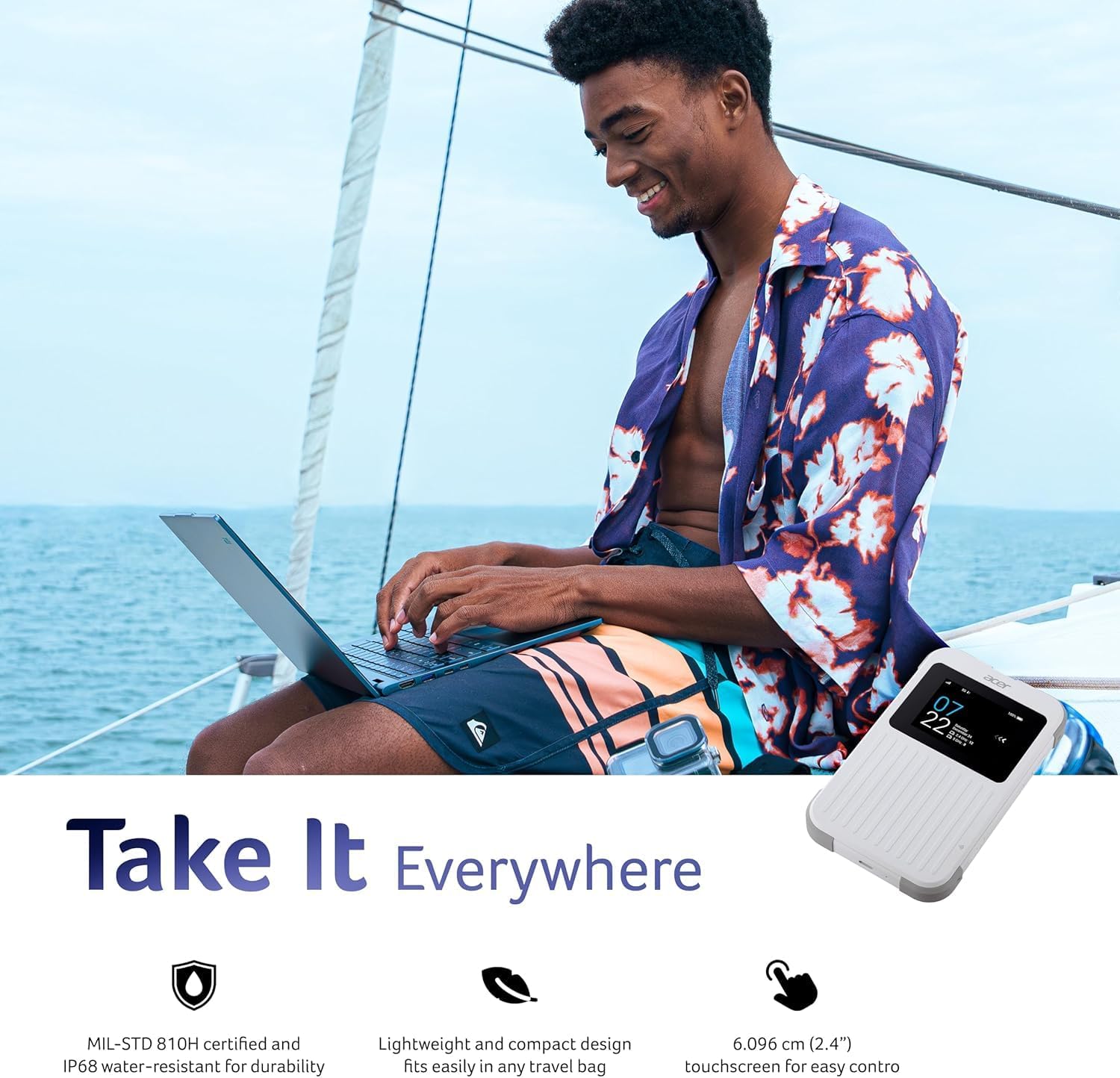
The 'Take It Everywhere' image emphasizes the M6E's MIL-STD 810H certification, IP68 water-resistant durability, lightweight design, and 2.4-inch touchscreen for easy control, making it suitable for any environment.
9.2. Vídeos relacionados
This video illustrates how a portable Wi-Fi hotspot provides a secure and private internet connection, offering an alternative to public Wi-Fi networks and simplifying eSIM management for global connectivity.
Discover the convenience of global travel Wi-Fi with this portable mobile hotspot, featuring 4G LTE and Wi-Fi 6 for fast and reliable internet access wherever you go.