1. Introducción
This manual provides comprehensive instructions for the safe and efficient operation, setup, and maintenance of your TALOSBO Pleco Pro Cordless Robotic Pool Vacuum Cleaner and Pleco SK01 Solar Powered Robotic Pool Skimmer. Please read this manual thoroughly before using the devices to ensure optimal performance and longevity.
2. Información de seguridad
Observe siempre las siguientes precauciones de seguridad para reducir el riesgo de lesiones, descargas eléctricas o daños al producto.
- Lea todas las instrucciones antes de operar los dispositivos.
- Do not operate the devices when people or pets are in the pool.
- Asegúrese de que el puerto de carga esté seco antes de conectar el cargador.
- Utilice únicamente el adaptador de corriente original proporcionado por el fabricante.
- Keep the devices out of reach of children.
- Do not attempt to repair the devices yourself. Contact customer support for assistance.
- Remove the devices from the pool before adding chemicals or performing maintenance.
3. Producto terminadoview
The TALOSBO Pleco Pro and Pleco SK01 are designed to provide efficient and automated pool cleaning. The Pleco Pro is a robotic vacuum cleaner for the pool floor, walls, and waterline, while the Pleco SK01 is a solar-powered skimmer for surface debris.
3.1 Pleco Pro Robotic Pool Vacuum Cleaner
The Pleco Pro offers comprehensive cleaning for various pool surfaces, including floors, slopes, and walls. It features smart app control and a long battery life for extensive cleaning cycles.

Image 3.1.1: The TALOSBO Pleco Pro robotic pool cleaner (bottom) and Pleco SK01 solar pool skimmer (top) shown with the accompanying mobile application interface.

Image 3.1.2: Illustration demonstrating the Pleco Pro's capability to clean the pool floor, walls, and waterline, ensuring full pool coverage.

Image 3.1.3: The Pleco Pro robotic cleaner shown actively climbing a pool wall and scrubbing the waterline.

Imagen 3.1.4: Primer plano view of the Pleco Pro's anti-stuck design, featuring adjustable anti-stranding bars to prevent the unit from getting trapped.
3.2 Pleco SK01 Solar Powered Robotic Pool Skimmer
The Pleco SK01 is designed to remove surface debris such as leaves, hair, dust, and petals, keeping the pool surface clean. It is solar-powered with adapter charging capabilities for continuous operation.

Image 3.2.1: The Pleco SK01 solar skimmer demonstrating its ability to automatically clean the pool surface, collecting leaves, dust, hair, and twigs.

Image 3.2.2: Illustration showing the dual charging capabilities of the Pleco SK01, utilizing both solar power during the day and adapter charging at night.
4. Configuración
Follow these steps for the initial setup of your TALOSBO pool cleaning devices.
4.1 Carga de los dispositivos
Before first use, fully charge both the Pleco Pro and Pleco SK01.
- Pleco Pro: Connect the charging adapter to the Pleco Pro's charging port and plug it into a power outlet. Ensure the port is dry.
- Pleco SK01: The SK01 primarily charges via its solar panel. For initial charging or during periods of low sunlight, connect the provided adapter to its charging port. A full charge via adapter takes approximately 2.5 hours.
4.2 Instalación y conexión de la aplicación
The TALOSBO app allows for smart control and monitoring of both devices.
- Download the "TALOSBO" app from the Google Play Store or Apple App Store.
- Abra la aplicación y siga las instrucciones en pantalla para crear una cuenta o iniciar sesión.
- Asegúrese de que Bluetooth esté habilitado en su dispositivo móvil.
- Place the Pleco Pro and Pleco SK01 in the pool.
- In the app, select "Add Device" and follow the pairing instructions for each unit.
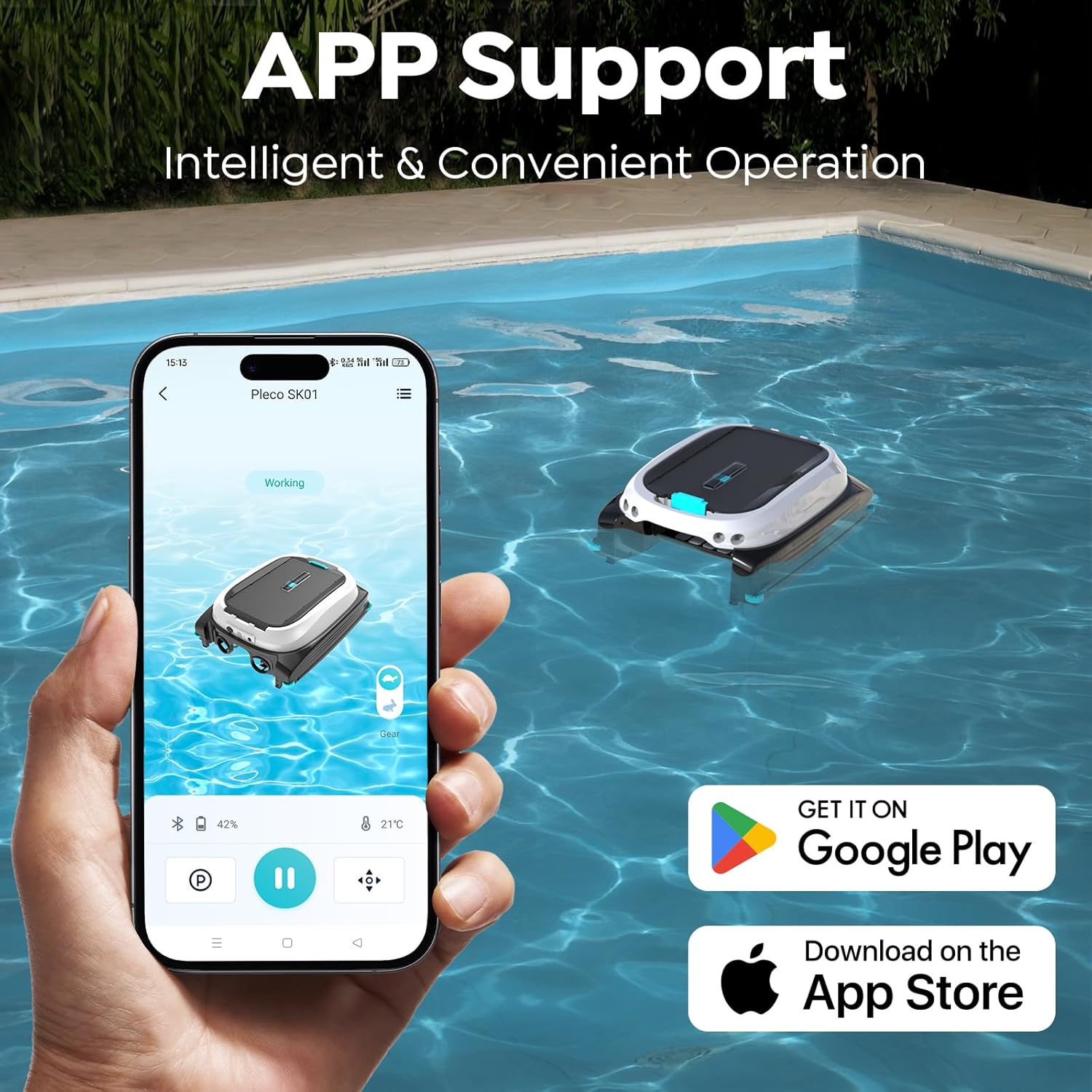
Image 4.2.1: Screenshot of the TALOSBO mobile application interface showing connectivity with the Pleco SK01, alongside icons for Google Play and Apple App Store for download.
5. Instrucciones de funcionamiento
Learn how to effectively use your robotic pool cleaner and skimmer.
5.1 Operating the Pleco Pro Robotic Pool Cleaner
- Despliegue: Gently place the Pleco Pro into the pool. It will sink to the bottom.
- Empezar a limpiar: Use the TALOSBO app to select a cleaning mode and start the cleaning cycle.
- Modos de limpieza: The app offers various modes including Standard Full Pool, Floor Only, Wall Only, Waterline Only, Wall Then Floor, Turbo Floor, and Eco Floor. Choose the mode best suited for your pool's needs.
- Control de la aplicación: Through the app, you can control forward/backward movement, set spot cleaning, check real-time pool temperature, and trigger one-touch shore docking for easy retrieval.
- Recuperación: Once the cleaning cycle is complete or the battery is low, the Pleco Pro will dock at the shore. Use the provided hook or handle to carefully lift it out of the water.

Image 5.1.1: The TALOSBO app interface displaying the 7 available cleaning modes for the Pleco Pro robotic pool cleaner, including Standard, Floor, Wall, Waterline, Turbo, and Eco options.
5.2 Operating the Pleco SK01 Solar Powered Robotic Pool Skimmer
- Despliegue: Place the Pleco SK01 gently onto the surface of the pool.
- Operación automática: The SK01 will automatically begin to skim the surface, collecting debris into its internal basket.
- Control de la aplicación: Use the TALOSBO app to monitor its status, battery level, and control basic movements if needed.
- Limpieza continua: With solar power, the SK01 can operate continuously during daylight hours, and its battery allows for night operation.
6. Mantenimiento
Regular maintenance ensures the longevity and optimal performance of your devices.
6.1 Cleaning the Pleco Pro Filter
- After each cleaning cycle, remove the Pleco Pro from the pool.
- Open the filter compartment according to the instructions in the quick start guide.
- Retire la cesta del filtro y vacíe los residuos acumulados.
- Enjuague bien la cesta del filtro con una manguera de jardín hasta que esté limpia.
- Reinsert the clean filter basket and close the compartment securely.
6.2 Cleaning the Pleco SK01 Debris Basket
- Periodically remove the Pleco SK01 from the pool.
- Open the top cover to access the debris basket.
- Empty the collected leaves, hair, and other debris.
- Enjuague la cesta con agua.
- Replace the basket and close the cover.
6.3 Limpieza general y almacenamiento
- Rinse both devices with fresh water after each use, especially if used in a saltwater pool.
- Wipe down the exterior of the devices with a soft cloth.
- Store the devices in a cool, dry place away from direct sunlight when not in use for extended periods.
- Ensure batteries are charged before long-term storage.
7. Solución de problemas
Consulte esta sección para conocer problemas comunes y sus soluciones.
| Problema | Posible causa | Solución |
|---|---|---|
| El dispositivo no enciende. | Batería baja; botón de encendido no presionado correctamente. | Charge the device fully; Press and hold the power button until it activates. |
| Bajo rendimiento de limpieza. | Clogged filter/debris basket; Worn brushes/tracks. | Clean the filter/debris basket; Inspect and replace brushes/tracks if necessary. |
| El dispositivo se bloquea con frecuencia. | Obstacles in the pool; Anti-stranding bars not adjusted (SK01). | Remove large obstacles; Adjust anti-stranding bars on SK01 as per quick start guide. |
| Problemas de conexión de la aplicación. | Bluetooth off; Device out of range; App needs update. | Ensure Bluetooth is on; Move closer to the device; Update the app to the latest version. |
| Pleco SK01 not charging via solar. | Luz solar insuficiente; Panel solar sucio. | Ensure direct sunlight exposure; Clean the solar panel surface. |
8. Especificaciones
Key technical specifications for the TALOSBO Pleco Pro and Pleco SK01.
| Característica | Pleco Pro Robotic Pool Cleaner | Pleco SK01 Solar Pool Skimmer |
|---|---|---|
| Duración de la batería | Hasta 210 minutos (3.5 horas) | 24/7 operation (solar + battery) |
| Tamaño máximo de la piscina | Hasta 2153 pies cuadrados (200 m²) | N/A (surface cleaning) |
| Cobertura de limpieza | Floor, Walls, Waterline, Slopes | Pool Surface (leaves, hair, dust, petals) |
| Método de control | Smart App Control (TALOSBO App) | Smart App Control (TALOSBO App) |
| Cargando | Adaptador de carga | Solar Power & Adapter Charging |
| Modos de limpieza | 7 modes (Standard, Floor, Wall, Waterline, etc.) | Automatic surface skimming |

Image 8.1.1: Visual representation of the Pleco Pro's impressive battery life of up to 210 minutes and its capability to clean pools up to 2150 square feet.
9. Garantía y soporte
For warranty information and customer support, please refer to the warranty card included with your product or visit the official TALOSBO website. You can also contact TALOSBO customer service directly for assistance with product operation, troubleshooting, or parts replacement.
TALOSBO Official Store: Visit the TALOSBO Store on Amazon