
Introducción
This manual provides detailed instructions for the setup, operation, and maintenance of your EIGIIS KE3P Military GPS Smart Watch. Please read this manual thoroughly to ensure proper use and to maximize the features of your device.
¿Qué hay en la caja?
- 1 reloj inteligente militar EIGIIS para hombre
- 1x cable de carga
- 1x Manual de usuario
Producto terminadoview
Familiarize yourself with the components and controls of your EIGIIS KE3P Smart Watch.

Figura 1: Frente view of the EIGIIS KE3P Smart Watch, showcasing su diseño robusto y su pantalla vibrante.

Figura 2: Atrás view of the EIGIIS KE3P Smart Watch, highlighting the optical heart rate and blood oxygen sensors.

Figura 3: Lado view of the EIGIIS KE3P Smart Watch, showing the physical buttons and the integrated LED flashlight.
Componentes clave:
- Pantalla TFT de 1.45 pulgadas: Full-touch color screen for interactive use.
- Upper Button (Home): Navigates to the home screen or activates specific functions.
- Lower Button (Back): Returns to the previous screen or activates specific functions.
- Linterna led: Integrado en el lateral para iluminación.
- Sensores ópticos: Located on the back for heart rate and sleep monitoring.
- Puerto de carga: Magnetic charging pins on the back for power input.
- Micrófono y altavoz: Para la funcionalidad de llamadas Bluetooth.
Configuración
Follow these steps to set up your EIGIIS KE3P Smart Watch.
1. Carga del dispositivo
Before first use, fully charge your smartwatch. Connect the magnetic charging cable to the charging port on the back of the watch and plug the USB end into a power adapter (not included).

Figure 4: The EIGIIS KE3P Smart Watch connected to its magnetic charging cable, illustrating its 530mAh battery capacity.
2. Instalación y emparejamiento de la aplicación
Your smartwatch is compatible with iOS 13+ and Android 5.0+ devices. Download the companion app (e.g., 'GloryFit' or as specified in the watch manual) from your device's app store. Follow the in-app instructions to pair your watch via Bluetooth.
Video 1: Demonstrates the process of connecting the EIGIIS KE3P Smart Watch to a smartphone via the companion app, including Bluetooth pairing steps.
Video 2: An unboxing video for the EIGIIS KE3P Smart Watch, showing the contents of the package and initial device handling.
Instrucciones de funcionamiento
Learn how to use the various features of your EIGIIS KE3P Smart Watch.
1. Seguimiento GPS integrado
The smartwatch features built-in GPS with support for six satellite systems for faster and more accurate positioning. Use this feature to track your outdoor activities and routes.

Figure 5: The EIGIIS KE3P Smart Watch displaying a GPS-tracked route during an outdoor activity.
Video 3: A guide on correctly using the GPS function of the EIGIIS KE3P Smart Watch for outdoor tracking.
2. linterna LED
Activate the built-in LED flashlight with bright, flash, and SOS modes for convenience in low-light conditions.

Figure 6: The EIGIIS KE3P Smart Watch with its powerful LED flashlight activated, providing illumination.
Video 4: Showcases the LED flashlight feature of the EIGIIS KE3P Smart Watch, demonstrating its utility in dark environments.
3. Notificaciones de llamadas y mensajes por Bluetooth
With a built-in microphone and speaker, you can make and receive calls directly from your wrist. The watch also displays real-time alerts from various applications.

Figure 7: The EIGIIS KE3P Smart Watch showing an incoming Bluetooth call, illustrating its hands-free communication capability.
4. Monitoreo de salud las 24 horas
The smartwatch continuously monitors your heart rate, blood oxygen, and sleep patterns. Sync data to the app for a comprehensive overview of your health metrics.

Figure 8: The EIGIIS KE3P Smart Watch showing real-time heart rate data, part of its continuous health monitoring features.

Figure 9: The EIGIIS KE3P Smart Watch presenting sleep monitoring data, including sleep stages y duración.
5. Más de 100 modos deportivos
Track your performance across over 100 sports modes, including steps, heart rate, and calories burned. The 3ATM water resistance rating makes it suitable for various water sports.
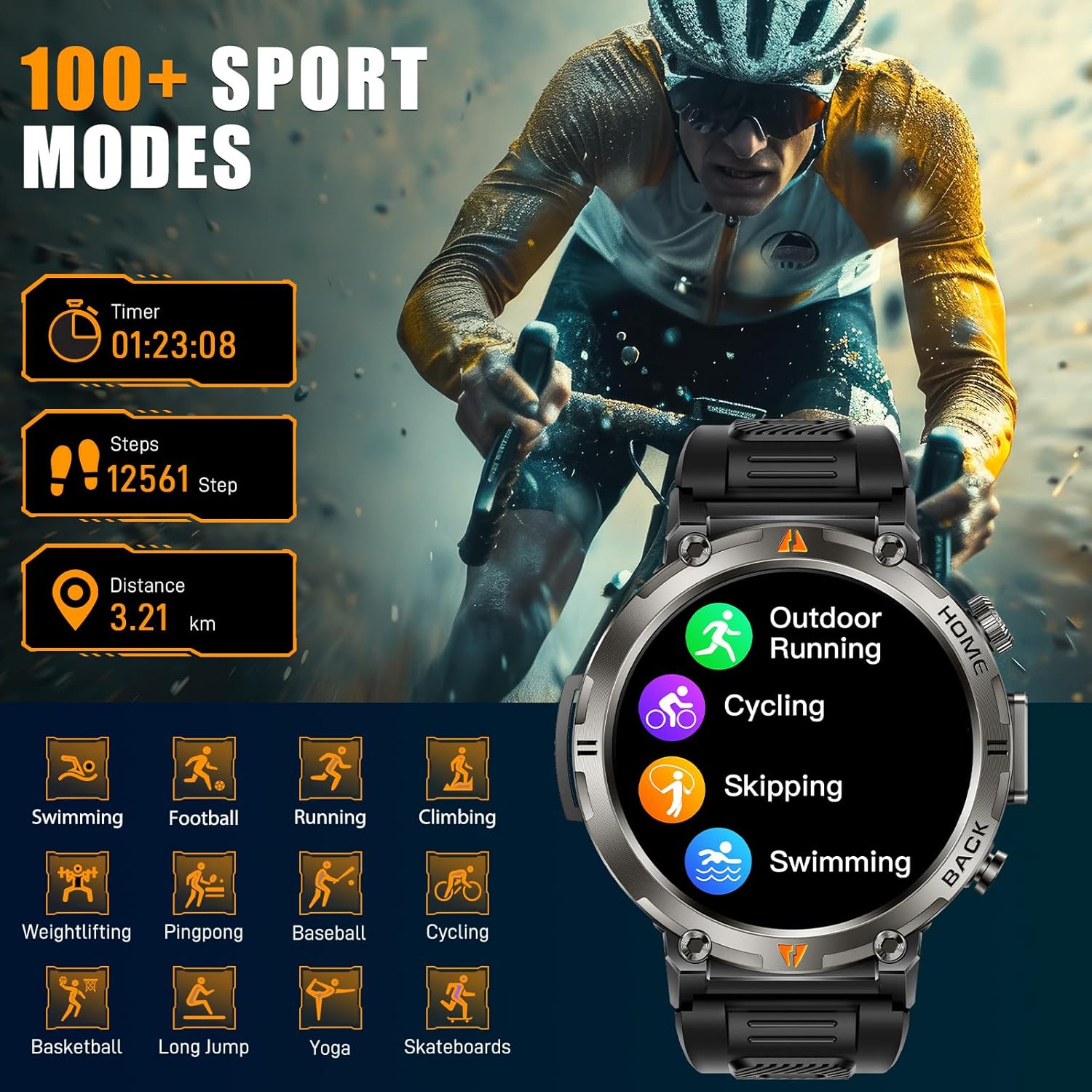
Figure 10: The EIGIIS KE3P Smart Watch interface showing a selection of its 100+ available sports tracking modes.
6. Esferas de reloj personalizadas
Personalize your smartwatch with a variety of pre-installed watch faces or create your own using the companion app.

Figure 11: The EIGIIS KE3P Smart Watch showcasing its 1.45-inch full-touch TFT display with various customizable watch face options.
Mantenimiento
To ensure the longevity and optimal performance of your EIGIIS KE3P Smart Watch, follow these maintenance guidelines:
- Limpieza: Limpie periódicamente la pantalla y la correa del reloj con un paño suave y seco. Para la suciedad difícil, utilice un paño ligeramente seco.amp Paño y séquelo completamente. Evite productos químicos agresivos.
- Cargando: Use only the provided charging cable. Ensure the charging contacts on both the watch and the cable are clean and dry before charging.
- Exposición al agua: While the watch is 3ATM waterproof, avoid prolonged exposure to hot water, steam, or high-velocity water. Dry the watch thoroughly after exposure to water.
- Almacenamiento: Guarde el reloj en un lugar fresco y seco cuando no lo use. Evite las temperaturas extremas.
Solución de problemas
If you encounter any issues with your EIGIIS KE3P Smart Watch, refer to the following common solutions:
- El reloj no enciende: Asegúrese de que el reloj esté completamente cargado. Conéctelo al cargador durante al menos 30 minutos.
- No se puede emparejar con el teléfono: Asegúrate de que el Bluetooth esté activado en tu teléfono y que el reloj esté dentro del alcance. Reinicia el reloj y el teléfono e intenta emparejarlos de nuevo mediante la app.
- Datos de salud inexactos: Asegúrese de que el reloj esté bien ajustado a su muñeca, ni demasiado apretado ni demasiado suelto. Limpie la zona del sensor en la parte trasera del reloj.
- Notificaciones no recibidas: Revisa los permisos de las aplicaciones en tu teléfono para asegurarte de que la app complementaria tenga acceso a las notificaciones. Verifica que las notificaciones estén habilitadas en la configuración del reloj y en la app complementaria.
- Duración de la batería corta: Reduce screen brightness, disable unnecessary features (e.g., continuous heart rate monitoring if not needed), and ensure the watch is fully charged regularly.
Si el problema persiste, comuníquese con el servicio de atención al cliente.
Presupuesto
| Característica | Detalle |
|---|---|
| Dimensiones del producto | 6.73 x 4.37 x 1.06 pulgadas |
| Peso del artículo | 5.6 onzas |
| Número de modelo del artículo | KE3 |
| Baterías | Se requieren 1 pilas C (incluidas) |
| Fabricante | EIGIIS |
| Tamaño de pantalla de pie | 1.45 pulgadas |
| Capacidad de almacenamiento de memoria | 128 MB |
| Sistema operativo | iPhone Android |
| Características especiales | Built-in GPS, 3 Modes Flashlight, 530 mAh Big Battery, 3ATM waterproof, Compass, 1.45'' Big Screen, 360*360 Pixels, Bluetooth Calling, Contact Person, Call Records, Voice Assistant, Workout Records, Heart Rate, Sleep Monitor, Messages, Weather, Music, Breath Training, Stopwatch, Timer, Alarm Clock, Calendar, Calculator, Find Phone, Remote Camera Control |
| Capacidad de la batería | 530 miliamp Horas |
| Tecnología de conectividad | Bluetooth |
| Estándar de comunicación inalámbrica | Bluetooth |
| Composición de las celdas de la batería | Iones de litio |
| GPS | GPS incorporado |
| Forma | Redondo |
| Tamaño de pantalla | 1.45 pulgadas |
Garantía y soporte
This EIGIIS KE3P Smart Watch is compatible with iOS 13+ and Android 5.0+ (not for PC or tablets). We provide 24-hour customer support to ensure your satisfaction. For any inquiries or assistance, please contact our support team.