Introducción
This manual provides comprehensive instructions for the GOWENIC 4G LTE WiFi Modem, Model GOWENICdx9go2er35-12. This portable device allows you to establish a high-speed wireless internet connection using a 4G LTE SIM card, enabling multiple devices to connect simultaneously. Please read this manual thoroughly before using the product to ensure proper operation and to maximize its performance.
Contenido del paquete
- 1 x GOWENIC 4G LTE WiFi Modem (White)
- 1 x Manual de usuario
Producto terminadoview
The GOWENIC 4G LTE WiFi Modem is a compact, USB-powered device designed for portable internet access. It features a standard SIM card slot and indicator lights for network status.

Figura 1: Frente view of the GOWENIC 4G LTE WiFi Modem, showing the "WIFI MODEM" label and indicator lights.

Figura 2: Angulado view of the GOWENIC 4G LTE WiFi Modem, highlighting the USB connector for power.
Características principales:
- Conectividad 4G LTE de alta velocidad: Supports network bands B1, B3, B7, B8, B20, B38, B40, B41 with speeds up to 150Mbps.
- Compatibilidad con múltiples dispositivos: Conecta hasta 8 dispositivos simultáneamente, incluidos teléfonos móviles, portátiles, ordenadores y televisores inteligentes.
- Conexión inalámbrica segura: Utilizes WPA and WPA2 WiFi encryption for enhanced network security.
- Conectar y usar: Simple operation by inserting a SIM card and connecting to a USB power source.
Instrucciones de instalación
Follow these steps to set up your GOWENIC 4G LTE WiFi Modem:
- Insertar tarjeta SIM: Locate the standard SIM card slot on the modem. Carefully insert your activated 4G LTE standard SIM card into the slot until it clicks into place. Ensure the SIM card is inserted correctly according to the diagram or markings on the device.
- Conectarse a la energía: Plug the USB connector of the modem into a compatible USB power source. This can be a USB port on a laptop, a USB wall adapter, a power bank, or any other device providing 5V USB power.
- Encendido e inicialización: The modem will automatically power on when connected to a power source. Allow a few moments for the device to initialize and connect to the 4G LTE network. The indicator lights on the modem will show its status (e.g., power, network signal).

Figure 3: The modem shown in operation, connecting to a tablet, smartphone, and security camera.
Instrucciones de funcionamiento
Connecting Devices to WiFi:
- Identify Network Name (SSID): Once the modem is powered on and connected to the 4G network, it will broadcast a WiFi network. The default SSID (network name) is typically printed on the device itself or in the included user manual, often in the format "4G-xxxx".
- Find WiFi Password: The default WiFi key (password) is also usually printed on the device or in the manual, often "1234567890".
- Conecte su dispositivo: On your mobile phone, laptop, or other WiFi-enabled device, go to the WiFi settings. Select the SSID of your GOWENIC modem from the list of available networks and enter the WiFi key when prompted.
- Acceso a Internet: Your device should now be connected to the internet through the GOWENIC 4G LTE WiFi Modem.
The modem supports up to 8 connected devices simultaneously, providing a stable and fast internet experience.
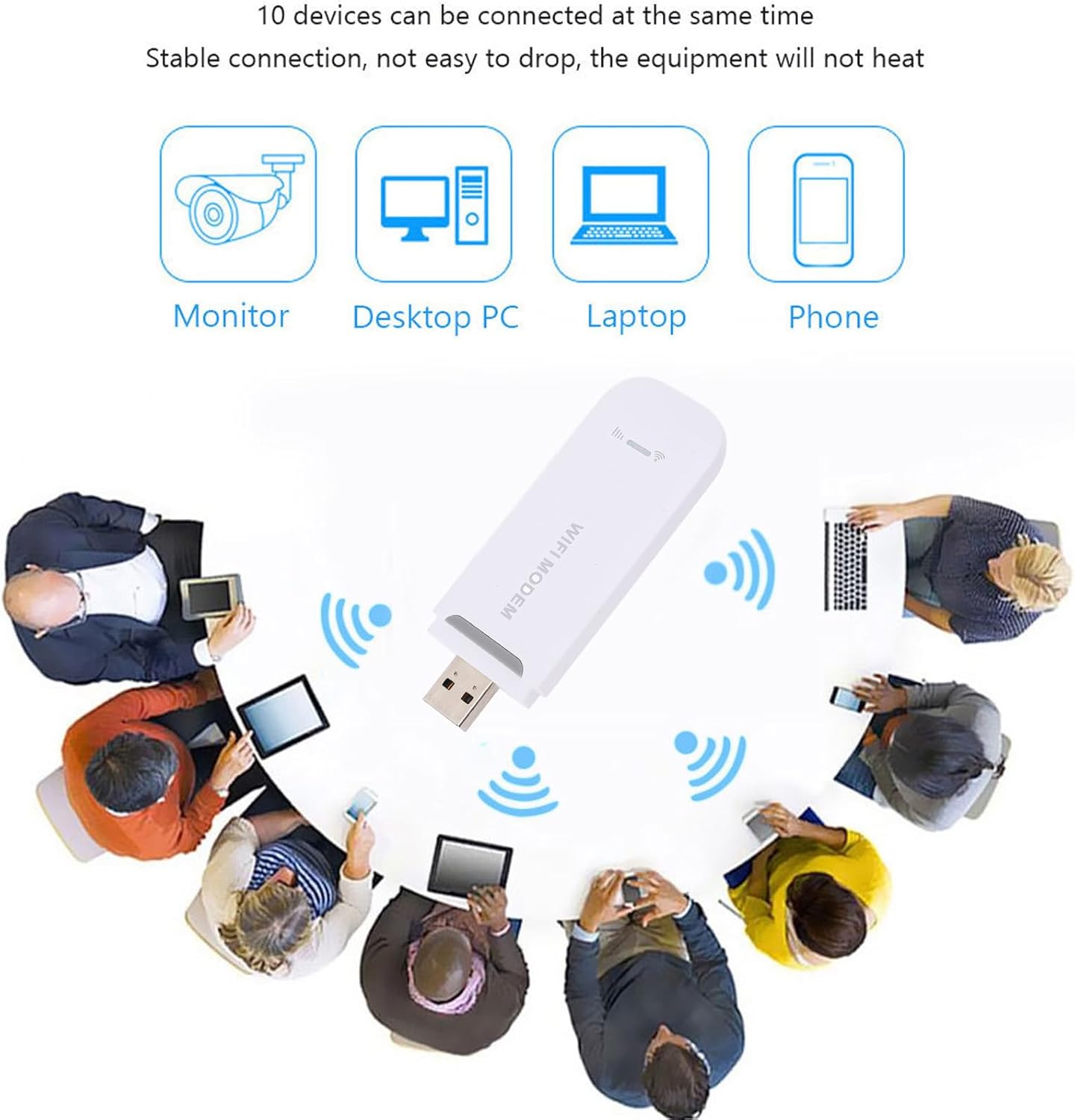
Figure 4: Illustration of the modem providing internet access to multiple devices like monitors, desktop PCs, laptops, and phones.
Características de seguridad:
The GOWENIC modem employs WPA and WPA2 encryption protocols to secure your wireless network, protecting your data and preventing unauthorized access.

Figure 5: Graphic illustrating the high security level provided by WPA/WPA2 encryption, protecting against viruses and cracking attempts.
Mantenimiento
- Limpieza: Use a soft, dry cloth to clean the exterior of the modem. Avoid using liquid cleaners or aerosols.
- Almacenamiento: When not in use, store the modem in a cool, dry place away from direct sunlight and extreme temperatures.
- Manejo: Manipule el dispositivo con cuidado. Evite dejarlo caer o someterlo a impactos fuertes.
- Tarjeta SIM: Ensure the SIM card slot is free from dust and debris. Only insert standard-sized SIM cards.
Solución de problemas
- Sin conexión a Internet:
- Asegúrese de que la tarjeta SIM esté insertada correctamente y activada con un plan de datos.
- Verify the modem is properly connected to a power source.
- Check the network indicator lights on the modem. If no signal, try moving to an area with better 4G coverage.
- Restart the modem by unplugging and re-plugging it from the power source.
- No se puede conectar a WiFi:
- Ensure the modem is powered on and broadcasting its WiFi network (SSID).
- Double-check the WiFi password (key) you are entering. It is case-sensitive.
- Move your device closer to the modem to ensure a strong WiFi signal.
- If too many devices are connected, try disconnecting some to see if it resolves the issue. The modem supports up to 8 devices.
- Velocidad lenta de Internet:
- Check your 4G signal strength. Weak signal can lead to slower speeds.
- Asegúrese de que su proveedor de servicios no haya agotado ni limitado su plan de datos.
- Reduce the number of connected devices or active internet usage.
- Try restarting the modem.
Presupuesto
| Número de modelo | GOWENICdx9go2er35-12 |
| Marca | GOWENIC |
| Tecnología de conectividad | 4G LTE, WiFi, USB |
| Bandas de red compatibles | B1, B3, B7, B8, B20, B38, B40, B41 |
| Velocidad máxima | Hasta 150 Mbps |
| Máximo de dispositivos conectados | 8 |
| Encriptación WiFi | WPA, WPA2 |
| Fuente de alimentación | Powered USB |
| Tipo de tarjeta SIM | Standard SIM card (not included) |
| Dirección IP predeterminada | 192.168.100.1 |
| SSID predeterminado | 4G-xxxx |
| Default WiFi Key | 1234567890 |
| Dimensiones | 4.33 x 2.76 x 0.79 pulgadas |
| Peso del artículo | 1.52 onzas |
| Color | Blanco |
Garantía y soporte
Para obtener información sobre la garantía, consulte la documentación incluida con su compra o comuníquese con su distribuidor.
For technical support or further assistance, please visit the official GOWENIC websitio o comuníquese con su departamento de servicio al cliente.