
Introducción
The TITAN ARMY P326MV MAX is a 32-inch high-end gaming monitor featuring Mini LED and Quantum Dot technology. It supports 2304 local dimming zones, offering a 4K (3840x2160) resolution at 160Hz. The monitor provides a wide color gamut with 99% DCI-P3 and 99% Adobe RGB coverage. With a peak brightness of 1000 nits, it delivers HDR1000 equivalent performance, suppressing light leakage and reproducing deep blacks more effectively than traditional backlights. In addition to 4K@160Hz, a dual mode allows for ultra-high refresh rates of FHD@320Hz, enabling fast-paced gameplay. It includes two HDMI 2.1 ports, supporting 4K 120Hz output and Variable Refresh Rate (VRR) for modern gaming consoles. The monitor also features a proprietary DyDs (Dynamic Display) mode to reduce ghosting and blur at high refresh rates, ensuring clearer motion.

Configuración
Contenido del paquete
- TITAN ARMY P326MV MAX Monitor
- Soporte para monitor (base y brazo)
- Adaptador de corriente y cable
- Cable HDMI
- Cable DisplayPort
- Cable USB-C
- Manual de usuario
Montaje de soporte
- Retire con cuidado los componentes del monitor y del soporte del embalaje.
- Attach the stand arm to the monitor panel using the provided screws. Ensure it is securely fastened.
- Connect the stand base to the stand arm, tightening any screws as necessary.
- Coloque el monitor ensamblado sobre una superficie plana y estable.

Conexión del monitor
Connect the monitor to your computer or gaming console using the appropriate cables. Ensure all connections are firm.
- Fuerza: Conecte el adaptador de corriente a la entrada de alimentación del monitor y luego a una toma de corriente.
- Entrada de video: Use either an HDMI 2.1 cable (for 4K@120Hz on consoles or PC), a DisplayPort 1.4 cable (for 4K@160Hz on PC), or a USB-C cable (for video, data, and power delivery, if supported by your device).
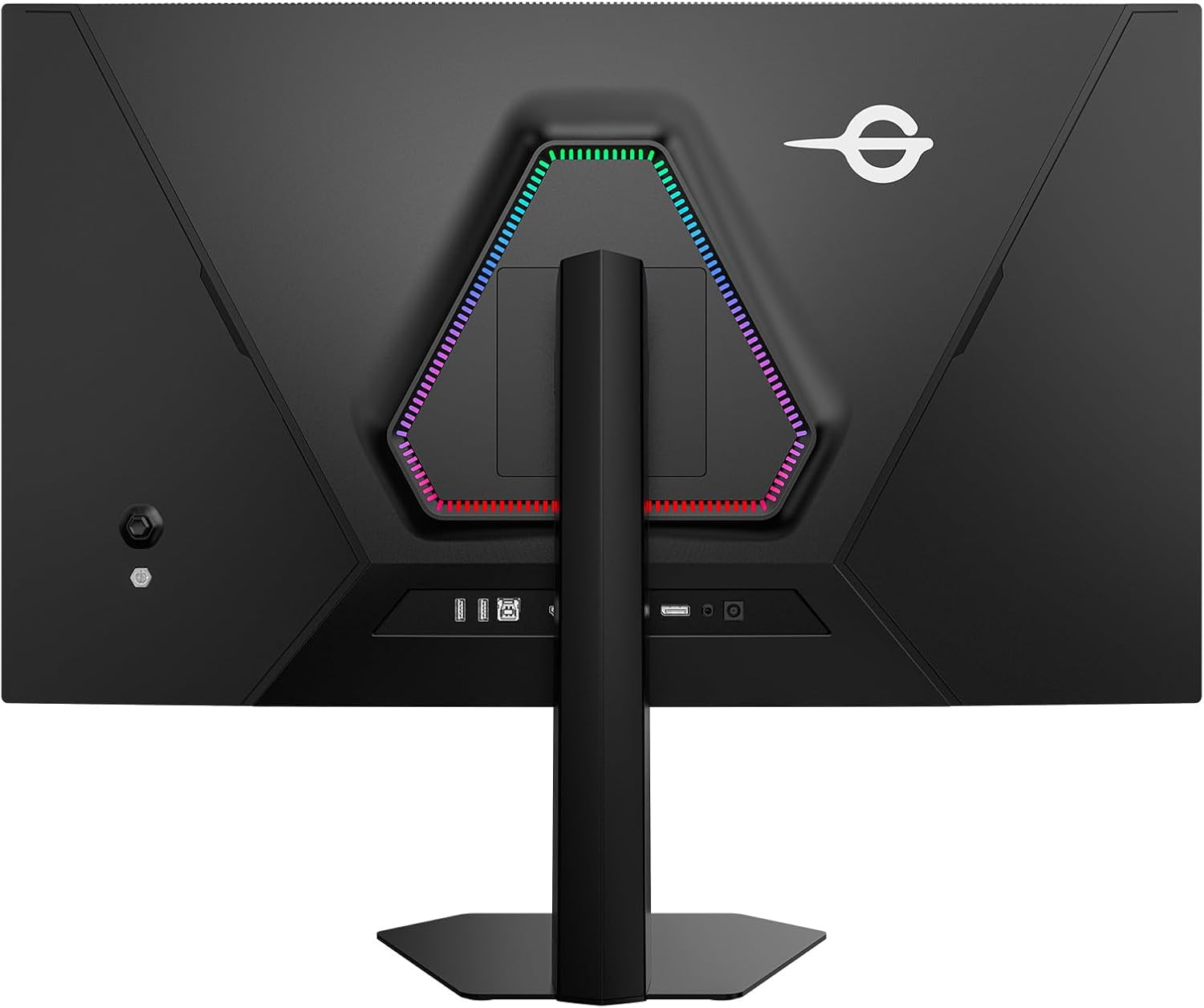
- Concentrador USB: Connect the USB-B upstream cable from the monitor to your computer to enable the monitor's USB-A ports.
Instrucciones de funcionamiento
Encendido/apagado
Presione el botón de encendido del monitor para encenderlo o apagarlo. El indicador de encendido se iluminará cuando el monitor esté activo.
Menú de visualización en pantalla (OSD)
The OSD menu allows you to adjust various monitor settings. Use the joystick or buttons on the monitor to navigate the menu and select options.
- Fuente de entrada: Select between HDMI 1, HDMI 2, DisplayPort, or USB-C.
- Configuración de imagen: Ajuste el brillo, el contraste, la nitidez, la temperatura del color y la gamma.
- Modo de color: Choose from various preset color modes (e.g., Standard, Game, Movie, sRGB, DCI-P3).
- Audio: Adjust volume or mute the monitor's internal speakers or headphone output.
- Configuración de OSD: Configure el idioma, la transparencia y el tiempo de espera del OSD.
Características y modos clave
- 4K Dual Mode: Supports 4K (3840x2160) resolution at 160Hz and FHD (1920x1080) resolution at 320Hz. This allows users to switch between high-resolution detail and ultra-high refresh rate for different gaming scenarios.
- MiniLED & Quantum Dot: Provides superior contrast, brightness, and color accuracy with 2304 local dimming zones and Quantum Dot technology.
- HDR1000: Delivers a wide dynamic range with peak brightness up to 1000 nits, enhancing details in both bright and dark scenes.
- FAST IPS Panel: Offers rapid response times and wide viewing angles, reducing motion blur and ghosting for clear, fluid visuals.
- Adaptive Sync (VRR): Synchronizes the monitor's refresh rate with the GPU's frame rate to eliminate screen tearing and stuttering, providing a smoother gaming experience.
- DyDs (Dynamic Display) Mode: A proprietary mode designed to further reduce motion blur and ghosting during high refresh rate operation, resulting in clearer moving images.
- PIP/PBP Display: Picture-in-Picture (PIP) and Picture-by-Picture (PBP) modes allow simultaneous display of content from two different input sources.
- Soporte ergonómico: The stand offers height adjustment, pivot (90-degree rotation), tilt, and swivel functionality for optimal viewing comfort. It also supports VESA mounting.

Game+ Features
The monitor includes a suite of Game+ features designed to enhance your gaming experience:
- Alto rango dinámico (HDR): Dynamic range enhancement for vivid details.
- Mejora del color: Adjusts screen colors in 10 levels for richer, more detailed visuals.
- Mejora del contraste: Fine-tunes screen contrast to preserve details in dark areas.
- Atenuación local: Controls backlight in small zones for high contrast and deep blacks.
- Sincronización adaptativa: Elimina el desgarro y el tartamudeo de la pantalla.
- Modo de visión nocturna: Enhances visibility in dark areas of the screen.
- Equilibrio de sombras: Adjusts brightness in dark areas to reveal details.
- Super Resolution Mode: Improves image clarity and detail.
- Control de Halo: Reduces halo effects around bright objects.
- Extreme Game Mode: Minimizes input lag for faster response times.
- Dynamic OD (Overdrive): Adjustable overdrive settings to reduce ghosting.
- Juego en punto de mira: Displays an on-screen crosshair for improved aiming.
- Refresh Rate Display: Shows the current refresh rate on screen.
- Temporizador y cronómetro: On-screen timers for various gaming needs.
- Hawkeye Zoom & Hawkeye Vision: Magnifies specific areas of the screen for better visibility.
- All Gaming Mode: Provides various display modes optimized for different game genres.

Mantenimiento
Limpieza del monitor
To maintain optimal performance and appearance, clean your monitor regularly.
- Pantalla: Limpie suavemente la pantalla con un paño suave que no deje pelusa. Para manchas difíciles, limpie ligeramenteampEnjuague el paño con agua o una solución limpiadora de pantallas. No rocíe el líquido directamente sobre la pantalla.
- Casing: Utilice un paño suave y seco para limpiar el monitor.asing. Evite el uso de limpiadores abrasivos o disolventes.
Cuidados generales
- Evite colocar objetos pesados sobre el monitor o sus cables.
- No exponga el monitor a la luz solar directa, a altas temperaturas o a una humedad excesiva.
- Asegúrese de que haya una ventilación adecuada alrededor del monitor para evitar el sobrecalentamiento.
Solución de problemas
Si tiene problemas con su monitor, consulte los siguientes pasos de solución de problemas comunes:
- Sin energía: Ensure the power cable is securely connected to both the monitor and the power outlet. Check if the power adapter is functioning correctly.
- Sin señal: Verify that the video cable (HDMI, DisplayPort, or USB-C) is properly connected to both the monitor and your source device. Select the correct input source via the OSD menu.
- Imagen parpadeante o distorsionada: Check the video cable for damage. Ensure your graphics card drivers are up to date. Try a different refresh rate or resolution setting.
- Colores incorrectos: Reset the monitor's color settings to default via the OSD menu. Adjust color temperature or select a different color mode.
- OSD Not Appearing: Ensure the monitor is powered on. Press the OSD button or joystick to activate the menu.
Si el problema persiste después de intentar estos pasos, comuníquese con el servicio de atención al cliente.
Presupuesto
| Característica | Especificación |
|---|---|
| Marca | EJÉRCITO TITAN |
| Fabricante | EJÉRCITO TITAN |
| Número de modelo | P326MV MAX |
| Dimensiones del producto | 24.2 x 71.4 x 55.9 cm |
| Peso del artículo | 8.6 kilogramos |
| Color | Negro |
| Tamaño de pantalla | 32 pulgadas |
| Resolución | 3840 x 2160 píxeles (4K UHD 2160p) |
| Relación de aspecto | 16:9 |
| Superficie de la pantalla | Sin reflejos |
| Frecuencia de actualización | 160Hz (4K), 320Hz (FHD Dual Mode) |
| Entradas de video | 2 HDMI 2.1, 1 DisplayPort 1.4, 1 USB-C |
| Puertos USB | 2x USB-A, 1x USB-B (upstream) |
Garantía y soporte
Información de garantía
This product is covered by a manufacturer's warranty. Please refer to the warranty card included in your package or visit the official TITAN ARMY webSitio para conocer los términos y condiciones detallados de la garantía.
Atención al cliente
For technical assistance, troubleshooting, or warranty claims, please contact TITAN ARMY customer support through their official websitio o la información de contacto proporcionada en la documentación de su producto.