
1. Introducción y másview
The DATOUBOSS 6200W 48V Hybrid Solar Inverter is a pure sine wave inverter designed to convert 48V DC power to 220/230V AC power. It integrates a 120A MPPT solar charge controller and supports a maximum PV array power of 8500W. This inverter is engineered for reliable performance in various applications, including RVs, camping boats, and home emergency power systems. It features advanced protection mechanisms and flexible operating modes to optimize solar energy utilization.
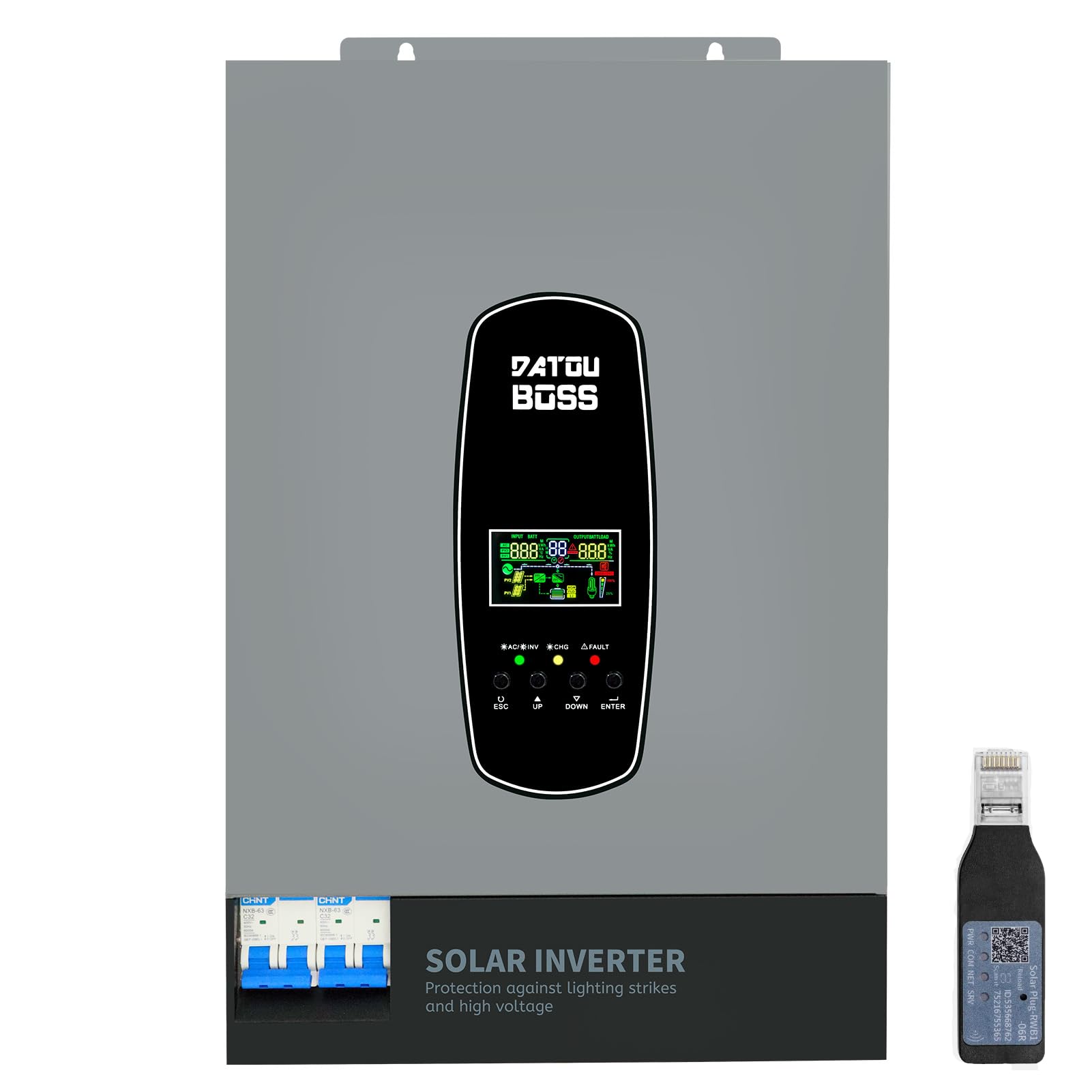
Image 1.1: The DATOUBOSS 6200W Hybrid Solar Inverter, highlighting its 6200W battery inverter output, 6500W PV inverter output, 120A MPPT charging, 8500W maximum PV input, and 60-500Vdc MPPT input voltage rango.
2. Información de seguridad
Please read all safety instructions carefully before installation and operation. Failure to follow these instructions may result in electric shock, fire, or serious injury. Keep this manual for future reference.
- Instalación profesional: La instalación solo debe ser realizada por personal calificado.
- Ventilación: Asegúrese de que haya una ventilación adecuada alrededor del inversor para evitar el sobrecalentamiento.
- Exposición al agua: No exponga el inversor a la lluvia, nieve, aerosoles ni ningún líquido.
- Toma de tierra: Una conexión a tierra adecuada es esencial para la seguridad.
- Apagado de emergencia: Sepa cómo desconectar rápidamente la energía en caso de emergencia.
- Lightning and Surge Protection: This inverter includes enhanced lightning and overvoltage protection. Integrated safety switches at input and output further enhance safety against overload, short circuit, and surge hazards.

Image 2.1: The inverter features a new lightning-proof design, offering lightning and high-voltage protection, input and output safety switches, increased PV input current, improved inverter performance under PV, higher PV utilization, and EMI filtering.
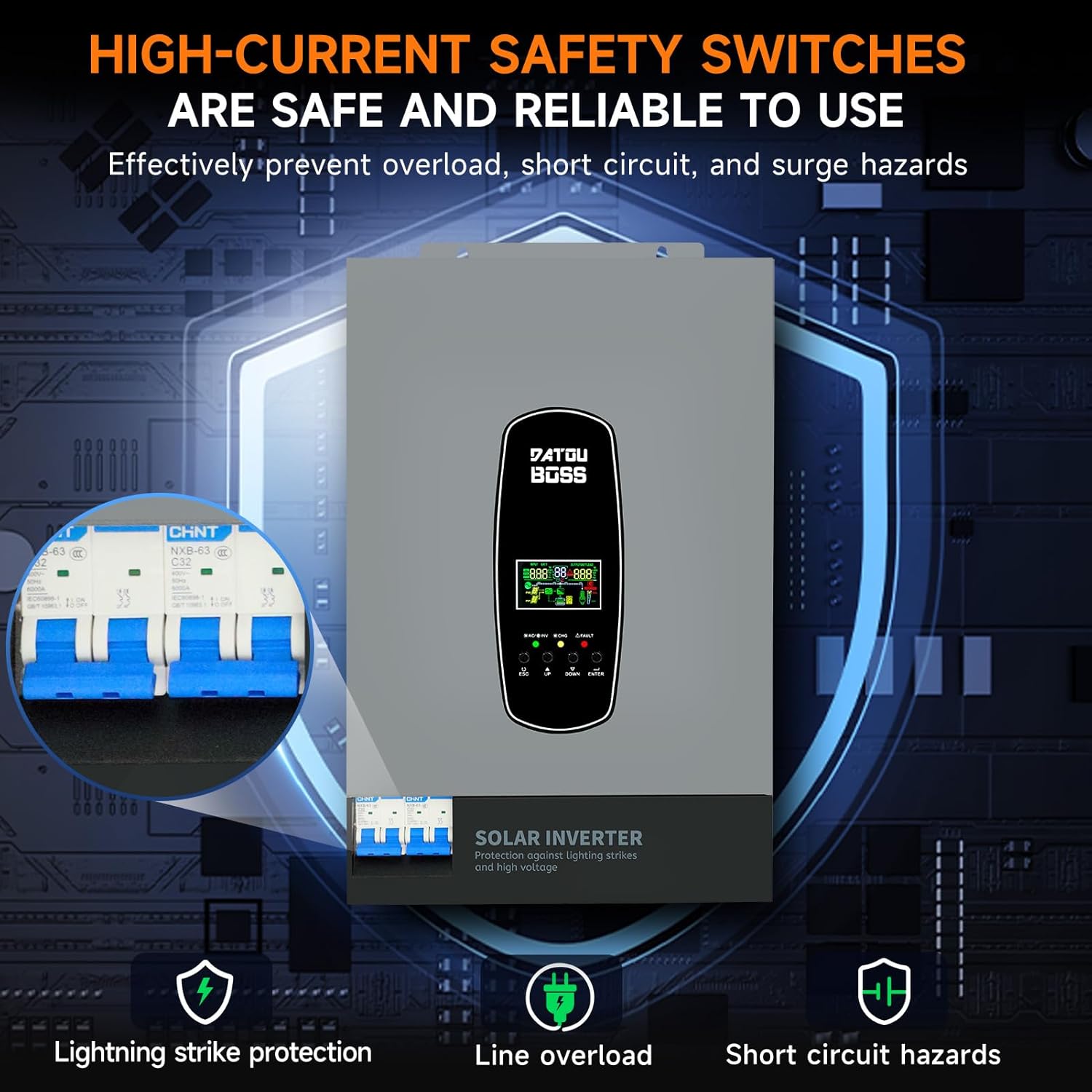
Image 2.2: High-current safety switches are integrated to effectively prevent overload, short circuit, and surge hazards, ensuring safe and reliable operation.
3. Características del producto
- Salida de onda sinusoidal pura: Proporciona energía CA de alta calidad adecuada para dispositivos electrónicos sensibles.
- Controlador de carga MPPT integrado: Features a 120A MPPT solar charge controller for efficient solar power harvesting.
- Funcionamiento sin batería: Supports direct power supply to loads from PV array or AC source without requiring a battery connection.
- BMS Protection System: Equipped with a Battery Management System for lithium batteries, preventing overcharge and deep discharge.
- Customizable Charging Modes: Offers three battery charging modes: Hybrid (solar and utility), Solar Limited, and Pure Solar.
- Pantalla LCD e indicadores LED: Real-time system data and operating status are displayed on the LCD screen, complemented by 3 dynamic LED indicators. Error codes are shown for easy troubleshooting.
- EMI Filtering: Minimizes electromagnetic interference for stable operation.
- Puerto de comunicación RS485: Enables communication with batteries for monitoring and optimized charging.
4. Descripción de la apariencia
The DATOUBOSS 6200W Hybrid Solar Inverter features a robust design with clearly labeled connection points and an intuitive user interface.

Imagen 4.1: Esta imagen proporciona una vista detallada view of the inverter's front, left, and right sides. The front panel includes an LCD display, status indicators, and control buttons (ESC, UP, DOWN, ENTER). The top panel shows AC input, BMS/RS485, AC output, RS232 Dry Contact, and PV input ports. The bottom features a safety switch and ground wire connection. The left and right sides show ventilation grilles.
- Panel frontal: Features an LCD display for real-time data, status indicators (AC/INV, CHG, FAULT), and navigation buttons (ESC, UP, DOWN, ENTER).
- Top Connections: Includes terminals for AC input, AC output, PV input, BMS/RS485 communication, and RS232 Dry Contact.
- Conexiones inferiores: Equipped with a safety switch and a ground wire terminal.
- Lados: Designed with ventilation grilles for efficient heat dissipation.
5. Especificaciones
Key technical specifications for the DATOUBOSS 6200W 48V Hybrid Solar Inverter:

Image 5.1: A close-up of the inverter's detailed parameters label, showing model DT4862L, capacity, PV and DC specifications, operating temperature, and protection degree.
| Característica | Especificación |
|---|---|
| Número de modelo | DATOUBOSS-48V-6200W |
| Capacidad | 6200W/6200VA |
| Vol de entradatage | 48 VCC |
| Vol de salidatage | 230 VAC (Pure Sine Wave) |
| Potencia máxima de salida | 9300 vatios |
| MPPT PV Voltage Rango | 60 VCC a 500 VCC |
| Potencia máxima de la matriz fotovoltaica | 8500 W |
| Corriente máxima de carga solar | 120 A |
| Corriente de carga de CA máxima | 100 A |
| Max Combined Charging Current (PV + AC) | 120 A |
| Rango de temperatura de funcionamiento | -10°C a 50°C |
| Grado de protección | IP21 |
| Dimensiones (L x An x Al) | 31 x 13.4 x 46.3 cm |
| Peso del artículo | 10.4 kilogramos |
| Tipo de pantalla | Pantalla LCD |
6. Configuración
Proper setup is crucial for the safe and efficient operation of your hybrid solar inverter. Always ensure all power sources are disconnected before making any connections.
- Montaje: Choose a suitable location for mounting the inverter. It should be indoors, well-ventilated, and protected from direct sunlight, moisture, and extreme temperatures. Ensure sufficient clearance around the unit for airflow.
- Toma de tierra: Conecte el terminal de tierra del inversor a una tierra confiable.
- Conexión de la batería: Connect the battery bank to the inverter's battery terminals. Ensure correct polarity (positive to positive, negative to negative). Use appropriate cable gauges and fuses. The inverter supports 48V lithium batteries and includes a lithium battery activation function.
- Conexión del conjunto fotovoltaico: Connect the solar panel array to the PV input terminals. Verify that the PV voltage and current are within the inverter's specified operating range (60-500 VDC MPPT range, max 500 VDC open circuit voltage, max 27A input current). Ensure correct polarity.
- Conexión de entrada de CA (servicio público/generador): Connect the AC utility grid or a compatible generator to the AC input terminals.
- Conexión de salida de CA (cargas): Connect your AC loads (appliances, circuits) to the AC output terminals.
- Conexiones de comunicación (opcional): If using, connect the RS485 port to a compatible battery or monitoring device. The WiFi module (if included) can be connected for remote monitoring.
- Comprobaciones finales: Double-check all connections for tightness and correct polarity. Ensure all safety switches are in the OFF position before powering on.
7. Operando
Once the inverter is properly installed and all connections are secure, you can begin operation.
- Encendido: Turn on the battery breaker first, then the PV array breaker, and finally the AC input breaker (if connected). Switch the inverter's main power ON/OFF switch to the 'ON' position.
- Pantalla LCD: The LCD screen will illuminate, displaying system data such as input voltage, volumen de salidatage, estado de la batería y porcentaje de cargatage. Use the 'UP' and 'DOWN' buttons to navigate through different display screens and the 'ENTER' button to confirm selections.
- Indicadores LED: Observe the three LED indicators:
- CA/INV: Indica el estado de entrada de CA o el funcionamiento del inversor.
- Cambio: Indica el estado de carga de la batería.
- CULPA: Illuminates if an error occurs. Refer to the LCD for specific error codes.
- Setting Charging Modes: The inverter allows customization of battery charging modes:
- Carga híbrida: (Default) Utilizes both solar energy and AC utility power for charging.
- Solar Limited Charge: Prioritizes solar charging, using AC utility only when solar is insufficient.
- Pure Solar Charge: Carga baterías exclusivamente con energía solar.
- Battery-Less Mode: The inverter can operate without a battery connected, directly powering loads from the PV array or AC source. This mode can be configured through the system settings.
- Escucha: Regularly check the LCD display for system status and performance. If a WiFi module is installed, use the dedicated application for remote monitoring.
8. Mantenimiento
El mantenimiento regular garantiza la longevidad y el rendimiento óptimo de su inversor solar híbrido DATOUBOSS.
- Limpieza: Mantenga el inversor limpio y sin polvo. Limpie el exterior con un paño seco. Asegúrese de que las aberturas de ventilación no estén obstruidas.
- Comprobaciones de conexión: Inspeccione periódicamente todas las conexiones eléctricas para comprobar su estanqueidad y detectar signos de corrosión. Apriete las conexiones sueltas.
- Inspección de la batería: If using batteries, regularly check their terminals for corrosion and ensure they are clean and secure. Monitor battery health via the inverter's display or communication port.
- Condiciones ambientales: Ensure the inverter remains in a suitable environment, free from excessive heat, cold, or humidity.
- Actualizaciones de firmware: Verifique el fabricante websitio para obtener actualizaciones de firmware disponibles para garantizar que su inversor tenga las últimas funciones y correcciones de errores.
9. Solución de problemas
Esta sección ofrece orientación para problemas comunes. Para problemas complejos, contacte con el soporte técnico.
| Problema | Posible causa | Solución |
|---|---|---|
| El inversor no se enciende | No battery power; main switch off; loose connections. | Compruebe el volumen de la bateríatage; ensure main switch is ON; verify all connections. |
| Sin salida de CA | Sobrecarga; cortocircuito; bajo volumen de bateríatage; fault code. | Reduce load; check for short circuits; charge battery; check LCD for error codes. |
| La batería no se carga | PV input too low/high; AC input unavailable; incorrect charging mode. | Comprobar volumen PVtage/current; verify AC input; adjust charging mode settings. |
| Fault LED illuminated | Internal error; over-temperature; over-voltage / actual. | Note the error code on the LCD and consult the full user manual for specific remedies. Power cycle the unit if safe to do so. |
10. Garantía y soporte
DATOUBOSS is committed to providing high-quality products and customer satisfaction.
- Esperanza de vida: This product is designed for a 10-year lifespan.
- Garantizar: A 5-year guarantee covers manufacturing defects and malfunctions under normal use.
- Atención al cliente: We offer 24-hour response for technical inquiries and support.
- Servicio: Local warehouses are available for efficient service and parts.

Image 10.1: Visual representation of DATOUBOSS's commitment to product quality and customer service, including a 10-year lifespan, 5-year guarantee, 24-hour response, and local warehouses.
For further assistance or to report an issue, please contact DATOUBOSS customer service through the official channels provided with your purchase.