1. Introducción y másview
The ALIENPRO Ultra15 is a professional active speaker designed to deliver powerful, clear, and advanced audio connectivity for various events. With 700W Peak and 400W RMS power, it ensures robust, high-fidelity sound reproduction. This speaker features a 15-inch woofer with a durable steel frame and a 1.34-inch driver, providing deep bass and crisp, defined treble.
An integrated Digital Signal Processor (DSP) allows for precise audio adjustments, optimizing sound for different environments and applications. The Bluetooth 5.0 wireless connection, coupled with True Wireless Stereo (TWS) functionality, enables seamless pairing of two Ultra15 speakers for an immersive stereo experience. Versatile connectivity options include a USB port for media playback, AUX/RCA inputs, a combo XLR/¼-inch jack, and an XLR output, accommodating diverse audio setups.
Constructed from resistant materials, the Ultra15 is built to withstand long operating hours. It operates on a 127V~ 60Hz power supply and features a robust design. With a weight of 23.5 kg and dimensions of 465 x 460 x 760 mm, it is an ideal solution for concerts, social gatherings, recording studios, and professional audio productions.

Figura 1: Frente view of the ALIENPRO Ultra15 Active Speaker, showcasing its robust grille and design.
2. Características principales
- Salida de alta potencia: 700W Peak / 400W RMS for robust sound.
- Premium Transducers: 15-inch woofer (4 Ohm) with steel frame and 1.34-inch driver (8 Ohm).
- DSP integrado: Digital Signal Processor for precise audio tuning.
- Conectividad inalámbrica avanzada: Bluetooth 5.0 with True Wireless Stereo (TWS) function for linking two speakers.
- Múltiples opciones de reproducción: Supports playback from USB, AUX, RCA, and Bluetooth sources.
- Entradas/salidas versátiles: Includes AUX/RCA inputs, combo XLR/¼-inch jack, and XLR output.
- Construcción duradera: Built with resistant materials for extended use.
- Dimensiones óptimas: Weight: 23.5 kg | Dimensions: 465 x 460 x 760 mm.

Figure 2: The ALIENPRO Ultra15 speaker, emphasizing its 700W Peak power capability for strong audio performance.
3. Configuración
Follow these steps to set up your ALIENPRO Ultra15 Active Speaker:
- Desembalaje: Carefully remove the speaker from its packaging. Inspect for any signs of damage.
- Colocación: Place the speaker on a stable, flat surface or mount it using a compatible speaker pole (integrated pole mount available). Ensure adequate ventilation around the unit.
- Conexión de energía: Connect the power cable to the speaker's power input (127V~ 60Hz) and then to a suitable power outlet. Do not power on the unit yet.
- Conexiones de entrada: Connect your audio sources to the appropriate inputs on the rear panel. Options include:
- XLR/¼-inch Combo Jack: Para micrófonos o instrumentos de nivel de línea.
- AUX/RCA Inputs: For connecting devices like CD players, mixers, or other audio sources.
- Puerto USB: Para reproducir audio files directamente desde una unidad USB.
- Conexión de salida (opcional): If linking to another speaker or audio device, use the XLR output.
- Encendido: Once all connections are secure, switch on the power button located on the rear panel. The power indicator light will illuminate.
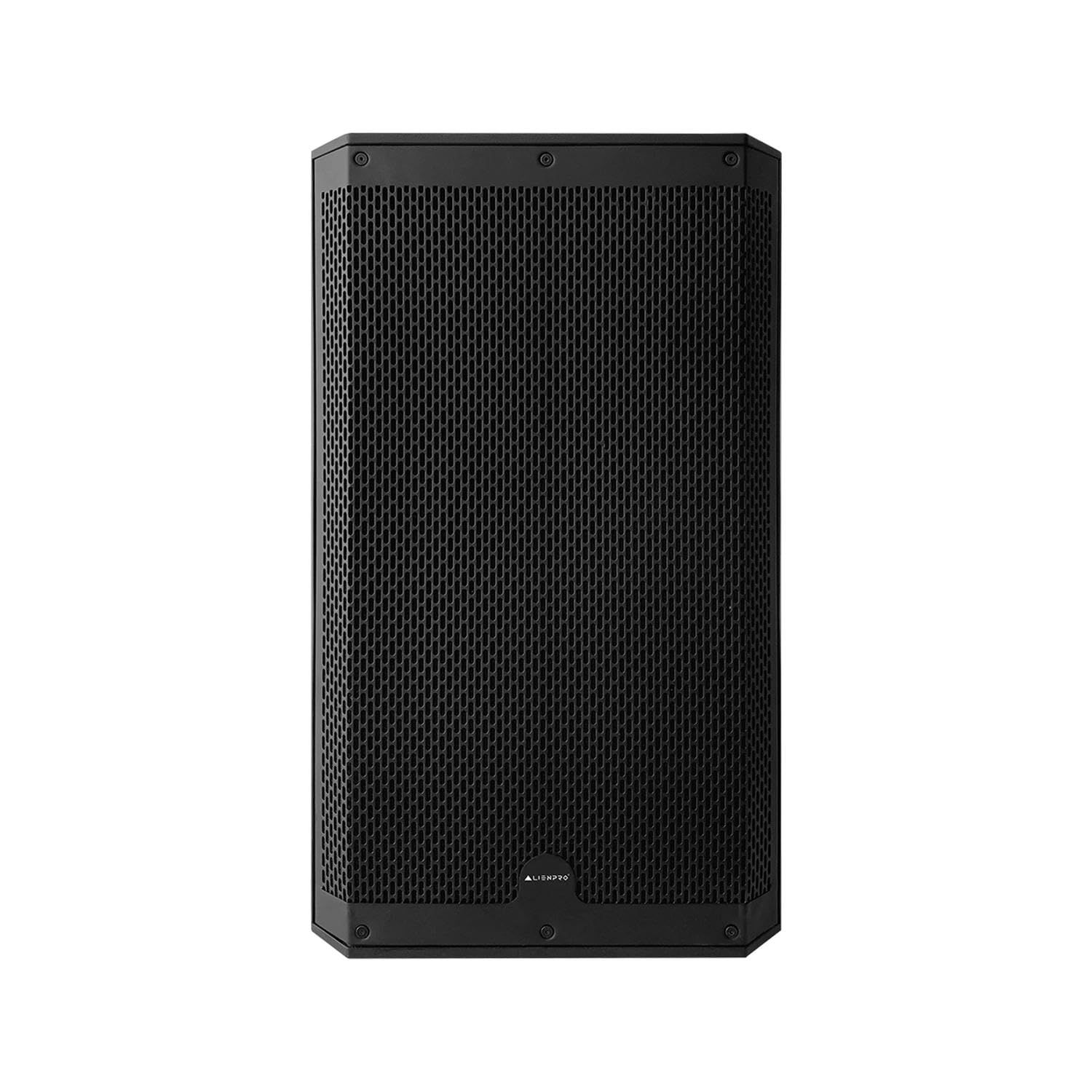
Figura 3: detallada view of the ALIENPRO Ultra15 rear panel, showing power input, various audio inputs (XLR, 1/4-inch, RCA, USB), and control knobs.
4. Operando
Operating your ALIENPRO Ultra15 speaker involves managing inputs, adjusting volume, and utilizing its advanced features:
- Control de volumen: Use the 'VOLUME' knob on the rear panel to adjust the overall output level. Start with a low volume and gradually increase it to avoid sudden loud sounds.
- Selección de entrada: The speaker automatically detects active inputs. Ensure your connected source is playing audio.
- Emparejamiento Bluetooth:
- Activa el Bluetooth en tu dispositivo móvil.
- Press the 'Bluetooth' button on the speaker's rear panel. The Bluetooth indicator will flash.
- Select 'ALIENPRO Ultra15' from your device's Bluetooth list. The indicator will turn solid blue upon successful pairing.
- True Wireless Stereo (TWS) Linking: To link two Ultra15 speakers for stereo sound:
- Asegúrese de que ambos altavoces estén encendidos y no conectados a ningún dispositivo Bluetooth.
- On one speaker (this will be the master), press and hold the 'TWS' button until the TWS indicator flashes.
- On the second speaker, press the 'TWS' button briefly. The speakers will attempt to link.
- Once linked, the TWS indicators on both speakers will turn solid. You can then pair your Bluetooth device to the master speaker.
- Preajustes DSP: Utilize the integrated DSP to optimize sound. Specific DSP modes (e.g., Music, Live, DJ) can be selected via controls on the rear panel or potentially through a dedicated app (if available for this model). Refer to the display for current DSP settings.
- Reproducción USB: Inserte una unidad USB que contenga audio files en el puerto USB. El altavoz detectará automáticamente y comenzará a reproducir audio compatible. files. Use the navigation buttons (if present) to control playback.

Figure 4: Two ALIENPRO Ultra15 speakers demonstrating TWS linking for stereo sound, with a detailed view of the rear panel's TWS and DSP controls.
Note: No official product videos from the seller were available for embedding. The provided videos were for a different brand (Alto Professional) and are not relevant to the ALIENPRO Ultra15 speaker.
5. Mantenimiento
Proper maintenance ensures the longevity and optimal performance of your ALIENPRO Ultra15 speaker:
- Limpieza: Utilice un paño suave y seco para limpiar el exterior del altavoz. Para la suciedad difícil, utilice un paño ligeramente seco.amp cloth can be used, followed by a dry cloth. Avoid abrasive cleaners, solvents, or harsh chemicals.
- Cuidado de la parrilla: Periodically check the speaker grille for dust or debris. Use a soft brush or vacuum cleaner with a brush attachment to gently remove any accumulation.
- Almacenamiento: When not in use for extended periods, store the speaker in a cool, dry place, away from direct sunlight and extreme temperatures. If possible, use the original packaging or a protective cover.
- Ventilación: Ensure that the ventilation openings on the speaker are not blocked during operation or storage to prevent overheating.
- Inspección de cables: Regularly inspect all cables (power, audio) for any signs of wear, cuts, or damage. Replace damaged cables immediately to prevent electrical hazards or performance issues.
6. Solución de problemas
If you encounter issues with your ALIENPRO Ultra15 speaker, refer to the following common troubleshooting steps:
| Problema | Posible causa | Solución |
|---|---|---|
| No hay salida de sonido | Power not connected; Volume too low; Incorrect input selected; Damaged audio cable; Source device issue. | Check power connection and switch; Increase volume; Verify input selection; Test with a different audio cable; Check source device output. |
| Error de emparejamiento de Bluetooth | El altavoz no está en modo de emparejamiento; Dispositivo demasiado lejos; Interferencia; Ya está emparejado con otro dispositivo. | Ensure speaker is in pairing mode (flashing LED); Move device closer; Turn off other Bluetooth devices; Disconnect from previous device. |
| TWS linking failure | Speakers not in TWS pairing mode; One speaker already Bluetooth paired; Distance between speakers too great. | Ensure both speakers are in TWS pairing mode (master hold, slave brief press); Disconnect any Bluetooth devices from both speakers; Place speakers closer together. |
| Sonido distorsionado | Volume too high (clipping); Input signal too strong; DSP settings incorrect; Damaged speaker component. | Reduce volume; Lower input gain; Adjust DSP settings; If problem persists, contact support. |
| Problemas de reproducción USB | Incompatible file format; USB drive not formatted correctly; Damaged USB drive. | Asegurar files are compatible (e.g., MP3); Format USB drive to FAT32; Try a different USB drive. |
7. Especificaciones
| Característica | Detalle |
|---|---|
| Modelo | ultra15 |
| Potencia de salida | 700 W pico/400 W RMS |
| Tamaño del woofer | 15 inches (4 Ohm) with steel frame |
| Tamaño del controlador | 1.34 inches (8 Ohm) |
| AmpTipo de lificación | Activo |
| Tecnología de conectividad | Bluetooth 5.0, USB, AUX, RCA, XLR |
| Funciones inalámbricas | Bluetooth, estéreo inalámbrico verdadero (TWS) |
| Método de control | Touch, Application (if available) |
| Procesador de señal digital (DSP) | Integrated Digital Signal Processor |
| Material | Madera |
| Color | Negro |
| Vol de entradatage | 127 V ~ 60 Hz |
| Dimensiones del producto (Pr. x An. x Al.) | 46.5 x 46 x 76 cm |
| Peso del producto | 23.5 kilogramos |
| Tipo de montaje | Piso |
| Impermeable | No |
8. Garantía y soporte
The ALIENPRO Ultra15 Active Speaker comes with a manufacturer's warranty. Please refer to the warranty card included in your product packaging for specific terms, conditions, and duration of coverage. Keep your proof of purchase for warranty claims.
For technical support, service, or further inquiries, please contact ALIENPRO customer service through their official website or the contact information provided in your product documentation. Do not attempt to repair the unit yourself, as this may void your warranty and cause further damage.