
1. Producto terminadoview
The AJAZZ AJ139 V2 MC is a versatile tri-mode gaming mouse designed for precision and responsiveness. It features a PAW3311 sensor for accurate tracking, a 1000Hz return rate for smooth performance, and a long-lasting 500mAh battery. Its compact and lightweight design makes it suitable for extended use and portability.
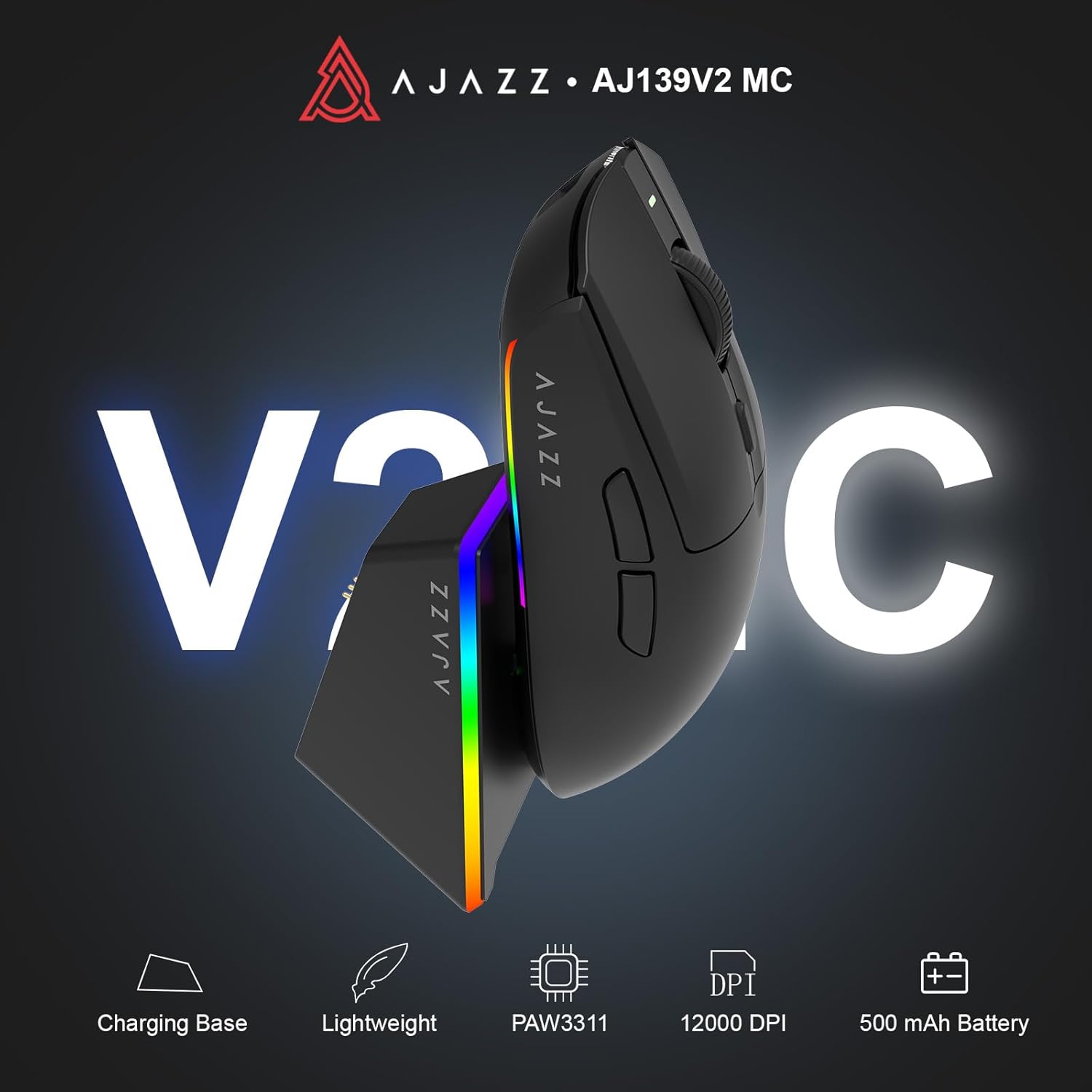
Figure 1.1: AJAZZ AJ139 V2 MC Gaming Mouse and Charging Dock.
Vídeo 1.1: Un finalview of the AJAZZ AJ139 V2 MC Gaming Mouse, highlighting its features and design.
2. Contenido del paquete
Asegúrese de que todos los artículos estén presentes en el paquete:
- Ratón para juegos AJAZZ AJ139 V2 MC
- Base de carga
- Cable de carga USB-C
- Receptor USB 2.4G (dongle)
- Manual de usuario
3. Características principales
- PAW3311 Sensor Technology: Equipped with the PAW3311 sensor, this mouse ensures precise tracking and accurate cursor control for optimal performance.
- High 1000Hz Return Rate: Experience smooth and responsive performance with a 1000Hz return rate, enhancing your gaming or work experience.
- Batería de larga duración de 500 mAh: The integrated 500mAh battery provides extended power, ensuring uninterrupted use for prolonged periods.
- Conectividad tri-modo: Supports versatile connectivity options including Wired, 2.4G Wireless, and Bluetooth, adapting to various devices and setups.
- Diseño compacto y ligero: Weighing approximately 66 grams, the mouse features a compact design for easy portability and comfortable use during long sessions.
- Iluminación RGB personalizable: Features integrated RGB lighting for personalized aesthetics.
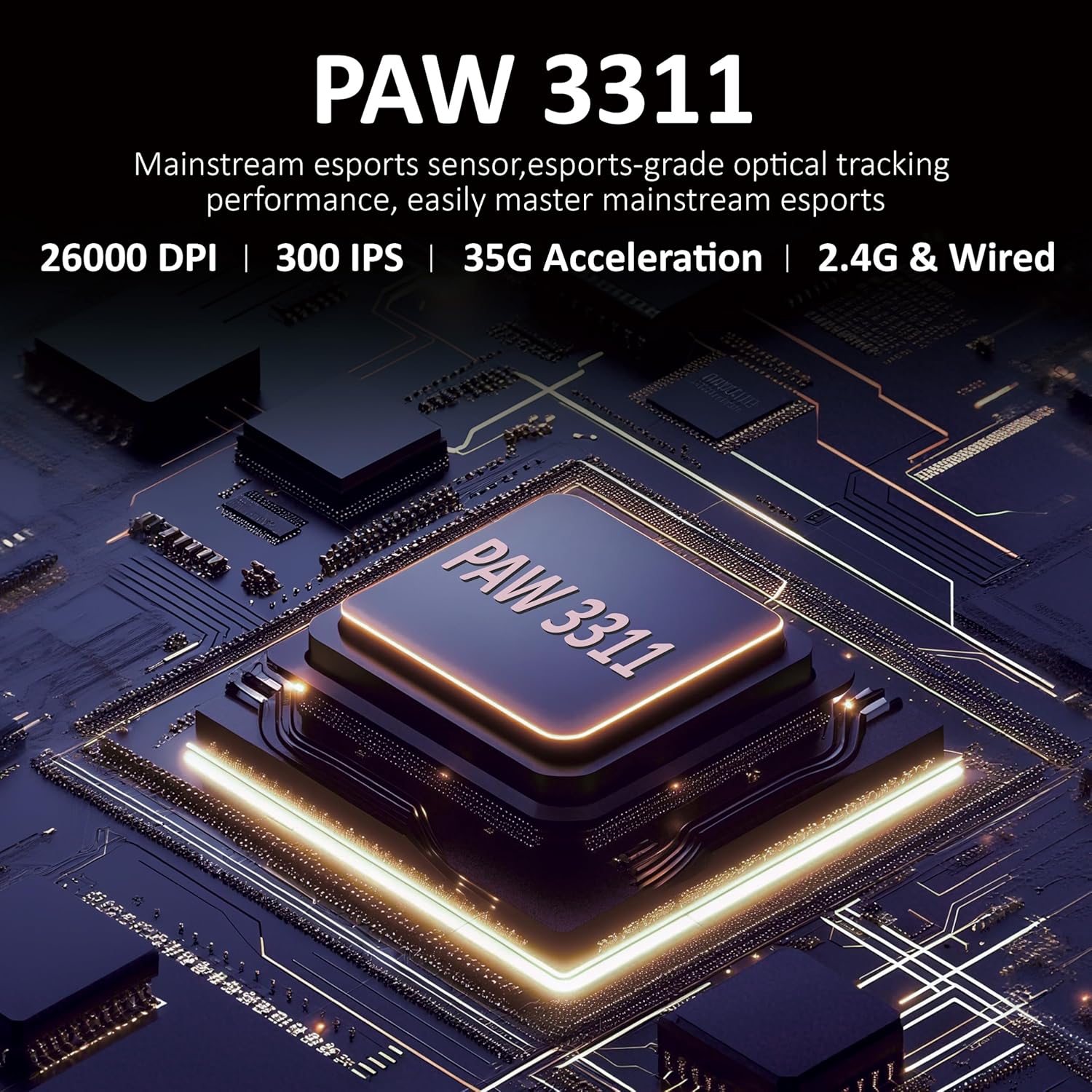
Figura 3.1: detallada view of the PAW3311 sensor technology.
Video 3.1: Demonstration of the mouse's 500mAh battery life.

Figure 3.2: The lightweight design of the AJAZZ AJ139 V2 MC mouse.
4. Guía de configuración
4.1. Conexión del ratón
The AJAZZ AJ139 V2 MC offers three connection modes:
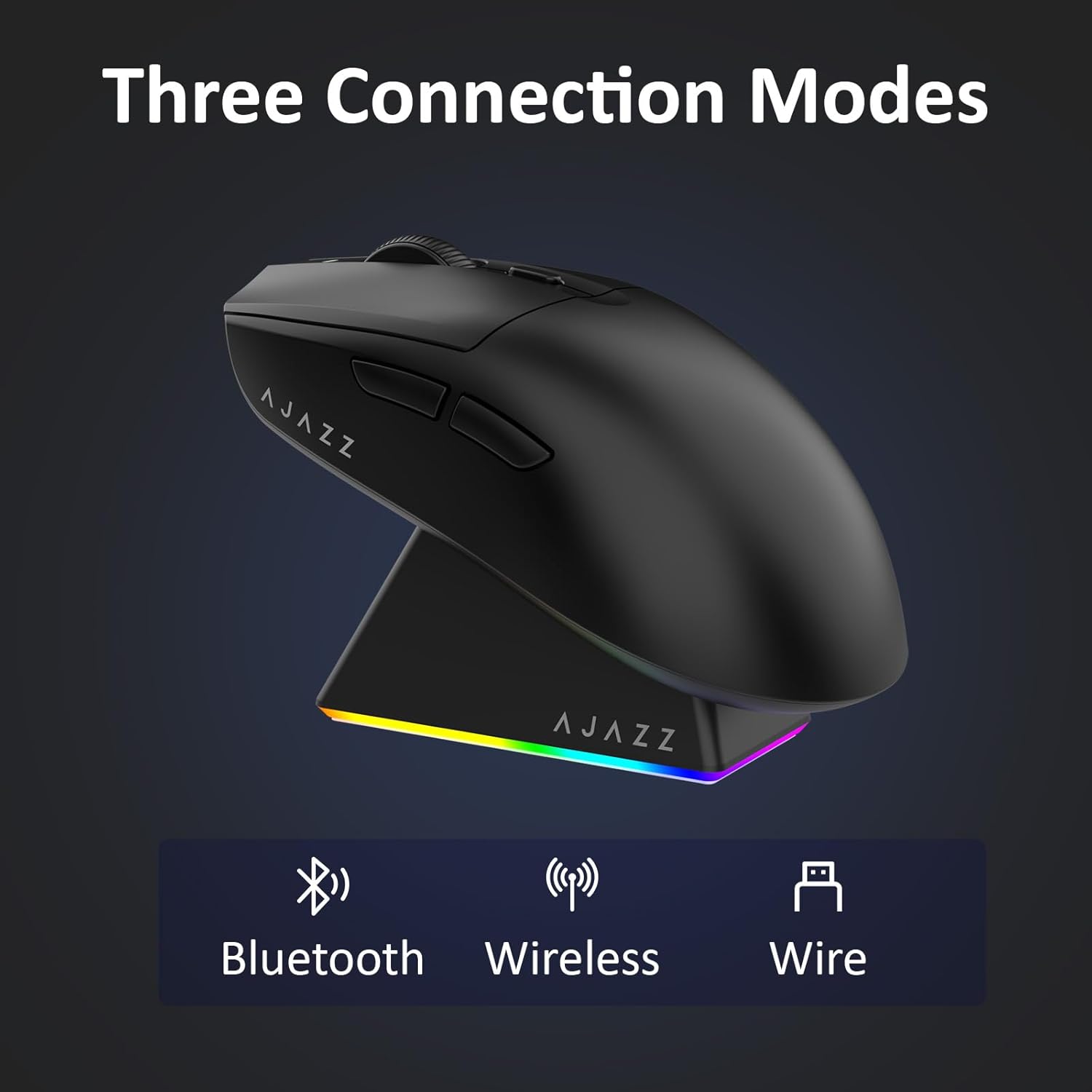
Figura 4.1: Representación visual de los tres modos de conexión.
- Modo inalámbrico 2.4G:
- Localice el receptor USB 2.4G almacenado en el compartimento ubicado en la parte inferior del mouse.
- Conecte el receptor USB a un puerto USB disponible en su computadora.
- Slide the switch on the bottom of the mouse to the '2.4G' position. The mouse will automatically connect.
- Modo Bluetooth:
- Deslice el interruptor en la parte inferior del mouse a la posición 'BT'.
- En su dispositivo, abra la configuración de Bluetooth y busque nuevos dispositivos.
- Select 'AJAZZ AJ139 V2 MC' from the list to pair.
- Modo con cable:
- Connect the USB-C charging cable to the mouse and the other end to your computer's USB port.
- El mouse funcionará como un dispositivo con cable y se cargará simultáneamente.
4.2. Cargar el ratón
The mouse can be charged using the included charging dock or directly via the USB-C cable.
- Uso de la base de carga:
- Connect the USB-C charging cable to the charging dock and then to a power source (e.g., computer USB port, USB wall adapter).
- Place the mouse onto the charging dock, aligning the magnetic contacts. The RGB lighting on the dock and mouse will indicate charging status.
- Carga directa USB-C:
- Connect the USB-C charging cable directly to the mouse and a power source.
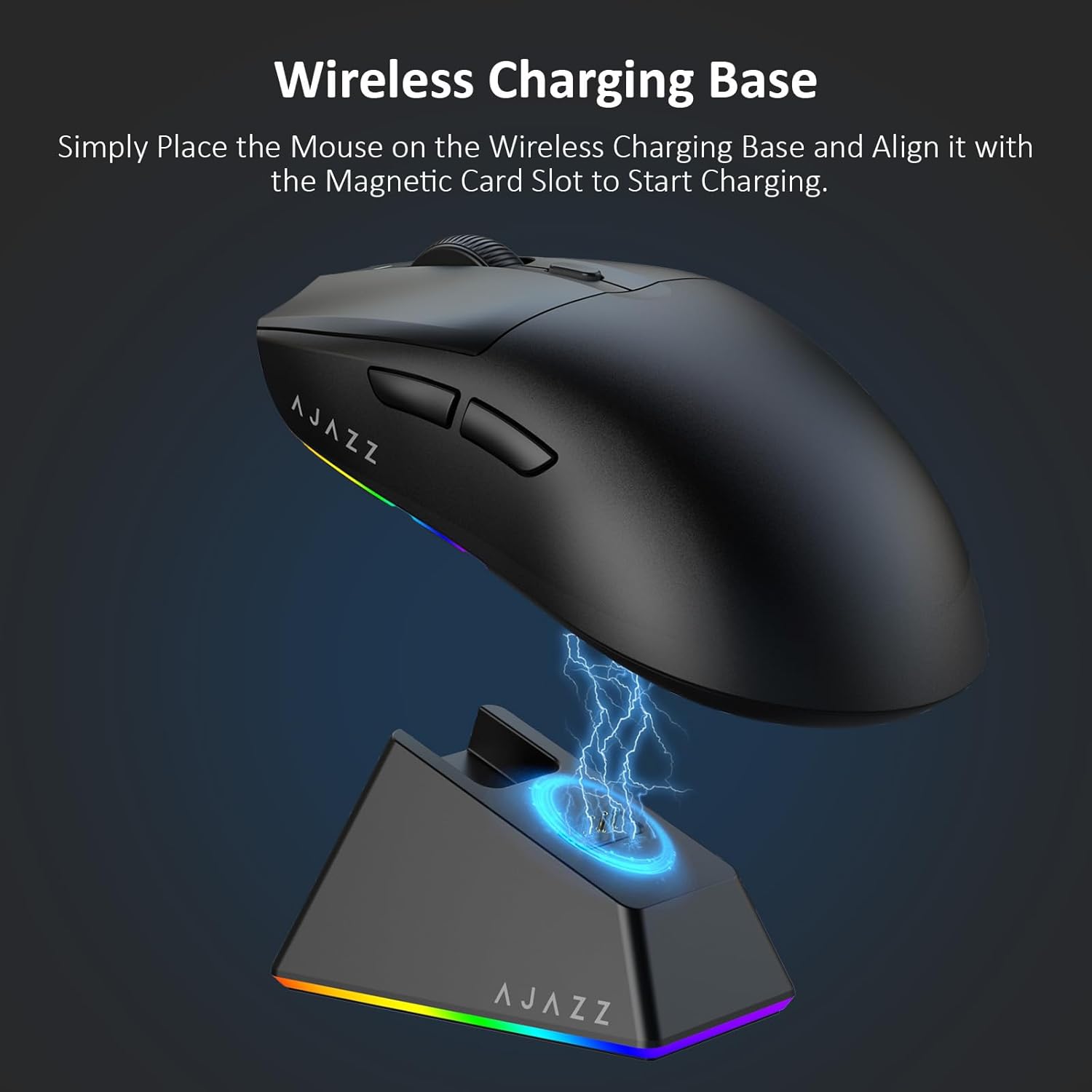
Figure 4.2: The mouse being charged on its wireless charging base.
5. Instrucciones de funcionamiento
5.1. Ajuste de DPI
The mouse features a dedicated DPI adjustment button on its underside, allowing you to cycle through different sensitivity levels. Press the button to change the DPI setting to suit your preference.
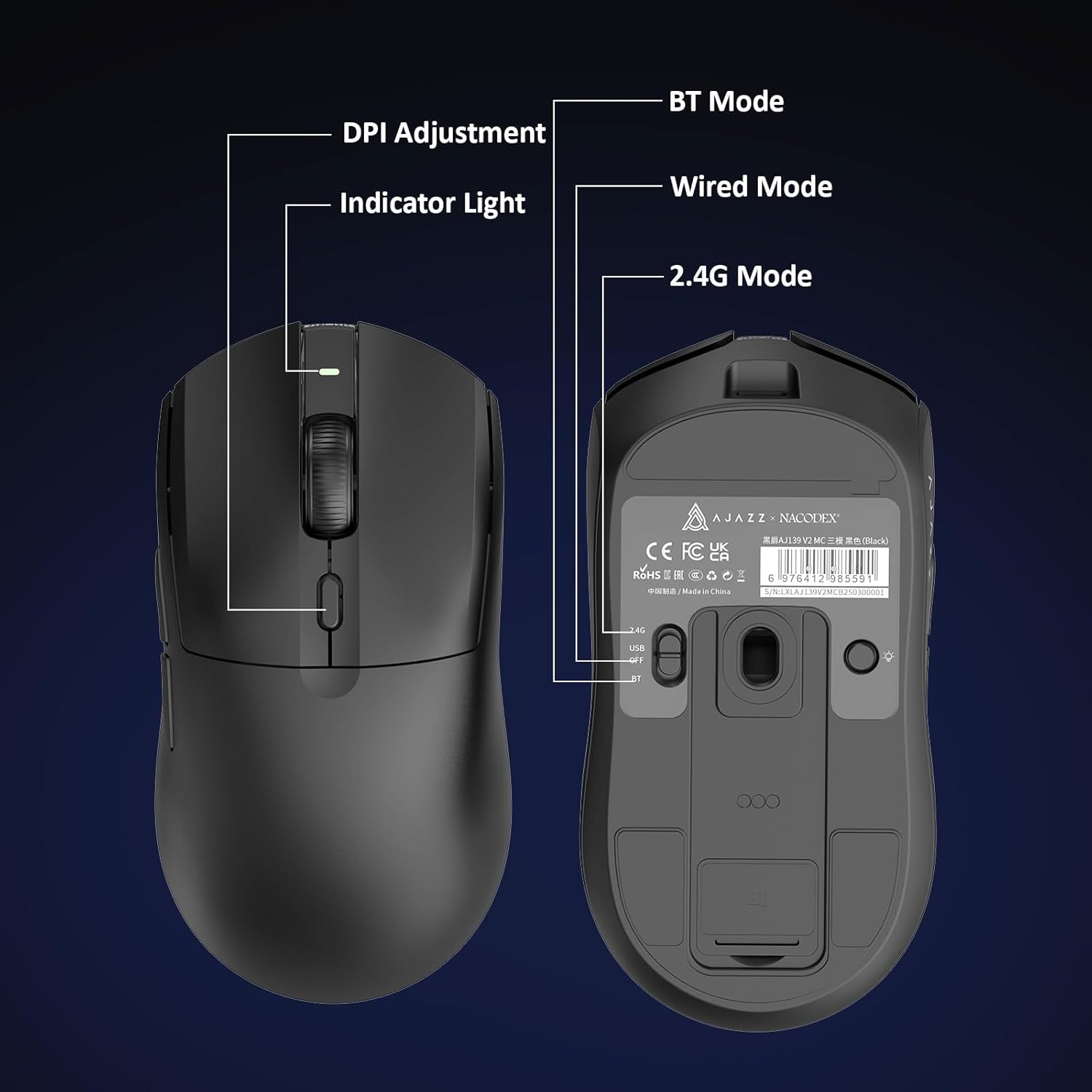
Figure 5.1: Location of the DPI adjustment button and connection mode switch on the mouse underside.
5.2. Funciones de los botones
El ratón está equipado con 6 botones programables:
- Botón de clic izquierdo
- Botón derecho
- Rueda de desplazamiento (clicable)
- DPI Adjustment Button (on underside)
- Two Side Buttons (typically for forward/backward navigation)
For advanced customization of button functions and macros, please refer to the official AJAZZ software (downloadable from the manufacturer's websitio).
5.3. Control de iluminación RGB
The mouse and charging dock feature customizable RGB lighting. Specific controls for lighting modes and colors are typically managed through the official AJAZZ software. A dedicated light button on the underside of the mouse allows for basic cycling or turning off the lighting.
6. Mantenimiento
- Limpieza: Utilice un paño suave y seco para limpiar la superficie del ratón. Para la suciedad difícil, utilice un paño ligeramente seco.amp Se puede utilizar un paño, garantizando que no entre humedad en los componentes internos.
- Cuidado del sensor: Mantenga el sensor óptico en la parte inferior del mouse limpio y libre de polvo o residuos para mantener la precisión del seguimiento.
- Longevidad de la batería: Para prolongar la vida útil de la batería, evite descargar el mouse por completo con frecuencia. Cárguelo cuando el indicador de batería esté bajo.
7. Solución de problemas
| Problema | Posible solución |
|---|---|
| Mouse not responding in 2.4G Wireless mode. | Ensure the 2.4G USB receiver is securely plugged into a USB port and the mouse switch is set to '2.4G'. Try a different USB port. |
| Mouse not pairing via Bluetooth. | Ensure the mouse switch is set to 'BT' and your device's Bluetooth is enabled and discoverable. Try unpairing and re-pairing the device. |
| El ratón no se carga. | Verify the USB-C cable is properly connected to both the dock/mouse and the power source. Ensure the mouse is correctly seated on the charging dock's magnetic contacts. |
| Inconsistent tracking or cursor movement. | Limpie el sensor óptico de la parte inferior del ratón. Asegúrese de utilizarlo sobre una superficie adecuada (por ejemplo, una alfombrilla). |
| La iluminación RGB no funciona. | Check the mouse's software settings for lighting control. Ensure the mouse has sufficient battery charge. |
8. Especificaciones técnicas
| Característica | Especificación |
|---|---|
| Marca | AJAZZ |
| Nombre del modelo | Aj139 V2 MC |
| Color | V2 MC Black |
| Tecnología de conectividad | Bluetooth, USB, conexión inalámbrica 2.4G |
| Tecnología de detección de movimiento | Óptico (sensor PAW3311) |
| Mouse Maximum Sensitivity | 12000 Dots per Inch (DPI) |
| Tasa de retorno | 1000 Hz |
| Capacidad de la batería | 500 mAh |
| Cantidad de botones | 6 |
| Orientación de la mano | Bien |
| Dispositivos compatibles | Computadora de escritorio |
| Sistema operativo | Ventanas |
| Rango | 10 metros |
| Peso del artículo | 4 onzas (aprox. 113 gramos) |
| Dimensiones del artículo L x W | 5" de largo x 2.5" de ancho (aprox. 12.7 cm x 6.35 cm) |
| Característica de embellecimiento | Iluminación RGB |
| Material del recinto | Plástico |
| Finalizar | Mate |
9. Garantía y soporte
This product comes with a standard manufacturer's warranty. For detailed warranty information, please refer to the official AJAZZ websitio o póngase en contacto con su distribuidor.
For technical support, troubleshooting assistance, or any product-related inquiries, please visit the AJAZZ official support page or contact their customer service team.
Recursos en línea:
AJAZZ Official Store