Introducción
Thank you for choosing the CURSOR FITNESS Under Desk Elliptical Machine. This device is designed to provide a smooth, low-impact workout, improving circulation and building strength while burning calories. Its compact design makes it suitable for use under a desk, at home, or in the office. Please read this manual thoroughly before operation to ensure safe and effective use.
Información importante de seguridad
- Consulte a un médico antes de comenzar cualquier nuevo programa de ejercicios.
- No utilice esta máquina elíptica si tiene un marcapasos.
- Asegúrese de que la máquina esté colocada sobre una superficie estable y plana durante su uso.
- Mantenga a los niños y a las mascotas alejados de la máquina durante su funcionamiento.
- No se suba a la máquina. Está diseñada solo para usarse sentado.
- Recomendación de peso máximo del usuario: 300 libras.
Contenido del paquete
Verifique que todos los componentes estén presentes antes del ensamblaje y uso:
- Máquina elíptica x1
- Pedalear x2
- Cable de alimentación x1
- Wear Strip x2
- Manual de usuario x1
- Control remoto x1
- Destornillador x1
- Tornillo x4

Figura 1: Todos los componentes incluidos en el paquete.
Producto terminadoview
The CURSOR FITNESS Under Desk Elliptical Machine is designed for convenience and effective low-impact exercise. Key features include:
- Diseño compacto: Lightweight and fits under most desks.
- Modos duales: Manual (HR) and Automatic (Auto) modes for varied workouts.
- Velocidades ajustables: 12 levels of speed adjustment in Manual mode.
- Movimiento hacia adelante y hacia atrás: Targets different muscle groups and improves circulation.
- Pantalla LCD grande: Displays time, speed, distance, and calories burned.
- Mando a distancia: Conveniently adjust settings without bending.
- Funcionamiento silencioso: Advanced silent rollers ensure minimal noise (less than 15 decibels).

Figura 2: Arriba view of the elliptical machine.

Figure 3: LCD display and control panel.
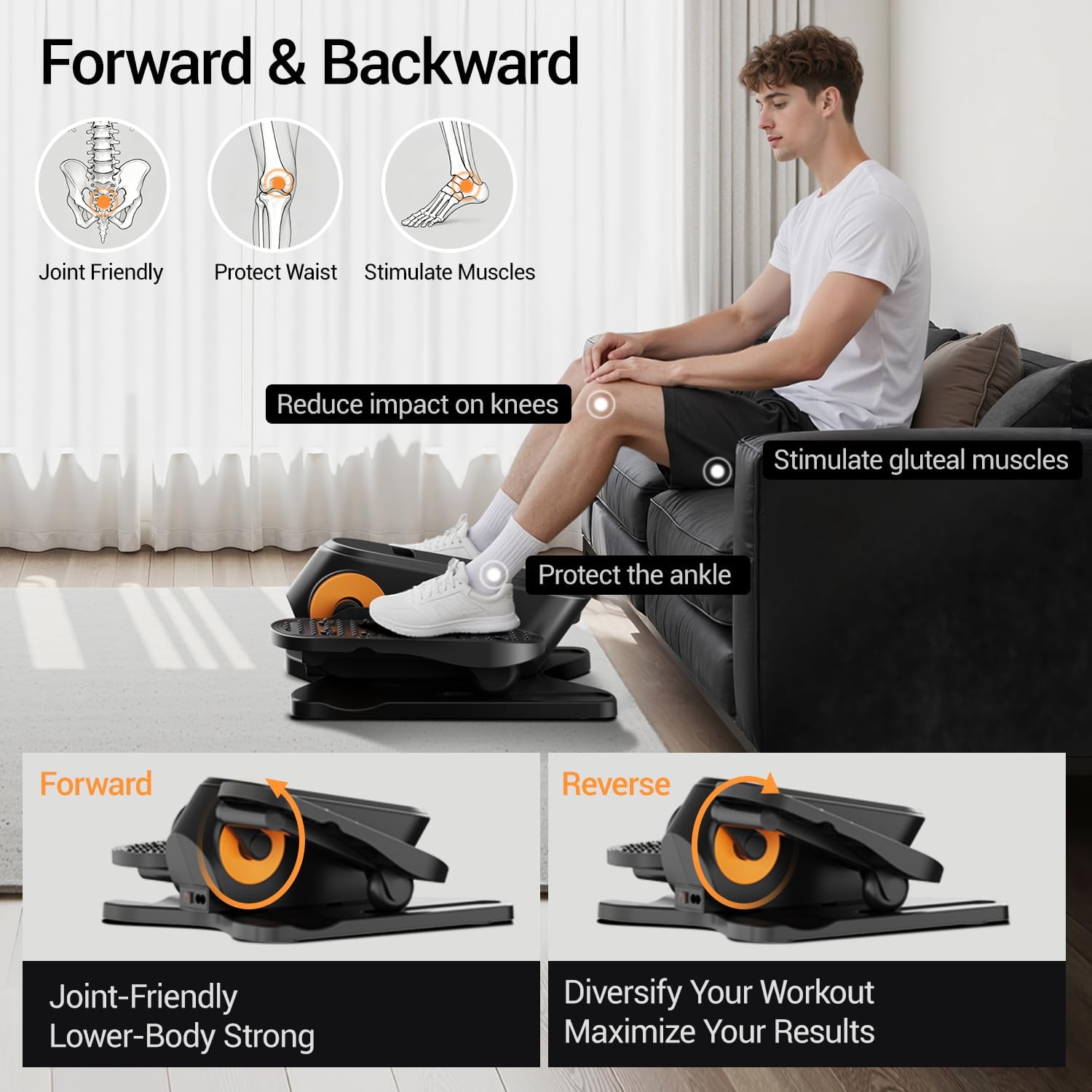
Figure 4: Forward and Reverse motion benefits.
Configuración y montaje
1. Applying Wear Strips
The wear strips protect the machine's base. Peel the adhesive backing and firmly press the strips onto the designated areas on the bottom of the elliptical machine.

Figure 5: Applying wear strips to the machine's base.
2. Assembling the Pedals
Attach the pedals to the main unit using the provided screws and screwdriver. Ensure they are securely fastened.

Figure 6: Assembling the pedals.
3. Conexión de alimentación
Connect the power cord to the elliptical machine and then plug it into a standard electrical outlet. Flip the power switch to the ON position. The LCD screen will illuminate.

Figure 7: Connecting the power and turning on the machine.
Instrucciones de funcionamiento
Panel de control y control remoto
The elliptical machine can be operated using the buttons on the main unit or the included remote control. The remote control offers convenient adjustment without needing to bend down.

Figure 8: Control Panel and Remote Control overview.
- Botón de encendido (Ⓞ): Press to turn the machine on/off.
- Botones +/-: Adjust speed (1-12 levels) or time (15-30 minutes) in Manual mode.
- Botón de dirección: Cambia la dirección de rotación del pedal (adelante/atrás).
- Botón de función: Cycles through display parameters (Scan, Speed, Time, Counter, Distance, Calories).
- Botón de modo: Switches between Manual (HR) mode and Automatic (Auto) mode.
Modos de funcionamiento
The machine offers two primary modes:
Manual (HR) Mode
In Manual mode, you have full control over your workout settings.
- Ajuste de hora: Use the +/- buttons to set your desired workout duration (15-30 minutes).
- Ajuste de velocidad: Select from 1 to 12 speed levels using the +/- buttons.
- Control de dirección: Use the Direction button to switch between forward and reverse motion.
Video 1: Demonstrates adjusting time, speed, and direction in Manual (HR) mode using the remote control.
Automatic (Auto) Mode
In Automatic mode, the machine provides a dynamic workout by automatically changing speed and direction.
- Programas preestablecidos (P1-P12): Choose from 12 pre-programmed routines.
- Automatic Changes: Speed changes every minute, and direction changes every three minutes.
Video 2: Illustrates selecting and operating in Automatic (Auto) mode, showing automatic speed and direction changes.
Mute Function Setting
To enable or disable the sound alerts from the machine:
- Paso 1: Mantenga presionado el botón de encendido (Ⓞ) to turn off the screen.
- Paso 2: While the screen is off, long press the Direction Button for 1.5 seconds.
- Step 3 (Mute On): If you hear two "beep" sounds, the sound is now muted.
- Step 3 (Mute Off): If you hear one "beep" sound, the sound is now on.
Video 3: Guide on how to activate or deactivate the mute function for the machine's sound alerts.
Mantenimiento
- Limpieza: Limpiar la máquina con un anuncioamp Paño después de cada uso. Evite limpiadores abrasivos o disolventes.
- Almacenamiento: Store the elliptical machine in a cool, dry place away from direct sunlight and moisture. Its compact size allows for easy storage in tight spaces.
- Inspección: Revise periódicamente todos los tornillos y conexiones para asegurarse de que estén seguros.
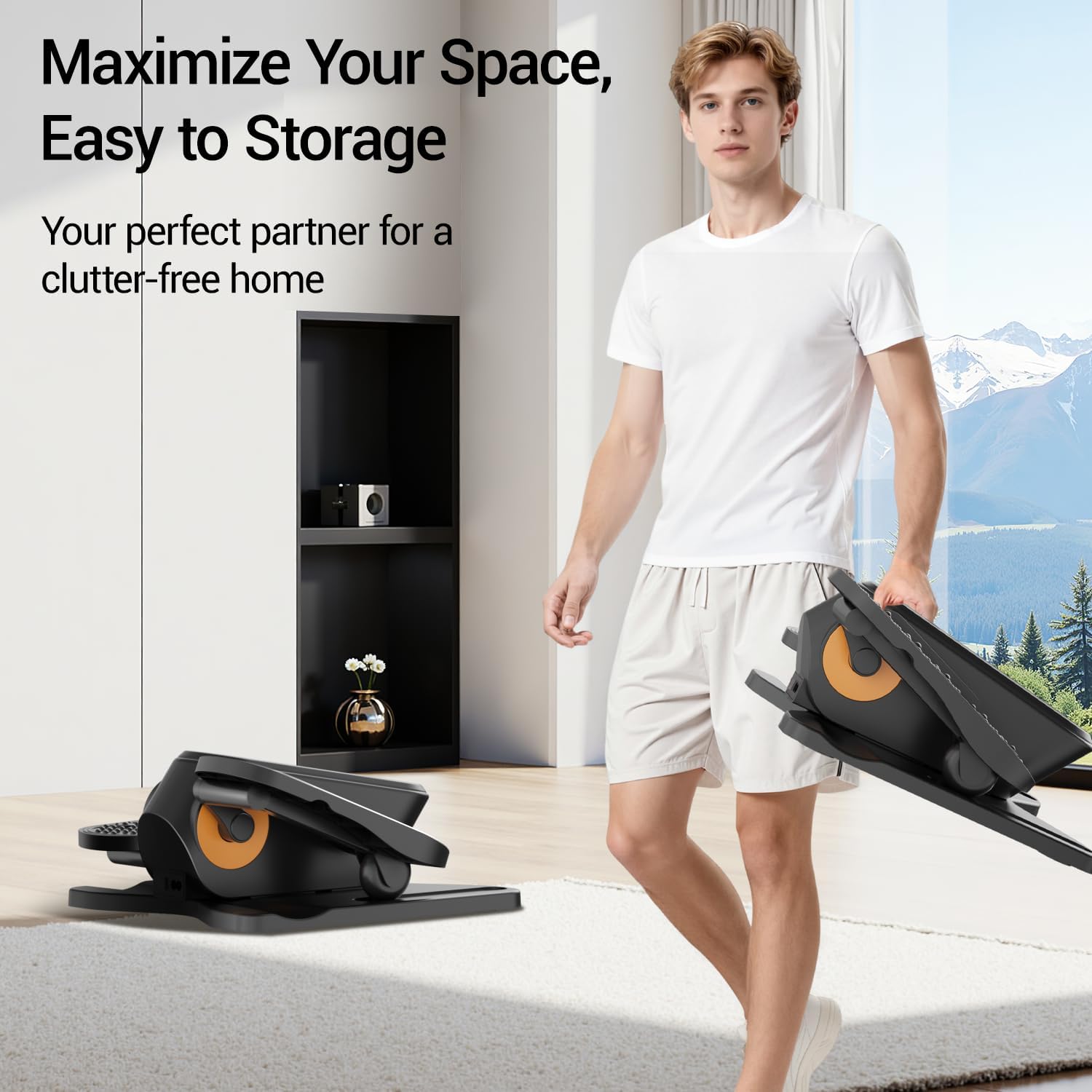
Figure 9: The compact and lightweight design facilitates easy storage.
Solución de problemas
| Problema | Posible causa | Solución |
|---|---|---|
| La máquina no se enciende. | Cable de alimentación no conectado; Interruptor de encendido apagado; Problema con la toma de corriente. | Ensure power cord is securely plugged in. Check if the power switch is ON. Test the outlet with another device. |
| Los pedales no se mueven con suavidad. | Obstruction; Loose components; Machine not on a flat surface. | Check for any obstructions under or around the pedals. Ensure all assembly screws are tight. Place the machine on a level surface. |
| El control remoto no funciona. | Baterías agotadas; Obstrucción entre el control remoto y la máquina. | Replace remote control batteries. Ensure there is a clear line of sight between the remote and the machine's sensor. |
| La máquina está haciendo un ruido inusual. | Loose parts; Internal issue. | Check and tighten any loose screws. If the noise persists, contact customer support. |
Especificaciones del producto
| Característica | Detalle |
|---|---|
| Nombre del modelo | C1 |
| Marca | APTITUD DEL CURSOR |
| Dimensiones del producto (LxAnxAl) | 14.33" x 13.5" x 6.14" |
| Peso del artículo | 4.75 kilogramos |
| Material | Aluminio |
| Recomendación de peso máximo | 300 libras |
| Longitud máxima de zancada | 10 pulgadas |
| Niveles de velocidad | 1-12 |
| Modos | Manual (HR) & Automatic (P1-P12) |
Garantía y soporte
The CURSOR FITNESS Under Desk Elliptical Machine C1 comes with a Garantía de 1 años from the date of purchase, covering manufacturing defects. For warranty claims, technical support, or any inquiries, please contact CURSOR FITNESS customer service.
Please refer to the official CURSOR FITNESS websitio o su documentación de compra para obtener la información de contacto más actualizada.