
Realme RMX5116
realme P4 pro 5G Smartphone
User Manual - Model RMX5116
1. Introducción
This manual provides essential information and instructions for the realme P4 pro 5G Smartphone, Model RMX5116. Please read this manual thoroughly before using your device to ensure proper operation and to maximize its performance and longevity. Keep this manual for future reference.
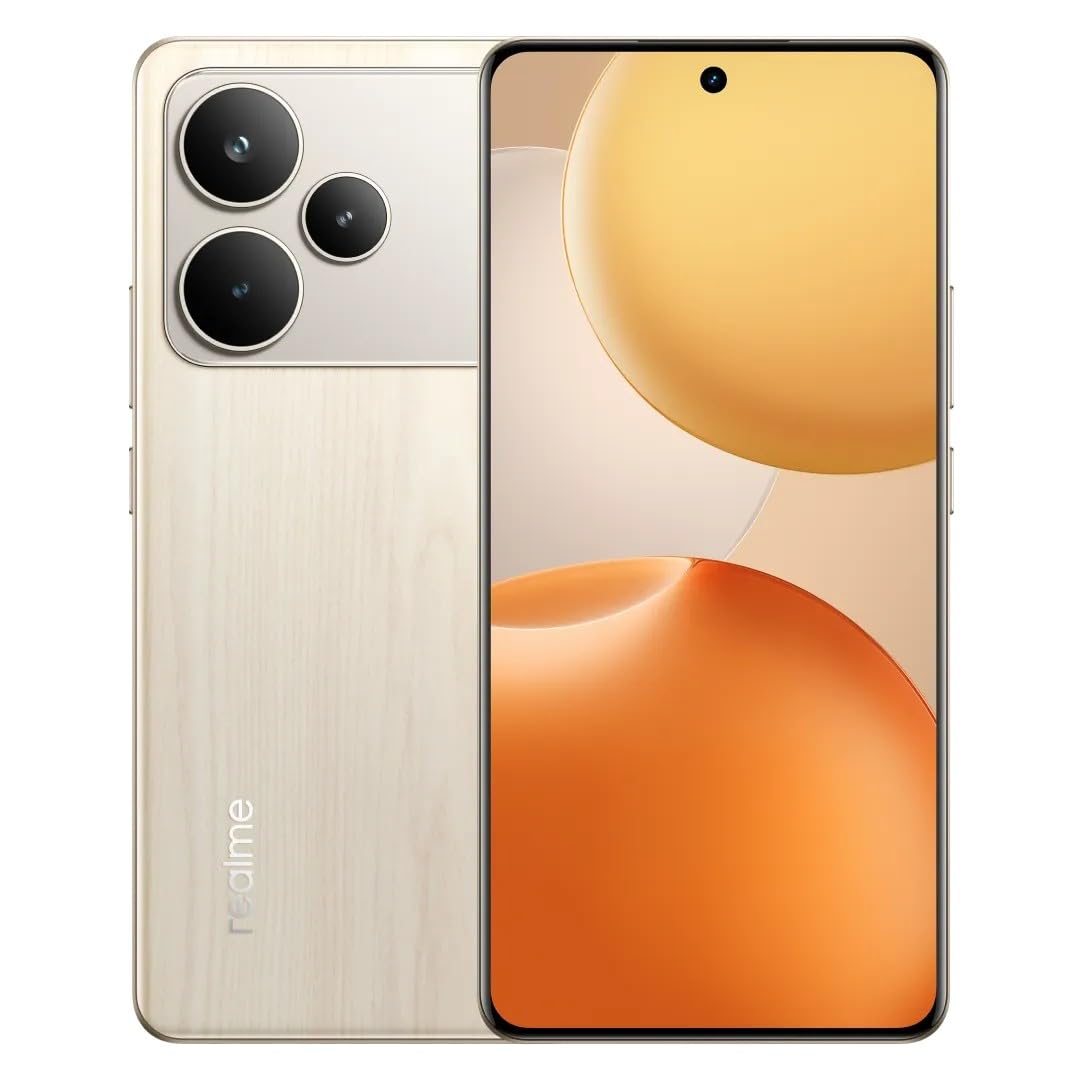
Imagen 1.1: Anverso y reverso view of the realme P4 pro 5G Smartphone, showcasing su diseño y módulo de cámara.
2. ¿Qué hay en la caja?
Upon unboxing your realme P4 pro 5G Smartphone, verify that all the following items are included:
- realme P4 pro 5G Smartphone (Model RMX5116)
- Funda de teléfono
- Power Adapter (80W Ultra Charge compatible)
- Cable USB
- Expulsor de bandeja SIM
- Adaptador USB OTG
3. Configuración
3.1. Inserting SIM Card and/or SD Card
- Localice la bandeja SIM en el costado de su dispositivo.
- Inserte la herramienta de expulsión de la bandeja SIM en el pequeño orificio al lado de la bandeja y presione firmemente hasta que la bandeja salga.
- Coloque las tarjetas Nano-SIM y/o microSD (si corresponde) en las ranuras designadas en la bandeja, asegurándose de que la orientación sea correcta.
- Vuelva a insertar con cuidado la bandeja en el teléfono hasta que encaje en su lugar.
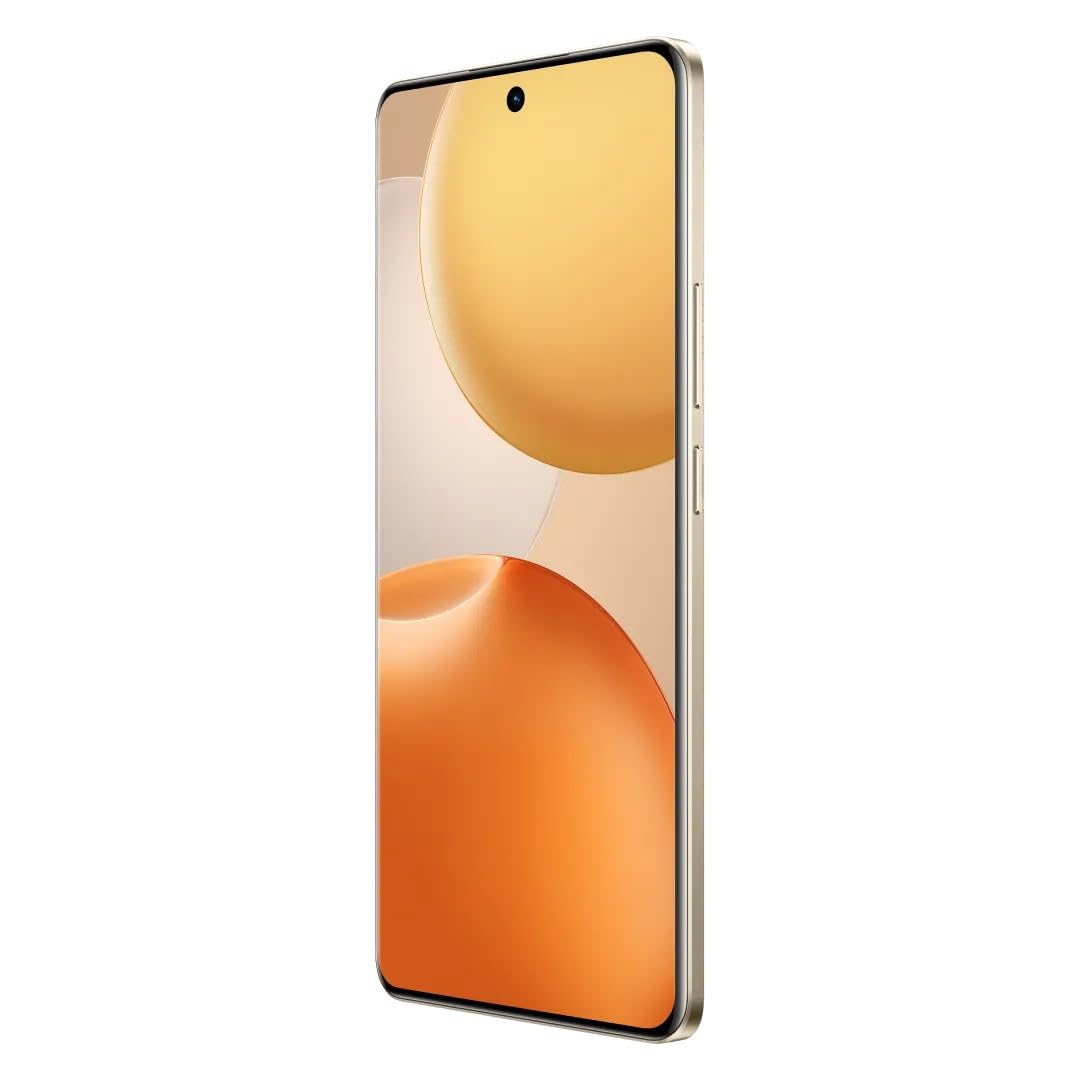
Imagen 3.1: Lateral view of the realme P4 pro 5G Smartphone, showing the slim profile and button placement, where the SIM tray is typically located.
3.2. Encendido inicial y configuración básica
- Mantenga presionado el botón de encendido (generalmente en el lado derecho) hasta que aparezca el logotipo de realme.
- Siga las instrucciones en pantalla para seleccionar su idioma, región y conectarse a una red Wi-Fi.
- Complete the setup wizard, which may include signing into your Google account, setting up security (fingerprint, face unlock, PIN), and transferring data.
3.3. Carga del dispositivo
Before first use, it is recommended to fully charge your device. Use the provided 80W Ultra Charge power adapter and USB cable for optimal charging speed.
- Conecte el cable USB al adaptador de corriente.
- Conecte el adaptador de corriente a una toma de pared.
- Conecte el otro extremo del cable USB al puerto USB-C de su teléfono.
- The device will indicate that it is charging. The 80W Ultra Charge can provide 50% battery in approximately 25 minutes.
4. Instrucciones de funcionamiento
4.1. Visualización y navegación
The realme P4 pro 5G features a 6.8-inch 144Hz display, offering smooth visuals and responsive touch. Navigate using gestures or the traditional three-button navigation bar, configurable in Settings.
- Pantalla de inicio: Swipe left/right to access different home screen panels.
- Cajón de aplicaciones: Deslice el dedo hacia arriba desde la parte inferior de la pantalla para acceder a todas las aplicaciones instaladas.
- Panel de notificación: Deslice hacia abajo desde la parte superior de la pantalla para view notificaciones y configuraciones rápidas.

Image 4.1: The realme P4 pro 5G Smartphone display, emphasizing its 144Hz refresh rate for smooth visuals.
4.2. Uso de la cámara
Your device is equipped with a 108MP AI Camera system. Open the Camera app to capture photos and videos.
- Modos de fotografía: Cambia entre modos como Foto, Retrato, Noche, Profesional y más.
- Mejoras de IA: The AI camera automatically optimizes settings for various scenes.
- Grabación de vídeo: Supports 4K 60FPS video recording.
- Cámara frontal: Usa la cámara frontal para selfies y videollamadas.

Image 4.2: Visual representation of the realme P4 pro 5G's AI Camera capabilities, including 108MP resolution and various shooting modes.
4.3. Rendimiento y juegos
Powered by the Snapdragon 7 Gen 4 Chipset, the realme P4 pro 5G delivers robust performance for multitasking, demanding applications, and gaming. The 144Hz display enhances the gaming experience with fluid visuals.
4.4. Gestión de la batería
La batería de 7000 mAh ofrece un uso prolongado. Para optimizar la duración de la batería:
- Ajuste el brillo de la pantalla.
- Habilite los modos de ahorro de energía cuando sea necesario.
- Cierre las aplicaciones en segundo plano que no utilice.
- Utilize the 80W Ultra Charge for quick recharges.
4.5. Conectividad
- Red 5G: Supports 5G connectivity for faster mobile data speeds.
- Wifi: Conéctese a redes Wi-Fi a través de Configuración > Wi-Fi.
- Bluetooth: Empareje con dispositivos Bluetooth (auriculares, altavoces) a través de Configuración > Bluetooth.
- GPS: GPS integrado para servicios de navegación y localización.
4.6. Sistema operativo
The realme P4 pro 5G runs on Android 15, offering a user-friendly interface and access to a vast ecosystem of applications via the Google Play Store.
5. Mantenimiento
5.1. Resistencia al polvo y al agua (IP65)
The device is rated IP65 for dust and water resistance. This means it is protected against dust ingress and low-pressure water jets from any direction. However, it is no waterproof and should not be submerged in water. Avoid exposing the device to high-pressure water or extreme conditions.
5.2. Instrucciones de limpieza
- Apague el dispositivo antes de limpiarlo.
- Utilice un paño suave que no suelte pelusa para limpiar la pantalla y el cuerpo.
- Para marcas difíciles, ligeramente dampEnjuague el paño con agua o un limpiador de pantallas. Evite productos químicos agresivos o materiales abrasivos.
- Asegúrese de que todos los puertos estén secos antes de cargar o conectar accesorios.
5.3. Actualizaciones de software
Regularly check for and install software updates to ensure your device has the latest features, security patches, and performance improvements. You can check for updates in Settings > About phone > Software update.
6. Solución de problemas
If you encounter issues with your realme P4 pro 5G, refer to the following common troubleshooting steps:
- El dispositivo no enciende: Ensure the battery is charged. Connect to the charger for at least 15 minutes, then try powering on again. If unresponsive, perform a force restart (usually by holding Power and Volume Down buttons simultaneously for 10-15 seconds).
- Problemas de carga: Verify the charger and USB cable are securely connected and undamaged. Try a different outlet or charger. Clean the charging port gently if there's visible debris.
- Network connectivity problems (Wi-Fi/Mobile Data):
- Activa y desactiva el modo avión.
- Reinicie el dispositivo.
- Para Wi-Fi, olvide la red y vuelva a conectarse.
- For mobile data, check SIM card insertion and ensure data is enabled in settings.
- Las aplicaciones se bloquean o se congelan: Cierra y vuelve a abrir la aplicación. Borra la caché y los datos de la aplicación en Ajustes > Aplicaciones. Si el problema persiste, desinstálala y vuelve a instalarla.
- Rendimiento lento: Close background apps. Clear cache. Restart the device. Ensure sufficient storage space is available.
Para problemas persistentes, considere realizar un restablecimiento de fábrica (Nota: This will erase all data on your device, so back up important information first) or contact realme customer support.
7. Especificaciones
Key technical specifications for the realme P4 pro 5G Smartphone (Model RMX5116):
| Característica | Especificación |
|---|---|
| Número de modelo | RMX5116 |
| Sistema operativo | Androide 15 |
| Procesador | Snapdragon® 7 Gen 4 Chipset (CPU Speed: 2.8 GHz) |
| Mostrar | 6.8 pulgadas, frecuencia de actualización de 144 Hz |
| Memoria RAM | 8 GB |
| Almacenamiento interno | 128 GB (según la variante actual) |
| Cámara trasera | Cámara IA de 108 MP |
| Cámara frontal | Sí |
| Capacidad de la batería | 7000 mAh |
| Cargando | Carga ultra de 80 W |
| Conectividad | 5G, Wi-Fi, Bluetooth, USB, GPS |
| Resistencia al agua y al polvo | IP65 |
| Dimensiones (LxAnxAl) | 16.33 x 7.59 x 0.76 cm |
| Peso del artículo | 189 gramos |
| Color | Madera de abedul |
8. Garantía y soporte
Para obtener información detallada sobre la garantía, consulte la tarjeta de garantía incluida con su producto o visite el sitio web oficial de realme. website. The manufacturer is OPPO MOBILES INDIA PRIVATE LIMITED.
For technical support, service, or further inquiries, please contact realme customer service through their official channels. You can often find support contact details on the realme official website or within the device's settings under "About phone" or "Support".
Recursos en línea:
- Visita el Tienda realme en Amazon Para obtener información del producto.
- Check the official realme website for the latest support documents and FAQs.
Ask a question about this manual
Ask about setup, troubleshooting, compatibility, parts, safety, or missing instructions. Manuals+ will review the question and use this page’s manual context to help answer it.