
1. Introducción
Thank you for choosing the PHIXTON PH25A12 Rechargeable Flashlight. This powerful 3000-lumen flashlight is designed for various applications, offering a long-range beam, multiple modes, and convenient USB-C charging with power bank functionality. This manual provides essential information for safe and effective use of your device.
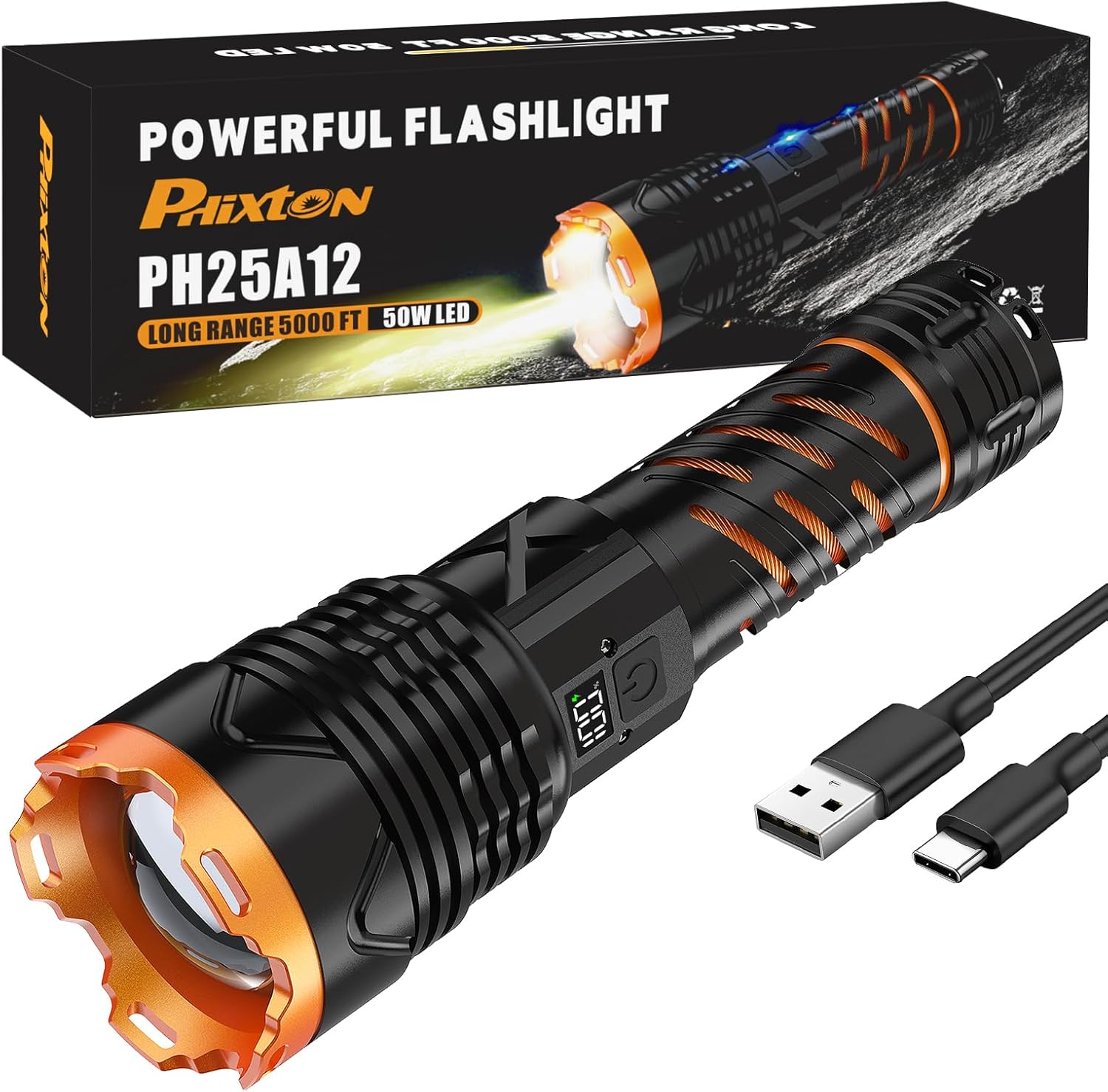
Figure 1: The PHIXTON PH25A12 flashlight, its retail packaging, and the included USB-C charging cable.
2. Información de seguridad
- Do not shine the flashlight directly into eyes, as the high intensity light can cause temporary vision impairment.
- Mantener fuera del alcance de los niños.
- No desmonte ni modifique la linterna, ya que esto puede anular la garantía y suponer riesgos de seguridad.
- Evite exponer la linterna a temperaturas extremas o llamas abiertas.
- Utilice únicamente el cable USB-C proporcionado para cargar.
3. Contenido del paquete
Verifique que todos los artículos estén presentes en su paquete:
- 1 x Linterna de alta potencia PHIXTON PH25A12 (Batería recargable incluida)
- Cable de carga 1 x USB-C
4. Producto terminadoview
Familiarize yourself with the components of your PHIXTON PH25A12 flashlight.

Figure 2: The image displays the compact dimensions of the PH25A12 flashlight (7.52 inches long, 1.89 inches wide) and shows it comfortably held in a hand, highlighting its ergonomic design.
- Lens/Bezel: Front part of the flashlight, housing the LED and focusing mechanism.
- Botón de encendido: Controla la potencia y la selección de modo.
- Puerto de carga USB-C: Para recargar la batería interna.
- Puerto de salida USB-A: For using the flashlight as a power bank.
- Pantalla LCD: Muestra el porcentaje de bateríatage.
- Cabeza ajustable: Allows for beam focus adjustment.
5. Configuración
5.1 Carga inicial
Before first use, fully charge the flashlight. This ensures optimal performance and battery longevity.
- Localice el puerto de carga USB-C en el cuerpo de la linterna.
- Conecte el cable USB-C provisto al puerto de carga de la linterna.
- Connect the other end of the USB-C cable (USB-A) to a compatible USB power source (e.g., wall adapter, computer, power bank).
- La pantalla LCD mostrará el progreso de la carga. Una carga completa suele tardar entre 2 y 3 horas.
- Una vez cargada por completo, desconecta el cable.
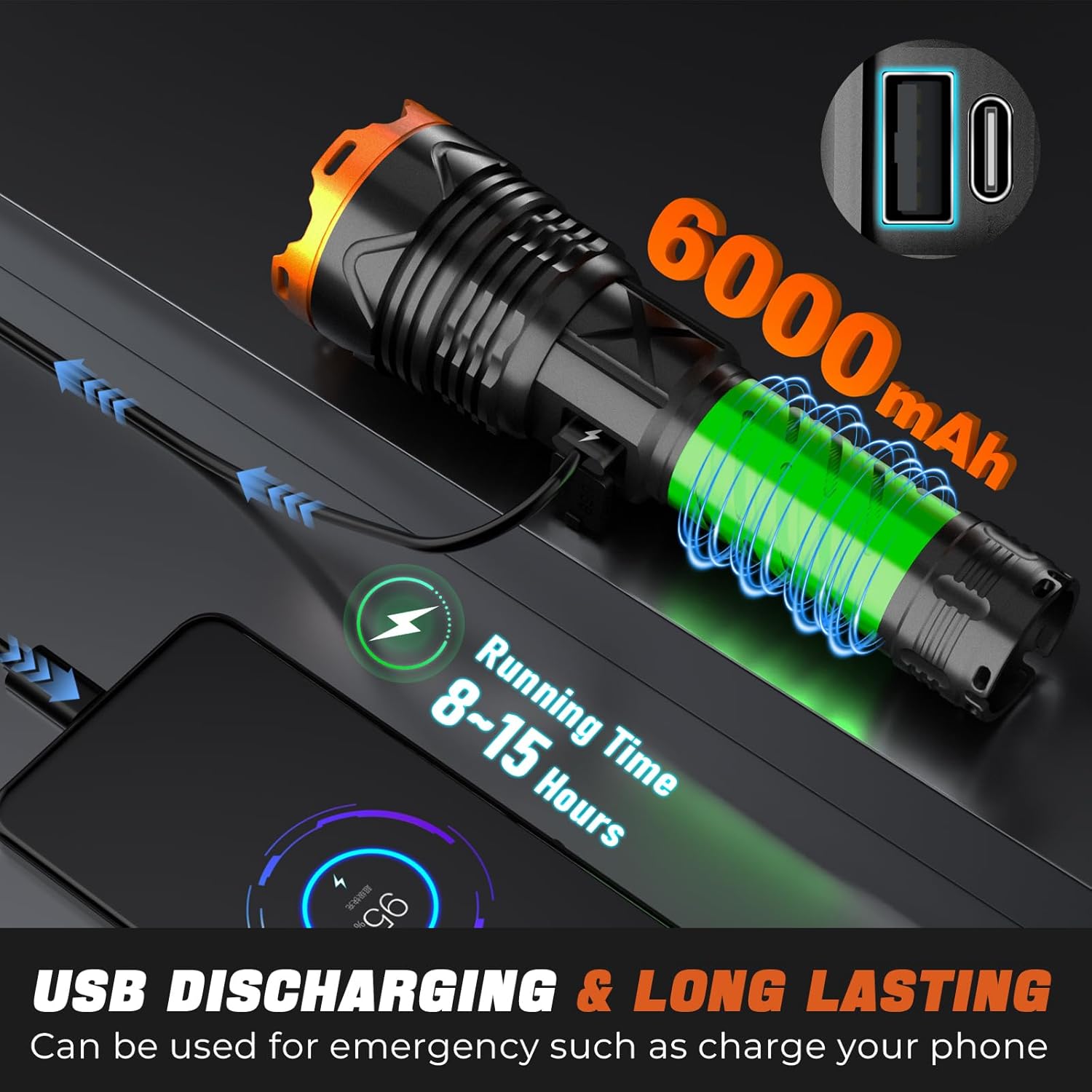
Figure 3: The flashlight is shown connected to a power adapter via its USB-C port, illustrating the fast and safe charging process.
6. Instrucciones de funcionamiento
6.1 Encendido y apagado
Press the power button once to turn the flashlight on. It will activate in High mode. Press the power button once again to turn it off from any mode.
Selección de 6.2 modos
While the flashlight is on, press and hold the power button for approximately 2 seconds to cycle through Low and Strobe modes. Release the button to select the desired mode.
6.3 Ajuste de enfoque
To adjust the beam focus, gently pull the head of the flashlight forward for a narrow, long-range spotlight, or push it back for a wide, floodlight beam.
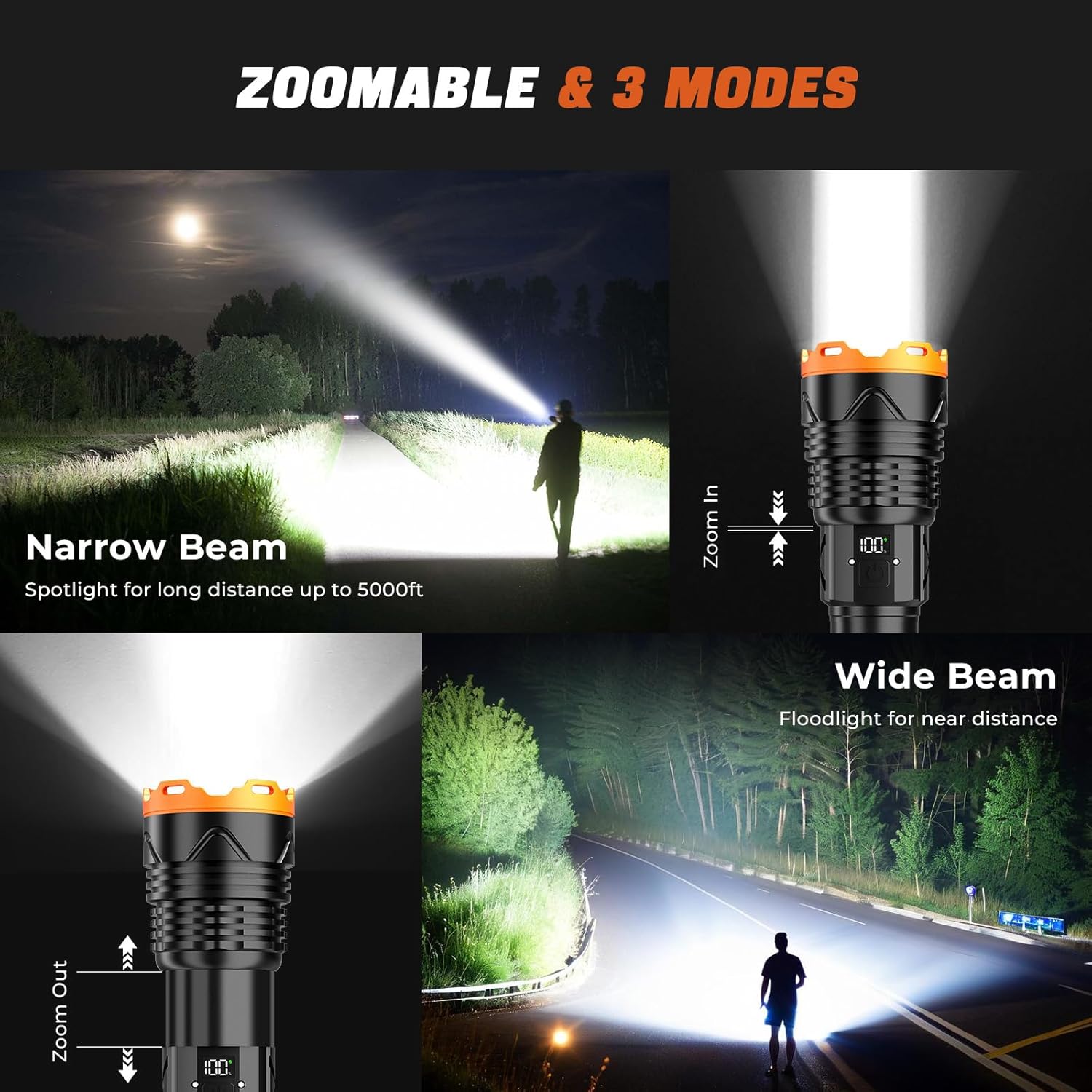
Figure 4: This visual demonstrates the flashlight's adjustable focus, showing a narrow beam for long-distance spotlighting and a wide beam for broader area illumination.
6.4 Función de banco de energía
The PH25A12 can function as an emergency power bank. Connect your device's charging cable to the USB-A output port on the flashlight to charge compatible devices.

Figure 5: This image highlights the flashlight's 6000mAh battery and its USB-A output port, allowing it to function as a power bank for charging other devices like smartphones.
6.5 LCD Power Display
The integrated LCD screen provides a real-time display of the remaining battery percentage, allowing you to monitor power levels accurately and know when to recharge.

Figure 6: The flashlight is depicted in both snowy and rainy environments, showcasing its waterproof and cold-resistant construction, along with its LCD display showing remaining power.
7. Mantenimiento
7.1 Limpieza
Limpie el cuerpo de la linterna con un paño suave.amp cloth. Do not use abrasive cleaners or solvents, as these can damage the finish or internal components. Keep the lens clean for optimal light output.
7.2 Cuidado de la batería
To prolong battery life, avoid fully discharging the battery frequently. Recharge the flashlight regularly, even if not in daily use, to maintain battery health. If storing for extended periods, ensure the battery is partially charged (around 50-80%).
7.3 Almacenamiento
Store the flashlight in a cool, dry environment away from direct sunlight and extreme temperatures. Ensure the flashlight is turned off to prevent accidental activation and battery drain.
8. Solución de problemas
| Problema | Posible causa | Solución |
|---|---|---|
| La linterna no se enciende. | Batería baja o agotada. | Check battery level on the LCD display. Recharge the flashlight fully. |
| La linterna no se enciende. | El botón de encendido no está presionado correctamente. | Ensure the power button is pressed firmly and released for a single click. |
| La linterna no carga. | Loose cable connection or faulty cable/adapter. | Verify the USB-C cable is securely connected. Try a different USB-C cable or power adapter. Ensure the power source is active. |
| La salida de luz es tenue. | Batería baja o lente sucia. | Check battery level and recharge if low. Clean the flashlight lens with a soft cloth. |
| Beam focus is not adjusting. | Problema de obstrucción o mecanismo. | Ensure the head mechanism is free from obstructions. Gently twist and pull/push the head to adjust. |
9. Especificaciones
| Característica | Detalle |
|---|---|
| Número de modelo | PH25A12 |
| Fuente de luz | LED de 50 W |
| Brillo | Hasta 3000 lúmenes |
| Distancia del haz | Up to 5000 feet (narrow beam) |
| Fuente de poder | Carga USB-C y alimentación por batería |
| Capacidad de la batería | 6000 mAh (recargable) |
| Tiempo de carga | 2-3 horas (aprox.) |
| Tiempo de ejecución | Hasta 15 horas |
| Modos | High, Low, Strobe (3 modes) |
| Material | Aleación de aluminio de grado aeronáutico |
| Resistencia al agua | Water Resistant (suitable for rain/snow) |
| Dimensiones | 1.89" de profundidad x 1.89" de ancho x 7.52" de alto |
| Peso | 1.15 libras |
| Características especiales | LCD Power Display, USB Output (Power Bank Function), Adjustable Focus |
10. Información de garantía
The PHIXTON PH25A12 flashlight is covered by a Garantía limitada. For detailed information regarding warranty coverage, terms, and conditions, please refer to the warranty card included with your product or contact PHIXTON customer support. Keep your proof of purchase for warranty claims.
11. Atención al cliente
Should you encounter any issues, have questions about your PHIXTON PH25A12 flashlight, or require technical assistance, please do not hesitate to contact our customer support team. You can typically find contact information through the retailer's platform where you purchased the product or on the official PHIXTON websitio.