
Gvyugke Captain 560
Gvyugke Captain 560 Wireless Gaming Headset User Manual
Model: Captain 560 | Brand: Gvyugke
Introducción
Thank you for choosing the Gvyugke Captain 560 Wireless Gaming Headset. This headset is designed to provide a high-quality audio experience across multiple platforms, including Xbox Series X/S, Xbox One, PS5, PS4, Nintendo Switch, PC, Mac, and mobile devices. Please read this manual carefully to ensure proper setup and optimal performance.
Contenido del paquete
Asegúrese de que todos los artículos estén presentes en su paquete:
- Gvyugke Captain 560 Wireless Gaming Headset
- 2.4GHz Wireless Transmitter (Dongle)
- Cable de audio de 3.5 mm
- Cable de carga USB-C
- Manual de usuario (este documento)
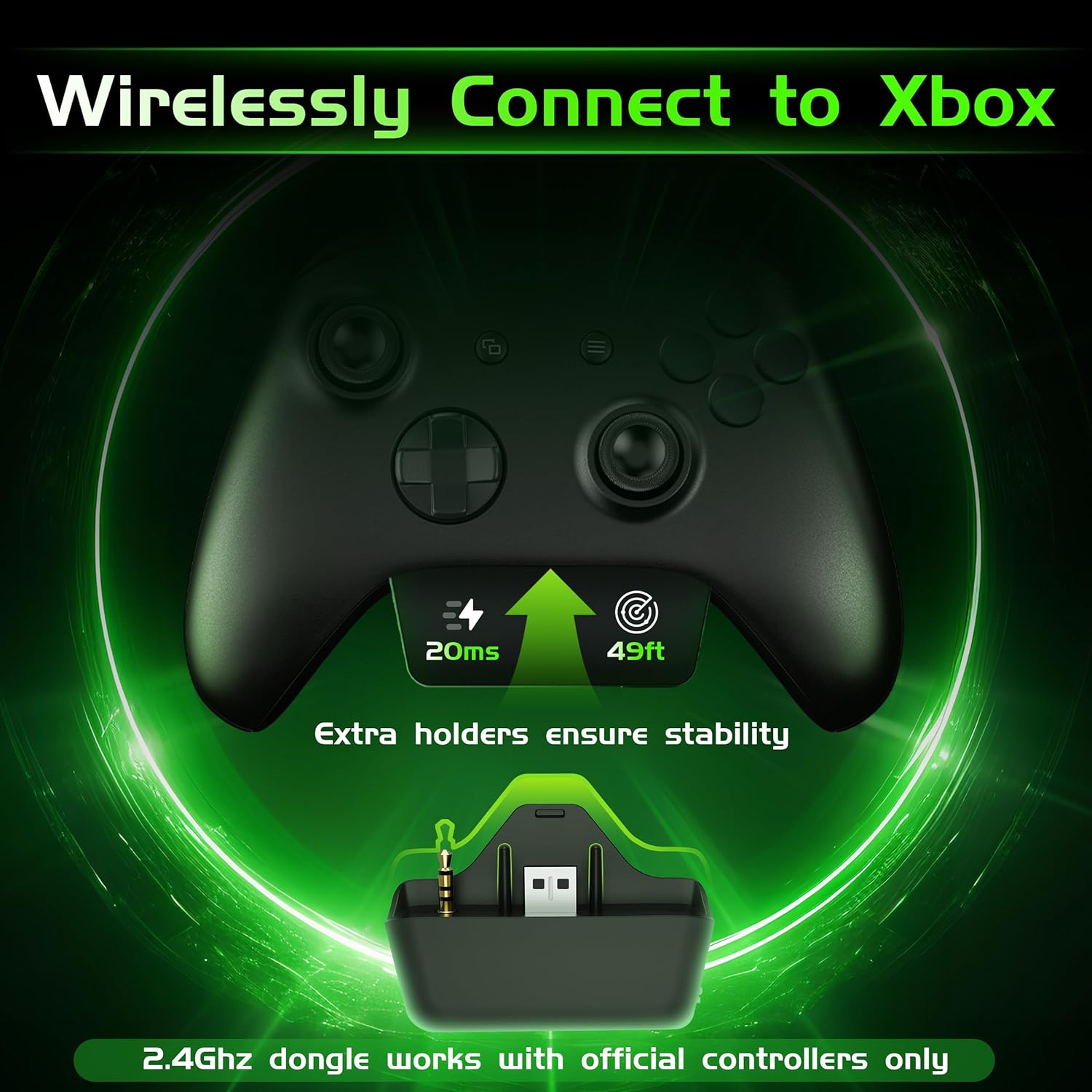
Image: Gvyugke Captain 560 Wireless Gaming Headset, 2.4GHz transmitter, 3.5mm audio cable, and USB-C charging cable.
Instrucciones de instalación
1. Cargar los auriculares
Before first use, fully charge the headset. Connect the USB Type-C charging cable to the headset's charging port and the other end to a USB power source. The charging indicator will show status. A full charge takes approximately 2.5 hours.

Image: Headset highlighting its 1050mAh battery capacity, indicating up to 45 hours of playtime.
2. Connecting via 2.4GHz Wireless (for Xbox, PS5, PC, Mac, Switch)
The 2.4GHz wireless connection offers low-latency audio for gaming.
- For Xbox Series X/S or Xbox One: Insert the 2.4GHz wireless transmitter directly into the bottom port of your official Xbox controller. Ensure it is fully seated to avoid audio issues.
- For PS5, PC, Mac, or Nintendo Switch: Connect the 2.4GHz wireless transmitter to an available USB-A port on your console or computer.
- Power on your headset by pressing and holding the power button.
- Slide the connectivity switch on the headset to the "2.4G" position. The headset will automatically pair with the transmitter.
Image: The 2.4GHz wireless transmitter securely inserted into the bottom of an Xbox controller.
Nota:
- The microphone is not supported when connected to Nintendo Switch.
- The transmitter is compatible with official Xbox controllers. Third-party Xbox controllers may not be supported.
Video: Instructions on how to set up voice chat on Xbox for the Gvyugke Captain 560 headset.
3. Connecting via Bluetooth 6.0 (for Mobile, PC, Mac)
Bluetooth connectivity is ideal for mobile devices, PC, and Mac for general audio and communication.
- Encienda sus auriculares.
- Slide the connectivity switch on the headset to the "BT" (Bluetooth) position. The headset will enter pairing mode, indicated by a flashing LED.
- On your device (phone, PC, Mac), go to Bluetooth settings and select "Captain 560" from the list of available devices.
- Once connected, the LED on the headset will become solid.
Nota:
- Bluetooth works with mobile devices only and is not available for Xbox, PS5, or PS4.
4. Conexión mediante cable de 3.5 mm
For universal compatibility or when battery is low, use the 3.5mm audio cable.
- Conecte un extremo del cable de audio de 3.5 mm al puerto de 3.5 mm de los auriculares.
- Connect the other end to the 3.5mm audio jack on your device (controller, PC, etc.).
- Los auriculares funcionarán en modo cableado.

Image: A diagram illustrating the three connection modes: 2.4GHz wireless, Bluetooth, and 3.5mm wired, with compatible devices for each.
Instrucciones de funcionamiento
1. Encendido y apagado
- Encendido: Press and hold the power button (located on the left earcup) for 3 seconds until the LED indicator lights up.
- Apagado: Mantenga presionado el botón de encendido durante 3 segundos hasta que el indicador LED se apague.
2. Microphone Usage (Flip-to-Mute)
- Activar micrófono: Flip the integrated microphone boom down.
- Silenciar micrófono: Flip the microphone boom up. This action will automatically mute the microphone.

Image: The integrated microphone of the headset, demonstrating its flip-to-mute functionality and noise-canceling feature.
3. Audio Modes (Game/Music)
Press the dedicated mode button (located below the power button) to switch between Game Mode and Music Mode. Game Mode enhances spatial audio cues, while Music Mode optimizes for balanced sound reproduction.
4. Control de volumen
Ajuste el volumen utilizando la rueda de desplazamiento ubicada en el auricular izquierdo.

Image: Close-up of the headset's left earcup, showing the power button, light button, 2.4G/BT mode switch, and volume scroll wheel.
5. Control de iluminación LED
Press the light button (located below the power button) to toggle the LED lighting on or off. Turning off the lighting can extend battery life.
6. Triple-Mode Connectivity Switch
Use the slide switch labeled "2.4G / BT" to select your desired wireless connection mode. For wired connection, simply plug in the 3.5mm cable.
Características másview
- Compatibilidad multiplataforma: Seamlessly switch between Xbox Series X/S, Xbox One, PS5, PS4, Nintendo Switch, PC, Mac, and mobile devices.
- Conexión inalámbrica de 2.4 GHz de latencia ultrabaja: Experience responsive audio with only 20ms latency, crucial for competitive gaming.
- Integrated Flip-to-Mute Microphone: Clear communication with advanced noise reduction, easily mute by flipping the mic up.
- Sonido envolvente 3D inmersivo: Powered by 50mm dynamic drivers for rich, detailed audio, enhancing your gaming and media experience.
- Mayor duración de la batería: Up to 45 hours with lighting, or over 70 hours with lighting off at half volume. Supports charging while playing.
- Diseño cómodo y plegable: Breathable fabric cushions with memory foam ensure comfort during long sessions. The foldable design allows for easy storage and portability.

Image: A person wearing the headset, surrounded by visual representations of 3D sound waves, emphasizing immersive audio.
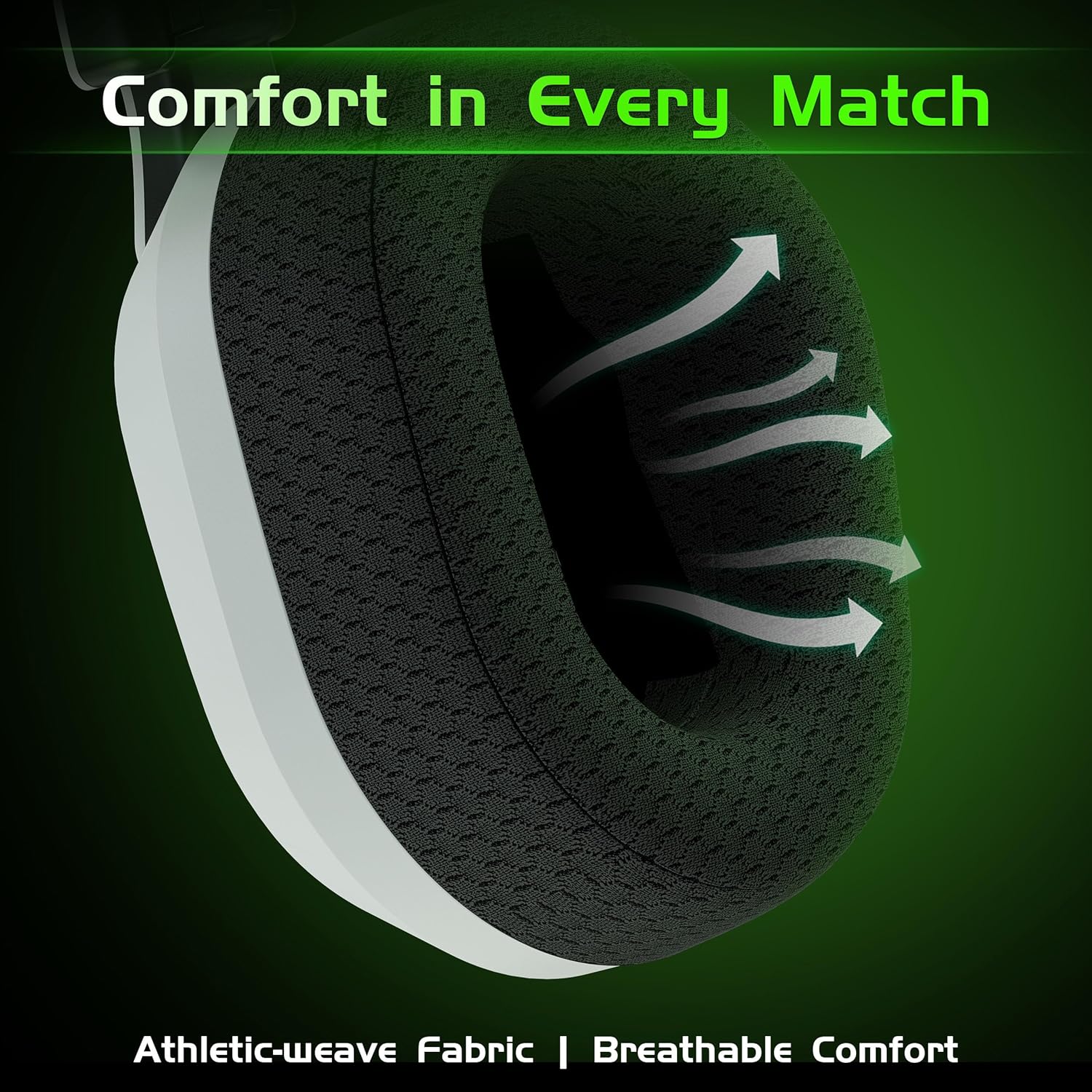
Imagen: Primer plano view of the headset's breathable weave fabric ear pads, designed for comfort and airflow.

Image: A person demonstrating the foldable design of the headset, placing it into a bag for compact storage.
Mantenimiento
- Limpieza: Utilice un paño suave y seco para limpiar los auriculares. No utilice productos químicos agresivos ni materiales abrasivos.
- Almacenamiento: Guarde los auriculares en un lugar fresco y seco, alejados de la luz solar directa y temperaturas extremas. Gracias a su diseño plegable, son compactos y fáciles de guardar.
- Cuidado de la batería: Para prolongar la vida útil de la batería, evite descargar completamente los auriculares con frecuencia. Cárguelos regularmente, incluso si no los usa durante períodos prolongados.
- Cuidado de cables: Manipule los cables con cuidado. Evite curvas pronunciadas o tirones excesivos para evitar daños.
Solución de problemas
| Problema | Posible causa | Solución |
|---|---|---|
| Sin sonido/volumen bajo |
|
|
| El micrófono no funciona |
|
|
| Problemas de emparejamiento de Bluetooth |
|
|
| Static or intermittent audio (2.4GHz) |
|
|
Presupuesto
| Característica | Detalle |
|---|---|
| Nombre del modelo | Capitán 560 |
| Tecnología de conectividad | Conexión inalámbrica de 2.4 GHz, Bluetooth 6.0, cable de 3.5 mm |
| Comunicación inalámbrica | 2.4Ghz, Bluetooth 6.0 |
| Latencia de audio | 20 milisegundos (modo 2.4 GHz) |
| Tamaño del controlador de audio | 50 milímetros |
| Control de ruido | Sound Isolation, Noise Cancellation (Mic) |
| Duración de la batería | Up to 45 Hours (with lighting), Over 70 Hours (lighting off, half volume) |
| Tiempo de carga | 2.5 horas |
| Puerto de carga | USB tipo C |
| Alcance de Bluetooth | 32.8 pies (10 metros) |
| Dispositivos compatibles | Xbox Series X/S, Xbox One, PS5, PS4, Nintendo Switch, PC, Mac, Mobile |
| Micrófono | Integrated Flip-to-Mute, Noise-Canceling |
| Material | Acrilonitrilo butadieno estireno (ABS), policarbonato (PC) |
| Peso del artículo | 10.9 onzas (0.68 libras) |
| Dimensiones del producto | 6.4 x 4 x 6.3 pulgadas |
Garantía y soporte
Gvyugke provides a 12-month warranty for this product and 45-day return policy. For technical support, warranty claims, or any inquiries, please contact Gvyugke customer service through the retailer where the product was purchased or visit the official Gvyugke store on Amazon: Gvyugke Store.
Ask a question about this manual
Ask about setup, troubleshooting, compatibility, parts, safety, or missing instructions. Manuals+ will review the question and use this page’s manual context to help answer it.