
1. Producto terminadoview
The PAXA Clipbuds 7 are open-ear wireless earbuds designed for comfort and situational awareness. They feature Bluetooth 5.4 connectivity, a dual LED battery display, touch controls, and IP45 water resistance.
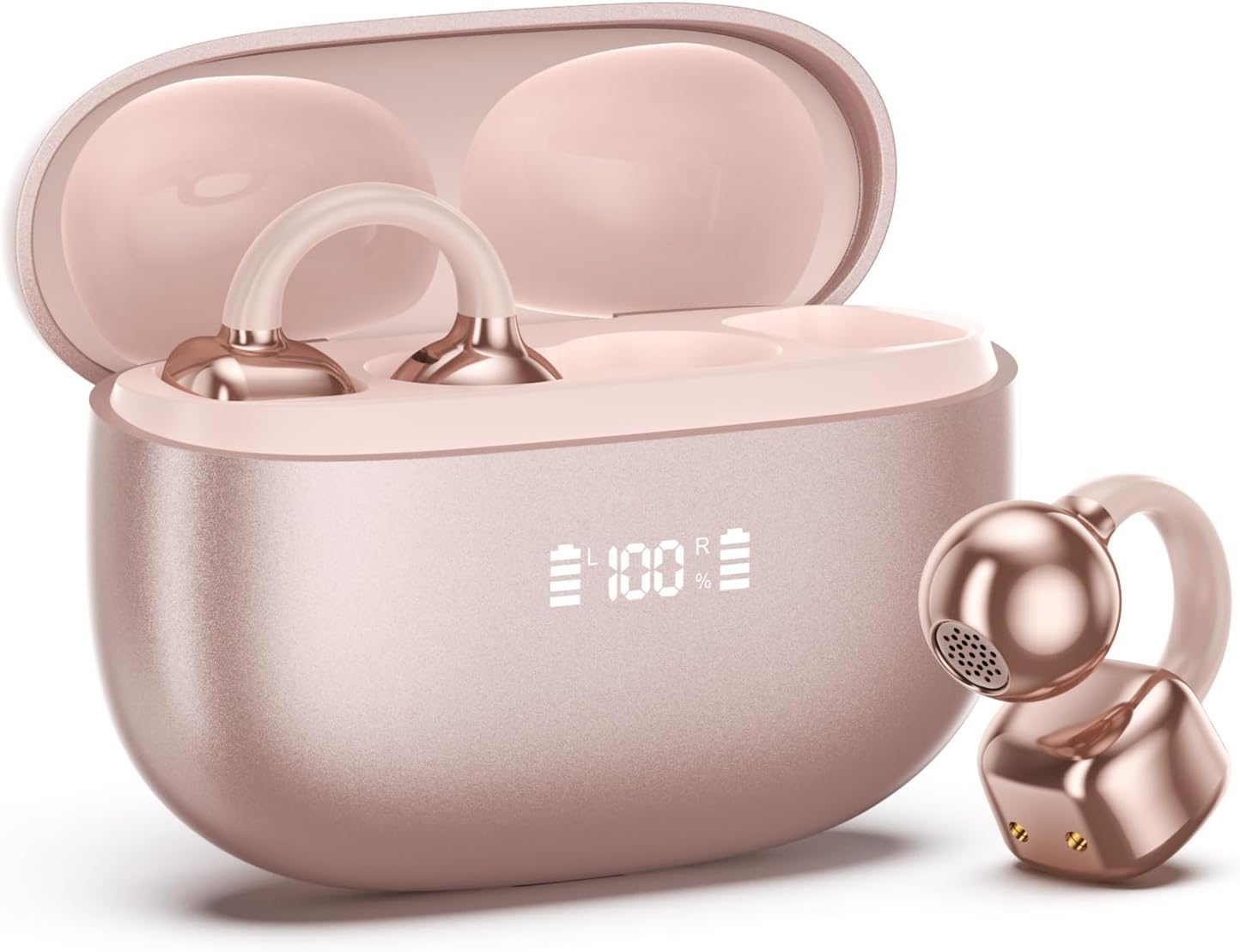
Image 1.1: PAXA Clipbuds 7 Rose Gold Earbuds and Charging Case. The earbuds are shown in their open charging case, which features an LED display indicating battery levels. One earbud is also shown outside the case.
Características principales:
- Diseño de oído abierto para mayor comodidad y conciencia ambiental.
- Bluetooth 5.4 para una conexión inalámbrica estable y eficiente.
- Dual LED display on charging case for battery status.
- Touch controls for music, calls, and voice assistant.
- Hasta 44 horas de tiempo de reproducción total con estuche de carga.
- Resistencia al agua y al polvo IP45.
- Ultra-lightweight design (4.5g per earbud).
2. Contenido del paquete
Asegúrese de que todos los artículos estén presentes en el paquete:
- Auriculares con clip (1 par)
- Estuche de carga inalámbrica (1)
- cable de carga (1)
- Manual de usuario (1)
3. Configuración y emparejamiento
3.1 Carga inicial
Before first use, fully charge the earbuds and the charging case. Connect the provided charging cable to the Type-C port on the charging case and a USB power source. The LED display on the case will indicate the charging status.
3.2 Cómo usar los auriculares
The Clipbuds 7 are designed to clip onto the thinnest part of your ear. Adjust the earbud tip to align with your ear canal for optimal sound and comfort.
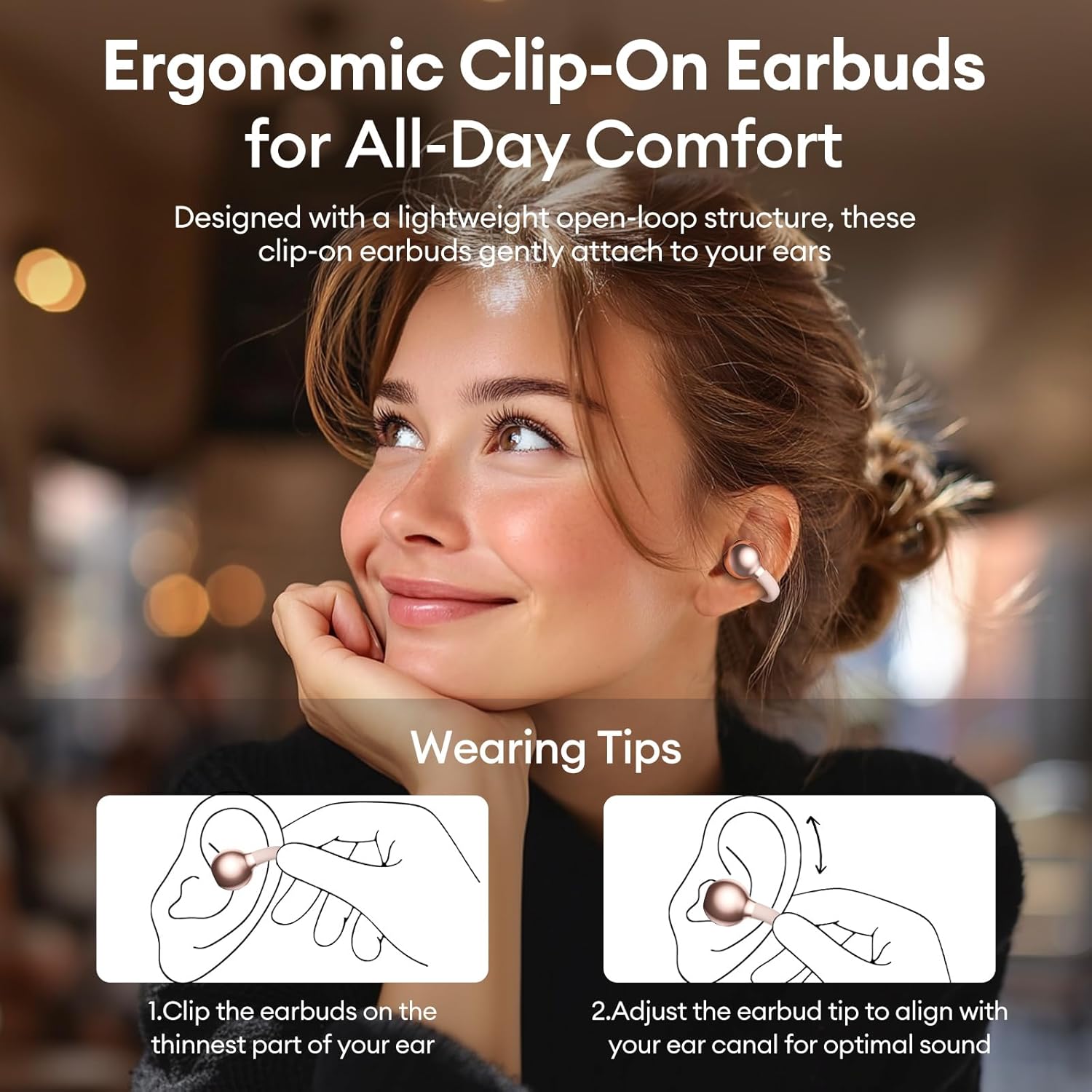
Image 3.2: Wearing instructions for PAXA Clipbuds 7. The diagram illustrates clipping the earbud onto the ear and adjusting for fit.
3.3 Emparejamiento Bluetooth
- Asegúrese de que los auriculares estén cargados y dentro del estuche de carga.
- Abre el estuche de carga. Los auriculares entrarán automáticamente en modo de emparejamiento.
- En su dispositivo (teléfono inteligente, tableta, computadora portátil), vaya a la configuración de Bluetooth.
- Buscar "Clipbuds 7" in the list of available devices and select it to connect.
- Una vez conectados, los auriculares se emparejarán automáticamente con su dispositivo en el futuro cuando los retire del estuche.
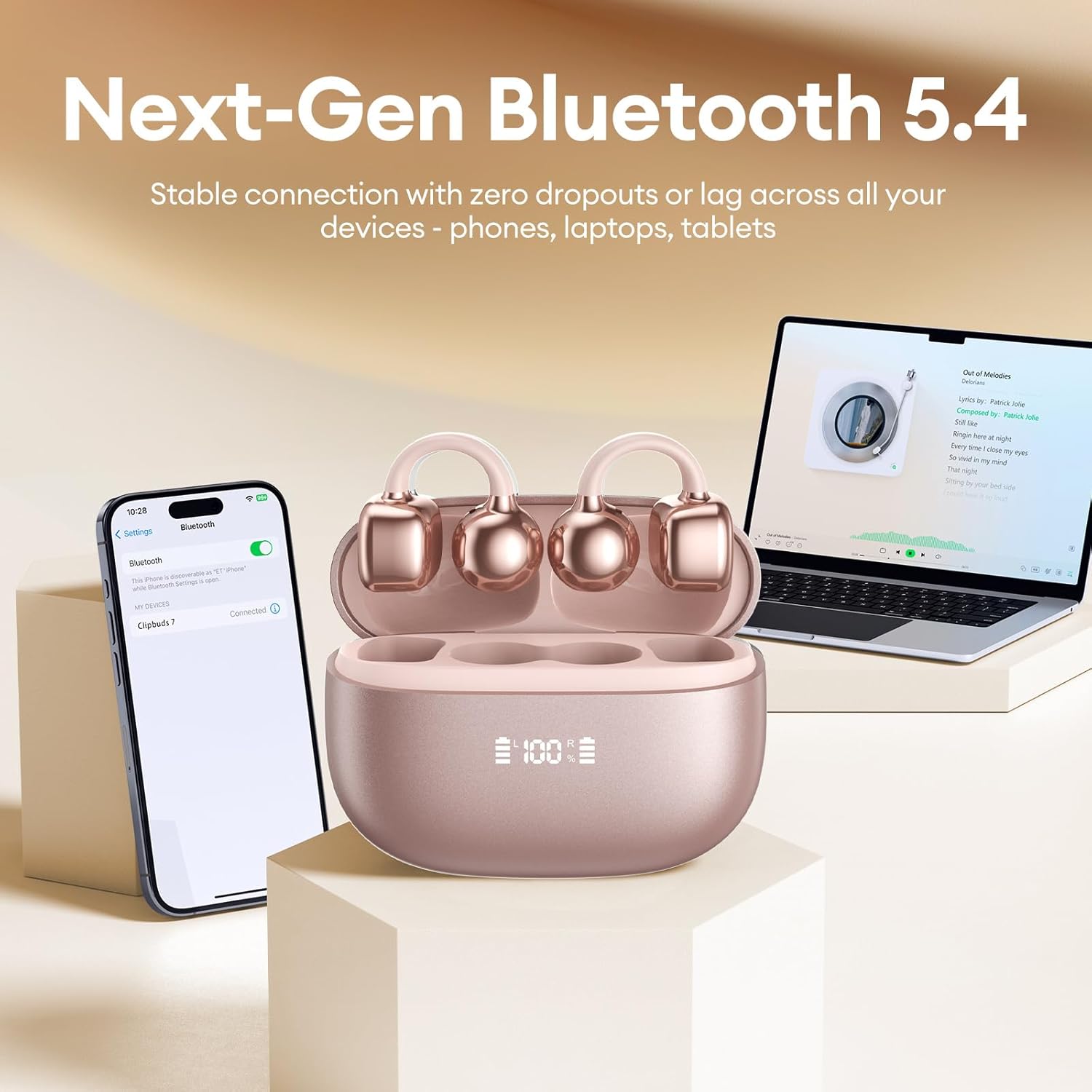
Image 3.3: PAXA Clipbuds 7 connected via Bluetooth to a smartphone and a laptop, demonstrating multi-device compatibility.
4. Instrucciones de funcionamiento
4.1 Controles táctiles
The Clipbuds 7 feature sensitive touch controls on each earbud. Refer to the following table for functions:

Image 4.1: Visual guide for PAXA Clipbuds 7 touch controls, showing actions for calls, music, and voice assistant.
| Función | Acción |
|---|---|
| Responder/Finalizar llamada | Haga doble clic en cualquiera de los auriculares |
| Rechazar llamada | Mantenga presionado cualquiera de los auriculares durante 2 segundos |
| Reproducir/Pausa | Haga doble clic en cualquiera de los auriculares |
| Canción anterior | Haga triple clic en el auricular izquierdo (L) |
| Próxima canción | Haga triple clic en el auricular derecho (R) |
| Volumen + | Haga clic en el auricular derecho (R) |
| Volumen | Haga clic en el auricular izquierdo (L) |
| Asistente de voz (Siri, Asistente de Google) | Mantenga ambos auriculares presionados durante 2 segundos. |
4.2 LED Battery Display
The charging case features a dual LED display that shows the battery percentage of the case and each individual earbud (L and R).
4.3 Conciencia de oído abierto
The open-ear design allows you to hear your audio while remaining aware of your surroundings. This feature is beneficial for activities like running, cycling, or commuting where situational awareness is important.

Image 4.3: Individuals using PAXA Clipbuds 7 during work, sports, and social gatherings, highlighting their versatility and open-ear design.
5. Batería y carga
The Clipbuds 7 offer extended battery life for prolonged use.
- Tiempo de reproducción de auriculares: Hasta 8 horas con una sola carga.
- Tiempo total de juego: Hasta 44 horas con el estuche de carga.
- Carga rápida: 10 minutos de carga proporcionan aproximadamente 3 horas de tiempo de reproducción.

Image 5.1: Illustration of the PAXA Clipbuds 7 charging case, highlighting the 44-hour total battery life and fast charging capability.
6. Mantenimiento y cuidado
6.1 Resistencia al agua y al polvo
The Clipbuds 7 have an IP45 rating, making them resistant to dust and splashes of water. This means they can withstand sweat and light rain, making them suitable for workouts and outdoor activities. However, they are not designed for submersion in water.
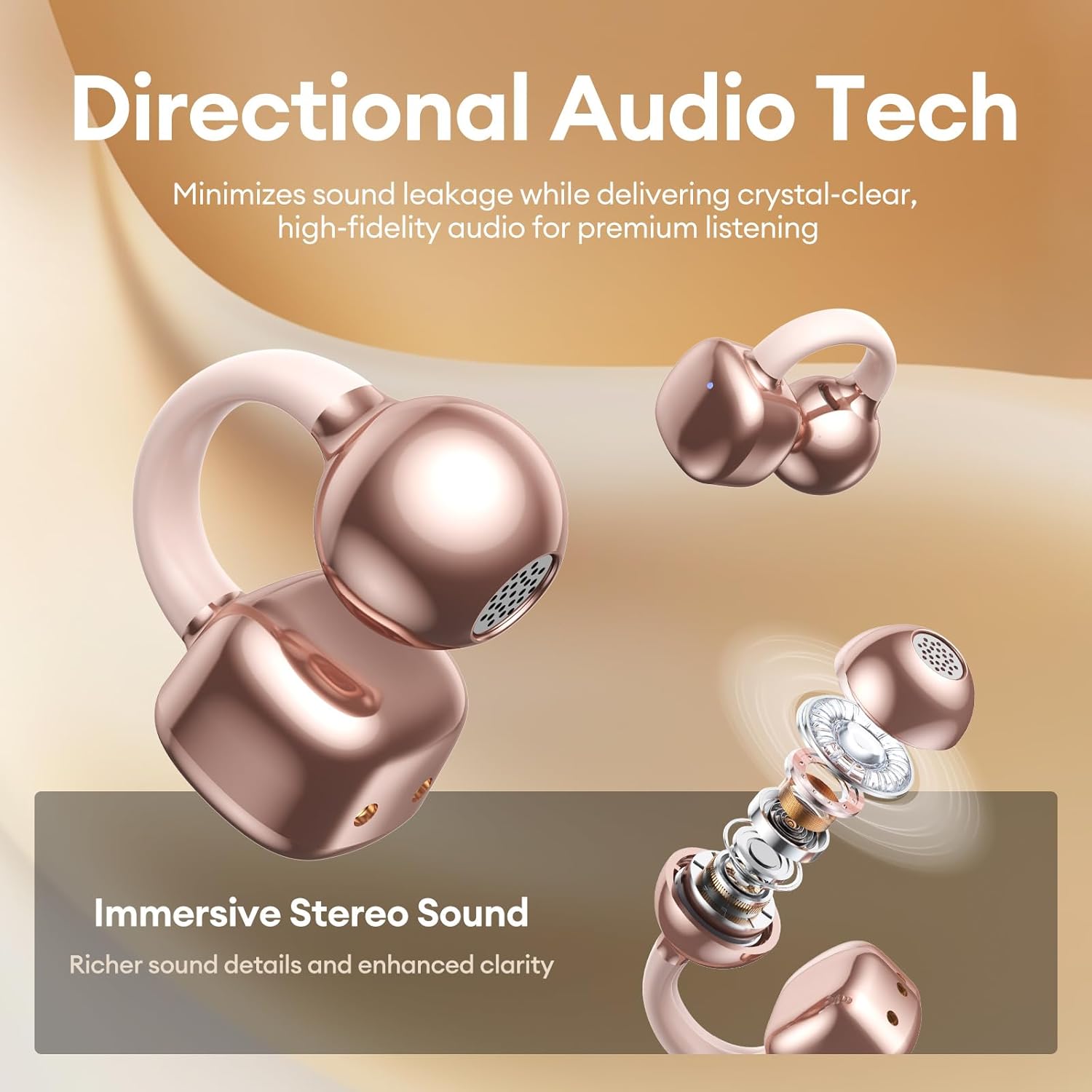
Image 6.1: A person wearing PAXA Clipbuds 7 during light rain, illustrating the IP45 water resistance feature.
6.2 Limpieza
Para mantener un rendimiento e higiene óptimos, limpie regularmente los auriculares y el estuche de carga con un paño suave, seco y sin pelusa. Evite usar materiales abrasivos o productos químicos agresivos.
7. Solución de problemas
If you encounter issues with your Clipbuds 7, try the following solutions:
- Sin problemas de sonido/conectividad:
- Asegúrese de que los auriculares estén cargados.
- Verifique que Bluetooth esté habilitado en su dispositivo.
- Forget "Clipbuds 7" from your device's Bluetooth list and re-pair.
- Ensure earbuds are within Bluetooth range (up to 50 feet).
- Los auriculares no se cargan:
- Compruebe si el cable de carga está conectado de forma segura tanto al estuche como a la fuente de alimentación.
- Asegúrese de que el estuche de carga tenga energía.
- Limpie los contactos de carga tanto de los auriculares como del estuche.
- Los controles táctiles no responden:
- Asegúrese de que sus dedos estén limpios y secos.
- Reinicie los auriculares colocándolos en el estuche, cerrándolo y volviéndolo a abrir.
8. Especificaciones
| Característica | Detalle |
|---|---|
| Nombre del modelo | Clipbuds 7 |
| Marca | PAXÁ |
| Tecnología de conectividad | Inalámbrico (Bluetooth) |
| Versión de Bluetooth | 5.4 |
| Alcance de Bluetooth | Hasta 50 pies |
| Colocación de orejas | Oído abierto |
| Tipo de control | Control táctil |
| Duración de la batería (una sola carga) | 8 horas |
| Duración total de la batería (con estuche) | 44 horas |
| Nivel de resistencia al agua | IP45 (resistente al polvo y al agua) |
| Control de ruido | Cancelación de ruido híbrida (ENC para llamadas) |
| Material | Caucho de silicona + plástico |
| Peso del artículo | 2.39 onzas |
| Componentes incluidos | Clip on Earbuds, Wireless Charging Case, Charging Cable, User Manual |
9. Garantía y soporte
For warranty information and customer support, please refer to the contact details provided with your purchase or visit the official PAXA webSitio. Conserve su comprobante de compra para cualquier reclamación de garantía.
10. Vídeos oficiales del producto
The following videos provide additional information and demonstrations of the PAXA Clipbuds 7.
PAXA Clipbuds7 Open Ear Clip On Earbuds with LED Display
Video 10.1: This video from PAXA Direct showcases the features of the Clipbuds 7, including the LED display and open-ear design. It demonstrates the product's appearance and some functionalities.
PAXA High-Street Jewelry Open Ear Clip On Earbuds
Video 10.2: This video from PAXA Direct highlights the aesthetic and design aspects of the Clipbuds 7, emphasizing their jewelry-like appearance and comfortable fit.