
1. Producto terminadoview
The Sulion CRATO LED Ceiling Fan is a versatile device combining aesthetic design, advanced functionality, and entertainment features. Designed as a compact 55 cm ceiling light, it is ideal for modern spaces, particularly rooms up to 13 m² with low ceilings. It features an ultra-silent DC motor, adjustable LED lighting, dynamic RGB ambient light, and an integrated Bluetooth speaker.
Características principales:
- Diseño moderno y compacto: Ideal for low ceilings and rooms up to 13m².
- Motor de CC silencioso: 6 speeds with efficient operation and minimal noise (from 37dB).
- 30W CCT Adjustable LED Light: Main lighting with adjustable color temperature (3000K to 6000K).
- Dynamic RGB Ambient Light: Create unique color scenes and effects.
- Altavoz Bluetooth integrado: Stream music wirelessly from your mobile device.
- Modo verano/invierno: Provides comfort year-round by reversing fan direction.
- Función de temporizador: Programmable automatic shutdown.
- Full Remote Control: Conveniently manage all fan, light, and audio functions.
2. Instrucciones de seguridad
Lea atentamente todas las instrucciones de seguridad antes de instalar y usar el producto. El incumplimiento de estas instrucciones podría provocar una descarga eléctrica, un incendio o lesiones personales graves.
- Seguridad eléctrica: Ensure the main power supply is turned off at the circuit breaker before installation or maintenance. All wiring must comply with local and national electrical codes.
- Instalación: Installation should be performed by a qualified electrician. Ensure the mounting surface can support the fan's weight (5 kg).
- Operación: Do not insert objects into the fan blades while in operation. Keep children and pets away from the fan.
- Limpieza: Desconecte la alimentación antes de limpiar. Utilice un paño suave y seco.amp paño; no utilice limpiadores abrasivos.
- Ambiente: Este ventilador está diseñado solo para uso en interiores. No lo exponga al agua ni a altas temperaturas.
3. Contenido del paquete
Desempaque la caja con cuidado y asegúrese de que todos los artículos estén presentes y sin daños. Si falta algún artículo o está dañado, póngase en contacto con atención al cliente.
- Sulion CRATO LED Ceiling Fan Unit
- Mando a distancia
- Soporte de montaje
- Tornillos y anclajes de pared
- Manual de usuario
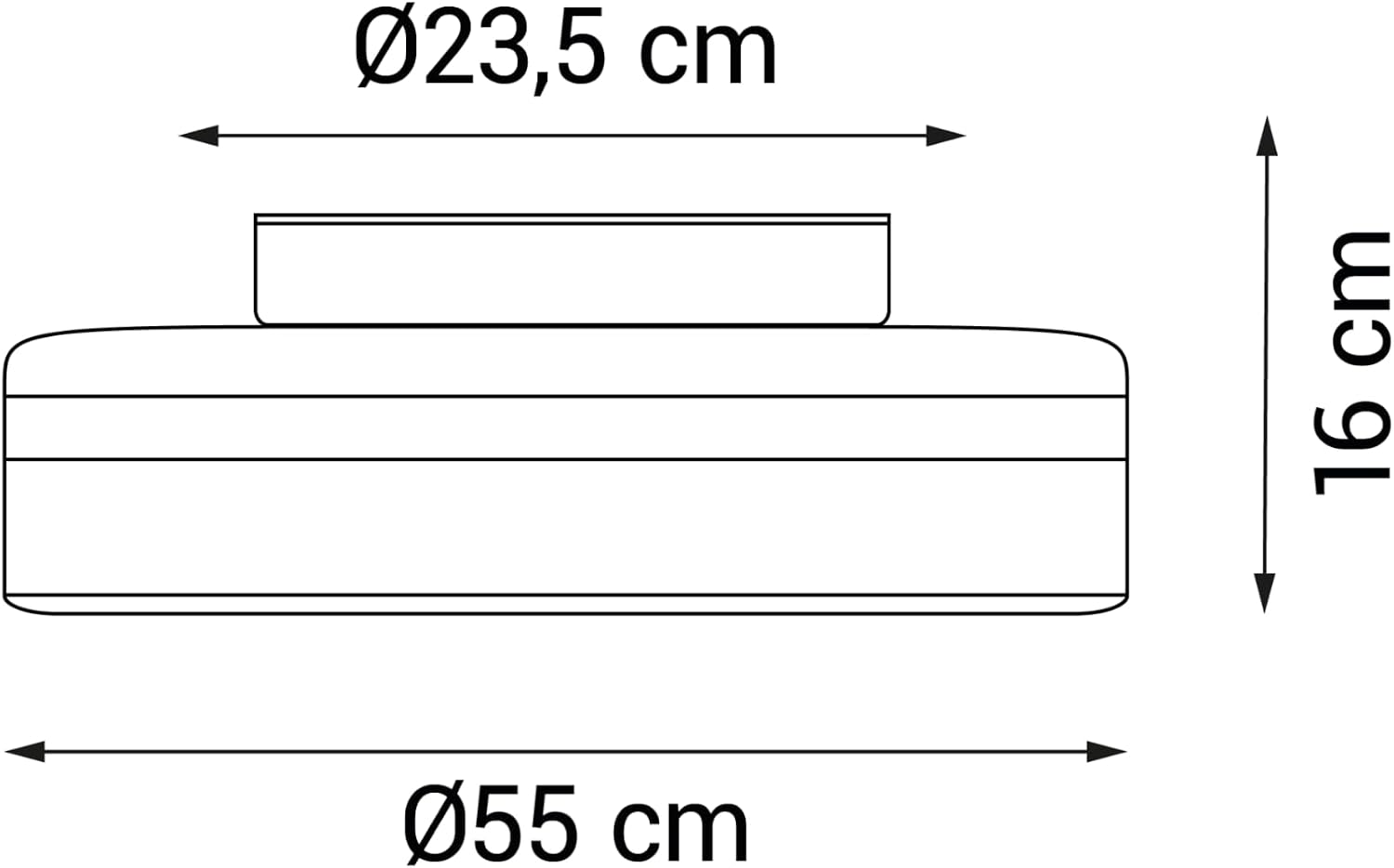
Figure 1: Package Contents - Sulion CRATO Ceiling Fan, remote control, and various mounting accessories.
4. Guía de instalación
Follow these steps for proper installation. It is recommended to watch the installation video for visual guidance.
4.1. Preinstalación
- Apague la energía en el disyuntor principal.
- Ensure the ceiling is structurally sound to support the fan's weight.
4.2. Montaje del soporte
- Position the mounting bracket on the ceiling where the fan will be installed.
- Marque los agujeros de perforación.
- Perfore agujeros piloto e inserte anclajes de pared si es necesario.
- Asegure el soporte de montaje al techo usando los tornillos provistos.
4.3. Conexiones de cableado
- Connect the household electrical wires to the fan's wiring according to the color codes (typically Live, Neutral, and Ground).
- Asegúrese de que todas las conexiones sean seguras.
4.4. Attaching the Fan Unit
- Carefully lift the fan unit and attach it to the mounting bracket.
- Secure the fan unit with the remaining screws.
4.5. Postinstalación
- Restablezca la energía en el disyuntor principal.
- Test all fan and light functions using the remote control.
Video 1: Installation Guide for Sulion Ceiling Fans. This video demonstrates the general installation process for Sulion ceiling fans, including mounting and wiring connections.
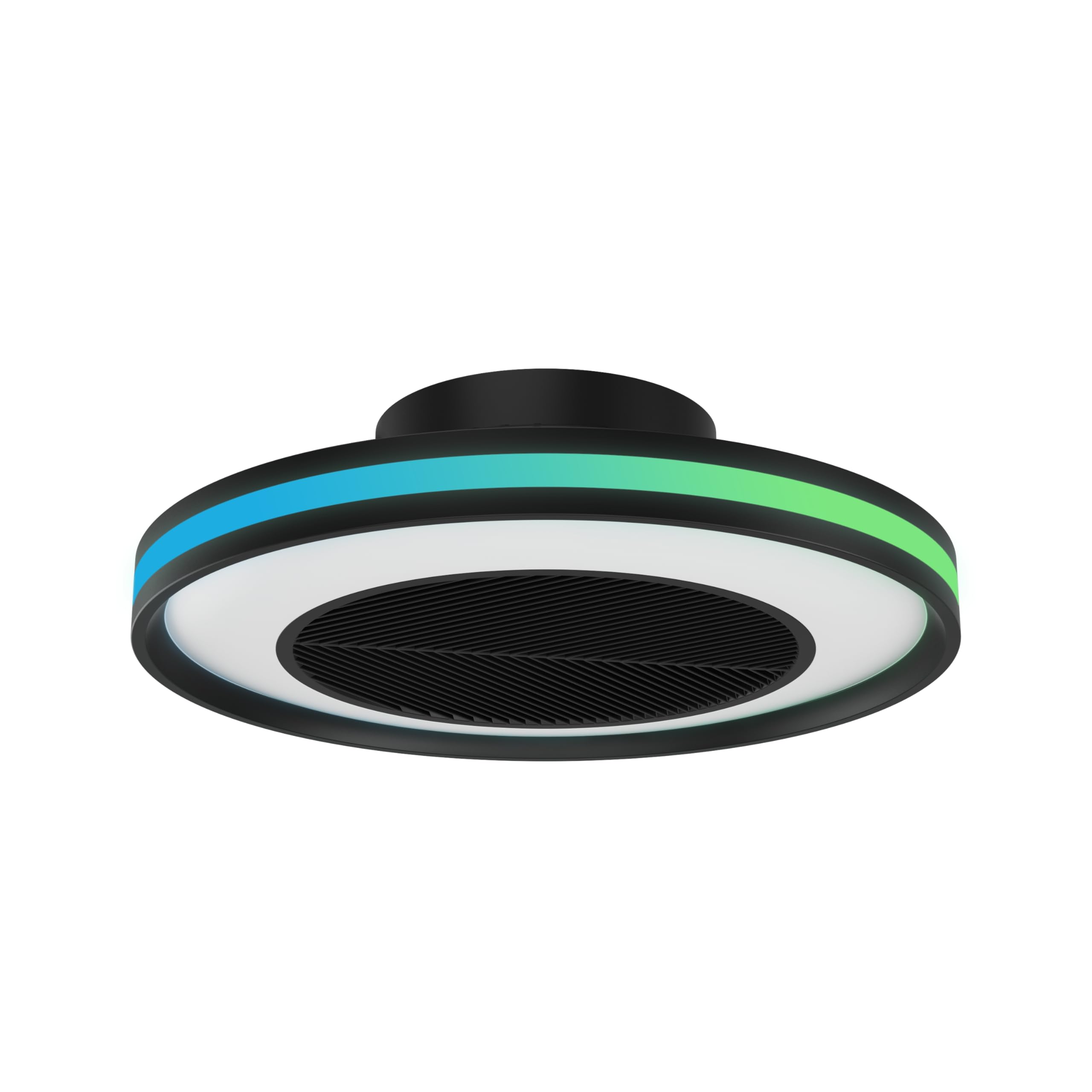
Figure 2: Installed Sulion CRATO LED Ceiling Fan.
5. Instrucciones de funcionamiento
The Sulion CRATO fan is controlled via the included remote control. Ensure the remote has working batteries.
5.1. Funciones de control remoto
- ENCENDIDO/APAGADO: Enciende/apaga el ventilador y la luz.
- Velocidad del ventilador: Se ajusta entre 6 velocidades del ventilador.
- Luz ENCENDIDA/APAGADA: Toggles the main LED light.
- Ajuste CCT: Changes the main LED light color temperature from warm white (3000K) to cool white (6000K).
- Ajuste de brillo: Dims or brightens the main LED light.
- Luz RGB: Activates and cycles through dynamic RGB ambient light colors and effects.
- Modo verano/invierno: Invierte la dirección del ventilador para una circulación de aire óptima en diferentes estaciones.
- Minutero: Sets the fan to turn off automatically after a set period.
- Bocina Bluetooth: Pair your mobile device to the fan via Bluetooth to play audio.

Figure 3: Sulion CRATO fan in a living space, highlighting its ambient lighting and audio capabilities.
5.2. Emparejamiento de altavoces Bluetooth
- Asegúrese de que el ventilador esté encendido.
- En su dispositivo móvil, vaya a la configuración de Bluetooth.
- Buscar available devices and select "SULION" (or similar name).
- Una vez emparejado, puedes reproducir audio a través del altavoz integrado del ventilador.

Figure 4: Integrated Bluetooth Speaker for wireless audio streaming.
6. Mantenimiento
Regular maintenance ensures optimal performance and longevity of your Sulion CRATO ceiling fan.
- Limpieza: Turn off power before cleaning. Use a soft, dry cloth to wipe the fan and light surfaces. For stubborn dirt, a slightly damp cloth can be used, followed by a dry cloth. Do not use harsh chemicals or abrasive materials.
- Inspección: Periodically check all mounting screws and electrical connections to ensure they are secure.
- No se necesita lubricación: El motor de CC está lubricado permanentemente y no requiere lubricación adicional.
7. Solución de problemas
Si encuentra algún problema, consulte los siguientes problemas y soluciones comunes:
| Problema | Posible causa | Solución |
|---|---|---|
| El ventilador no funciona | No power; Remote control battery low; Incorrect wiring | Check circuit breaker; Replace remote batteries; Verify wiring connections. |
| La luz no enciende | No power; Loose wiring; LED failure | Check power; Inspect wiring; Contact customer support if LED is faulty. |
| El ventilador hace un ruido inusual | Tornillos sueltos; Obstrucción; Problema del motor | Tighten all mounting screws; Remove any obstructions; Contact customer support. |
| El control remoto no funciona | Batteries dead; Not paired; Obstruction | Replace batteries; Re-pair remote (refer to pairing instructions); Ensure no obstructions between remote and fan. |
| El altavoz Bluetooth no se conecta | Fan not in pairing mode; Device too far; Already connected to another device | Ensure fan is on; Move device closer; Disconnect from other devices and try again. |
8. Especificaciones
| Característica | Detalle |
|---|---|
| Modelo | CRATO (2197906) |
| Marca | Sulión |
| Dimensiones | 55 x 55 x 16 cm |
| Peso | 5 kilogramos |
| Material | Acrilonitrilo butadieno estireno |
| Tipo de motor | DC Silent Motor |
| Velocidades del ventilador | 6 |
| Nivel de ruido | Desde 37dB |
| Tipo de luz | LED integrado |
| Poder de la luz | 30 W |
| Temperatura de color | 3000K - 6000K (CCT Adjustable) |
| Luz ambiental | RGB dinámico |
| Método de control | Mando a distancia |
| Conectividad | Altavoz Bluetooth |
| Características especiales | Summer/Winter Mode, Timer |
| Tipo de instalación | Montaje semiempotrado |
| Entorno de uso | Interior |

Figure 5: Product Certifications and Compliance.
9. Garantía y soporte
Sulion products are manufactured to high-quality standards. For warranty information, please refer to the specific terms provided at the time of purchase or contact Sulion customer service. For technical support, troubleshooting assistance, or replacement parts, please visit the official Sulion websitio o comuníquese con sus centros de servicio autorizados.
Conserve su recibo de compra como comprobante de compra para cualquier reclamo de garantía.