
Introducción
Welcome to the Google Pixel 10 Pro XL. This manual provides essential information to help you set up, operate, and maintain your new smartphone. The Pixel 10 Pro XL combines advanced AI capabilities with a powerful camera system and robust performance, designed to enhance your daily mobile experience.
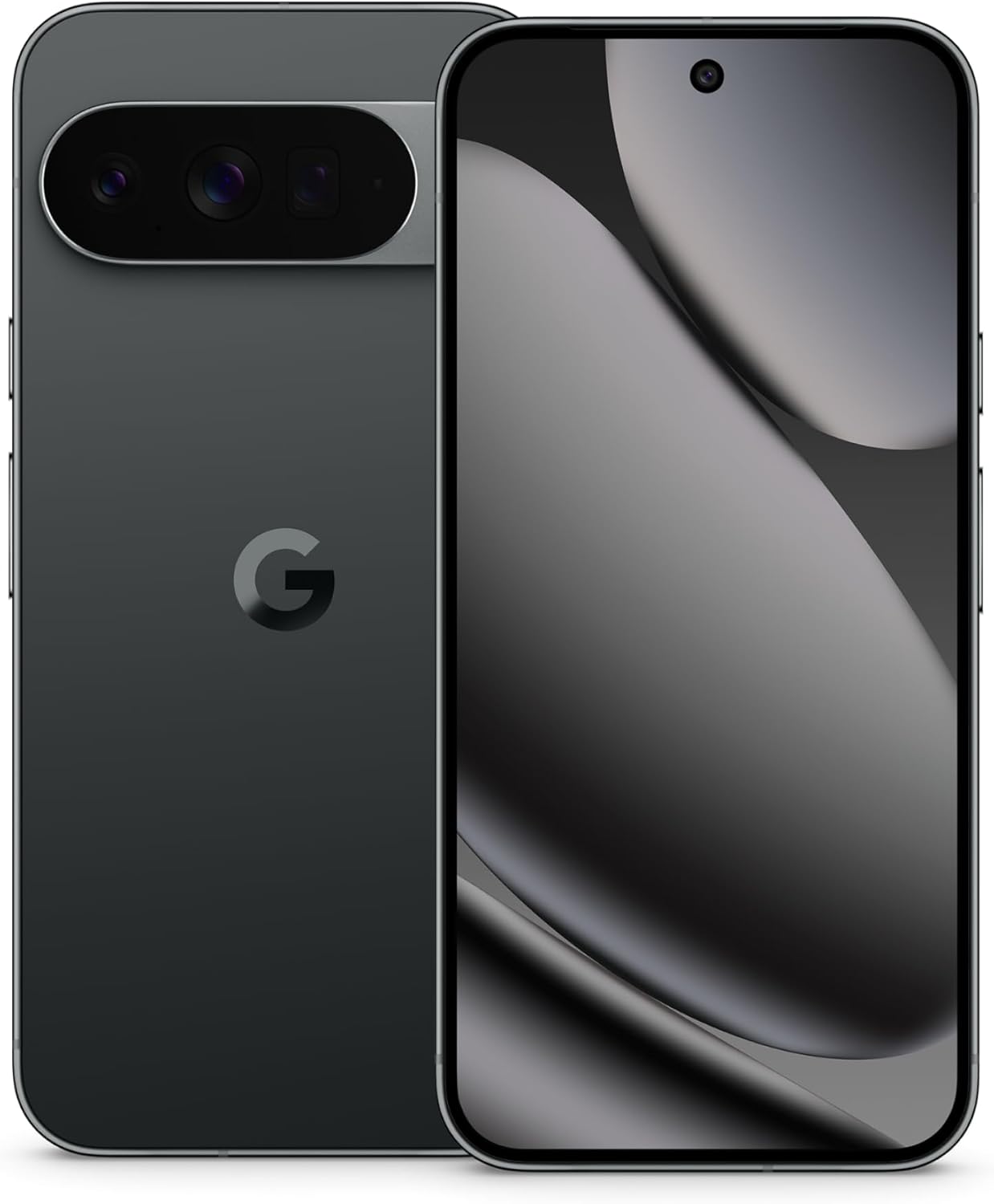
Imagen: Anverso y reverso view of the Google Pixel 10 Pro XL in Obsidian. The back features the camera bar and Google logo, while the front displays the Super Actua screen.
Qué incluye
Your Google Pixel 10 Pro XL package contains the following items:
- Google Pixel 10 Pro XL Cell Phone
- USB-C Cable (1 meter, USB 2.0)
- Support, Safety & Warranty Booklet (not shown)

Image: The Google Pixel 10 Pro XL phone next to its included 1-meter USB-C to USB-C cable.
Guía de configuración
1. Encendido inicial
- Mantenga presionado el botón de encendido en el costado del dispositivo hasta que aparezca el logotipo de Google.
- Follow the on-screen prompts to select your language, connect to Wi-Fi, and accept terms and conditions.
2. Activación de eSIM
The Pixel 10 Pro XL is an eSIM-only device. This allows for digital plan switching and storage of multiple numbers without a physical SIM card.
- During initial setup, you will be guided through the eSIM activation process.
- Alternativamente, navegue a Configuración > Red e Internet > Tarjetas SIM to add or manage your eSIM profiles.
- Contact your carrier for specific instructions or QR codes for eSIM activation.
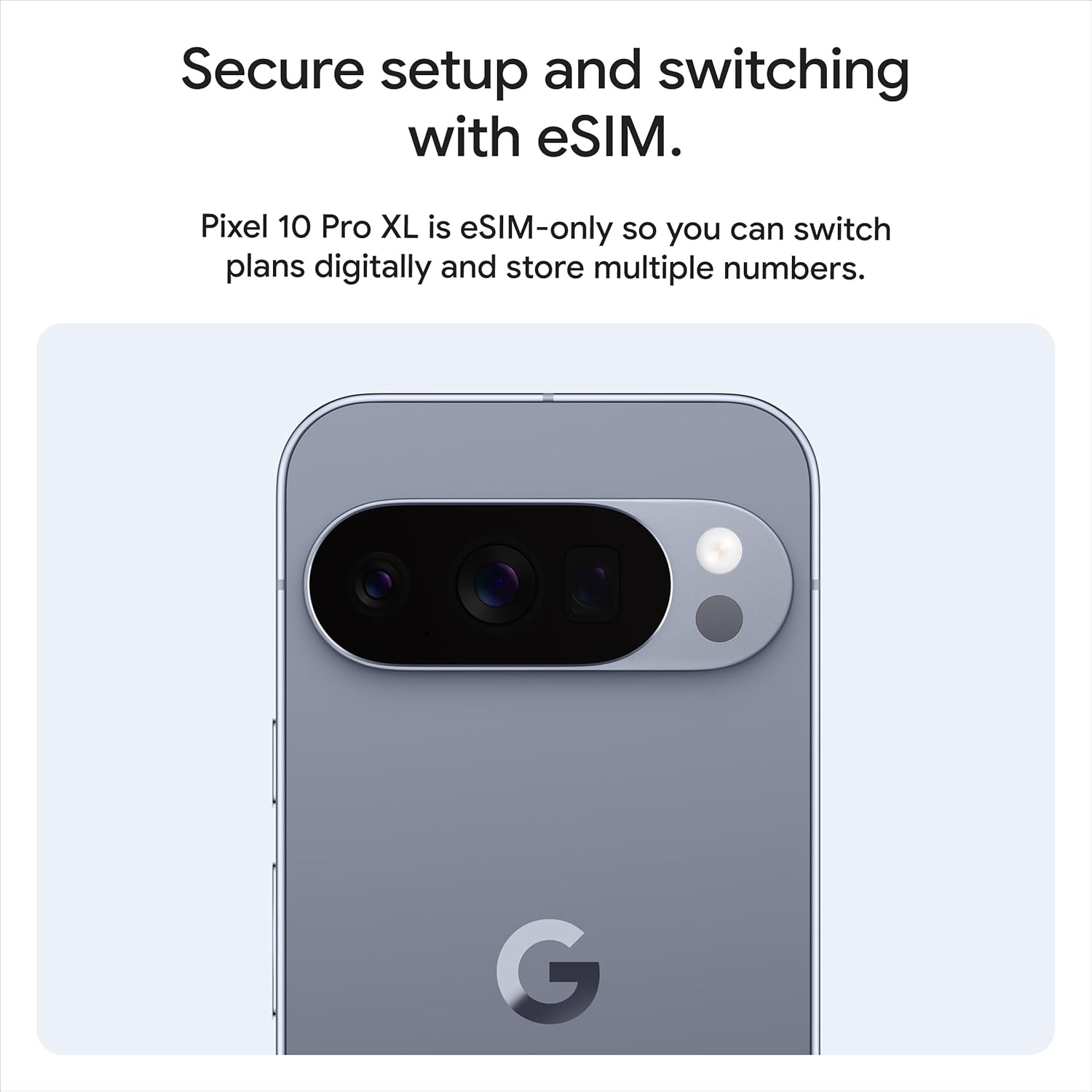
Imagen: Trasera view of the Pixel 10 Pro XL, highlighting its design and the concept of secure setup and switching with eSIM.
3. Transferencia de datos desde el dispositivo anterior
You can easily transfer data from your old phone to your new Pixel 10 Pro XL. This process typically takes about 20 minutes.
- Use the provided USB-C cable and an adapter (if necessary) to connect your old phone to the Pixel 10 Pro XL.
- Follow the on-screen instructions to select the data you wish to transfer (contacts, photos, apps, etc.).

Image: A visual representation of transferring data and messaging capabilities, including high-resolution image sharing with iPhone users.
Operating Your Pixel 10 Pro XL
Visualización e interacción
The Pixel 10 Pro XL features a 6.8-inch Super Actua display with a 120 Hz refresh rate and 3300-nit peak brightness, ensuring clear visibility even in direct sunlight. Interaction is primarily via the responsive touchscreen.

Image: Details of the Pixel 10 Pro XL's construction, showcasing the spacecraft-grade aluminum, Corning Gorilla Glass Victus 2, and the bright Super Actua display.
Rendimiento y batería
Powered by the next-gen Google Tensor G5 chip and 16 GB of RAM, the Pixel 10 Pro XL delivers exceptional performance for all tasks. The 5200 mAh battery provides over 24 hours of usage, with fast-charging capabilities.

Image: Visuals depicting the next-gen Google Tensor G5 chip, wireless charging, and the phone's 16 GB RAM and up to 1 TB storage capacity.
Sistema de cámara
The Pixel 10 Pro XL features a pro triple rear camera system, including a 50 MP wide lens, 48 MP ultrawide, and 48 MP telephoto lens. It offers advanced features like 100x Pro Res Zoom and super steady 8K video recording.

Image: A demonstration of the 100x Pro Res Zoom, showing a landscape view, a 50x zoom, and a 100x zoom on a distant blue car.

Image: A still from a video demonstrating the super steady video capabilities, showing a person in motion with clear, stable footage.

Image: A visual demonstrating the camera's ability to reframe and zoom, showing a kayaking scene from a wider and a closer perspective.
Asistente de inteligencia artificial de Gemini
The integrated Gemini AI Assistant provides a natural, conversational interface. Use Gemini Live to interact with your surroundings by pointing your camera at objects or to brainstorm ideas and complete tasks across applications.

Image: A user interacting with Gemini Live, pointing the phone's camera at a shark in an aquarium and receiving information about it.

Image: The Gemini AI interface on the Pixel 10 Pro XL, demonstrating its capability to describe videos and interact with various media types.
Security and Updates
Google Pixel 10 Pro XL is designed with robust security features and receives 7 years of regular security and software updates, ensuring your device remains protected and up-to-date.
- Spam and Phishing Protection: Pixel helps protect you against unwanted spam, scams, and phishing attempts.
- Automatic Device Lock: Your phone will automatically lock if it is lost or stolen, safeguarding your data.
- Funciones de emergencia: Pixel includes features to assist you in emergency situations, even when offline.

Image: Visual representation of Pixel's security and data protection features, including spam protection, 7 years of updates, automatic locking, and emergency capabilities.
Mantenimiento y cuidado
- Limpieza: Utilice un paño suave y sin pelusa para limpiar el dispositivo. Evite materiales abrasivos o productos químicos agresivos.
- Resistencia al agua y al polvo: The Pixel 10 Pro XL is designed with IP68 water and dust resistance. However, this is not permanent and resistance may decrease over time with normal wear. Avoid intentional submersion.
- Actualizaciones de software: Ensure your device is connected to Wi-Fi and has sufficient battery life before performing software updates.
- Cuidado de la batería: To prolong battery lifespan, avoid extreme temperatures. The phone may limit charging to 80% after a certain number of charge cycles to protect battery health.

Imagen: Detallada views of the Pixel 10 Pro XL's design, emphasizing its durable aluminum frame, Gorilla Glass Victus 2, and water resistance.
Solución de problemas
Problemas comunes y soluciones
- El dispositivo no responde: Mantenga presionado el botón de encendido durante aproximadamente 30 segundos para forzar un reinicio.
- Problemas de conectividad (Wi-Fi/Bluetooth):
- Toggle Wi-Fi or Bluetooth off and on from Quick Settings.
- Reinicie su dispositivo.
- Ir a Configuración > Sistema > Opciones de restablecimiento > Restablecer Wi-Fi, móvil y Bluetooth.
- La batería se agota rápidamente:
- Comprobar el uso de la batería en Configuración> Batería para identificar aplicaciones que consumen mucha energía.
- Reduce screen brightness or enable Adaptive Battery.
- Asegúrese de que todas las aplicaciones estén actualizadas.
- Problemas con la cámara:
- Clear the cache and data for the Camera app in Settings > Apps > Camera > Storage & cache.
- Reinicia el teléfono.
For further assistance, refer to the official Google Pixel support websitio o póngase en contacto con el servicio de atención al cliente.
Presupuesto
| Característica | Detalle |
|---|---|
| Nombre del modelo | Pixel 10 Pro XL |
| Sistema operativo | Androide 16 |
| Procesador | Google Tensor G5 (3.78 GHz) |
| RAM | 16 GB |
| Capacidad de almacenamiento | 256 GB (available in other configurations) |
| Tamaño de la pantalla | 6.8 Inches Super Actua |
| Resolución de pantalla | 3292 x 3292 |
| Frecuencia de actualización | 120 Hz |
| Cámara trasera | Pro Triple (50 MP Wide, 48 MP Ultrawide, 48 MP Telephoto) |
| Zoom | Hasta 100x |
| Cámara frontal | Sí |
| Capacidad de la batería | 5200 mAh |
| Conectividad | Bluetooth, NFC, Wi-Fi, GPS |
| Dimensiones | 6.4 x 3 x 0.3 pulgadas |
| Peso | 12.3 onzas (0.35 kilogramos) |
| Color | Obsidian (other colors available) |
| Número de modelo del artículo | GUL82 |
For a detailed comparison with other Pixel models, refer to the table below:

Image: A table comparing key specifications like display size, battery life, RAM, chip, and camera features across Pixel 10 Pro, Pixel 10 Pro Fold, and Pixel 10 models.
Garantía y soporte
Your Google Pixel 10 Pro XL comes with a commitment to long-term support, including 7 years of security and software updates (Pixel Drops).
- Soporte de software: Expect regular updates for 7 years from the device's release date.
- Garantía del hardware: Refer to the included Support, Safety & Warranty Booklet for detailed warranty terms and conditions specific to your region.
- Soporte en línea: Visit the official Google Pixel support webSitio para preguntas frecuentes, guías de solución de problemas y opciones de contacto.

Image: A graphic promoting "Pixel Drop" features, indicating that the phone improves over time with 7 years of updates.
Additional Features and Ecosystem
Servicios de Google
Enjoy premium Google services that complement your Pixel experience:
- Google AI Pro: 1 year of enhanced access to new and powerful AI features.
- Fitbit Premium: 6 meses de asesoramiento fitness personalizado.
- YouTube Premium: 3 meses de vídeos y música sin publicidad.

Image: A visual summary of included premium Google services: Google AI Pro, Fitbit Premium, and YouTube Premium, with their respective trial durations.
Pixel Ecosystem Integration
The Pixel 10 Pro XL seamlessly integrates with other Google Pixel devices for a cohesive experience.
- Pixel Watch: Unlock your full potential by connecting with the Pixel Watch.
- Pixel Buds: Enhance audio clarity and focus with Pixel Buds.

Image: The Pixel Watch and Pixel Buds shown alongside the Pixel phone, illustrating how they work together for a complete user experience.