
1. Introducción
Thank you for choosing the Medcursor MD-EM03 Eye Massager. This device is designed to provide relief from eye fatigue, promote relaxation, and improve sleep quality through a combination of air pressure massage, targeted heating, and optional music. Please read this manual thoroughly before use to ensure proper operation and to maximize your experience.
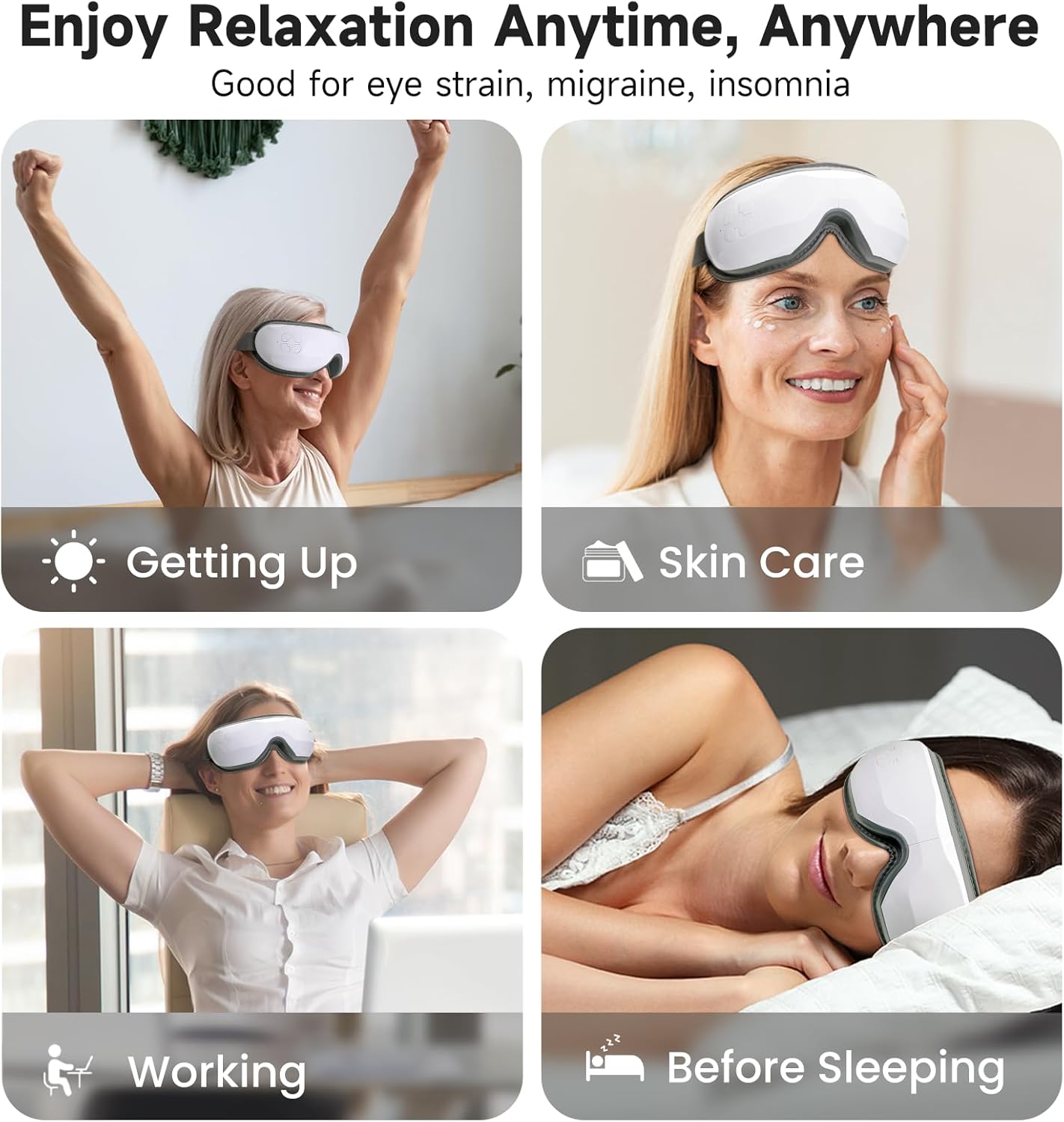
Image: The Medcursor Eye Massager provides relaxation for various situations, including waking up, during skincare routines, while working, and before sleeping.
2. Información de seguridad
- Do not use this product if you have eye injuries, inflammation, or have undergone eye surgery recently. Consult a physician before use if you have any pre-existing eye conditions.
- Mantenga el dispositivo alejado del agua y de la humedad elevada.
- No desmonte ni intente reparar el dispositivo usted mismo. Póngase en contacto con el servicio de atención al cliente para obtener ayuda.
- Mantener fuera del alcance de los niños.
- Utilice únicamente el cable de carga proporcionado.
- Si experimenta alguna molestia durante su uso, suspenda su uso inmediatamente.
- The heating function should be used with caution by individuals sensitive to heat.
3. Contenido del paquete
Por favor revise el paquete para asegurarse de que todos los artículos estén presentes:
- 1 x Medcursor Eye Massager
- Cable de carga 1 x USB tipo C
- 1 x Manual de usuario

Image: The package includes one eye massager, one USB cable, and one user manual.
4. Características del producto
- 4 modos de masaje: Soft, Strong, Relax, and Sleep modes for varied massage experiences.
- Intelligent Heating Function: Adjustable heat settings (off, low, medium, high) to relieve eye fatigue and improve circulation.
- Presión de aire ajustable: Customizable intensity with a dual-layer massage pad for comfort.
- Conectividad Bluetooth: Connect to your smartphone to play personal music or use built-in light music.
- Operación con una sola tecla: Simple control for mode selection and power.
- Carga tipo C: Fast charging in approximately 1.5 hours.
- Diadema ajustable: Ensures a comfortable fit for most users.
5. Configuración
- Cargue el dispositivo: Before first use, fully charge the eye massager using the provided Type-C USB cable and a compatible adapter or power bank. The charging indicator light will show charging status.
- Ajustar la diadema: Place the massager over your eyes and adjust the elastic headband for a snug yet comfortable fit. Ensure the device is centered over your eyes.
6. Operación
6.1 Encendido y apagado
- Encendido: Press and hold the power button for 2-3 seconds. The device will start in the default mode.
- Apagado: Press and hold the power button for 2-3 seconds again.
Selección de 6.2 modos
The device features 4 massage modes, cycling automatically every 15 minutes. Press the power button briefly to cycle through the modes manually:
- Modo suave: Air Pressure + Heating + Music (Gentle relaxation)
- Modo fuerte: Enhanced Air Pressure + Heating + Music (Deep pressure relief)
- Modo relax: Air Pressure + Music (Soothes tension)
- Modo de sueño: Heating + Music (Pre-bed calm)
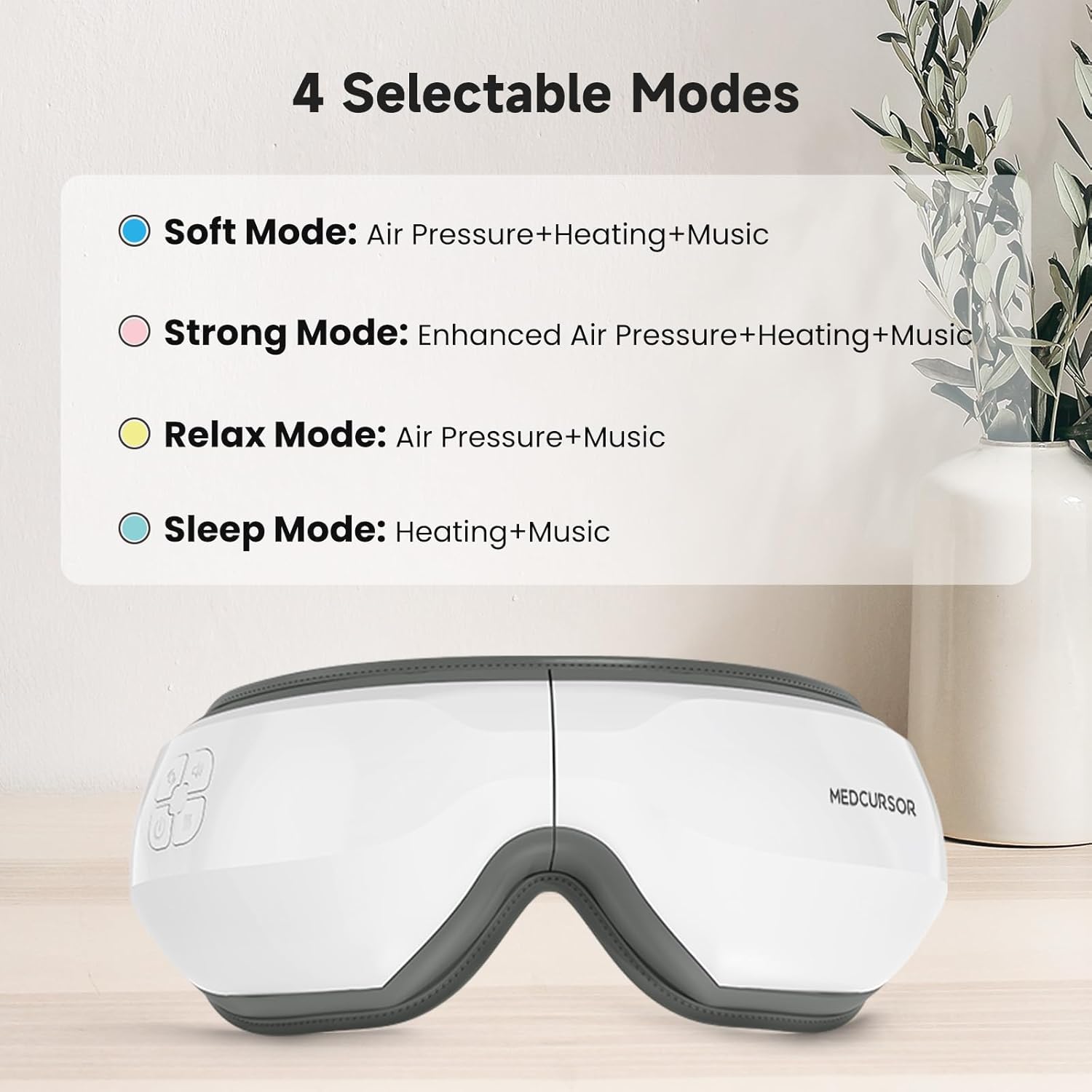
Image: The four selectable modes and their features.
6.3 Función de calefacción
The heating function is integrated into some modes. The device offers four heating settings (off, low, medium, high). The constant temperature range is 38°C - 45°C.

Image: The heating function provides a comfortable and warm experience for the eyes, covering a large area.
6.4 Bluetooth Connection and Music
The massager supports Bluetooth connectivity to play your own music or utilize the built-in light music.
- Asegúrese de que Bluetooth esté habilitado en su teléfono inteligente.
- Turn on the eye massager.
- Buscar "Medcursor" or a similar device name in your phone's Bluetooth settings and pair.
- Once connected, you can play music from your phone through the massager's speakers.

Image: The eye massager connects to your phone via Bluetooth for a personalized music experience.
6.5 Función de silencio
To mute the device's sounds (including built-in music and operational prompts), press the standby button three times quickly.

Image: Pressing the standby button three times mutes the device, creating an immersive eye massage experience.
7. Carga
- The device uses a Type-C charging interface.
- Una carga completa tarda aproximadamente 1.5 horas.
- The battery supports approximately 4-5 applications on a single charge.
- The charging indicator light will illuminate during charging and turn off or change color when fully charged (refer to specific product indicator behavior).
8. Mantenimiento
- Limpieza: Limpie la superficie del masajeador con un paño suave y ligeramente húmedo.amp paño. No utilice limpiadores abrasivos ni sumerja el dispositivo en agua.
- Almacenamiento: Guarde el dispositivo en un lugar fresco y seco, lejos de la luz solar directa, cuando no esté en uso.
9. Solución de problemas
| Problema | Posible causa | Solución |
|---|---|---|
| El dispositivo no se enciende. | Batería baja o sin carga. | Cargue el dispositivo por completo. |
| Sin presión de aire o masaje débil. | Modo incorrecto seleccionado o batería baja. | Switch to a stronger mode (e.g., Strong Mode). Ensure the device is fully charged. |
| No hay calor o el calor es insuficiente. | Heating function is off or low setting. | Ensure a mode with heating is selected. Check heat settings. |
| Problemas de conexión Bluetooth. | Device not in pairing mode or phone's Bluetooth is off. | Ensure the massager is on. Turn off and on your phone's Bluetooth and try pairing again. |
| Loud motor sound. | Normal operation sound or potential internal issue. | Some motor sound is normal during air pressure operation. If excessively loud or unusual, contact customer support. |
10. Especificaciones
| Característica | Detalle |
|---|---|
| Número de modelo | MD-EM03 |
| Dimensiones del producto | 7.87 x 5.51 x 4.17 pulgadas |
| Peso | 1.41 libras |
| Batería | 1 batería no estándar (recargable) |
| Interfaz de carga | Tipo-C USB |
| Tiempo de carga | Aproximadamente 1.5 horas |
| Material | Plástico |
| Color | Blanco |
| Características especiales | Rechargeable, Timer, Bluetooth, Heat, Air Pressure |
11. Garantía y soporte
Medcursor products are designed for quality and reliability. For warranty information, technical support, or any questions regarding your MD-EM03 Eye Massager, please contact Medcursor customer service. Refer to the contact information provided on the product packaging or the official Medcursor websitio.