
1. Producto terminadoview
The Pastigio Fixed Monitor Wall Mount is designed to securely hold 14-24 inch televisions, digital picture frames, and monitors. Its ultra-slim, fixed design positions your display just 12mm from the wall, offering a clean and space-saving solution. This mount supports VESA patterns of 75x75mm and 100x100mm and has a maximum load capacity of 30 lbs (15 kg).
Características principales:
- Diseño que ahorra espacio: Ideal para vehículos recreativos, campers, and small spaces, fitting 14-24 inch displays.
- Soporte para trabajo pesado: Safely supports devices up to 30 lbs (15 kg).
- Easy & Secure Installation: Features pre-installed screws and supports common VESA patterns.
- Ultradelgado Profile: Mounts displays just 12mm from the wall for a sleek appearance.
- Comodidad personalizada: Allows mounting at an ideal height for comfortable, strain-free viewEn.
2. Información de seguridad
WARNING: Read and understand all instructions before installation. Failure to do so may result in serious personal injury, property damage, or voiding of warranty.
- Ensure the mounting surface can safely support the combined weight of the mount and your display.
- Utilice siempre un detector de vigas para localizar vigas de madera o asegúrese de perforar en hormigón o ladrillo sólido.
- No exceda la capacidad de carga máxima de 30 libras (15 kg).
- Utilice equipo de seguridad adecuado, incluida protección para los ojos, durante la instalación.
- Si no está seguro de alguna parte del proceso de instalación, consulte a un profesional calificado.
3. Contenido del paquete
Verifique que todos los componentes estén presentes y sin daños antes de comenzar la instalación.
- 1 x Fixed-position wall bracket
- 1 x Complete mounting hardware set (screws, anchors, washers)
- 1 x Manual de instrucciones

Imagen 1: Másview of the Pastigio Fixed Monitor Wall Mount components, including the wall plate and monitor plate.
4. Especificaciones
| TV Fit Size | 14-24 pulgadas |
| Capacidad de peso | 15 kg (30 libras) |
| Compatible con VESA | 75 x 75 mm, 100 x 100 mm |
| Distancia a la pared | 12 mm |
| Tipo de movimiento | Fijado |
| Material | Metal |
| Color | Negro |

Image 2: Detailed product specifications and dimensions for the Pastigio Fixed Monitor Wall Mount.

Image 3: Illustration of compatible VESA mounting patterns (75x75mm, 80x80mm, 100x100mm) for the mount.
5. Configuración e instalación
This section provides a step-by-step guide for installing your Pastigio Fixed Monitor Wall Mount. For optimal stability, it is recommended to mount directly to concrete or solid brick surfaces. If mounting to wood studs, ensure proper stud location.
5.1. Prepare la placa de pared
- Localizar la posición de montaje: Determine the desired height and position for your display. Use a stud finder to locate a wood stud if not mounting to concrete/brick.
- Marcar los agujeros del piloto: Hold the wall plate against the wall at the desired location. Use a pencil to mark the positions for the mounting holes. Ensure the plate is level.
- Perforar agujeros piloto: Drill pilot holes at the marked positions. The size of the drill bit will depend on your wall type and the provided hardware (refer to the hardware kit for specific drill bit sizes).
- Fijar la placa de pared: Secure the wall plate to the wall using the provided screws and anchors (if applicable for your wall type). Ensure it is firmly attached and level.
5.2. Attach Mount to Display
- Identificar el patrón VESA: Locate the VESA mounting holes on the back of your monitor or digital picture frame.
- Attach Monitor Plate: Align the monitor plate with the VESA holes on your display. Use the appropriate screws from the hardware kit to securely attach the plate to the back of your display. Do not overtighten.

Image 4: The monitor plate attached to the back of a monitor, showing the VESA screw points.
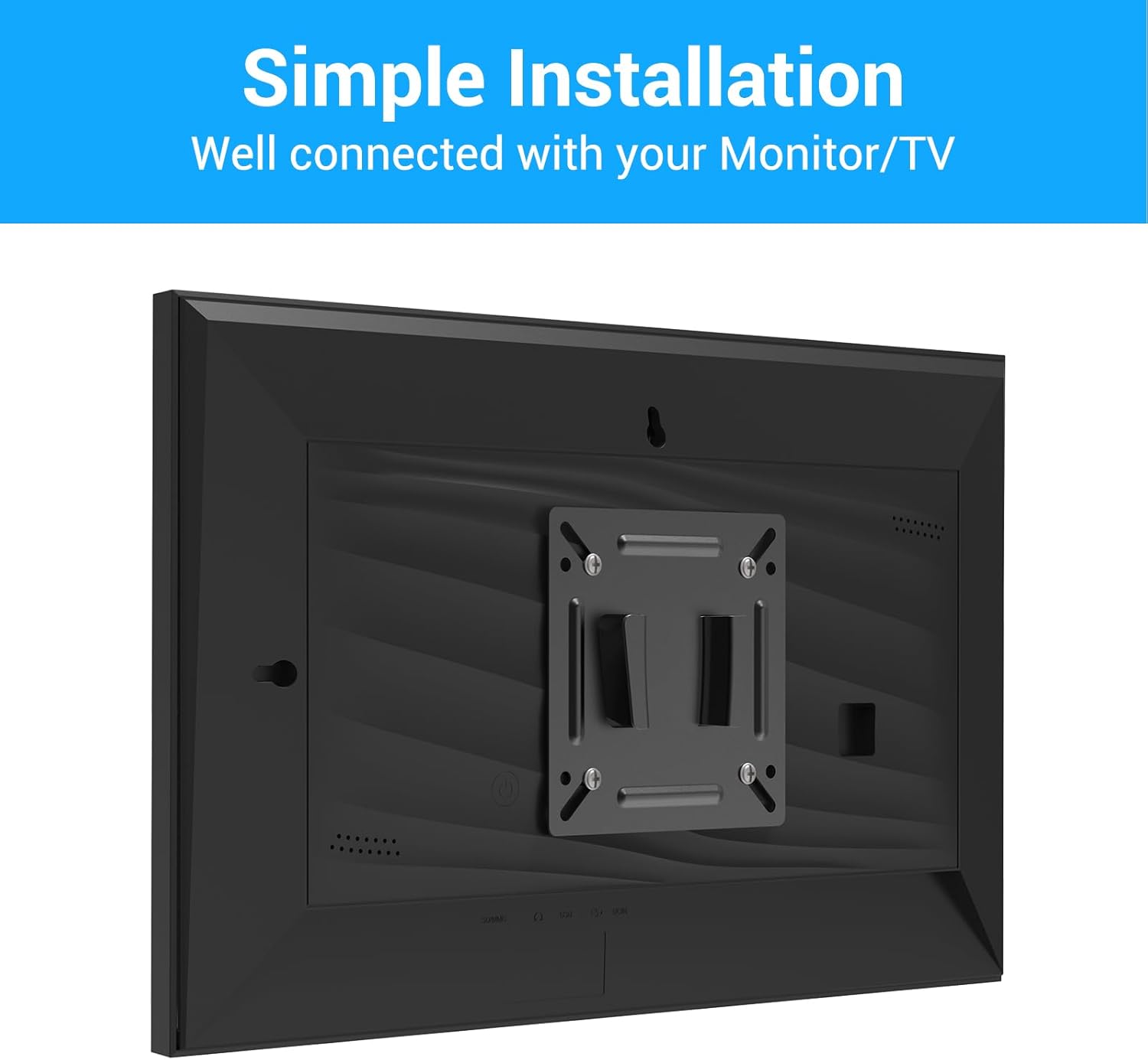
Image 5: The monitor plate attached to the back of a digital picture frame, demonstrating compatibility.
5.3. Mount the Display to the Wall
- Cuelgue la pantalla: Carefully lift your display with the attached monitor plate. Align the monitor plate with the wall plate and slide it into place, ensuring it hooks securely onto the wall plate.
- Asegure la pantalla: Once the display is hanging, locate any safety screws or locking mechanisms on the mount. Tighten these to prevent accidental dislodging of the display.
Video 1: A general installation guide for a fixed monitor wall mount, demonstrating the process of attaching the mount to the monitor and then to the wall.
Video 2: Features and installation overview of a low-profile fixed TV mount, showing how it sits close to the wall.
Video 3: Installation demonstration of a small TV wall mount, highlighting the ease of setup for various display sizes.
6. Operación del soporte
The Pastigio Fixed Monitor Wall Mount is designed for a stationary display position. Once installed, your monitor or digital picture frame will remain in a fixed, low-profile position against the wall. There are no adjustable movements such as tilt, swivel, or rotation with this specific model.
7. Mantenimiento
- Inspección regular: Revise periódicamente todos los tornillos y conexiones para asegurarse de que permanezcan ajustados y seguros.
- Limpieza: Limpie el soporte con un paño suave y seco. Evite usar limpiadores abrasivos o disolventes que puedan dañar el acabado.
- Verificación de daños: Si alguna parte del soporte parece dañada o desgastada, suspenda su uso y comuníquese con atención al cliente para obtener ayuda.
8. Solución de problemas
8.1. Display is not level
- Ensure the wall plate was installed perfectly level. If not, you may need to adjust the wall plate's position.
- Check if the monitor plate is securely attached to the display and not crooked.
8.2. Mount feels unstable
- Verifique que todos los tornillos de montaje estén completamente apretados.
- Confirm that the wall plate is securely fastened to a solid surface (wood stud, concrete, or brick).
- Ensure the display's weight does not exceed the 30 lbs (15 kg) maximum capacity.
8.3. Missing parts or damaged components
- Refer to the 'Package Contents' section to confirm all items were received.
- Contact customer support immediately for replacement parts or assistance.
9. Garantía y soporte
For any questions regarding installation, product issues, or support, please contact our customer service team. We are committed to providing assistance and ensuring your satisfaction.
Please refer to the contact information provided on the customer service card included in your package or visit the official Pastigio store on Amazon for further details.