
Oilsky M502
Manual de usuario del reproductor MP3 Oilsky de 128 GB
Modelo: M502
Introducción
Thank you for choosing the Oilsky 128GB MP3 Player. This device is designed to provide a versatile and immersive audio-visual experience, combining the functionality of a smart media player with the portability of an MP3 player. Running on Android 13.0 with a powerful octa-core processor, it offers seamless access to music, videos, and various applications. This manual will guide you through the setup, operation, and maintenance of your new device.

Imagen: Anverso y reverso view of the Oilsky 128GB MP3 Player, showcasing su elegante diseño y su interfaz de pantalla táctil.
¿Qué hay en la caja?
Por favor verifique que todos los artículos estén presentes en el paquete:
- 1 reproductor de MP3
- 1 cable USB
- 1 x Película protectora
- 1 x Auriculares
- 1 x Manual de usuario

Image: All components included in the product packaging: MP3 player, USB cable, protective film, earphones, and user manual.
Producto terminadoview
Características principales
- Smart MP3 Player: Pre-installed with popular apps like Spotify, Pandora, Amazon Music, Audible, Tidal, Deezer, enabling direct lossless music playback via WiFi.
- Full-format Local Music Management: Compatible with MP3, WAV, APE, FLAC, AAC, and other audio formats. Supports one-click folder scanning, playlist creation, and quick search.
- Cinema-level HD Experience: Features a 5.5-inch full HD touch screen (1440×720 resolution) for vivid colors and sensitive operation. Supports 720P/1440P HD video playback (AVI, MKV, RMVB, MP4 formats). Integrates tools like clock, recorder, FM radio, and e-book reader.
- Dual Camera Image Recording: Equipped with a 13MP rear camera and 5MP front camera for high-definition photos and videos, shareable directly from the device.
- High-performance Large Storage: Android 13 operating system, octa-core processor, 4GB RAM, and 128GB built-in storage, expandable up to 1TB with a MicroSD card.
- Dual-band WiFi and Bluetooth 5.0: 2.4GHz/5GHz dual-band WiFi for stable online music playback. Bluetooth 5.0 supports two-way file transfer and connection to Bluetooth headsets, car audio, and other devices.
- Application and Parental Control: Allows installation and upgrade of additional applications. Parental control function enables setting restrictions for age-appropriate content and managing app access.
Componentes
Familiarícese con los componentes físicos de su reproductor MP3:
- Pantalla táctil HD de 5.5 pulgadas: Área principal de exhibición e interacción.
- Cámara frontal: Located above the screen, 5MP for selfies and video calls.
- Cámara trasera: Located on the back, 13MP for high-resolution photos and videos.
- Botón de encendido: Typically on the side, used to turn the device on/off and lock/unlock the screen.
- Botones de volumen: Typically on the side, used to adjust audio volume.
- Puerto USB-C: Para carga y transferencia de datos.
- Toma de auriculares de 3.5 mm: Para salida de audio por cable.
- Ranura para tarjeta microSD: For storage expansion up to 1TB.

Image: Visual representation of the powerful Android 13.0 system and MTK 6762 octa-core chip, highlighting smooth operation and improved stability.
Configuración
Encendido y configuración inicial
- Cargue el dispositivo: Before first use, fully charge the MP3 player using the provided USB cable and a compatible power adapter. The battery indicator will show charging status.
- Encendido: Press and hold the Power button until the Oilsky logo appears.
- Idioma y región: Siga las instrucciones en pantalla para seleccionar su idioma y región preferidos.
- Conectarse a Wi-Fi: Selecciona tu red Wi-Fi de la lista e introduce la contraseña. Una conexión Wi-Fi estable es esencial para descargar aplicaciones y ver contenido en streaming.
- Cuenta Google: Sign in with your Google account to access the Google Play Store and synchronize data. If you don't have one, you can create one.
Conexión de dispositivos Bluetooth
The MP3 player supports Bluetooth 5.0 for connecting to headphones, speakers, and other devices.
- Habilitar Bluetooth: Ir a Ajustes > Dispositivos conectados > Bluetooth y actívelo.
- Modo de emparejamiento: Put your Bluetooth device (e.g., headphones) into pairing mode. Refer to your device's manual for specific instructions.
- Escanear y conectar: On the MP3 player, tap 'Pair new device' or wait for your device to appear in the list of available devices. Tap on its name to connect.

Image: Demonstrates the MP3 Player's Bluetooth 5.0 capabilities, showing connections to a Bluetooth speaker, headset, mobile phone, and computer.
Expansión de almacenamiento
To expand storage, insert a MicroSD card (up to 1TB) into the dedicated slot on the side of the device. Ensure the card is inserted correctly until it clicks into place.

Image: Illustrates the device's 4GB RAM, 128GB ROM, and the ability to expand storage up to 1TB with an SD card.
Instrucciones de funcionamiento
Navegación básica
- Pantalla táctil: Navegue por la interfaz tocando, deslizando y pellizcando.
- Pantalla de inicio: Acceda a sus aplicaciones y widgets instalados.
- Notificaciones: Deslice hacia abajo desde la parte superior de la pantalla para view notificaciones y configuraciones rápidas.
Reproducción de música
The device comes with a professional-grade music player compatible with various audio formats.
- Acceso a la música: Tap the 'Music' app icon on the home screen.
- Import Songs: Use the one-click scanning feature to automatically import songs from your device's storage or MicroSD card.
- Crear listas de reproducción: Organize your music by creating custom playlists.
- Buscar: Use the search bar to quickly find tracks by keywords.
- Aplicaciones de transmisión: Open pre-installed apps like Spotify or Pandora to stream music directly via Wi-Fi.

Image: The interface of the powerful HiByMusic player app, showing song categories, search, playlist creation, online lyrics/cover art, and equalizer options.
Reproducción de vídeo
Disfrute de la reproducción de video de alta definición en la pantalla de 5.5 pulgadas.
- Access Videos: Open a video player app or navigate to your video files.
- Formatos admitidos: The player supports AVI, MKV, RMVB, MP4, MPG, MOV, and other formats.
- Resolución: Supports 720P/1440P HD video playback.

Image: The MP3 Player displaying 1440P HD full-format video, emphasizing the 5.5-inch full touch screen, 720*1440 resolution, and wider viewángulo de ing.
Uso de la cámara
Capture moments with the built-in front and rear cameras.
- Abra la aplicación Cámara: Toque el ícono “Cámara” en la pantalla de inicio.
- Cambiar cámaras: Use the icon on the screen to switch between the 13MP rear camera and the 5MP front camera.
- Tomar fotografías/videos: Tap the shutter button to capture photos or switch to video mode to record.

Image: Highlights the 13MP rear camera and 5MP front camera, showing examples of capturing cityscapes and group selfies.
Controles parentales
Utilize parental controls to manage content and screen time for younger users.
- Controles de acceso: Navegar a Ajustes > Bienestar digital y controles parentales.
- Set Restrictions: Configure daily limits, bedtime schedules, app limits, and content restrictions as needed.
- Gestión de aplicaciones: Easily uninstall unnecessary pre-installed applications to save memory and control access.

Image: Demonstrates the parental control interface, allowing users to set daily limits, screen time, and app restrictions, with real-time monitoring capabilities.
Mantenimiento
Carga de la batería
To ensure optimal battery life, use the provided USB cable for charging. Avoid using damaged cables or chargers. The 2500mAh lithium-ion battery supports approximately 30 hours of continuous music playback or 5 hours of video viewEn.
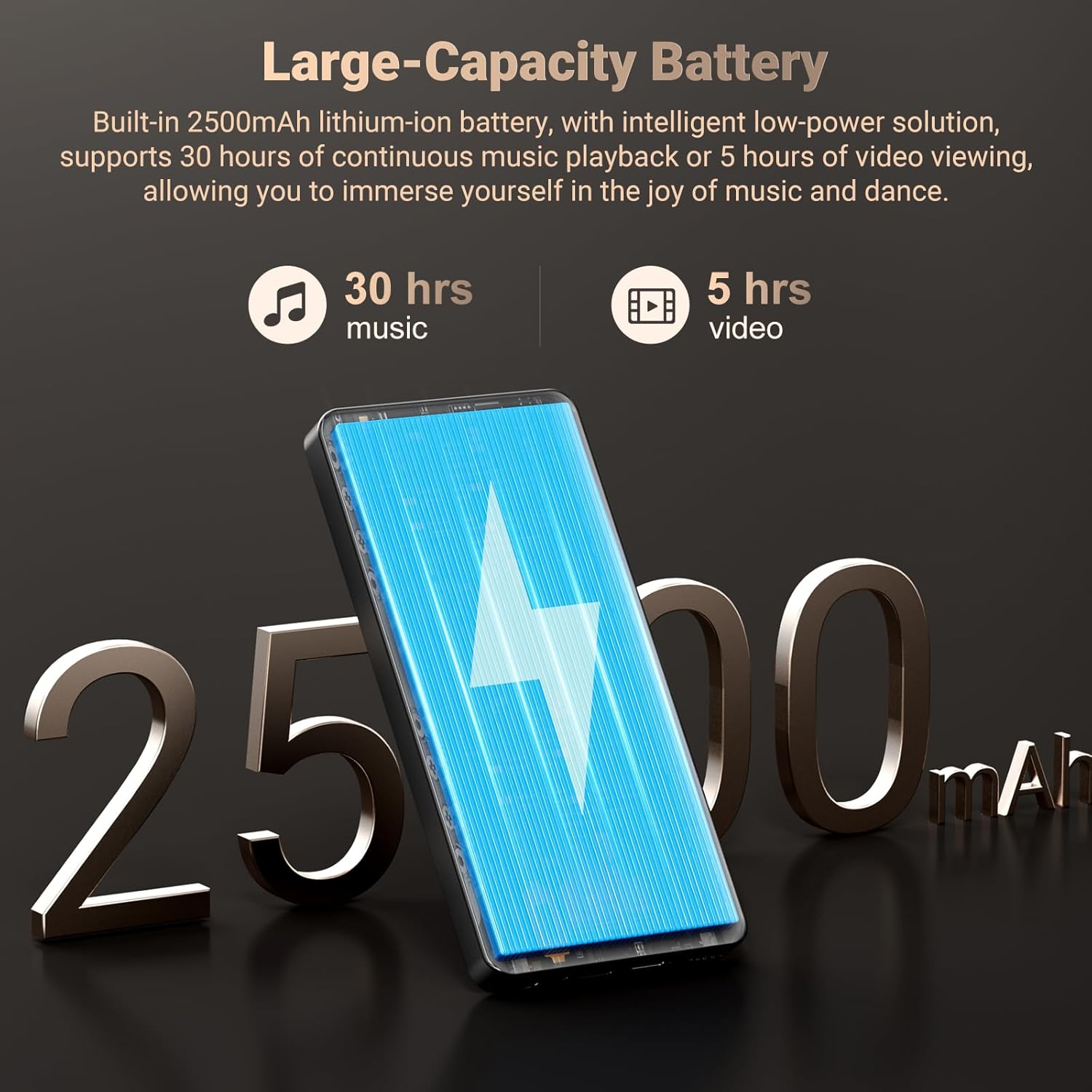
Image: Highlights the 2500mAh rechargeable battery, indicating 30 hours of music playback and 5 hours of video playback.
Limpieza
Wipe the device with a soft, dry, lint-free cloth. Avoid using abrasive cleaners, solvents, or aerosol sprays directly on the device.
Actualizaciones de software
Revise periódicamente las actualizaciones de software para asegurarse de que su dispositivo tenga las últimas funciones y mejoras de seguridad. Vaya a Ajustes > Sistema > Actualización del sistema.
Solución de problemas
| Problema | Posible causa | Solución |
|---|---|---|
| El dispositivo no se enciende. | Batería baja; fallo del sistema. | Cargue el dispositivo durante al menos 30 minutos. Si no responde, force un reinicio manteniendo pulsado el botón de encendido durante 10-15 segundos. |
| No se puede conectar al wifi. | Contraseña incorrecta; Fuera de rango; Problema con el enrutador. | Revisa la contraseña del wifi. Acércate al router. Reinicia el router. |
| El dispositivo Bluetooth no se empareja. | Dispositivo no en modo de emparejamiento; Interferencia. | Ensure Bluetooth device is in pairing mode. Turn off and on Bluetooth on both devices. Clear previous pairings. |
| Las aplicaciones son lentas o fallan. | Too many apps running; Low storage; Outdated app. | Close background apps. Free up storage space. Update the app from the Play Store. Restart the device. |
| No se pueden reproducir ciertos medios files. | Formato no compatible; dañado file. | Asegurar file format is supported (AVI, MKV, MP4, MP3, FLAC, etc.). Try a different media player app. Check if the file está dañado |
Presupuesto
| Característica | Detalle |
|---|---|
| Dimensiones del producto | 0.41 x 2.72 x 5.6 pulgadas |
| Peso del artículo | 15.2 onzas |
| Fabricante | aceitesky |
| Nombre del modelo | M502 |
| Sistema operativo | Androide 13.0 |
| Procesador | Octa-core (MTK 6762) |
| Memoria (RAM) | 4 GB |
| Almacenamiento interno (ROM) | 128 GB |
| Almacenamiento expandible | Up to 1TB (MicroSD card) |
| Tamaño de pantalla | 5.5 pulgadas |
| Resolución de pantalla | 1440x720 (alta definición) |
| Cámara trasera | 13MP |
| Cámara frontal | 5MP |
| Conectividad | Bluetooth 5.0, Dual-band Wi-Fi (2.4GHz/5GHz), USB |
| Batería | Batería de iones de litio de 2500 mAh (incluida) |
| Formatos de audio | MP3, WAV, APE, FLAC, AAC |
| Formatos de vídeo | AVI, MKV, RMVB, MP4, MPG, MOV |
| Componentes incluidos | MP3 Player, Protective Film, Earphones, USB cable, User Manual |
Garantía y soporte
Your Oilsky MP3 Player is backed by a manufacturer's warranty. For specific warranty terms and conditions, please refer to the warranty card included in your product packaging or contact Oilsky customer support.
For technical assistance, troubleshooting, or any product-related inquiries, please contact the seller, YUNCHUANGTECK, through the Amazon platform or refer to the contact information provided in your product documentation.
Es posible que haya planes de protección adicionales disponibles para comprar por separado para extender la cobertura más allá del período de garantía estándar.
Vídeo oficial del producto
Video: An official product video from Oilsky showcasing the features and functionality of the 128GB MP3 Player with Bluetooth and WiFi. This video provides a visual overview of the device's capabilities, including its smart features, camera, and connectivity options.
Ask a question about this manual
Ask about setup, troubleshooting, compatibility, parts, safety, or missing instructions. Manuals+ will review the question and use this page’s manual context to help answer it.