
1. Introducción
Thank you for choosing the Docreate 2500W Handheld Steam Cleaner. This device is designed for effective and chemical-free cleaning across various surfaces using high-temperature, high-pressure steam. Please read this manual thoroughly before operation to ensure safe and optimal use of your steam cleaner.

Image 1.1: The Docreate 2500W Handheld Steam Cleaner with its various attachments, including the main unit, steam hose, power cord, and different brush heads.
2. Instrucciones de seguridad importantes
To reduce the risk of fire, electric shock, or injury, always follow basic safety precautions when using an electrical appliance. Read all instructions before using this steam cleaner.
- Seguridad eléctrica: Asegúrese de que el volumen de la toma de corrientetage matches the cleaner's requirements (110V). Do not immerse the unit, power cord, or plug in water or other liquids. Always unplug the appliance when not in use and before servicing.
- Peligro de vapor: The steam produced is extremely hot (up to 221°F / 105°C). Never direct steam at people, pets, or electrical appliances. Keep hands and face away from the steam nozzle during operation.
- Tanque de agua: Only fill the water tank with clean tap water. Do not add detergents, perfumes, or other chemicals to the water tank, as this can damage the unit or create hazardous fumes.
- Niños y mascotas: Keep the appliance out of reach of children and pets. Do not allow children to operate the steam cleaner.
- Manejo: Always use the provided handle to carry the unit. Do not pull or carry by the cord.
- Mantenimiento: Allow the unit to cool completely and depressurize before performing any maintenance or cleaning.
3. Contenido del paquete
Verifique que todos los artículos estén presentes en el paquete:
- 1 x Docreate Steam Cleaner Unit
- 1 x 2-meter Steam Outlet Hose
- 1 cable de alimentación de 1.5 metro
- 1 x Varilla rociadora extendida
- 1 x cepillo de acero
- 1 cepillos de nailon
- 1 x Large Nylon Brush
- 2 x Silicone Seal Rings
- 1 x Manual de usuario
- 1 x cepillo redondo
- 1 boquilla de extensión
- 1 x Floor Cleaning Brush
- 1 x Cleaning Cloth Cover

Imagen 3.1: Una explosión view of the Docreate Steam Cleaner showing the main unit and all included accessories such as various brushes, nozzles, and hoses.
4. Producto terminadoview
The Docreate 2500W Handheld Steam Cleaner features a robust design for efficient cleaning. Key components include:
- Unidad principal: Houses the heating element, water tank, and control panel.
- Panel de control de pantalla táctil: Allows for easy adjustment of steam intensity with 6 levels and displays current settings.
- Semi-Transparent Water Tank: Para un fácil monitoreo de los niveles de agua.
- Steam Outlet Hose: Connects to various attachments for directed steam application.
- Variety of Nozzles and Brushes: Designed for different cleaning tasks and surfaces.

Imagen 4.1: Un detalle view of the intelligent touch screen control panel, showing the power button and steam level adjustment controls.
5. Instrucciones de configuración
Siga estos pasos para preparar su limpiador a vapor para el primer uso:
- Llene el tanque de agua: Open the top cover of the main unit and carefully add clean tap water to the semi-transparent tank. Do not overfill. The tank capacity is 800ml.
- Adjuntar accesorios: Select the appropriate brush head or nozzle for your cleaning task. Connect it securely to the steam outlet hose. Ensure the silicone seal ring is properly seated to prevent leaks.
- Conecte la electricidad: Enchufe el cable de alimentación a una toma eléctrica de 110 V con conexión a tierra.

Image 5.1: Visual guide for initial setup, including filling the water tank, attaching a brush head, and plugging in the power cord.

Image 5.2: Instructions for installing various brush heads and ensuring the sealing ring is correctly connected to prevent water leakage.
6. Instrucciones de funcionamiento
Once set up, operate your steam cleaner as follows:
- Encendido: Press the power button on the touch screen control panel. The unit will begin heating up. This typically takes 9-15 seconds to reach operating temperature (up to 221°F / 105°C).
- Ajustar la intensidad del vapor: Use the '+' and '-' buttons on the touch screen to select one of the 6 available steam intensity levels. The current level will be displayed.
- Comience a limpiar: Direct the steam nozzle towards the surface to be cleaned. Hold the nozzle a few inches away from the surface and move it slowly to allow the steam to penetrate and loosen dirt. For stubborn stains, use the appropriate brush attachment.
- Operación continua: The 1100ml water tank allows for approximately 40-50 minutes of continuous operation, depending on the steam intensity level selected.
- Apagado: When finished cleaning, press the power button to turn off the unit. Unplug the power cord from the outlet.
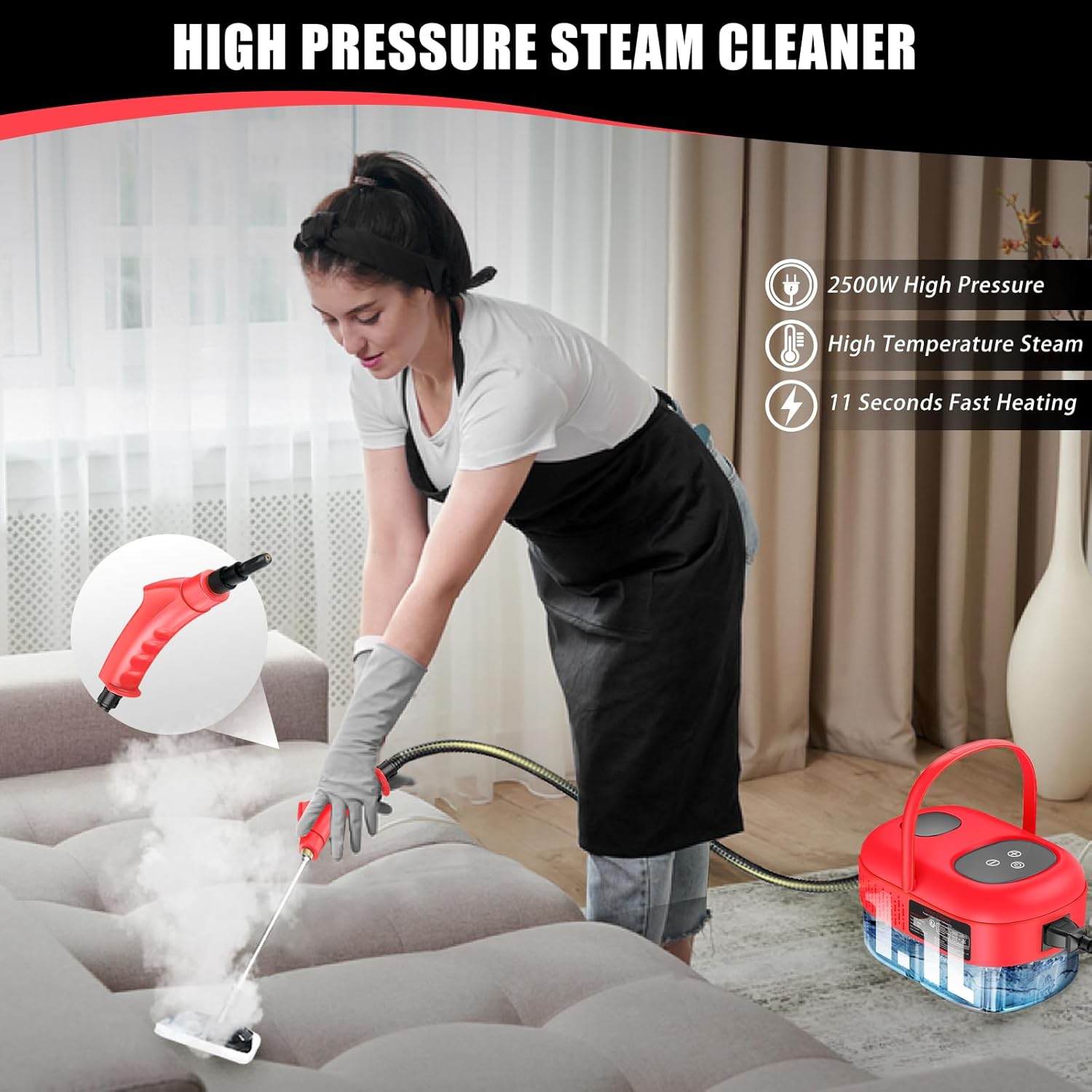
Image 6.1: An individual demonstrating the use of the steam cleaner on a couch, highlighting its application for upholstery cleaning.

Imagen 6.2: Examples of the steam cleaner's versatility, showing its use in kitchens, for car detailing, and on various household surfaces.
7. Mantenimiento y cuidado
Un mantenimiento adecuado garantiza la longevidad y el rendimiento de su limpiador a vapor:
- Drene el agua restante: After each use, ensure the unit has cooled down. Carefully drain any remaining water from the tank. This prevents mineral buildup.
- Accesorios limpios: Rinse brush heads and nozzles with clean water after use. Allow them to air dry completely before storing.
- Limpiar la unidad: Limpie el exterior de la unidad principal con adamp Paño. No utilice limpiadores abrasivos ni disolventes.
- Descalcificación (periódica): If you notice reduced steam output or mineral buildup, descaling may be necessary. Consult the manufacturer's webSitio o soporte al cliente para obtener procedimientos de descalcificación recomendados.
- Almacenamiento: Guarde el limpiador a vapor y sus accesorios en un lugar fresco y seco, alejado de la luz solar directa y de temperaturas extremas.
8. Solución de problemas
Consulte esta sección para conocer problemas comunes y sus soluciones:
| Problema | Posible causa | Solución |
|---|---|---|
| Sin vapor o con poca salida de vapor | Water tank empty; Unit not heated; Mineral buildup | Refill water tank; Allow adequate heating time (9-15 seconds); Perform descaling procedure. |
| Water leakage from nozzle/hose connection | Seal ring improperly seated or damaged; Attachment not securely fastened | Ensure seal ring is correctly placed; Tighten attachment securely; Replace seal ring if damaged. |
| La unidad no enciende | No power to outlet; Power cord not fully plugged in; Unit malfunction | Check power outlet; Ensure power cord is securely plugged in; Contact customer support. |
If the problem persists after attempting these solutions, please contact Docreate customer support.
9. Especificaciones
Key technical specifications for the Docreate 2500W Handheld Steam Cleaner:
| Característica | Especificación |
|---|---|
| Marca | Docreate |
| Nombre del modelo | red steamer for cleaning |
| Quétage | 2500 vatios |
| Volumentage | 110 voltios |
| Volumen del tanque | 800 Milliliters (1100ml mentioned in A+ content, using 800ml from specifications) |
| Tiempo de calor | 10 Seconds (9-15 seconds in A+ content) |
| Temperatura máxima | 221 grados Fahrenheit (105 °C) |
| Peso del artículo | 1.93 kilogramos (4.24 libras) |
| Factor de forma | Portátil |
| Color | Rojo |

Image 9.1: A feature comparison table highlighting the Docreate steam cleaner's specifications against other models, including tank capacity, steam pressure, and usage time.
10. Garantía y soporte
For warranty information, product support, or to purchase replacement parts, please refer to the contact information provided with your product packaging or visit the official Docreate webSitio. Conserve su recibo de compra como comprobante para reclamaciones de garantía.