
Encimaview
The GENKI Attack Vector Travel Cover for Switch 2 is designed to enhance your handheld gaming experience with superior comfort, control, and protection. This modular system includes a slim console shell, three sets of ergonomic grips, and a protective travel cover, ensuring your device is secure and comfortable during long play sessions or travel.

Image: The GENKI Attack Vector Travel Cover components, including the main console shell, three sets of modular grips, and the front travel cover, laid out around a Nintendo Switch 2 console.
Componentes
Your GENKI Attack Vector Travel Cover package includes the following items:
- Console Shell: A slim, protective shell designed to fit your Switch 2.
- Modular Grips (3 Sets):
- Feather Grip: For slim travel and minimal bulk.
- Balance Grip: For extended play sessions, offering a comfortable hold.
- Anchor Grip: For enhanced stability and a more substantial feel.
- Travel Cover: A front cover for additional screen protection during transport.

Image: A side-by-side comparison of the three modular grip types: Feather (slim), Balance (medium), and Anchor (large), illustrating their distinct ergonomic profiles.
Configuración e instalación
1. Attaching the Console Shell
Carefully align your Switch 2 console with the GENKI Attack Vector console shell. Gently press the console into the shell until it snaps securely into place. Ensure all ports and buttons are accessible and properly aligned with the shell's cutouts.
Video: A demonstration of installing the Switch 2 console into the GENKI Attack Vector console shell, highlighting the secure fit and proper alignment.
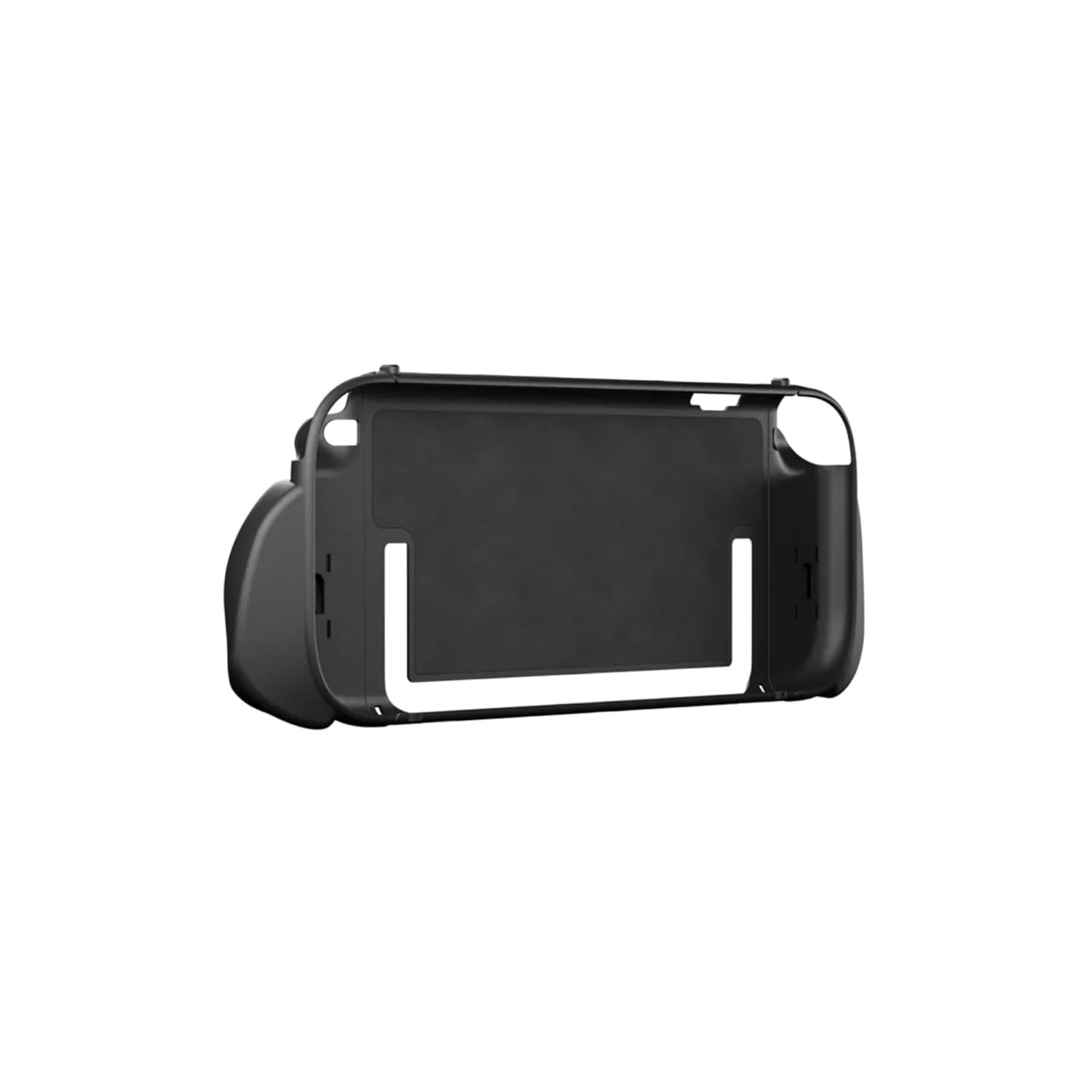
Image: The GENKI Attack Vector console shell, showcasing its design with precise cutouts for ports, vents, and the kickstand, ensuring full functionality.
2. Attaching Modular Grips
Select your preferred ergonomic grips (Feather, Balance, or Anchor). Each grip is marked for left (L) or right (R) side. Slide the chosen grip onto the corresponding side of the console shell until it clicks into place. To remove, gently slide the grip off.

Image: A Nintendo Switch 2 console fully assembled with the GENKI Attack Vector console shell and a set of modular grips attached, ready for handheld play.
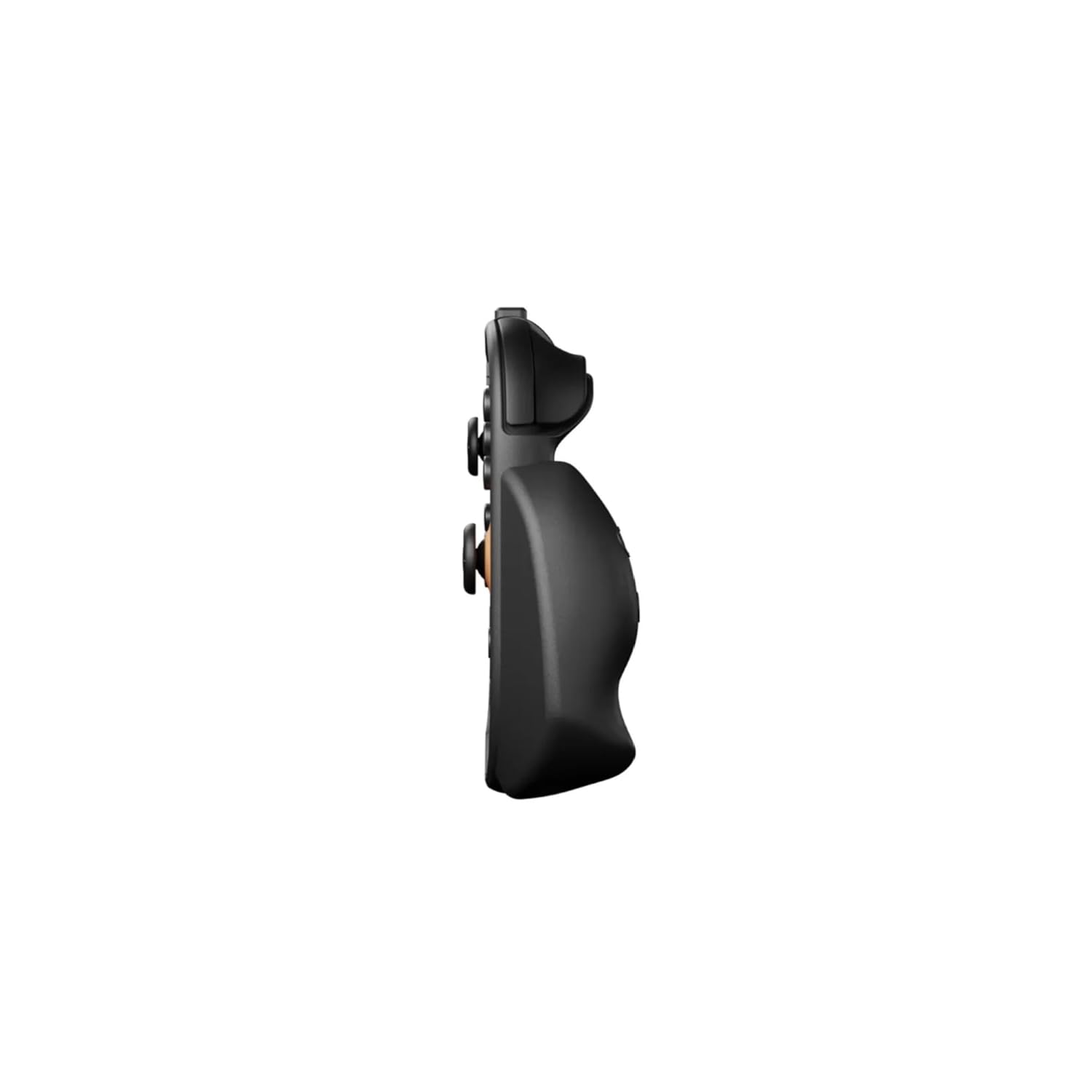
Imagen: Un primer plano lateral view of the Nintendo Switch 2 with an attached GENKI Attack Vector grip, highlighting the ergonomic curve and slim profile.
3. Using the Travel Cover
For added protection during travel, align the Travel Cover over the front of your Switch 2 (with the console shell and grips attached). The cover will snap securely over the console, protecting the screen and Joy-Cons. Remove by gently prying it off.
Video: A demonstration of attaching and removing the front travel cover, showcasing how it securely protects the Switch 2 screen and controls.
4. Attaching Compatible Accessories
The console shell features a built-in ring designed for attaching compatible accessories, such as the GENKI Energy Pack. Ensure magnets are positioned safely away from console vents. Simply align the accessory with the ring and secure it.
Instrucciones de funcionamiento
Docking the Switch 2
The slim design of the console shell allows your Switch 2 to fit seamlessly into official docks without the need for disassembly. This enables instant transition to TV mode while keeping your device protected.

Image: A Nintendo Switch 2 console, protected by the GENKI Attack Vector case, shown securely docked into an official Nintendo Switch dock, demonstrating its compatibility.
Uso del soporte
The GENKI Attack Vector Travel Cover is designed to ensure the Switch 2's integrated kickstand remains fully functional. You can deploy the kickstand as usual for tabletop mode without removing the case.
Mantenimiento
To clean your GENKI Attack Vector Travel Cover and grips, use a soft, damp cloth. Avoid abrasive cleaners or solvents that could damage the material. Ensure all components are dry before reattaching them to your Switch 2.
Solución de problemas
- Grips not attaching securely: Ensure the grips are aligned correctly with the console shell's rails and slide them firmly until a click is heard. Check for any debris obstructing the connection.
- Console not fitting in dock: Verify that the console shell is properly installed and that no foreign objects are preventing a full connection with the dock. The slim design is intended for seamless docking.
- Accessories not attaching: Ensure the accessory is compatible with the built-in ring system and that its magnetic or attachment mechanism is clean and functional.
Presupuesto
| Tipo de manija | Feather, Balance, Anchor |
| Material de la caja | Nylon |
| Número de modelo del artículo | Attack Vector |
| Peso del artículo | 1.21 libras |
| Dimensiones del paquete | 13.54 x 6.14 x 3.62 pulgadas |
| Código Postal | 850001769969 |
Garantía y soporte
For warranty information or technical support regarding your GENKI Attack Vector Travel Cover for Switch 2, please refer to the official GENKI webSitio web o contacte directamente con el servicio de atención al cliente. Conserve su comprobante de compra para cualquier reclamación de garantía.